
The game is in Spanish on Xfinity because the channel or broadcast selected is providing the Spanish language audio feed, likely due to a secondary audio program (SAP) setting or a channel default.
Have you ever settled in to watch a game on Xfinity, only to find the commentary blasting in Spanish? It can be jarring and definitely begs the question: why is the game in Spanish Xfinity? It’s a common issue, and it doesn’t mean you’ve somehow switched to a different country’s feed!
Often the reason behind this audio change stems from a simple setting. Your television might be set to a Spanish audio program, or the channel itself might be providing this as the default audio. Luckily, you can easily switch back to English audio with a few simple steps.

Why is the Game in Spanish on Xfinity?
Have you ever settled in to watch your favorite game, only to find the commentary is in Spanish? If you have Xfinity, this might have happened to you. It can be a little confusing, especially if you were expecting English. Let’s explore why this happens and what you can do about it. It’s all about understanding a few key things related to how TV channels work and the choices Xfinity makes for its customers.
Understanding Secondary Audio Programming (SAP)
One of the main reasons you might hear a game in Spanish is because of something called Secondary Audio Programming, or SAP. Think of SAP like a secret extra audio track that TV stations sometimes include along with the main audio. This is not just for Spanish; it can be for other languages too!
How SAP Works
When a TV show or sporting event is being broadcast, the main audio, usually in English, is the one that everyone expects to hear. However, if a broadcaster decides to provide a second language option, they’ll transmit this extra audio track using SAP. Your Xfinity cable box is capable of picking up both of these audio tracks. This can sometimes lead to your game being in Spanish if your box is set to play the SAP track.
Imagine a movie playing. The actors are speaking English, which is the main audio. But, the movie might also be available with audio in French for French-speaking viewers. That French audio is the SAP.
- Main audio is the default sound, often in English.
- SAP is a second audio option, often in another language.
Accidental SAP Activation on Xfinity
The reason your game might be in Spanish is often because your Xfinity box has accidentally selected the SAP channel. It’s like when you click the wrong button on a remote – it happens! There are several ways this might happen:
- Remote Control Mishaps: You or someone else in your home may have pressed a button on the remote that switches to the SAP audio. It’s very easy to do without even realizing it!
- Xfinity Box Glitches: Sometimes, the cable box itself can have a small glitch that might change the audio settings.
- Channel Broadcasting Settings: Some channels might default to the SAP setting, even if it is not the main language. This depends on how the channel is programmed.
Specific Scenarios
Let’s think about real life situations when this happens. A child might be playing with the remote. They press the SAP button without realizing it. Next time you turn the game on, it’s in Spanish! Or maybe you were trying to find the closed captions button, and you pressed the wrong button on your remote. These small actions can lead to unexpected audio.
Why Spanish Specifically?
You might be wondering, “Why is the second language often Spanish?” There are several good reasons for this, and it has a lot to do with the population in different parts of the United States.
- Large Spanish-Speaking Population: The United States has a large Spanish-speaking population. This makes it beneficial for TV channels and companies like Xfinity to offer Spanish-language options for many programs, especially popular sporting events.
- Market Demand: Many people prefer to watch shows and games in their native language. This market demand encourages the use of SAP and alternate channels. TV companies want to cater to as many viewers as possible.
- Cultural Diversity: Offering multiple language options helps to reflect the cultural diversity of the US. This allows more people to enjoy the programs they like.
How to Fix the Spanish Audio Problem on Xfinity
Now for the most important part – how do you change the audio back to English? Thankfully, it’s usually quite easy! You just need to adjust the SAP setting on your Xfinity box. There are several different ways you can do this, so let’s take a look at each.
Method 1: Using the Xfinity Remote
This is probably the quickest and easiest method. Most Xfinity remotes have a dedicated “SAP” or “Audio” button. Here’s what to do:
- Find the button: Look for a button labeled “SAP”, “Audio,” or sometimes a button with a speech bubble icon on your Xfinity remote. The location of this button can differ based on your remote type, so take a look carefully at your remote.
- Press it: Press the SAP button. You may need to press it multiple times. Each time you press it, the audio option should change.
- Check the audio: As you cycle through the options, pay attention to whether you hear English. Stop when you find the English audio.
If this does not solve your issue, try other methods.
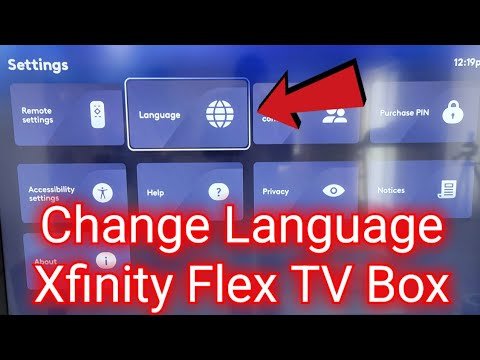
Method 2: Using the Xfinity Menu
Another way to adjust the audio settings is by going through your Xfinity menu settings. The exact steps might differ slightly depending on your Xfinity box model, but this is generally how you do it:
- Press “Menu” or “Xfinity”: Use your Xfinity remote to press the “Menu” or “Xfinity” button. This will bring up the main menu options on your TV screen.
- Go to “Settings”: Look for the “Settings” option in the menu and use the arrow keys on your remote to highlight and select it.
- Look for “Audio” or “Language”: Within the settings menu, search for options like “Audio,” “Language,” or “Accessibility.” Select the related option that will lead you to audio settings.
- Choose “Audio Track”: You should see an option for “Audio Track,” “SAP,” or similar. This allows you to select between main audio and secondary audio tracks. Select the correct main audio option, usually the English one.
- Save the settings (if needed): Some boxes ask you to save your settings. If prompted, be sure to save changes before exiting the settings screen.
Method 3: Using Voice Control
If your Xfinity remote has voice control, you can use voice commands to quickly switch between audio tracks. This can be a very useful option if you don’t want to go through a menu.
- Press the Voice Button: Locate the microphone or voice button on your Xfinity remote. Hold it down and speak your command.
- Try a command: Say commands like: “Change audio to English,” “Turn off Spanish audio,” or “Turn off SAP.”
The voice assistant should try to make the change. If the command doesn’t work the first time, try it again, or try a different variation of the same command. If you have a regular Xfinity remote without voice control, then you will not be able to use this method.
Check the Program’s Audio Settings
Sometimes, specific channels may have their own unique audio settings that can override your cable box settings. This means that even if your main settings are in English, the broadcast itself could be sending out Spanish audio for a secondary language. If none of the above steps work, you may want to check if the issue is coming directly from the broadcasting channel. You can try changing the channels to see if other channels have English or Spanish audio.
Troubleshooting Steps if Nothing Works
If you’ve tried all the above methods and your game is still in Spanish, here are some additional troubleshooting tips:
- Restart your Xfinity Box: Unplug your Xfinity box from the wall outlet, wait about 30 seconds, and plug it back in. This can fix temporary glitches.
- Check all cables: Make sure all the cables going into and out of your Xfinity box are securely connected.
- Contact Xfinity Support: If you are still having issues, contacting Xfinity customer support is a good idea. They may be able to provide you with more specific troubleshooting steps or even send a technician out to check your equipment.
The Importance of Language Options
The fact that TV providers like Xfinity offer options for different language speakers highlights an important thing – making sure TV is accessible to everyone. Not everyone speaks English, and these features help ensure that families can enjoy their favorite shows and games in a language they understand. This is a positive feature, and while it can be frustrating when it gets turned on accidentally, it’s there to benefit everyone.
Future Trends in Audio Programming
As technology improves, we can expect even better options for different language choices on our TVs. We might see more personalized options that automatically switch to our language of preference, or perhaps even multiple languages being offered at once so that anyone can choose their language.
The use of Artificial Intelligence may even allow real-time translation capabilities during broadcasted games. This would allow everyone to understand the audio of their shows in any language that they choose.
In conclusion, when you hear a game in Spanish on Xfinity, it is usually related to the SAP settings. It’s a good feature that can sometimes get accidentally activated. Luckily, there are several simple ways to switch it back to English. By understanding SAP, you can keep this issue from interrupting your favorite sporting event. With a few quick button presses, you can be back to enjoying the game in English. And remember, if you’ve tried everything and are still having problems, don’t hesitate to reach out to Xfinity customer support. They are there to help you enjoy your TV experience!
Xfinity some tv channels in Spanish and commercials in English
Final Thoughts
Xfinity often carries games in Spanish due to agreements with various networks that provide multilingual content. They aim to cater to their diverse customer base, a must for many providers. This inclusion ensures broader access for Spanish-speaking viewers.
Language options vary depending on the channel and package. Xfinity provides this service to maximize audience reach. This diversity is a key feature.
Therefore, “why is the game in spanish xfinity” stems from Xfinity’s efforts to provide content to different communities. This language choice is deliberate and part of their programming strategy.

