
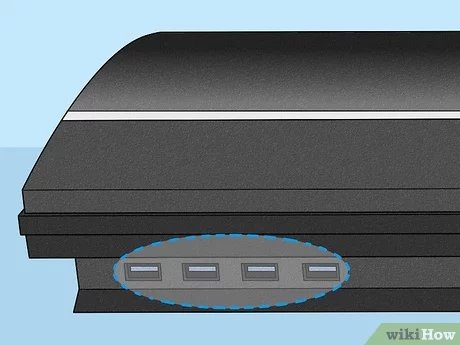
The ability to play PlayStation 2 games on PlayStation 3 is not universal; some early PS3 models offered backward compatibility, but later versions do not.
Do you have a stack of cherished PlayStation 2 games collecting dust and wonder if you can play them on your PlayStation 3? Many gamers have pondered this question: will PlayStation 2 games work on PlayStation 3? It’s a great thought, as having the ability to enjoy your old favorites on newer hardware is desirable.
The answer, unfortunately, isn’t a straight yes or no. Certain early PlayStation 3 models, particularly the 20GB and 60GB versions, did include the hardware to play PS2 discs. However, later models removed this capability for cost savings reasons.

Will PlayStation 2 Games Work on PlayStation 3?
So, you’ve got a stack of awesome PlayStation 2 games, and you’re wondering if you can play them on your PlayStation 3. That’s a great question, and the answer is a bit more complicated than a simple yes or no. Let’s dive deep into the world of PS2 and PS3 compatibility and figure out what works and what doesn’t.
The PlayStation 3 Era: A Look at Different Models
The PlayStation 3 came out in different models, and the ability to play PlayStation 2 games depends entirely on which model you have. It’s like having different flavors of the same ice cream; they look similar, but they taste different. Not all PS3s are created equal when it comes to playing older games.
The Original “Fat” PS3 Models
The very first PS3 models, often called the “fat” models because they were bigger and bulkier, were the only ones to include full PlayStation 2 hardware inside. This means these consoles are special. They didn’t just simulate running the games, they actually used the same chips as a PS2 to make the games work perfectly. These original PS3 units were built with backwards compatibility in mind. However, not all “fat” models had this feature. Only the early ones with either 20GB, 60GB, or 80GB hard drives included the necessary hardware. These are the versions you are looking for if you want to play your PS2 discs without any issues.
- CECHAxx: These models had 60GB hard drive and full hardware backwards compatibility.
- CECHBxx: These models featured a 20GB hard drive and included full hardware compatibility.
- CECHCxx: These 80GB models also had full hardware compatibility, but sometimes had a slight difference. They are more uncommon as the 60GB models where more readily available initially.
Think of it like having two different types of players for a movie. The early PS3s had both a Blu-ray player for new movies and a built-in DVD player, same as the PS2, for your older movies.
Later “Fat” Models and the Rise of Software Emulation
As time went on, Sony wanted to make the PS3 cheaper to produce. So, they removed the physical PlayStation 2 chips. Instead of relying on actual hardware, they tried to run PlayStation 2 games using software called an emulator. These models, like the later “fat” models and some slim versions, didn’t have the same level of compatibility. The emulation was not as perfect, meaning some games might not work at all, or they could have glitches, slow downs, or other problems. It is like trying to play a complicated game on a computer that is not quite powerful enough. It might work, but not perfectly.
The Slim and Super Slim PS3 Models
The “Slim” and “Super Slim” PlayStation 3 models completely removed the hardware capability for PS2 game playback. These consoles rely completely on software emulation for some PlayStation 1 games, but offer no support for PlayStation 2 games. This was a cost cutting measure and was a common approach for the later PlayStation consoles. These models were designed to play only PS3 games and some PS1 titles.
To recap, only certain original “fat” PS3 models, specifically the ones with 20GB, 60GB, or 80GB hard drives, can play your old PS2 games perfectly because they have the hardware inside. The rest do not support Playstation 2 discs at all.
Identifying Your PS3 Model
So, how do you figure out which PS3 you have? It’s not as hard as you might think. The model number is usually located on a sticker on the back or the bottom of your console. Here’s a general guide:
- CECHAxx, CECHBxx, CECHCxx: These are the original “fat” models with the full PS2 hardware.
- CECHExx, CECHGxx, CECHHxx, CECHJxx, CECHKxx, CECHLxx, CECHMxx, CECHPxx, CECHQxx: These are the other “fat” models, and some early slim models, these models do not play physical PS2 discs, although some might offer limited PS1 support via emulation.
- CECH-2xxx, CECH-3xxx: These are the “Slim” models; none of these can play PS2 games.
- CECH-4xxx: These are the “Super Slim” models; none of these can play PS2 games.
Look at the first few letters and numbers of the model number. If it starts with CECHA, CECHB, or CECHC, then you’re in luck – your PS3 is one of the few that can play PS2 games! Otherwise, you’ll need a different way to enjoy your PS2 classics.
Why Did Sony Remove Backwards Compatibility?
You might be wondering why Sony took away the ability to play PS2 games on later PS3 models. It all comes down to costs. Including the PS2 hardware made the early PS3 models more expensive to produce. The console already had new components for high definition output and a Blu-ray player. To make the console more affordable for everyone and to focus on the new generation of games for the PS3, they took away the PS2 components. It’s like how a car company might remove some extra features to make a more affordable version of a car. It does not make that vehicle any less functional, just less costly to produce.
Other Ways to Play PS2 Games
If you don’t have one of the backwards-compatible PS3 models, don’t worry! There are still ways you can experience some of your favorite PS2 titles. Here are some options:
PlayStation Store
Some PlayStation 2 games have been re-released as digital downloads on the PlayStation Store, also called PSN. You can purchase and download them directly to your PS3. It’s like buying a digital version of a book instead of a physical copy. They work well, and it’s easy and convenient. However, only a small selection of PS2 games are available for purchase on the store. So, your favorite game might not be available. Check the PSN store regularly as they are still adding titles to it over time, albeit slowly.
PlayStation 2 Emulator on PC
Another option is to use a PlayStation 2 emulator on your computer. An emulator is a program that allows your computer to act like a PS2 console, running the games. But, this requires a bit more technical knowledge and can be tricky. You also need to make sure that the PS2 game files you use are acquired legally. If you do not, you will be in violation of local and international copyright laws. Emulators are not a perfect solution, some games might run better than others, and this option has many challenges.
What to Do if You Don’t Have a Compatible PS3
So, what if you do not have a PS3 that can play your PS2 games? There is always the option of looking for a Playstation 2 console, that way you will be able to play your physical games as intended. Another option is to purchase a compatible PS3, as they are readily available, and have become relatively inexpensive, second hand. You can usually find some of the original “fat” models that still retain the backwards compatible ability. These can be a little bit more expensive to purchase compared to the slim versions, but if you want to play your PS2 game collection without any issues, then you will have to choose this option. Before choosing this option, do some research about the common problems with the original fat versions, as their age can affect performance, such as overheating. If you are ok with the potential problems, then this is a good option for you, especially if you want to play physical copies of your PS2 games.
The PS3 Era and Its Connection to the Past
The whole PS3 situation with PS2 games shows us how technology changes. At first, they included the old parts to play old games, but then they decided to move on. The PS3 was designed to be a home entertainment hub with media functions and network connectivity. The inclusion of PS2 compatibility was a bonus feature, however the goal was to move away from the old generation consoles. It is still a great system, and the original “fat” models with PS2 compatibility, are highly sought after now because of this legacy feature.
Checking Online Resources
Before making any purchases, remember to double check online resources and user forums for compatibility issues with specific titles. This will ensure you do not have any regrets and helps in choosing the most appropriate way to play your favorite PS2 titles on a PS3, if you are planning to do so. The internet is a treasure trove of knowledge, and there are many communities with dedicated enthusiasts, who will happily help you with any questions you might have.
In summary, the answer to “will PlayStation 2 games work on PlayStation 3?” isn’t a simple yes or no. It depends entirely on which PS3 model you own. If you have one of the early “fat” models, then you are in luck! If not, you might need to explore other options such as emulators or purchasing some of the game titles from the PSN store.
What happens when you put a PS2 Game in a PlayStation 3
Final Thoughts
Some early PlayStation 3 models offered backward compatibility, meaning they could play PS2 games. However, most later PS3 versions removed this feature to cut costs. Therefore, ‘will playstation 2 games work on playstation 3’ depends heavily on the specific PS3 model you own.
You must check your console’s serial number to know if it supports PS2 discs. If not, you might explore digital downloads or other methods to enjoy these classic titles.

