
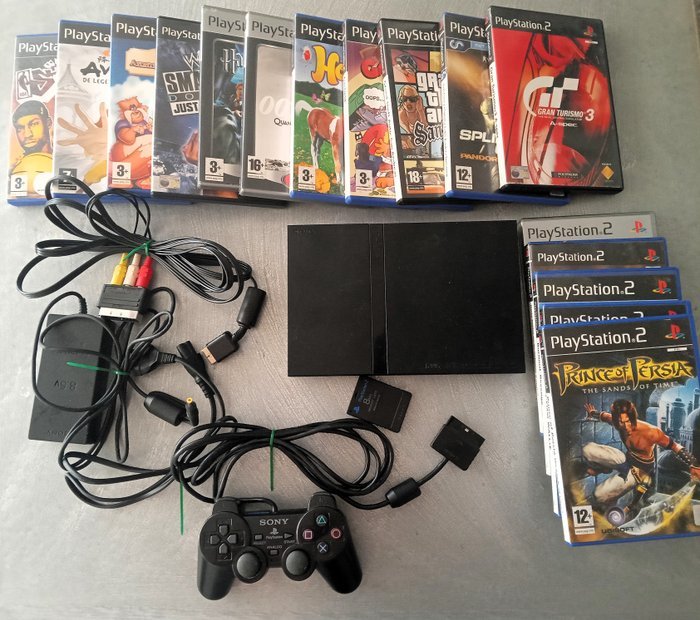
Yes, the PlayStation 2 will play PlayStation 1 games.
Do you have a stack of old PlayStation 1 games gathering dust? You might wonder if your trusty PlayStation 2 can handle these classics. The good news is, yes, it can! The PlayStation 2 has backward compatibility, meaning it was designed to play games from its predecessor.
This means you can enjoy titles like Final Fantasy VII and Metal Gear Solid on your PS2 without needing to dig out an older console. So, if you are asking will playstation 2 play playstation 1 games, the answer is a definite and exciting yes!

Will Playstation 2 Play Playstation 1 Games?
Alright, let’s get straight to it. You’ve got a shiny (or maybe a slightly dusty) PlayStation 2, and you’re itching to play some of those awesome PlayStation 1 games you remember. The big question is: Can you actually do it? Well, the short answer is a resounding YES! The PlayStation 2 is backwards compatible with PlayStation 1 games. That means it can play almost all games made for the original PlayStation. But, there’s more to it than just popping in the disc, so let’s get into the details.
The Magic of Backwards Compatibility
Backwards compatibility is a fancy term that means a newer console can play games made for an older one. It’s like having a time machine for your video games! The PlayStation 2 was designed with this in mind. The engineers at Sony made it so that the PS2’s hardware could also understand the programming and game discs of the PS1. This was a big deal because it meant gamers didn’t have to keep their old PS1 consoles to enjoy their favorite games from the first PlayStation era. You can keep that old console in the closet!
How Does It Work?
You might be wondering how the PS2 manages to play PS1 games. The key is in the PS2’s architecture. It contains special components that are similar to those in the original PlayStation. Think of it like this: the PS2 has two brains. One brain is for its own games and the other is for PS1 games. When you put a PS1 game disc into the PS2, the console recognizes it and switches to its “PS1 brain.” Then, it reads the disc and runs the game as it was originally programmed. Pretty cool, right? This way, you can experience classic adventures like Final Fantasy VII, Metal Gear Solid, or Crash Bandicoot on your PS2.
Getting Started: Playing Your PS1 Games on PS2
Playing a PS1 game on your PS2 is very easy. Here’s a simple step-by-step guide:
- First, make sure your PlayStation 2 is properly hooked up to your TV and powered on.
- Next, locate your PlayStation 1 game disc. You know, the one you’ve been waiting to play again.
- Open the disc tray of your PS2.
- Carefully place the PS1 game disc into the tray, with the label side facing up.
- Close the disc tray.
- The PS2 should automatically recognize the game and start it. If it doesn’t start automatically, you can go to the PS2 menu and select the disc icon.
- Get ready to play!
Things to Keep in Mind
While playing PS1 games on a PS2 is generally easy, there are some things you should be aware of.
- Game Compatibility: Most PS1 games will work without any issues. There are very few titles that might not work, or have some small glitches, but these are the exception. The vast majority of PS1 titles play perfectly on the PS2.
- Memory Cards: PlayStation 1 games require a PlayStation 1 memory card to save game progress. The PS2 memory card will not work for PS1 games. Make sure you have an old PS1 memory card on hand if you want to save your game progress! It’s a key part of replaying these classic titles.
- Controller Compatibility: You can use your PS2 controller to play PS1 games on your PS2. It’s not necessary to use an original PS1 controller. However, if you prefer the feel of the original controller, you can use it with your PS2!
- Graphics: PlayStation 1 games will look the way they originally did on a PlayStation 1 when played on a PlayStation 2. The PS2 does not make the graphics better for PS1 games. You’ll still see the classic blocky graphics of the original games. This can be part of the charm for some players!
- Disc Condition: A scratched or damaged PS1 disc might not play properly, or might cause your game to freeze or skip sections. Be sure your discs are in good condition. Store them carefully.
The Differences Between PS1 and PS2 Gaming
Stepping back into the world of PS1 games on a PS2 might bring a few noticeable differences compared to the PS2 titles you’re used to. While the PS2 manages to play the games just as the original console did, there are some things that are different, and these can impact your experience.
Graphics and Resolution
The most obvious difference is the graphic quality. PS1 games were made with less processing power, which led to lower resolutions and more basic models. You will definitely notice the difference, if you’re used to the smoother graphics on the PS2. The characters and environments in PS1 games can appear blocky or pixelated when viewed on modern TVs. It’s not a bad thing, but it is something to get used to. The PS2 games are graphically more complex and have more details, as they took advantage of the increased power of the console.
Sound and Audio
While both consoles have sound, the PS1 had some limitations compared to the PS2. You might notice that some PS1 music and sound effects are more basic, they also tend to be lower quality sound. The PS2, however, is capable of richer audio experiences. The improved hardware allowed game developers to create more detailed and realistic soundscapes, something that is very noticeable when you are playing the PS1 game on the PS2. Even with the improved audio hardware on the PS2, the sounds and music will still be the same low-quality of the PS1.
Gameplay Mechanics
Gameplay mechanics have also changed, you can notice it when playing games on both consoles. PS1 games, from the beginning of 3D gaming, sometimes had clunkier controls, especially when compared to more modern games. PS2 games had more precise movement and camera control, due to the technological advancements. If you are used to the gameplay of PS2 games, jumping to the gameplay mechanics of older games might require some adjustment. This isn’t a knock against the older games, but just something to note.
Loading Times
Load times are another interesting area where you might spot a difference. PS1 games often had more frequent loading screens than PS2 games. Because PS2 games could store more data at a time, the need to load information from disc was less. This means you might encounter more “pauses” when playing the older games, these moments of loading can be very noticeable compared to the fast loading of PS2 games.
Why Backwards Compatibility Matters
Backwards compatibility is more than just a neat feature. It actually has many benefits for players.
Preserving Gaming History
The most important thing is that it preserves gaming history. By being able to play older games, we can experience the classics that started everything. This allows us to see how gaming developed over time. Backwards compatibility gives us a way to make sure these great older games aren’t lost to time. This lets people of all ages enjoy these older games, and allows us to remember the past experiences.
Saving Money
Backwards compatibility lets you save money. Instead of buying an older console, you can play the older games on a system you already have. This makes it much cheaper to play some of the most well known games in gaming history. This can make it easier to grow your game collection without breaking the bank.
Convenience
Backwards compatibility provides extra convenience. You do not have to switch between different consoles just to play your favorite older games. This means less clutter in your gaming area, which is something a lot of us appreciate! You get to access to all your games on the single console.
Are There Any PS1 Games That Won’t Work on PS2?
As we mentioned, the PS2 is compatible with the vast majority of PlayStation 1 games. However, there are a very small handful of games that might experience problems or won’t work at all. These are very rare cases, but we’ll explore the reasons why.
Regional Differences and Compatibility
The PlayStation 1 games and consoles were produced for different regions: North America (NTSC), Europe (PAL), and Japan (NTSC-J). Some games are region-locked, and games made for one region might not work with a console from a different region. For example, a Japanese PS1 game might not work on a North American or European PS2, and vice versa. Generally, the console and game need to have the same region code to work properly.
There are, however, ways around region locking, usually through modding the console, but those procedures are not what we’re covering today. Remember, there might be legal or ethical concerns with modding, so proceed carefully.
Compatibility Issues With Very Rare Titles
Some very rare and obscure titles have been known to have compatibility issues with PS2. This can be due to unique ways they use the PS1 hardware. These are not common situations, as most of the major releases will work. If you happen to have an extremely obscure PS1 title, you might have to do some searching on the web to see if there are any known issues with playing on the PS2.
Disc Condition Is Important
The state of your game disc is actually the most common reason for games not working properly on the PS2. A badly scratched disc might not be read correctly by the console, which could cause issues like loading errors, game freezes, or an inability to start the game at all. Be sure to keep your game discs in good condition to avoid these kinds of problems.
PS2 Slim Model and PS1 Games
You might be curious if the PlayStation 2 Slim models are able to play PS1 games. The answer is yes. Just like the original PS2, the Slim versions have the same backwards compatibility features. Whether you have a larger original PS2 or a slimmer one, you can play those classic PlayStation 1 titles with no problem.
Similar Setup Process
The steps to play PS1 games on the PS2 Slim are also the same as on the original PS2. You simply put the PS1 game disc in the tray, close the tray, and the console will start playing the game. The PS2 slim will also need a PS1 memory card for saving game progress.
Enhancing Your PS1 Experience on PS2
While the PS2 plays PS1 games as they were originally programmed, there are a few things you can do to improve your experience with older titles.
Choosing a Display
You can improve the visual quality of older games if you use the right display for the game. The older PS1 games were made to play on older CRT TVs. The picture quality from these older TVs can be a bit different than modern TVs. If you’re a purist, you might try playing on a CRT for a more authentic experience.
Sound Setup
You can also improve the audio when playing PS1 games by using the right sound setup. If you have an audio system, this can greatly improve the quality of the sound from older games. This setup can make the sound more immersive.
A Trip Down Memory Lane
Playing PlayStation 1 games on a PlayStation 2 is like taking a trip back in time. It gives you the chance to play some of the games that shaped the world of gaming as we know it today. The ease of using backwards compatibility makes it possible to revisit old favorites without having to hook up old consoles. If you want to remember those gaming memories, you can simply pop a disc into your PS2.
In summary, the PlayStation 2’s ability to play PlayStation 1 games is a fantastic feature. It offers convenience and a chance to enjoy classic games. While there may be minor differences, the overall experience of revisiting PS1 titles on your PS2 is great. This makes the PS2 an excellent console for experiencing both its own library of games and the classic games of the PlayStation era. It truly is a great way to experience both the past and the present of gaming all in one place.
Does PS2 play PS1 games
Final Thoughts
Yes, the PlayStation 2 will play PlayStation 1 games. This backwards compatibility feature is a significant advantage. It lets you enjoy your older game collection on the newer system.
This compatibility is not universal across all PS2 models. Some very late versions removed this ability, though most systems will support it. Therefore, always check if your particular PlayStation 2 model has support if you want to know for sure ‘will playstation 2 play playstation 1 games’.

