
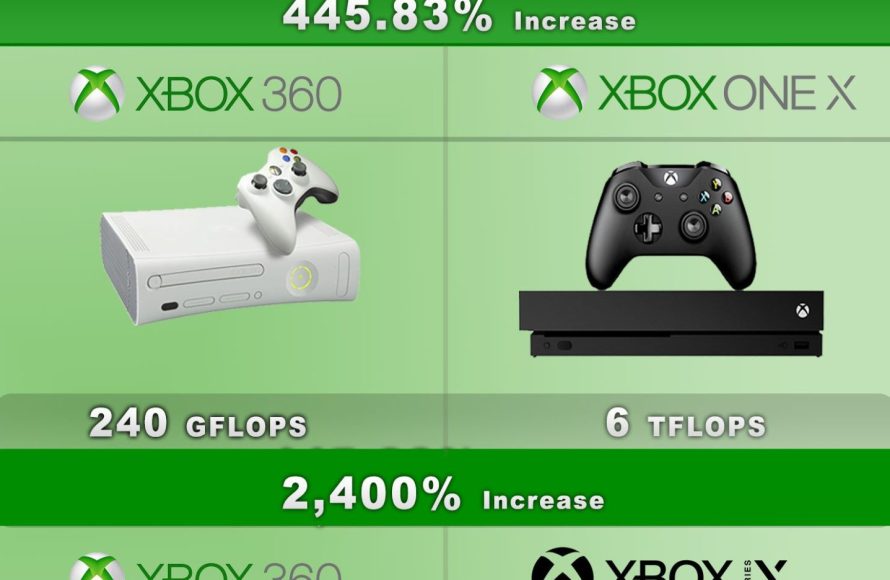
The current Xbox console comparison primarily centers around the Series X, offering high-end gaming, and the Series S, a more affordable option with slightly reduced performance.
Choosing the right Xbox can be tricky, especially with the different models available. Deciding between raw power and budget can be tough. This article explores the crucial aspects of Xbox console comparison, focusing on the Series X and Series S. We will guide you through each console’s capabilities.
Ultimately your decision depends on your gaming needs and budget. We’ll outline the key differences so you can pick the console that is best for you.

Xbox Console Comparison: Choosing Your Perfect Gaming Machine
Picking the right Xbox can feel like a big adventure! There are a few different models, and they each have their own special things they can do. This guide will help you understand the differences between the Xbox consoles, so you can choose the one that’s best for you and your family. We’ll explore the different features, what games you can play, and how much they cost. Let’s get started on this awesome journey!
Xbox Series X: The Powerhouse
The Xbox Series X is the most powerful Xbox you can get. Think of it like the fastest race car in a video game. It’s designed to play games in the highest quality, with super clear pictures and really smooth movement. This is the go-to console for gamers who want the very best experience, no matter what they’re playing.
Key Features of the Xbox Series X
- Super Fast Loading: Games load up super quickly, so you can spend more time playing and less time waiting. It’s like having a warp speed button for your games.
- Ultra HD Graphics (4K): Games look incredibly real, with sharp details and vibrant colors, almost as if you’re watching a real-life movie.
- 120 Frames Per Second (FPS): This means the game moves very smoothly, which is important for action-packed and fast-paced adventures.
- Lots of Storage: You have plenty of space to store many games, so you won’t have to keep deleting them to make room for new ones.
- Play Physical and Digital Games: It has a disc drive, so you can use both physical games and games that you download from the internet.
- Powerful Processor: The super-smart computer inside makes sure everything runs at its best. This means your games will look and play amazing.
Who is the Xbox Series X for? Gamers who want the top-of-the-line gaming experience, those who value the best graphics, and those who want to play the newest games on the most powerful device.
Xbox Series S: The Compact and Affordable Option
The Xbox Series S is like the younger sibling of the Series X. It’s smaller, costs less, and it’s designed for people who want to have lots of fun without having to spend a huge amount of money. It’s still very good at playing games, just not with all the top-tier features of the Series X. The difference is that it doesn’t play physical games and runs at lower graphic quality.
Key Features of the Xbox Series S
- Smaller Size: It’s much smaller than the Series X, so it’s perfect if you don’t have a lot of space for your gaming stuff.
- Budget-Friendly: This one is easier on your pocket, making it a great choice if you are watching your spending.
- Fast Loading: Like the Series X, it also has very fast loading times, so you can get into the game quickly.
- Digital Games Only: You can’t play games from discs; you’ll have to download all the games you want to play.
- 1440p Resolution: It still has great picture quality, just not as crystal-clear as the Series X. You can play the games in High Definition which still looks great.
- 120 FPS Support: You can enjoy the smooth motions of the fast-paced games, just like the Series X.
- Digital-Only Convenience: Download and play games, no need to worry about discs getting scratched or lost.
Who is the Xbox Series S for? Gamers who are looking for great value, want something compact, and mostly play digital games.
Xbox One X: The Previous Generation Champion
The Xbox One X was the most powerful console in the previous generation, but it’s still an option for some people. It’s not as advanced as the newer Xbox Series consoles but can play a wide range of games.
Key Features of the Xbox One X
- 4K Gaming: It can play games in 4K, making games look good with sharp details.
- Physical and Digital Games: Like the Series X, it plays both physical and digital games.
- Improved Performance: It provided better performance compared to other Xbox One models.
- Strong Processor: It has a good processor for running games effectively.
Who is the Xbox One X for? Gamers who are on a budget, want to play older Xbox games, or just want a 4K gaming experience.
Xbox One S: The Original Entry-Level Option
The Xbox One S is a slimmed-down version of the original Xbox One. It’s a good option for those on a very tight budget. This is the basic version of Xbox one so if you don’t want to invest much money then this can be your starting console.
Key Features of the Xbox One S
- Affordable: This is the least expensive Xbox.
- Plays Blu-ray Discs: You can watch movies on your console using it as a Blu-Ray player.
- HDR Gaming: Games look more vibrant with a better range of colors.
- Physical and Digital Games: You can play physical games using its disc drive.
Who is the Xbox One S for? Gamers who are on a very limited budget, mostly want to play older games, and are new to the console experience.
Comparing the Specs: A Detailed Look
Let’s get a bit more technical and see a side-by-side comparison of the key things that make each console different. This part might be a bit more advanced, but it’s important for making a good decision.
| Feature | Xbox Series X | Xbox Series S | Xbox One X | Xbox One S |
|---|---|---|---|---|
| Resolution | 4K (up to 8K) | 1440p (upscaled to 4K) | 4K | 1080p (upscaled to 4K on some displays) |
| Frame Rate | Up to 120 FPS | Up to 120 FPS | Up to 60 FPS | Up to 60 FPS |
| Disc Drive | Yes | No | Yes | Yes |
| Storage | 1 TB Custom NVMe SSD | 512 GB Custom NVMe SSD | 1 TB HDD | 500 GB/ 1 TB HDD |
| Processor | Custom AMD Zen 2 | Custom AMD Zen 2 | Custom AMD Jaguar | Custom AMD Jaguar |
| Price | High | Mid-Range | Mid-Range (Discontinued) | Low |
Game Compatibility: Which Games Can You Play?
Knowing which games you can play on each console is super important. Here’s a guide to what works on each:
Xbox Series X and S
- New Xbox Series X/S Games: Both of these consoles can play all the new games that come out for the Xbox platform.
- Xbox One Games: Almost all Xbox One games work on these consoles, thanks to something called backward compatibility. This means you can play old favorites, too!
- Some Original Xbox and Xbox 360 Games: Certain games from even older consoles are playable on the Series X/S.
Note: The Series S requires digital copies of all games, as it lacks a disc drive.
Xbox One X and S
- Xbox One Games: These consoles play all Xbox One games.
- Some Original Xbox and Xbox 360 Games: Like the Series X/S, they also support some older titles through backward compatibility.
Understanding Game Pass: Accessing a Library of Games
Xbox Game Pass is a subscription service where you get access to a big collection of games for a monthly fee. It’s like Netflix, but for video games! Here’s what it means for each console:
- Xbox Series X/S: Both can use the Game Pass service, so you can play many different games without buying them separately.
- Xbox One X/S: These consoles also work with Game Pass, giving you lots of choices from a wide variety of games.
What you can play: Game Pass includes many top-quality Xbox exclusive games and third-party titles and new games are regularly added to the library. If you’re not interested in purchasing games individually then it is a great choice.
The Importance of Controllers
Each console comes with its own controller, but they are mostly the same across different models. It’s good to know about the differences:
Xbox Series X/S Controller
- Slightly Updated Design: The newest controller has a more comfortable design.
- Share Button: You can easily share your gameplay with friends.
Xbox One Controller
- Slightly Older Design: It’s still a great controller and works on all Xbox One models as well as on the newer consoles.
Note: You can use Xbox One controllers on the Series X/S. This is great if you have extra controllers from an older Xbox!
Storage Solutions: Managing Your Games
Game sizes are getting larger, so understanding storage is very important. Here’s how each console stacks up:
Internal Storage
- Xbox Series X: 1 TB of space, which is great for many games.
- Xbox Series S: 512 GB of space, which might get filled quickly if you install many games.
- Xbox One X: 1 TB of space, and good for many games
- Xbox One S: Comes in 500GB or 1TB, which is suitable for most older games.
External Storage Options
- External Hard Drives: You can use an external hard drive to store extra games on all Xbox consoles. However, you can only play Series X/S games from the internal drive or the official expansion cards, so they cannot be used to store and play next-gen games.
Pricing and Value: Making the Right Choice
Your budget will play a big part in your decision. Here’s a basic idea of what you can expect:
- Xbox Series X: The most expensive of the group, but it gives you the best performance.
- Xbox Series S: A more budget-friendly option, still good but slightly less powerful than the Series X.
- Xbox One X: Older console and can be cheaper now but is not widely available.
- Xbox One S: The least expensive Xbox on the market.
Consider your needs: If you want the best and have the budget, the Series X is great. If you want a more budget-friendly console, then the Series S is a good choice. The Xbox One X/S is for those who are looking for an inexpensive option for playing the older games.
The Xbox Series X is the king when it comes to raw power and the best gaming experience. It is a great choice for players who want the highest resolution, smoothest gameplay, and don’t mind spending a little bit more. The Xbox Series S offers a more wallet-friendly entry to the current generation of games, and is ideal for those who are happy with digital games. The Xbox One X is for those who are content with good 4K gaming and a large library of games while the Xbox One S is for those who are new to gaming and want an affordable option.
Xbox Series X vs. Xbox Series S (full comparison)
Final Thoughts
Choosing the right Xbox depends on your needs and budget. The Series X offers top-tier performance, while the Series S provides a more affordable entry point. Consider the games you play and display resolution you use.
The Xbox console comparison reveals that Series X gives superior visuals and storage. Series S provides a compact design at a lower cost. Both consoles provide access to Xbox’s gaming ecosystem.
Ultimately, your decision in the Xbox console comparison depends on your individual priorities. Weigh performance against cost to choose the ideal system. Both consoles provide many fun gaming possibilities.

