
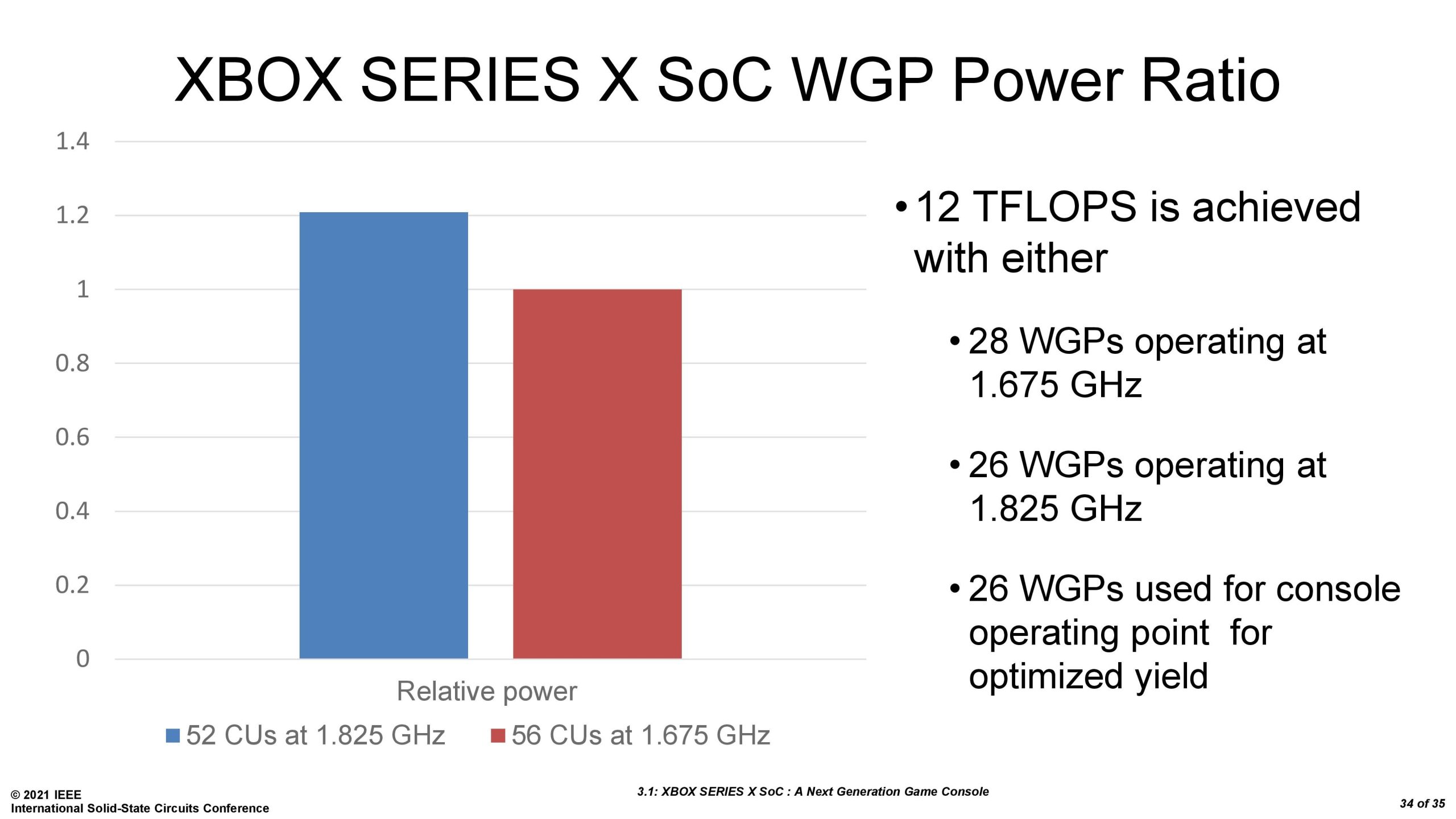
The latest Xbox consoles deliver excellent performance, providing fast loading times and smooth gameplay with enhanced graphics.
Ever wondered how well your Xbox console actually performs? It’s a common question among gamers, especially when new titles arrive demanding more power. Xbox console performance is key to a great gaming experience.
We explore what impacts the visuals and speed of gameplay on your Xbox. This includes aspects like frame rates and resolution. We’ll also discuss how to get the best performance from your console.

Xbox Console Performance: A Deep Dive
Let’s talk about how well your Xbox works! When we say “performance,” we mean how quickly games load, how smooth the pictures look, and how good everything feels when you’re playing. It’s like when you’re running a race – you want to be fast and have no problems! Just like a race car needs a good engine, your Xbox needs good parts to make games run great. This article will go over all the things that make your Xbox run its best.
What Makes an Xbox Fast? The Key Components
Imagine your Xbox is like a super-powered computer made just for games. It has a few important parts that all work together. These parts decide how fast and how well your games play. Let’s take a look at some of them.
The Brains: CPU
The CPU, or Central Processing Unit, is like the brain of your Xbox. It follows instructions and does all the thinking for the games. A faster CPU means the game can do more complicated things without slowing down. For example, when you see lots of characters on the screen in a big battle game, the CPU is working hard to keep everything moving smoothly. The Xbox Series X and Series S have really good CPUs that can handle super complex games, which is why they can look and feel so impressive. The older Xbox One consoles also have CPUs, but they’re not quite as speedy.
The Picture Powerhouse: GPU
The GPU, or Graphics Processing Unit, is responsible for creating all the amazing pictures you see on your TV. This is really important for games because it controls how beautiful the worlds look, how bright the explosions are, and how realistic the characters appear. A powerful GPU can handle higher resolutions (like 4K or even 8K), which makes everything look extra clear and detailed. It also handles things like special lighting effects and shadows, making games feel more immersive. The better the GPU, the prettier the game can be. The Xbox Series X has a more powerful GPU than the Series S, which is why it can handle even more impressive graphics.
The Memory: RAM
Your Xbox also uses RAM, which is like a very fast short term memory. It helps the CPU and GPU by storing the information they need right now while playing games. Think of it like this: when you’re working on a puzzle, you lay out all the pieces you need nearby. This is what RAM does for your Xbox, it lets it quickly get to all the information it needs at that moment without having to go digging somewhere else. More RAM means the Xbox can handle more information at once, which can stop games from slowing down or glitching. The Xbox Series X has more RAM than the Series S, which is another thing that allows it to handle bigger and more complicated games.
Storage: Where Games Live
Your Xbox also has a hard drive, or SSD (Solid State Drive) that is where it stores all your games, saves, and everything else. How quickly your games load depends on this drive. Imagine having to dig through a big pile of books to find the one you want – that’s like how the older hard drives work. Modern SSDs are super-fast. They can find your games much faster, which makes load times much shorter. The Xbox Series X and S both use super-fast SSDs, which is one of the reasons they load games so fast! Having more storage gives more space for more games. The Xbox Series X has a larger internal storage than the Xbox Series S, but both consoles let you add more storage with special expansion cards or external drives.
Understanding Refresh Rate and Resolution
When you’re talking about how games look, two important things are refresh rate and resolution. Let’s understand these two.
Resolution: How Clear the Picture is
Resolution is like how many tiny dots, or pixels, make up the picture on your TV. The more pixels there are, the clearer the picture looks. You might have heard about terms like 720p, 1080p (also called Full HD), 1440p (also called QHD), and 4K. A 4K picture has way more pixels than a 1080p picture, so it looks much more detailed. If you have a 4K TV, your Xbox Series X can show games in 4K, making them look really amazing. The Xbox Series S is designed to play games at 1440p or 1080p but it can also support 4K video streaming. Older Xbox One consoles support 1080p at best. Choosing the right resolution for your game and TV can give you the best and clearest picture. Check your TV’s supported resolutions and ensure your game output on your Xbox matches, for optimal display.
Refresh Rate: How Smooth the Picture Moves
Refresh rate is about how many times your TV shows a new picture each second. It’s measured in Hertz (Hz). A higher refresh rate makes the motion on your screen look smoother. The standard rate for most TVs is 60Hz, which means the TV shows a new picture 60 times per second. But some TVs, especially those made for gaming, have refresh rates of 120Hz or even 144Hz. When you’re playing a fast-action game, a higher refresh rate can make things appear less blurry and more responsive. It’s especially noticeable with games where things move quickly, like racing or fighting games. The Xbox Series X and S support 120Hz refresh rate, while older Xbox One consoles generally run at 60Hz. A combination of good resolution and a high refresh rate will make the games feel even better.
Frame Rate: The Key to Smooth Gameplay
Frame rate is super important to the gaming experience. It’s connected to refresh rate, but it’s something slightly different. The frame rate tells us how many individual pictures the Xbox sends to your screen each second, also measured in Frames Per Second, or FPS. More FPS will make your game feel smoother and responsive. Imagine flipping through the pages of a flip book rapidly, each image is like a frame in the game. If the frames are shown quick enough it gives the illusion of smooth motion.
Understanding FPS
A low FPS can make games feel choppy and slow. You may see the image on screen stutter or the movement seem to halt momentarily. This isn’t fun when you’re in the middle of an action scene! A higher FPS means that the game is playing smoothly without any lags or stuttering, which is important to help you react to the action in time, or just enjoy the game. The goal for most games is to run at 60 FPS, which makes everything feel smooth and responsive. Some games might run at 30 FPS, which is still playable, but won’t feel quite as smooth. The Xbox Series X and S can handle many games at 60 FPS, and some even support 120 FPS with the right TV. On the other hand, Older Xbox One consoles usually aim for 30 or 60 FPS, depending on the game.
Frame Rate and Gameplay
If the game is running at a low frame rate, the game will appear to be stuttering, where it appears to skip frames or slow down. This can make gaming feel laggy. When the frame rate is consistent and high, the game will run smoothly. This is important in fast paced games, like first person shooters or racing games. The Xbox Series X and S were designed to play games at high frame rates, giving the players a more enjoyable experience. This includes the benefit of reduced input lag. Input lag is the delay between when you press the button on the controller and when you see it happen on screen. High frame rates can contribute to lower input lag, meaning you feel more in tune with the game.
Xbox Console Models and Performance Differences
Microsoft has released several different Xbox consoles over the years, each with its own strengths and weaknesses. Here’s a breakdown of how they compare in terms of performance.
Xbox Series X: The Powerhouse
The Xbox Series X is the most powerful Xbox console you can buy. It has the strongest CPU and GPU, and it also has the most RAM. This means that it can run the most visually impressive games in 4K resolution with high refresh rates, often at 60 FPS or 120 FPS. The Xbox Series X is designed for gamers who want the best possible graphics and performance. If you have a 4K TV, this console will bring out the best possible visuals. The super fast SSD also helps load games really fast, allowing for much less waiting time.
Xbox Series S: The Compact Performer
The Xbox Series S is more affordable and smaller, but it’s still a good option. While it has a less powerful GPU than the Series X, it still offers very good performance, especially at 1440p and 1080p resolutions. This console also uses a super fast SSD, so loading is still very speedy. The Xbox Series S can also play many games at 60 FPS or even 120 FPS, making games feel smooth. It’s a great pick for gamers who don’t need 4K resolution but still want fast loading and smooth game play.
Xbox One X: The Enhanced Xbox One
The Xbox One X was the high-end console in the Xbox One family. It was designed to play some games in 4K and provide higher resolutions and frame rates than the standard Xbox One. While it was a step up from the base Xbox One, it has lower performance than the newer Xbox Series X and S. The load times for games may also be slower as it does not have a fast SSD.
Xbox One S and Original Xbox One: The Base Models
The Xbox One S and the original Xbox One are the oldest of the modern Xbox consoles. These consoles are able to run games but may experience slower loading times and lower frame rates, especially in newer games. They generally play games at 1080p resolution. If you own these consoles, the newer Xbox Series X and S will feel noticeably faster and have better visuals.
Optimizing Your Xbox for Peak Performance
Even with the best console, there are things you can do to make sure it’s running at its best. Here are some ways to keep your Xbox running smoothly.
Keep It Cool
Your Xbox can get hot when it’s running for a long time. It needs to have good airflow to keep its parts cool. Make sure that the vents on your Xbox aren’t blocked. Don’t put it in a small, closed space or stack other things on top of it. Giving it enough space to breathe will help it run more efficiently.
Keep Software Updated
Xbox gets regular updates that can make it run better. Make sure to keep your console’s operating system up to date. These updates often include improvements that can make your games run faster, reduce input lag, and make games more stable. Always install the latest updates available from Microsoft.
Manage Storage Space
Having too many games or apps stored can slow things down. Delete the ones you’re not using often, and free up some space. Also using an external SSD, even on older systems can greatly improve load times, and free up the internal storage as well. If your Xbox is running out of space, you might want to think about getting an expansion card for your Xbox Series X/S, or an external hard drive/SSD.
Use Correct Settings
Your TV and Xbox settings will make a difference to performance, particularly in image quality. Setting the correct resolution and refresh rate according to your TV specs will ensure the best image quality. For example, if you have a 1080p monitor you shouldn’t be outputting at a 4K resolution as this will not be correctly displayed. The same goes for refresh rate. If your display cannot support a certain refresh rate, setting your Xbox to that refresh rate won’t make any difference and may cause some issues with the display output.
Troubleshooting Common Performance Issues
Sometimes, even with everything done right, your Xbox might not perform as well as you expect. Here’s what you can do.
Game Freezing or Crashing
If your game freezes or crashes, it might be due to a bug in the game or the Xbox system. Close the game completely and restart it. If the problem continues, make sure that the game and the Xbox are fully updated. Clearing the cache can also sometimes help. If that doesn’t work try uninstalling and reinstalling the game. As a last resort you could try factory resetting your console. If the issue still continues after a factory reset, it’s likely an issue with the console hardware.
Slow Loading Times
Slow loading times could be due to a nearly full storage space. Delete some games or apps that you don’t use often. Using a external SSD can help greatly increase load times. If you are using a mechanical hard drive, this can be a factor as mechanical drives are generally slower than SSDs. In this case consider upgrading to a external SSD if this is a problem you’re frequently encountering.
Lag or Stuttering
If your game is lagging or stuttering, it could be that the console is getting too hot. Make sure your Xbox has enough airflow. It could also be due to a poor internet connection if you are playing an online multiplayer game. Check your internet connection and restart your modem and router if needed. High internet latency can cause stuttering issues if not addressed. If this is not the case and you still experience stutter, it could be a problem with the console. In this case consider contacting official support channels, in case of a hardware fault.
Controller Issues
If your controller is not working as expected, ensure it has good batteries, or try a different controller. Ensure your controller is synced correctly to the console. If the issue continues with other controllers, it is likely that your console has a fault and may require servicing.
In short, Xbox console performance depends on many different things working well together. The powerful parts inside like the CPU, GPU, RAM, and SSD all contribute, and so does the software. By paying attention to all the factors, you can ensure your Xbox is running its best and you get the most enjoyment out of your gaming.
If you have an Xbox, TRY THIS!
Final Thoughts
Xbox consoles deliver impressive gaming experiences. They provide smooth frame rates and sharp visuals. Players enjoy consistent performance across various game titles.
Ultimately, the Xbox console performance remains a key strength. This contributes to immersive and enjoyable gameplay. Xbox continues to offer a compelling platform for gamers.

