
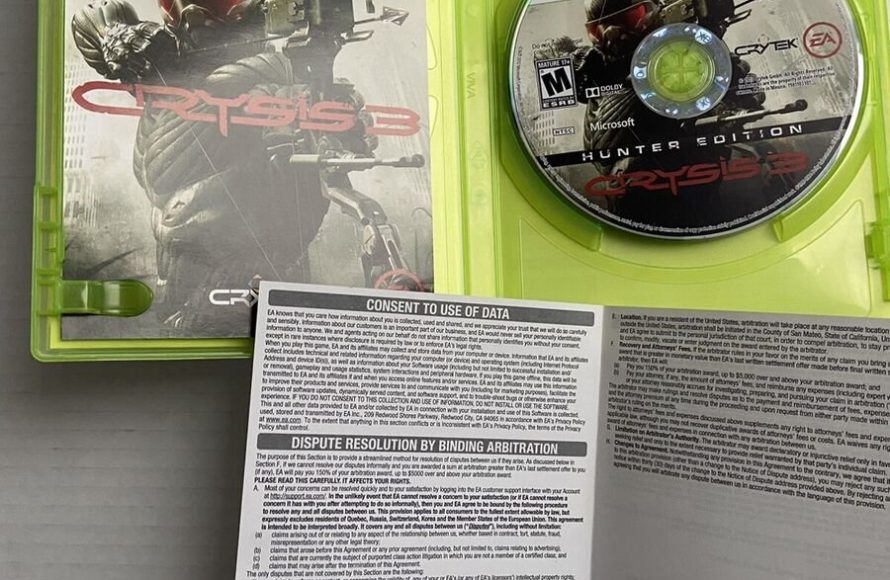
Xbox contract dispute resolution typically involves reviewing the contract, attempting negotiation, and potentially using a third-party mediator or arbitrator.
Navigating the world of gaming contracts can sometimes present challenges. Issues can arise, making it essential to understand how to approach disagreements. This is where knowledge of Xbox contract dispute resolution becomes crucial.
It is important to explore all options for resolution. This might include direct communication or engaging neutral parties. Understanding these steps can save time and resources.

Xbox Contract Dispute Resolution
Ever had a problem with something you bought for your Xbox? Maybe a game didn’t work right, or you were charged for something you didn’t agree to? It can be frustrating, right? That’s where understanding how to handle Xbox contract disputes comes in handy. Think of it like this: when you buy a game or service on Xbox, you’re basically agreeing to a set of rules, which are often called terms and conditions. Sometimes, things go wrong, and when they do, it’s important to know how to get them fixed. Let’s dive into how you can navigate these situations.
Understanding the Basics of Xbox Contracts
Before we talk about fixing problems, let’s understand what we’re dealing with. An Xbox contract isn’t a piece of paper you sign, it’s more of an online agreement you make when you use their services. This includes things like:
- Buying games and downloadable content (DLC)
- Subscribing to Xbox Game Pass
- Using Xbox Live services
- Making in-game purchases
These agreements have rules about how things should work, and what happens when something goes wrong. It’s important to remember that everyone needs to follow these rules. If you don’t, or if Xbox doesn’t, you might have a contract dispute.
What is a Contract Dispute?
A contract dispute happens when you believe that Xbox didn’t keep their side of the agreement. This could be because:
- A game doesn’t work as advertised.
- You were charged incorrectly.
- You can’t access content you paid for.
- Xbox changes something about the service you didn’t agree to.
It’s important to remember that these disputes can be settled! You don’t have to just give up. There are processes in place to help you get these issues fixed.
Common Types of Xbox Contract Disputes
Let’s explore some of the most common issues that might lead to a dispute.
Problems with Game Purchases
Imagine you buy a brand new game, super excited to play, but it keeps crashing or just doesn’t work at all. That’s a huge letdown. Here are a few game purchase issues you might encounter:
- Defective Games: The game doesn’t work correctly, crashes constantly, or has major bugs that make it unplayable.
- Misleading Descriptions: The game looks way different in the trailer than it does when you play it, or promised features are not there.
- Download Issues: You paid for the game but can’t download it, or the download gets stuck.
Subscription Issues
Many players enjoy Xbox Game Pass or Xbox Live Gold subscriptions. But sometimes, these subscriptions can have problems:
- Billing Errors: You get charged more than you should, or you get charged after you canceled your subscription.
- Access Problems: You can’t access the games or services included in your subscription.
- Automatic Renewal Issues: You didn’t know your subscription would renew and were charged.
In-Game Purchase Problems
Spending some money in your favorite game? That can lead to problems too.
- Items Not Received: You pay for an in-game item but never get it.
- Incorrect Charges: You are charged more than you agreed to for an in-game purchase.
- Accidental Purchases: You accidentally bought something you didn’t want.
Service Outages
Sometimes Xbox Live has problems, which can be frustrating:
- Server Downtime: You cannot connect to the game or access Xbox Live services.
- Lag or Connectivity Problems: The games are hard to play due to lagging or poor connections on Xbox’s end.
How to Initiate Xbox Contract Dispute Resolution
Okay, so you have a problem. What do you do now? The first step is to start the dispute resolution process. Don’t worry; it’s not as hard as it sounds. Here is a typical plan:
Gathering Your Information
Before contacting Xbox, get all your details in order. This makes the process smoother and faster. You should get:
- Order Numbers: Keep your order information and payment history on hand.
- Account Details: Make sure you know your username and email address associated with your Xbox account.
- Date and Time: Make a note of when the issue happened.
- Screenshots/Videos: If the problem is something you can show with a picture or video, take them! It helps show what went wrong.
- Description of the Problem: Write down exactly what went wrong, in your own words.
Contacting Xbox Support
The first step in most disputes is to contact Xbox support directly. They have a support website and phone number or use a chat service for help. Here’s how:
- Visit the Xbox Support Website: Go to the official Xbox support site (usually on Xbox.com) to find many helpful articles and ways to contact them.
- Use the Contact Form or Chat: Look for their “Contact Us” section to fill out a form, or you can sometimes chat with a support agent online.
- Call Xbox Support: Sometimes you can speak directly to someone over the phone. Look for the support number on the Xbox website.
When you contact them, explain your problem clearly, and include all the details you collected earlier. Be polite, but also firm in explaining your issue and what you want them to do to fix it. Remember, it’s important to stay calm even if you’re frustrated.
The Initial Resolution Process
After you contact Xbox, they will usually start by troubleshooting. They will ask questions about your problem and try some quick fixes. This can include:
- Trying to Restart your Xbox or the game: Yes, this is often the first thing they will suggest.
- Checking your internet connection: They need to make sure the problem is not on your end.
- Asking for more details about the issue: They might need more information to better help you.
If their initial suggestions don’t fix the problem, they will usually move on to more specific solutions.
Escalating Your Dispute
Sometimes, the first level of support doesn’t resolve your problem. What do you do then? It’s time to escalate your dispute. This means taking your issue to someone with more authority.
How to Escalate
If the first level of support couldn’t help, do this:
- Ask to speak to a supervisor: Politely ask to speak to a supervisor or a higher-level support agent.
- Reiterate the Issue: Clearly explain the problem to the new person, referring back to your original contact if needed.
- Request a Case Number: Make sure you get a case number or reference number for your issue. This helps you track the progress.
- Keep Detailed Notes: Write down the name of everyone you talk to, the date and time, and a summary of what was discussed.
Using Social Media
If you’re still getting nowhere, sometimes using social media can help. Keep in mind that you must keep this very polite and professional. Here’s how to use social media as a tool:
- Tweet at Xbox Support: Sometimes, a public tweet to @XboxSupport can get their attention. Be sure to keep your tweet polite, and summarize the issue, along with your case number.
- Use Xbox Forums: Try posting about your problem on the official Xbox forums. Sometimes other users or official moderators can offer advice.
Be very careful when doing this, as it is a public space, and you don’t want to say something that would impact your case negatively.
When All Else Fails: Third-Party Mediation or Arbitration
If you’ve gone through all the Xbox support channels and still can’t get a resolution, you might have to look at third-party options.
Understanding Mediation
Mediation is when you and Xbox agree to bring in a neutral third person (a mediator) to help you reach an agreement. The mediator doesn’t make decisions, they just help you communicate better. Here are things to know about mediation:
- Voluntary: Both you and Xbox have to agree to try mediation.
- Facilitated Conversation: A mediator helps you talk through the issues and find a way to agree.
- Non-Binding: If you can’t agree with mediation, you’re not forced to accept the mediator’s recommendations.
Understanding Arbitration
Arbitration is like a private court. Instead of a judge, an arbitrator makes a final decision on your dispute. Here are some facts about arbitration:
- More Formal: It’s a more formal process than mediation.
- Arbitrator Makes a Decision: The arbitrator listens to both sides and makes a binding decision.
- Binding: Usually, the decision of the arbitrator is final.
- Faster than court: It’s often quicker and cheaper than going to court.
How to Find a Mediator or Arbitrator
If you and Xbox decide to go through either mediation or arbitration, you’ll need to find someone to help. Here’s how:
- Check Your Agreement: Your Xbox contract (the terms and conditions) might have a clause or information on how to find a mediator or arbitrator.
- Contact the BBB: You can look for help from organizations like the Better Business Bureau. They sometimes help with mediation and arbitration.
- Lawyers: A lawyer can guide you on this process.
Tips for a Successful Dispute Resolution
Here are some tips to make sure your dispute resolution goes smoothly.
Stay Organized
Keep all your information together:
- Keep copies of everything: Keep copies of emails, chats, support tickets, and any other information related to your dispute.
- Use a notebook or document: Create a document or notebook to write down all details, timelines, and every step you have taken.
Be Clear and Concise
Make sure your message is clear:
- Explain Clearly: Clearly explain the issue in a simple and easy way for everyone to understand.
- What do you want?: Tell them exactly what you want as a solution, such as a refund or game replacement, or something else.
Stay Calm and Polite
It’s important to stay calm:
- Be respectful: Even when frustrated, stay respectful in your communications.
- Don’t get angry: Being angry can make it harder to resolve your issue.
Know Your Rights
Know what your rights are:
- Read the terms: It’s always a good idea to read the terms and conditions that you agree to before you purchase anything. This will give you a basic idea of what you should expect, and the terms of service.
- Research your legal rights: If you have a significant issue, you can research any consumer rights in your area.
Navigating a contract dispute can feel overwhelming, but if you follow these guidelines, you will have a much better chance at getting it resolved fairly and quickly. Being proactive, organized, and knowing what your options are will help you in these situations.
104 Dispute resolution ADR
Final Thoughts
Disagreements in Xbox contracts can surface. Knowing options helps, like mediation or arbitration. Parties can also pursue legal action in courts. Careful review of clauses minimizes conflict.
These processes can help reach solutions. Understanding the contract language proves key. Therefore, Xbox contract dispute resolution requires thorough knowledge. The proper approach aids a better outcome.

