
Xbox customer satisfaction surveys help Microsoft gauge how happy players are with their products and services, informing future improvements.
Have you ever wondered how Xbox makes changes to its consoles and services? They rely heavily on feedback, particularly through Xbox customer satisfaction surveys. These surveys provide crucial insights into what players enjoy and what they think needs fixing. The collected data allows Microsoft to make changes that hopefully enhance the overall gaming experience.

Xbox Customer Satisfaction Surveys: What They Mean for You
Have you ever finished playing a really awesome game on your Xbox and thought, “Wow, that was amazing!” Or maybe you’ve had a frustrating experience with a game or your console and wished someone would listen? Well, that’s where Xbox customer satisfaction surveys come in! These surveys are like little report cards that help Microsoft understand how happy (or unhappy) players are with their Xbox experience. They are super important, and let’s dive into why.
Why Xbox Asks for Your Feedback
You might wonder why Xbox bothers sending out these surveys. The answer is pretty simple: they want to make Xbox the best it can be! Imagine you’re building a super cool race car. You wouldn’t just guess what parts to use; you’d ask the people who are going to race it what they think. It’s the same thing with Xbox. By asking players about their experiences, Microsoft can figure out what’s working great and what needs a bit of improvement. This helps them make better games, improve the console, and even make sure the online experience is smooth and fun. Let’s explore the many reasons why your feedback really matters:
Improving the Gaming Experience
Your opinions help shape the future of Xbox gaming. When you share what you like and dislike, it directly influences the games that get made, the features added to the consoles, and the overall experience of playing Xbox games.
- Game Development: Feedback helps developers make better games. They can fix bugs, adjust difficulty, and add features that players actually want.
- Console Updates: Microsoft uses your feedback to make the console itself better. That means faster loading times, easier navigation, and new functionalities.
- Online Services: Your input helps improve online multiplayer, Xbox Live, and other services, making them more stable, reliable, and enjoyable.
Understanding Player Preferences
Xbox wants to know what types of games you enjoy. Are you a fan of action-packed shooters, strategic adventures, or relaxing puzzle games? Knowing this helps them provide you with the content you’ll love.
- Game Recommendations: Based on the feedback of many players, Xbox suggests games you might like, increasing your chances of finding a new favorite.
- Genre Trends: Surveys help spot trends. If many players like a specific style of game, Microsoft may invest in developing more of those types of games.
Solving Problems and Addressing Concerns
No system is perfect, and Xbox is no exception. Your feedback helps identify problems. Whether it’s a glitch in a game, a hard-to-use feature, or an issue with online services, surveys can help bring these issues to light and resolve them quickly.
- Identifying Bugs: Players often report game bugs they encounter. The quicker they’re fixed, the happier gamers are.
- Improving User Interface: When you tell them something is too hard to find or use, they can make the user interface easier to manage.
- Technical Issues: Reporting crashes, slow loading times, and other problems helps Xbox troubleshoot and make corrections to the entire system.
What Kind of Questions Are on These Surveys?
Okay, so you know why Xbox asks for your feedback, but what kind of questions will you actually see? It depends on what they are trying to learn, but generally, the surveys touch on key areas. Let’s take a closer look at some common types of questions:
Game-Specific Questions
These surveys focus on your experience with a specific game. They will want to know if you liked it or not and why. Here are some examples:
- Did you enjoy playing this game?
- How satisfied were you with the story and characters?
- Was the game easy to learn?
- Were there any glitches or bugs that affected your experience?
- How likely are you to recommend this game to your friends?
These types of questions help game developers understand what parts of their game work well and what might need improvements.
Console-Related Questions
These surveys are all about the Xbox console itself and how you like using it. Some typical questions might include:
- How satisfied are you with your Xbox console?
- Is it easy to navigate the menus?
- How quickly does your Xbox console load games and applications?
- Do you like the way the controller feels?
- How satisfied are you with the console’s speed and stability?
These questions help Xbox understand how to improve the hardware and the system software for a better user experience.
Xbox Live and Online Experience Questions
Playing games online is a big part of the Xbox experience, and Xbox wants to make sure it’s good. Online survey questions might include:
- How satisfied are you with your Xbox Live experience?
- Was it easy to join your friends in online games?
- Were there any issues with lag or connectivity?
- How happy were you with the speed and reliability of online game play?
- How satisfied are you with online multiplayer functionality?
These questions help them improve online multiplayer gaming and the overall online experience.
General Satisfaction Questions
Sometimes, Xbox just wants to know how happy you are with the entire Xbox system. Here are some typical questions:
- How satisfied are you with the overall Xbox experience?
- How likely are you to recommend Xbox to other people?
- Is Xbox good value for the money you spent?
- What do you like most about Xbox?
- What do you think could be improved?
This feedback helps them see the big picture and understand where they need to focus.
How You Can Participate
Participating in Xbox customer satisfaction surveys is usually pretty easy. Xbox will generally send you a message directly to your Xbox account, to your associated email address, or sometimes through the Xbox app on your phone or computer. They may even ask you to complete a survey at the end of certain game experiences. If you see a notification or message asking for your opinion, consider taking the time to help. Here are the common ways you’ll encounter the surveys:
Xbox Message Notifications
A message will pop up on your Xbox console when you are playing a game or just using your console. These are generally tied to a game you just played, or your overall use. The message will include a link or a button to start the survey. Here are some important points regarding message notifications:
- Easy Access: You can get to surveys directly from your console when you receive message.
- Direct Feedback: These are usually tied to your specific game play, giving you opportunity for specific feedback.
Email Invitations
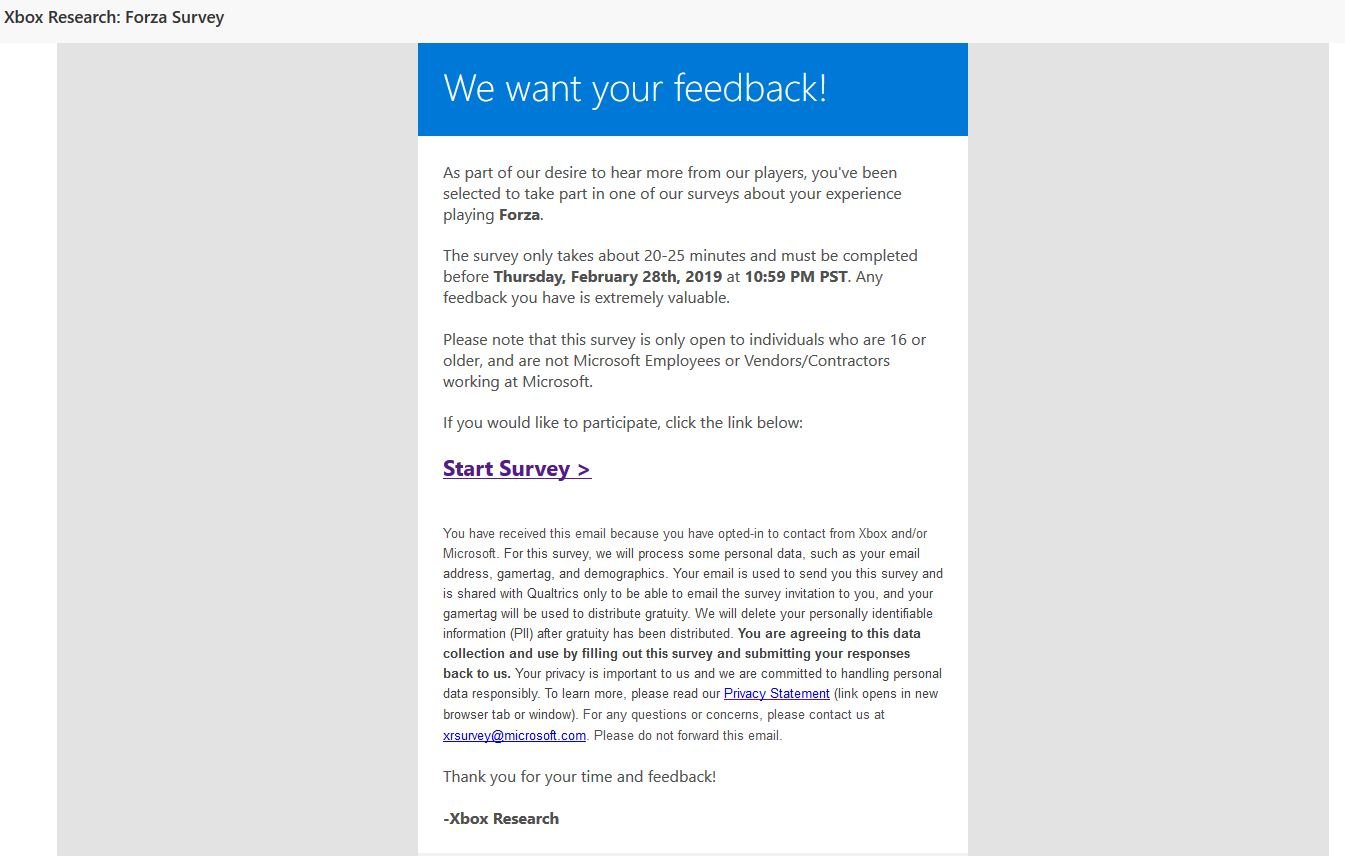
If you have an email account connected to your Xbox account, they might send you an invitation to take a survey. The email usually contains a link that will take you to the survey online. Here are some important things to remember with email invites:
- Check Your Inbox: Keep an eye on your email inbox. It could come into your spam box as well.
- Safe Links: Make sure the email is from the actual Xbox domain, and don’t click links from unknown senders.
Xbox App Surveys
The Xbox app on your phone or computer might also display notifications about surveys. Sometimes, it might have a dedicated area for surveys. Here are some benefits of Xbox app surveys:
- Convenient Access: You can respond to surveys on the go, without using your console.
- Regular Updates: The app will display regular survey updates and new opportunities to provide feedback.
In-Game Surveys
Sometimes, game developers will add surveys directly into a game. When you finish playing, you might get a pop-up asking about your experience. Here are things to know about in-game surveys:
- Immediate Feedback: You can give your opinion right away, while the experience is fresh in your mind.
- Specific Questions: These surveys are almost always related to the game you just played.
Why Your Opinion Matters
You might think that just one person’s opinion wouldn’t make a big difference. But that’s not true! When many people provide feedback, Xbox starts to see patterns. This shows what lots of players like and what needs improving. Your voice is important, and it is heard.
Impact of Combined Feedback
Imagine if only one person complained about a bug in a game. It might be hard to fix. But if thousands of players report the same bug, it is easy to see and address. Combined feedback makes a big difference, and here’s how:
- Clear Patterns: When many players share their opinions, Xbox spots patterns to guide their decisions.
- Real Change: These patterns lead to actual changes in games, console features, and overall quality.
Making a Difference for All Players
When you take part in surveys, you help make the whole Xbox ecosystem better. Your feedback helps all gamers, not just you! Here are some examples:
- Better Games: Your thoughts help make games more fun, more balanced, and glitch-free for everyone.
- Improved Console: The console becomes more user-friendly, fast, and reliable because of player feedback.
- Smoother Online Services: Multiplayer gets better because of your feedback, providing a better experience for all.
Tips for Giving Good Feedback
When you’re taking an Xbox survey, here are a few things to keep in mind to make sure your feedback is as helpful as possible. The more specific and clear you are, the easier it is for the Xbox team to understand what you liked and didn’t like about your experience:
Be Honest and Specific
If you didn’t enjoy something, say so. But also, try to explain why. Instead of just saying “I didn’t like it,” you could say, “I didn’t like it because the game was too difficult” or “The game crashed a lot.” Here’s the difference between good and not-so-good feedback:
- Not Specific: “The game was bad.”
- Specific: “The game was bad because the controls were too hard to use.”
Provide Examples
Instead of just saying “it’s too slow,” explain where and when you noticed that it was slow. You could say, “The game loaded very slowly when I started a new level,” or “The menu is slow when I want to change games”. Here are some ways providing examples can help:
- Exact Issues: Examples point out precise issues in specific situations.
- Troubleshooting: Specific examples help Xbox fix the actual problem, rather than guessing.
Be Respectful
Even if you’re upset or frustrated, try to keep your language respectful. Focus on the problem, not the people who made the game or console. Here’s an example:
- Not Respectful: “This game is terrible and the developers are idiots.”
- Respectful: “I found this game very frustrating to play because of (reason).
Keep It Concise
Keep your feedback clear and to the point, and avoid lengthy comments when possible. The more clear your comments are, the better. Try to provide clear and precise points:
- Focused Feedback: Short, clear feedback is much easier to read and act upon.
- Efficient Review: When you’re concise, your feedback gets to the point and can be reviewed more quickly.
Use the Right Channels
If you have a really specific issue that requires more attention, consider contacting Xbox support directly or posting in their community forums. Here’s why to choose other avenues:
- More Help: Direct support and forums are better for individual problems requiring detailed troubleshooting.
- Community Support: You can help other users by posting on forums and learning from other gamers.
Xbox customer satisfaction surveys are a really important part of making Xbox great. By taking a few minutes to share your honest thoughts, you’re helping to make Xbox better for yourself and all players. So, the next time you get a survey, give it a try – your opinion really does count!
Xbox Lost the Console War. Now It’s Redefining Gaming. | WSJ The Economics Of
Final Thoughts
In summary, Xbox customer satisfaction surveys provide vital feedback. Microsoft uses this data to improve the gaming experience. Analyzing survey results helps them address user concerns effectively. They can make changes that players want to see.
These surveys directly impact future updates and platform developments. Xbox wants to know what players think. The feedback ensures they create a better product. Xbox customer satisfaction surveys are a crucial part of their process.

