
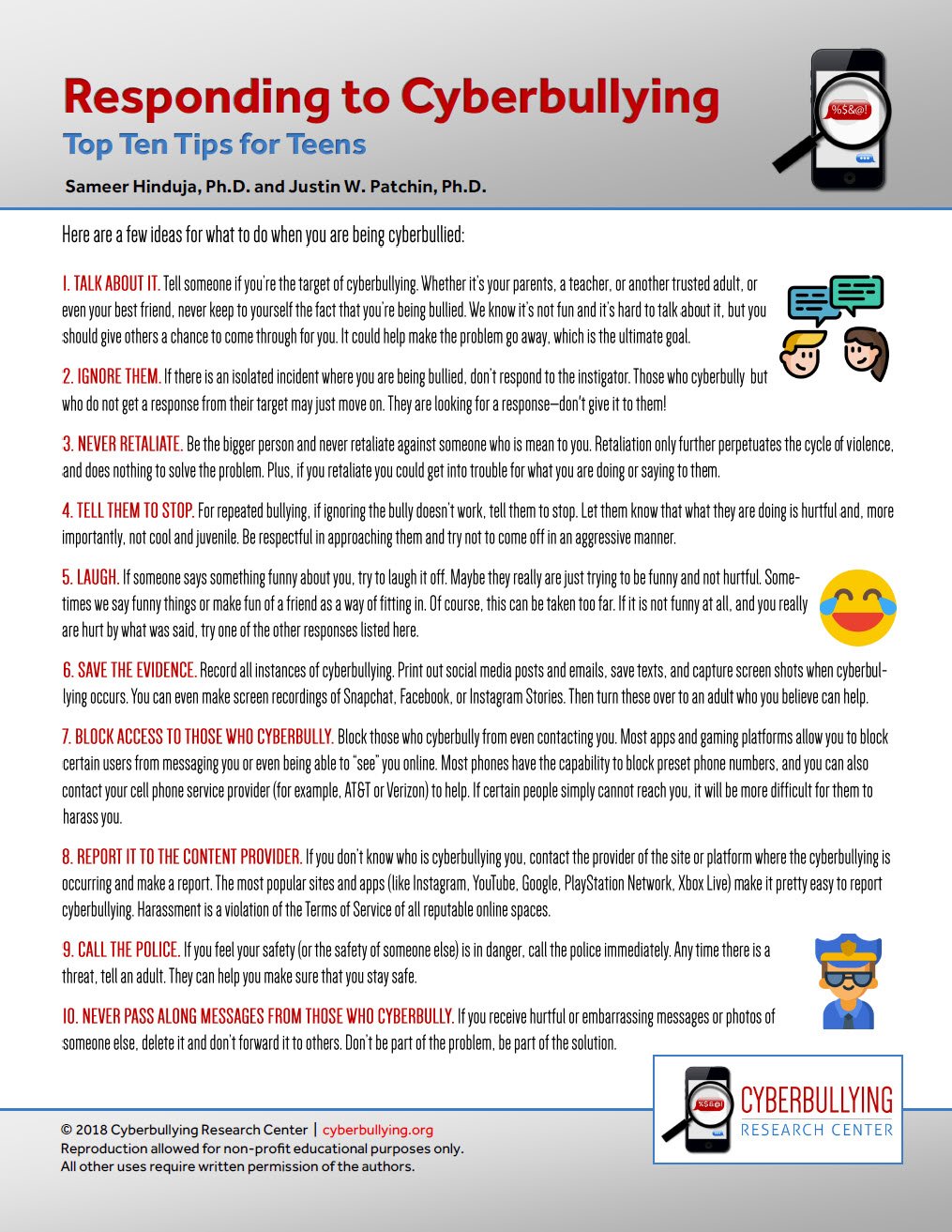
Xbox cyber bullying prevention requires utilizing built-in privacy settings, reporting abusive players, and encouraging responsible online interactions.
Navigating online gaming can be tricky; sometimes, negativity creeps into the experience. That’s why understanding Xbox cyber bullying prevention is crucial for a positive environment.
We all want to enjoy games without facing harassment. Learning how to use the tools provided helps keep everyone safe.
This includes adjusting your privacy settings to limit who can contact you, and knowing how to report inappropriate behavior. Remember, a respectful gaming community starts with each of us.

Xbox Cyber Bullying Prevention: A Guide for Safe Gaming
Playing games online, especially on Xbox, is super fun! You can connect with friends, explore amazing worlds, and challenge yourself. But sometimes, things can get a little tricky. Cyberbullying, which is like bullying but online, can happen on Xbox too. It’s important to know how to stay safe and what to do if you or someone you know experiences it. This guide will help you understand what cyberbullying is, how it happens on Xbox, and how we can all work together to make gaming a positive and fun experience for everyone.
What Exactly is Cyberbullying?
Imagine someone is saying mean things to you, making fun of you, or trying to hurt your feelings in a video game or online. That’s cyberbullying. Unlike regular bullying, it happens through devices like your phone, tablet, or Xbox. It can involve sending hurtful messages, posting embarrassing pictures or videos, or even creating groups to make fun of someone. Cyberbullying can make people feel sad, scared, or lonely. It’s not okay, and it’s important to know how to recognize it.
Different Forms of Cyberbullying on Xbox
Cyberbullying can show up in different ways on Xbox. Here are a few examples:
- Mean Messages: This is when someone sends hurtful or offensive messages through Xbox messages or chat.
- Exclusion: This involves intentionally leaving someone out of a game or party. It’s like saying “You can’t play with us” but online.
- Harassment: This can mean repeatedly sending annoying or upsetting messages.
- Doxing: This is sharing someone’s personal information online without their permission, which is never okay.
- Griefing: This happens when players intentionally try to ruin another player’s game experience, like destroying their buildings in a game like Minecraft.
- Impersonation: This is when someone creates a fake Xbox profile to pretend to be someone else, often to cause trouble or spread rumors.
Why Does Cyberbullying Happen on Xbox?
Sometimes, people who cyberbully do it because they might be feeling sad or angry themselves. Other times, they might not realize how much their words or actions can hurt others. The anonymity that being online provides can sometimes make people act in ways they wouldn’t face to face. It’s important to remember that it’s never an excuse to be mean or hurtful to someone else.
It is also important to remember that everyone makes mistakes, but it’s important to learn from them and make amends. Understanding why people might cyberbully can help us find better ways to communicate and be respectful to each other.
Protecting Yourself from Cyberbullying on Xbox
Staying safe online requires a proactive approach. Here are some things you can do to protect yourself:
Adjusting Your Privacy Settings
Your Xbox settings are your friend when it comes to staying safe. You can control who can see your profile, who can message you, and who can hear you when you’re playing.
- Limit Who Can Talk to You: Go into your privacy settings and change them so only friends can message or talk to you. This way, strangers can’t just randomly send you mean messages.
- Control What Others Can See: You can choose whether everyone can see your gamertag, friends list, or what games you’re playing. Only sharing with people you trust can help keep you safer.
Choosing Your Online Friends Wisely
Just like in real life, it’s a good idea to be careful about who you add as a friend online. It’s better to have a few good friends than a lot of strangers.
- Only Add People You Know: If you don’t know someone in real life, it’s best not to add them as a friend.
- Be Careful with Group Invites: Before joining a group, make sure you know who else is in it. Don’t join groups with people you don’t recognize or trust.
Blocking and Reporting Cyberbullies
Xbox has tools that can help you deal with cyberbullying. If someone is being mean to you, don’t hesitate to use them.
- Block: When you block someone, they can no longer message or interact with you. It’s like putting up a wall between you and the bully.
- Report: Xbox has a reporting system where you can tell them if someone is breaking the rules. They’ll investigate and take action against the bully. Reporting can help protect others too.
Keeping a Record of the Bullying
Sometimes, it’s helpful to have proof of the cyberbullying. You can do this by taking screenshots or recording video clips. This can help when you report it to Xbox or tell a trusted adult.
- Take Screenshots: If you receive a mean message or see something hurtful, take a screenshot of it.
- Record Video Clips: If the bullying is happening in game, you can use the Xbox recording feature to capture what’s happening.
Protecting Your Personal Information
Never give out your real name, address, phone number, or school information to people you meet online. These pieces of personal information can put you at risk.
- Keep it Private: Remember to keep all your personal information a secret from people you don’t know.
- Don’t Share Passwords: Your password is like your secret key, so don’t share it with anyone, even your online friends.
What To Do If You Are Being Cyberbullied
If you are experiencing cyberbullying, remember that you are not alone, and there are people who want to help. It can be tough, but here are some important steps you can take:
Don’t Respond
It can be hard, but try not to react to mean messages. Sometimes, bullies want a reaction, and if you don’t give them one, they might stop. Ignoring them can take away their power.
Talk to Someone You Trust
It’s important to tell a trusted adult like a parent, teacher, or counselor. They can help you feel safe and can work with you to stop the cyberbullying. Talking about it can make you feel less alone.
Remember It’s Not Your Fault
Cyberbullying is never the fault of the person being bullied. You didn’t do anything wrong, and you deserve to be treated with respect. It’s not your responsibility to make them stop; it’s their responsibility to be kind.
Take a Break From Gaming
Sometimes, it helps to take a break from playing online. Taking a step back can give you a chance to relax and de-stress. Focus on activities that make you feel good, like playing outside, reading, or spending time with friends who are kind to you.
Creating a Positive Gaming Environment for Everyone
We all have a part to play in making Xbox a fun and safe place to be. Here are some ways we can do our part:
Be Kind Online
Just like in real life, treat others with kindness and respect. Don’t say things online that you wouldn’t say to someone’s face. A simple kind word can make someone’s day better.
Stand Up for Others
If you see someone being cyberbullied, don’t just stand by and watch. Speak up and tell the bully that their behavior is not okay. Sometimes, bullies will stop if they know other people disapprove of their actions. Let the person being bullied know that they’re not alone.
Report Cyberbullying When You See It
If you see someone being bullied, report it. By reporting the bad behavior, you are helping to make Xbox a safer place for everyone. Even if it is not happening to you, standing up for others is very important.
Use Games to Connect Positively
Gaming should be about fun and teamwork. Focus on playing games with your friends and making new positive connections. Encourage teamwork, friendly competition, and supportive behavior.
Understanding Xbox Community Standards
Xbox has rules and community standards that every player must follow. These rules help make sure that everyone is safe and has fun. If someone is breaking these rules, they can get banned from Xbox. It’s important to understand these rules, so that you can follow them and also report anyone who is breaking them.
Parental Involvement in Xbox Cyberbullying Prevention
Parents also play a vital role in creating a safe gaming environment for their children. Here are a few key steps they can take:
Understanding the Games Your Children Play
Parents should take time to learn what games their kids are playing, and who they are interacting with. Knowing the games can help them understand any potential risks. Playing some games alongside your child is another way to understand what their gaming life is like.
Setting Up Parental Controls
Xbox has parental controls that allow parents to control things like who their children can play with, what games they can play, and how much time they can spend on gaming. Setting up these controls is a crucial step for keeping your child safe.
Having Open Conversations
It’s important to have open and honest conversations with your kids about cyberbullying. Let them know that they can come to you if they are experiencing cyberbullying. Make sure they understand that cyberbullying is wrong, and if they see it happening, they should tell a trusted adult.
Staying Up-to-Date on Safety Tools
Xbox is constantly adding new features and tools to keep its users safe. It’s important for parents to stay up-to-date on these tools and to make sure they’re using them to protect their children.
Staying safe while gaming on Xbox is a team effort! By knowing what cyberbullying is, how to protect ourselves, and how to be good digital citizens, we can make the Xbox community an amazing place for everyone to play. Remember, if you ever experience cyberbullying, don’t be afraid to reach out for help. You’re not alone!
Stop Cyber Bullying on Xbox Live – PSA
Final Thoughts
We covered key strategies to combat harmful online behavior. Players should use Xbox’s privacy tools effectively. Educate young gamers about respectful online interactions.
Parents need to monitor gaming activity and report incidents. Encourage open communication about online safety. This fosters a more positive environment for everyone.
Ultimately, preventing cyber bullying on Xbox requires a collective effort. Xbox cyber bullying prevention depends on player responsibility and supportive communities.

