
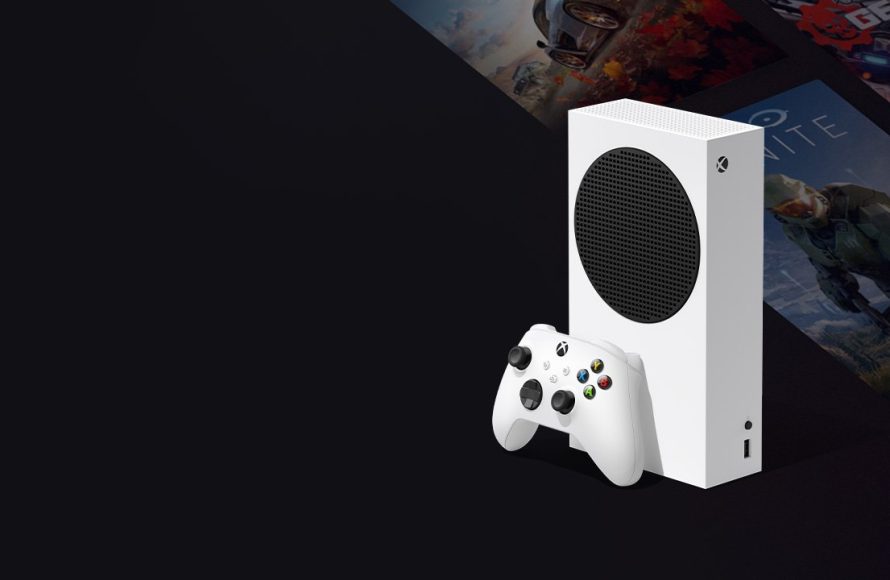
Xbox digital games offer a convenient way to purchase and play games directly on your console without physical discs.
Tired of swapping discs? Want instant access to the latest releases? Then you’re in the right place. Let’s explore the world of Xbox digital games, a system that gives you flexibility and access.
Digital purchases mean no more trips to the store; just browse, buy, and start playing. Your games are always ready to go right from your console library.

Exploring the World of Xbox Digital Games
Hey there, fellow gamers! Ready to dive deep into the awesome universe of Xbox digital games? If you’re anything like us, you probably love the convenience and variety that digital games offer. No more trips to the store, no more worrying about scratched discs – just pure gaming goodness right at your fingertips. Let’s explore everything there is to know about Xbox digital games, from buying them to managing your library and beyond. Get ready to power up!
What are Xbox Digital Games?
Let’s start with the basics. Xbox digital games are video games that you buy and download directly to your Xbox console or PC, instead of buying a physical disc. Think of it like downloading music or movies – but instead, you’re getting amazing games. These games are stored on your console’s hard drive, ready to play whenever you want. Digital games have become super popular because they are easy to access and mean you can get new games in minutes!
Where Can You Buy Xbox Digital Games?
Okay, so where do you actually get these digital wonders? Here are the main places:
The Official Xbox Store
The most popular spot to purchase digital games is through the Xbox Store, which you can access directly from your Xbox console or via the web. It’s like a huge online shopping mall just for Xbox games. You can find all the latest releases, indie gems, and even classic games from previous Xbox generations. It’s very user friendly, so finding what you want is simple.
Microsoft Store on PC
If you enjoy playing games on your PC, you can also buy Xbox digital games through the Microsoft Store app on your Windows PC. Many games available on Xbox are also playable on PC, making it easy to switch between your console and computer. These games often share save progress so you can keep playing, wherever you are.
Online Retailers
Sometimes, you can find digital Xbox game codes at other online retailers like Amazon, Best Buy, or Newegg. You’ll receive a code that you can redeem on the Xbox store to add the game to your library. It’s always good to compare prices as the deals change often. Be sure the retailer is trustworthy before making any purchases.
Benefits of Xbox Digital Games
So, what makes digital games so great? Let’s break down some key advantages:
- Convenience: You can buy and download games anytime, anywhere, without having to leave your home.
- Instant Play: No more waiting for the game to arrive in the mail or needing to go to a shop. Download, install, and play within minutes.
- No More Discs: Forget about lost, scratched, or damaged discs. Digital games are always ready to go, as long as you have your console or PC.
- Pre-loading: Many games allow you to pre-load before release, so you can start playing the minute the game is launched.
- Game Sharing: Some digital games can be shared with family and friends through the Xbox family settings.
- Sales & Deals: Digital stores often have sales and promotions, which means you can find some great deals.
Managing Your Xbox Digital Game Library
With so many digital games, it’s important to keep things organized. Let’s go over how to manage your collection:
Downloading and Installing Games
Once you buy a digital game, it appears in your ‘Ready to Install’ section. Select the game and your Xbox will download it and install it. Make sure you have enough storage space on your console before downloading. You can also manage downloads in queue for multiple games.
Storage Options
Your Xbox comes with storage but it can fill up fast. If you have many games, you have a couple of choices. You can either move games to an external hard drive, this way you don’t need to re-download them, or delete games you aren’t playing to make space for new ones. You can always re-download games from your library if you decide to play them again.
Organizing Your Games
Xbox allows you to make groups for games, to organize your favorite games or the games you play with friends. You can also sort your games alphabetically or by date. This makes it easy to find the game you want quickly.
Xbox Game Pass: A Digital Game Powerhouse
Speaking of digital games, we can’t talk about Xbox without mentioning Xbox Game Pass. It’s a subscription service that gives you access to a large library of games for a monthly fee. Think of it like a Netflix, but for video games! It’s amazing for trying a lot of different games and having access to the latest games on launch day.
How Does Game Pass Work?
With Xbox Game Pass, you get access to a big library of games that you can download and play. They have many games, from popular titles to indie games. New games are added every month and sometimes games leave the service as well. There are different Game Pass tiers available as well, such as Game Pass for console, Game Pass for PC, or Xbox Game Pass Ultimate which combines console and PC, along with other perks.
Game Pass Benefits
- Large Library of Games: A constantly updating library of games means you will always find something new to play.
- Day One Releases: Many first party games from Xbox Game Studios are available on day one on Game Pass.
- Affordable: A monthly subscription is great value compared to buying each game separately.
- Cloud Gaming: With Ultimate subscription you can stream games to your phone or PC even if it’s not a powerful device.
Digital Game Ownership
One important point to think about is what it means to “own” a digital game. When you purchase a digital game, you’re actually buying a license to play that game. This means you don’t get the physical disc, you only receive the digital copy on your account. You usually cannot resell or gift digital games that you have bought, and your games are locked to the account you purchased it on.
Understanding Game Licenses
It’s good to know that your game licenses are tied to your Microsoft account. This allows you to play on any Xbox console or PC where you are logged in to your account. In case of any issues with your account, contact Xbox support to resolve issues with any license.
Comparing Digital vs. Physical Games
It’s helpful to understand the differences between digital and physical games. Let’s compare them side-by-side:
| Feature | Digital Games | Physical Games |
|---|---|---|
| Access | Download from online stores, instant play | Purchase a disc, install from disc |
| Convenience | Very convenient, play anywhere | Need to have the disc, need to swap discs |
| Storage | Stored on the console or PC storage | Physically stored |
| Reselling | Cannot be resold | Can be resold or traded |
| Pricing | Varies, with lots of deals, sometimes the same price as physical copy | Varies, sometimes more expensive than digital copy |
| Risk | No risk of damage | Risk of scratch or damage to the disc |
| Game Sharing | Game sharing through Xbox family settings | Lending a disc |
Troubleshooting Xbox Digital Games
Even with digital games, sometimes things don’t go as planned. Here are some common problems and how to fix them:
Download Problems
If your downloads are stuck, try pausing and resuming them. Check your internet connection, and make sure you have enough storage space on your console or PC. Sometimes restarting your Xbox or router will fix the problem. If you still have issues, check the Xbox server status page to see if there are any issues on the platform.
Game Launching Issues
If your games won’t start, make sure that your console is updated with the latest software. Check if there are any updates pending for the game. If you are using an external drive check that it is working properly. You can also try restarting your console as well.
Account Problems
If you have problems with your account or licenses, visit the Xbox support page. You can also reach out to customer support for help with any account problems. Try logging out and back in to your account, sometimes this fixes account problems.
Tips for Getting the Best Deals on Xbox Digital Games
Who doesn’t love a good deal? Here are tips on getting the best prices for Xbox digital games.
Watch for Sales
Xbox often has sales on its store, check them regularly for great deals. Black Friday, end of year and other holidays are great times to find discounts. You can also use various websites to compare the prices on different stores. Sometimes deals are also available on other online retailers.
Xbox Game Pass
Xbox Game Pass is a good way to save money. Instead of buying games individually, a monthly fee gives you access to many games. Always look at what’s included in the Game Pass and see if there are games you are interested in.
Use Reward Points
You can earn Microsoft Reward points from buying digital games and other activities. You can use those points to get discounts on new games or Xbox gift cards.
In summary, the world of Xbox digital games is a fun and convenient way to enjoy your favorite video games. From instant access to a large variety of games, it makes playing games easier than ever. With many benefits such as ease of access, sales and the option of game pass, there are many ways to enjoy digital gaming. Remember to keep your console updated, manage your game collection and always look out for the best deals to make the most of your Xbox gaming journey. Happy gaming!
Why Digital Games? | Official Xbox Walkthrough
Final Thoughts
Buying Xbox digital games offers immediate access and convenience. You avoid physical copies, saving space and reducing clutter. The digital library grows with each purchase, accessible anytime, anywhere.
Enjoy the flexibility and speed that digital downloads provide. With Xbox digital games, you experience a modern way to game. Plus, often sales provide better pricing.

