
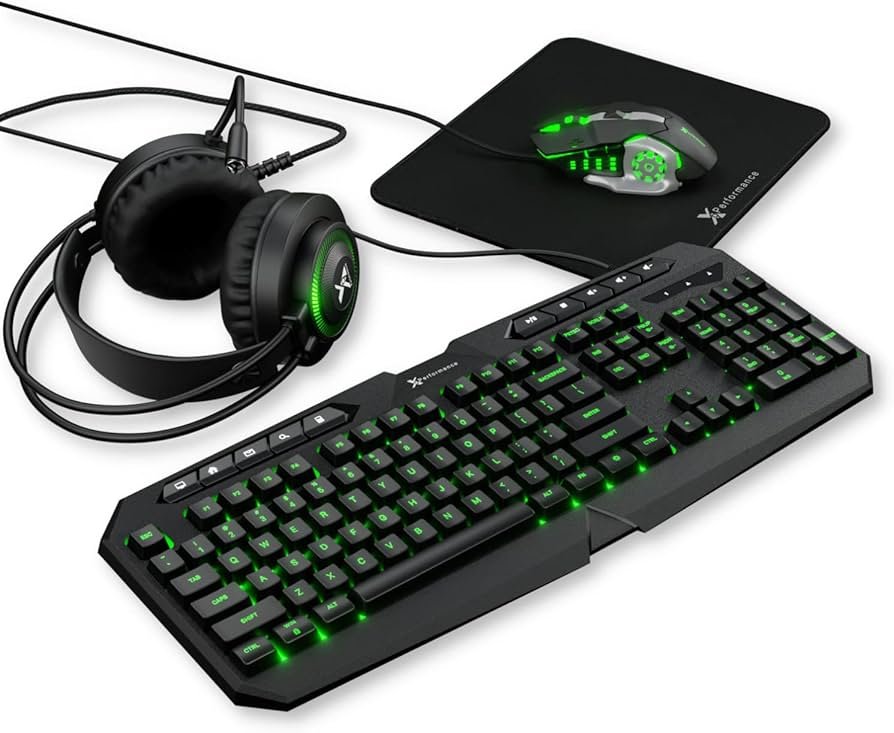
An Xbox gaming mouse offers precise control and responsiveness, enhancing your gameplay experience on Xbox consoles and PC.
Tired of relying solely on a controller? The Xbox gaming mouse is changing the way many people play. It’s designed to give you increased accuracy and faster reactions. These devices bring a competitive edge to your favorite games, bridging the gap between console and PC gaming.
The right mouse can truly make a difference and some may find a gaming mouse is more comfortable.

Xbox Gaming Mouse: Your Path to Precision
Okay, so you’re an Xbox gamer, right? You love your console, you’ve probably got some awesome games, and you’re always looking for ways to get better. Well, let’s talk about something that can seriously improve your gaming – an Xbox gaming mouse. You might think, “Wait, mice are for computers!” But hold on, things have changed. Now, you can use a proper gaming mouse on your Xbox, and it can change the way you play for the better.
Why Use a Gaming Mouse on Xbox?
So, why bother with a mouse when you’ve got a perfectly good controller? It’s all about precision and speed. A gaming mouse can give you much finer control over your aiming and movement in many games. Think of it like this: with a controller stick, you’re making big movements, but with a mouse, it’s like you’re using a paintbrush for the tiniest detail. This can mean landing more headshots in first-person shooters, making faster turns in racing games, or being more precise with your menu navigation. Using a mouse and keyboard combo in some games can provide a more PC-like experience, and for those who play on both Xbox and PC this offers an easier transition between platforms.
Different Types of Gaming Mice
Just like there are different types of controllers, there are various kinds of gaming mice. Here’s a quick rundown:
Wired vs Wireless
The first big difference you’ll see is whether a mouse is wired or wireless.
- Wired Mice: These plug directly into your Xbox with a USB cable. They’re known for being reliable and having very little input lag (that’s the tiny delay between your movement and it showing up on screen). Wired mice don’t need charging, so you can play whenever you want.
- Wireless Mice: These use Bluetooth or a small USB adapter to connect to your Xbox. They offer more freedom of movement since you’re not tied down with a wire. Wireless mice do require charging or battery changes, so you’ll need to keep that in mind. Modern wireless mice, however, have become very good and often have very little latency, making them a great option now for many.
Optical vs. Laser Sensors
The sensor inside the mouse is what tracks its movement. There are two main types:
- Optical Mice: These use an LED and a tiny camera to see your movements. They’re generally more accurate on cloth mousepads and can handle fast swipes well. They are widely considered the go to sensor for most games.
- Laser Mice: These use lasers to track movement and are very precise on different surfaces. They used to be more popular but now optical mice are largely preferred for gaming on most surfaces due to laser mice being known to have some acceleration issues sometimes.
Ergonomic Designs
How a mouse feels in your hand can make a big difference in your gaming sessions. You’ll find mice of different shapes and sizes, designed to fit different hand sizes and grip styles. Some are designed for right handed use only, some are left handed, and some are ambidextrous. Some also have additional features for the comfort of your palm, fingers, and wrist.
- Palm Grip: Your entire hand rests on the mouse.
- Claw Grip: Your palm touches the back of the mouse, but your fingers are arched.
- Fingertip Grip: Only your fingertips touch the mouse.
Key Features to Consider When Choosing Your Mouse
Let’s talk about the important things you should consider when buying an Xbox gaming mouse:
DPI (Dots Per Inch)
DPI measures how sensitive your mouse is. A higher DPI means that the cursor will move more on the screen with the same amount of movement from your hand. For fast action games, a higher DPI might be preferable, but it’s a matter of personal taste. The ability to change the DPI settings on the fly is valuable, since you may want to move to a slower setting for a sniper rifle and then a faster setting for a fast paced close-quarters fight.
Polling Rate
This is how many times per second your mouse reports its position to the Xbox. A higher polling rate (measured in Hz) means more frequent updates and less input lag, resulting in smoother gameplay. Most gaming mice will offer polling rates between 125Hz all the way to 1000Hz.
Programmable Buttons
Many gaming mice come with extra buttons that you can program to do different things. This can be incredibly helpful in games to have quick access to specific actions. For example, you can map the buttons to change weapons, activate special abilities, or even do complex commands quickly. Most often, you’ll find programmable buttons on the side of the mouse for easy access by your thumb.
Weight and Balance
The weight of the mouse and its balance can affect how easily you move it. Some mice come with adjustable weights that let you customize the feel to your preference. Lighter mice are good for fast flicks and sudden movements, whereas heavier mice may offer a sense of stability and control.
Build Quality
Good build quality means the mouse is made of durable materials and will last a long time. Check reviews for materials and construction since they can have an impact on performance and longevity.
Connectivity
Make sure the mouse is compatible with the Xbox console you’re using. While most modern wired mice will work, wireless mice can require specific adapters. Check the product specifications before buying.
Mousepads
Don’t forget about the mousepad! A good mousepad can improve accuracy and responsiveness, making it easier for the sensor to track movement correctly. Choose a smooth, non-slip surface that suits your preference. Cloth pads are generally preferred for gaming, but other material options exist. You may also want to consider a larger mousepad since a bigger area is helpful for making large movements.
Setting Up Your Xbox Gaming Mouse
The good news is that setting up a mouse on Xbox is usually pretty simple. Here’s how it generally works:
- Plug It In (or Connect Wirelessly): For a wired mouse, just plug it into a USB port on your Xbox. For a wireless mouse, plug in the USB adapter if it uses one, or enable the Bluetooth connection.
- Xbox Settings: Your Xbox should recognize the mouse automatically. In the settings, look for options under “Devices and connections” and then “Mouse.” Here, you can adjust sensitivity and other settings to your liking.
- Game Settings: Some games may have their own mouse settings you need to tweak. These can include sensitivity, acceleration, and button mapping.
- Practice: It takes a little getting used to playing with a mouse on Xbox, especially if you’re used to a controller. Give yourself some time to adjust to the mouse in your games.
What Games Work Well with an Xbox Gaming Mouse?
While not every Xbox game supports mouse and keyboard, there are a lot that do. Here are a few game genres where a mouse and keyboard excels:
- First-Person Shooters (FPS): Games like Call of Duty, Halo Infinite, and Apex Legends. The aiming precision of a mouse can give you a big advantage.
- Real-Time Strategy (RTS): Games such as Age of Empires, these games work best with a mouse.
- MMORPGs: Massive multiplayer online role-playing games like Final Fantasy XIV or Elder Scrolls Online. The mouse makes navigating menus and combat easier.
- Some Simulation/Tycoon Games: Games that require fine precision and quick movements in a more PC-like experience.
- Select Action Games: Some action titles allow for the use of mouse and keyboard which can improve their controls.
Remember to check if a game supports mouse and keyboard before you purchase one for a particular game. If it doesn’t, it won’t do you much good.
Top Xbox Gaming Mouse Brands
When it comes to gaming mice, several brands are known for quality and performance. Here are a few popular ones to consider:
- Razer: Known for their high-performance mice with advanced features and customization options.
- Logitech: A very popular brand offering a wide range of gaming mice at different price points.
- SteelSeries: Known for comfortable, customizable mice with great sensors.
- Corsair: Makes solid mice with plenty of features and sturdy construction.
- HyperX: Another very popular and well respected gaming hardware manufacturer known for making reliable products.
Tips for Better Mouse Gaming
Once you have your mouse all set up, here are some tips to get the most out of it:
- Find the Right Sensitivity: This is important and may take some experimentation to dial in. Start with lower DPI and slowly increase it until you find what feels best for you.
- Experiment with Different Grip Styles: Try different ways of holding your mouse to see what feels most comfortable and gives you the most control.
- Use a Good Mousepad: As mentioned before, a solid surface is important for consistent movement.
- Practice: Just like with anything, it will take some time to get the hang of using a mouse on Xbox. Don’t get discouraged if it feels weird at first. Practice makes perfect.
- Adjust Settings In Game: Most games allow you to adjust sensitivity and button mapping. Make changes if needed to customize your game experience.
- Maintain Your Mouse: Keep your mouse and mousepad clean for optimal tracking.
Price Range for Xbox Gaming Mice
The price of Xbox gaming mice can vary quite a bit depending on the brand, features, and quality. You can find basic models for around $30-$50. Higher-end mice with more features and better sensors can cost anywhere from $80 to over $150. It’s a good idea to set a budget and then look for a mouse that meets your needs and price range. Don’t feel like you need to go for the most expensive one right away. A good mouse within your budget can still provide a substantial upgrade to your gaming experience.
So, is an Xbox gaming mouse right for you? If you want to increase your precision, improve reaction times, and have an easier time with PC style control methods in compatible games, then it might be just what you need to take your gaming to the next level. Choose wisely, experiment, and enjoy the improved gameplay!
How to Use Keyboard and Mouse on Xbox One #xbox #xboxone #r6s #rainbowsixsiege #xboxseriesx #xbox1
Final Thoughts
Ultimately, selecting the right Xbox gaming mouse is crucial for improved gameplay. A responsive device can provide precision and speed. Consider factors like grip style and button placement for best results.
Finding a compatible mouse improves the user experience. Performance matters. Experiment to find a comfortable device. A quality Xbox gaming mouse enhances your overall gaming experience.

