
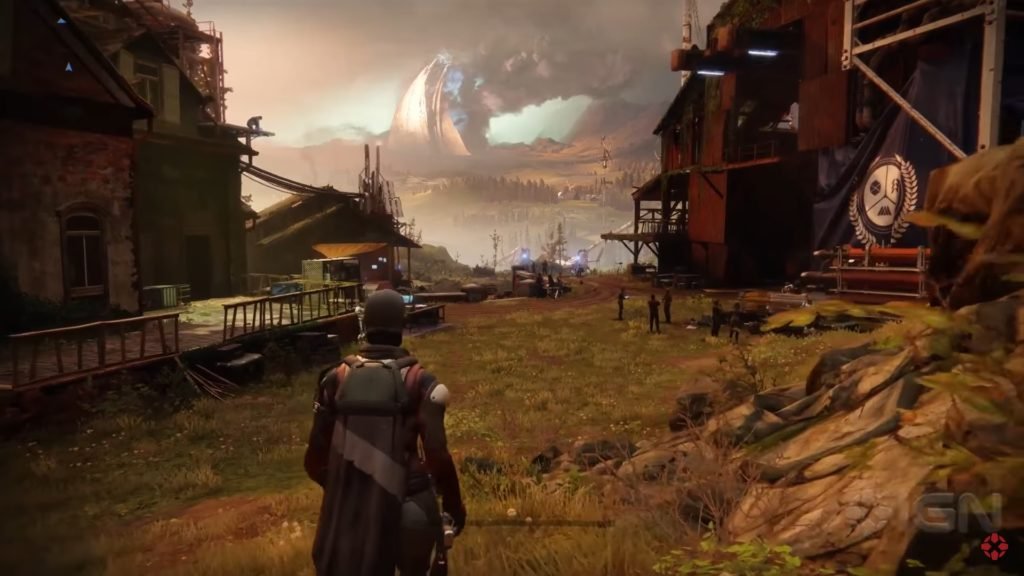
Xbox indie game development empowers creators to build and publish their unique games on the Xbox platform through programs that provide the necessary tools and support.
Thinking of creating your own game? The world of Xbox indie game development is more accessible than ever. It’s a place where passion meets technology and allows individuals and small teams to bring their visions to life.
This journey involves navigating development kits, learning game engines, and understanding the submission process. It’s a challenging yet rewarding path. Xbox provides the infrastructure to get your game in front of a large audience.

Xbox Indie Game Development: Your Gateway to Creating Games
So, you dream of making your own video game? That’s awesome! If you’re thinking about putting your game on Xbox, you’re in the right place. Making an indie game for Xbox might sound like a big mountain to climb, but with the right information and a lot of passion, it’s totally achievable. Let’s jump into everything you need to know to start your Xbox indie game development adventure!
What Makes Indie Game Development on Xbox Special?
Xbox has created a welcoming space for independent game makers, or “indie” developers. Unlike the big companies with huge teams and budgets, indie developers usually work in smaller groups or even solo. They are often the ones trying out new, creative ideas, and that’s why the Xbox platform values them so much. Here are a few things that make Xbox a good place for indie developers:
- Accessibility: Xbox provides tools and resources that help people make games without needing giant studios.
- Reach: Putting your game on Xbox gives you a chance to reach many players around the world.
- Community: There’s a strong community of other indie developers, which is great for getting advice and support.
- Showcase: Xbox has programs that showcase indie games, helping them to get noticed.
Getting Started: Essential Tools and Resources
Before you start writing code, you’ll need some key tools. Luckily, there are many options that are very helpful for getting your game going:
Game Engines
A game engine is like the heart of your game. It provides the framework and tools you need to make your game work. Here are some popular game engines used for Xbox development:
- Unity: Unity is very popular because it’s easy to use and has lots of helpful resources. Many games on Xbox have been made with Unity.
- Unreal Engine: Unreal is also powerful and great for making games that look amazing. It’s used by both indie and large game companies.
- GameMaker Studio 2: This is perfect for 2D games. It’s simple to learn and has all the features you need.
Xbox Development Kits (Dev Kits)
To test your game on an actual Xbox console, you’ll need an Xbox dev kit. These are special Xbox consoles made for developers. These kits come with tools to help you debug and test your game. These are not something a regular player can purchase, rather they are only available to registered developers. You can apply for an Xbox development kit when you get ready to test your game.
Programming Languages
If you’re thinking of writing code, you should learn a good programming language:
- C#: If you choose Unity, you’ll be using C#. It’s very common in game development, and it’s a good first language to learn.
- C++: Unreal Engine uses C++. It’s a bit harder than C#, but gives you more control over how your game works.
- GameMaker Language (GML): This language is used in GameMaker Studio 2. If you like to code in a more simple language, this one is a great choice.
Software Tools for Design and Art
Making a game is not just about coding. It involves design and art. These software tools are very useful for creating your game:
- Graphics Software (e.g., Photoshop, GIMP): You’ll need these tools to create art, logos and other visual elements.
- 3D Modeling Software (e.g., Blender, Maya): If your game has 3D elements, you’ll use these to create 3D characters and environments.
- Audio Software (e.g., Audacity, FL Studio): These tools help you create the sound effects and music that bring your game to life.
The Xbox Indie Development Process
Making a game involves several steps. Let’s break down the process into smaller parts:
Planning and Concept
Before you even touch a computer, plan your game. Ask yourself questions like:
- What kind of game is it? (e.g., puzzle, action, platformer)
- What makes it unique? What is the main idea of the game?
- Who will play your game?
- How will players control the game?
Create a document called a “game design document.” It’s like a blueprint for your game and include all of your game ideas, features, and mechanics. This keeps you on track as you develop.
Game Development and Prototyping
With a plan in place, you can start building a prototype. This is a very early, simple version of your game. It doesn’t have to be beautiful or perfect. The goal is to test the basic parts of your game and see if they are fun.
Here are key activities during this phase:
- Setting up your development environment: Create an environment where you can build your game.
- Writing Code: Based on your plan, begin writing the code that will make your game work.
- Creating basic art and audio: Create basic visuals and sounds for your prototype.
- Testing the mechanics: Make sure that the game controls are good and the gameplay is fun.
Testing and Iteration
Testing is very important. Get people to play your game. Ask for their thoughts on what works and what doesn’t. Don’t be afraid to make big changes based on the player’s feedback. This phase involves:
- Beta Testing: Have a few people play your game before you finish. Gather their feedback on what is working and not working
- Debugging: Find and fix any problems or bugs in your game.
- Making updates based on the feedback: Improve game based on what you learned during beta testing.
Preparing for Xbox Submission
Once you feel like your game is ready, it’s time to get it ready for Xbox.
- Meeting Xbox Requirements: Xbox has rules for game submissions, like making sure the game works correctly and uses the Xbox system properly. Make sure you meet all the requirements.
- Creating a store page: You need a nice-looking store page with good images, videos, and a description of your game. This helps attract players.
- Getting approval from Xbox: You’ll send your game to Xbox for approval. They’ll test it to make sure it meets their standards.
Important Considerations for Xbox Indie Games
Performance Optimization
Xbox games need to run smoothly. This means you need to optimize your game’s performance. Here’s how you can do that:
- Keep your code clean: Make sure your code runs well and does not use too many system resources.
- Use textures wisely: Textures are what makes your game look good. Use them in a way that they don’t slow the game down.
- Reduce the number of things on the screen: If your game has lots of things happening on the screen, it can slow down the game. Try to make sure there are not too many elements, especially when multiple elements appear on the screen.
Making Your Game Stand Out
There are many games available on Xbox, so your game needs to be special. Here’s how you can make it stand out:
- Make your game unique: Think of original gameplay mechanics.
- Create great art and audio: Good art and sound make your game fun to play.
- Market your game: Let players know your game is available through trailers, social media, or other platforms.
Monetization Strategies
How will you make money from your game? Here are a few ideas:
- Paid games: You can sell your game for a price.
- In-game purchases: You can sell items within your game.
- Game Pass: Xbox Game Pass is a service where players can play games for a monthly fee. You could get your game included in Game Pass which means more people will have a chance to play it.
Staying Motivated and Avoiding Burnout
Making a game is a marathon, not a sprint. It can take a long time and be hard. Here are some tips to keep going:
- Set realistic goals: Don’t try to make the best game in the world on your first try. Set small goals and celebrate when you achieve them.
- Take breaks: Don’t work non-stop. Make sure to take breaks so you stay fresh.
- Stay in touch with the community: Talk to other developers and share your experiences. It’s great to learn from others!
- Celebrate the small wins: Be proud of what you’ve done, no matter how small. Finishing something is better than not starting at all.
Connecting with the Xbox Indie Community
You don’t have to go this adventure alone. The Xbox indie community is very big and supportive. Connecting with others is helpful for many reasons:
- Forums and Social Media: Use social media and online forums to talk to other developers.
- Game Jams: Game jams are events where people make games within a short time frame, often in teams. They are a good place to meet fellow developers.
- Conferences and Events: Attend game development conferences and events to learn more and meet other people.
Embarking on Xbox indie game development is a journey filled with learning, creativity, and hard work. It’s a chance to share your unique visions with a worldwide audience and create something truly special. With the right tools, resources, and persistence, you can turn your game ideas into realities on the Xbox platform. The path might be challenging, but the feeling of having people play and enjoy your creation is definitely worth it.
Xbox Game Development Explained
Final Thoughts
Indie developers find Xbox a good platform to publish their creative games. The tools available allow them to reach a wide audience. Xbox indie game development provides opportunities for both new and experienced creators.
This field provides unique challenges and rewards. Creating and releasing games involves commitment. Success often depends on originality and polish.
Ultimately, Xbox indie game development lets creators share their visions with the world.

