
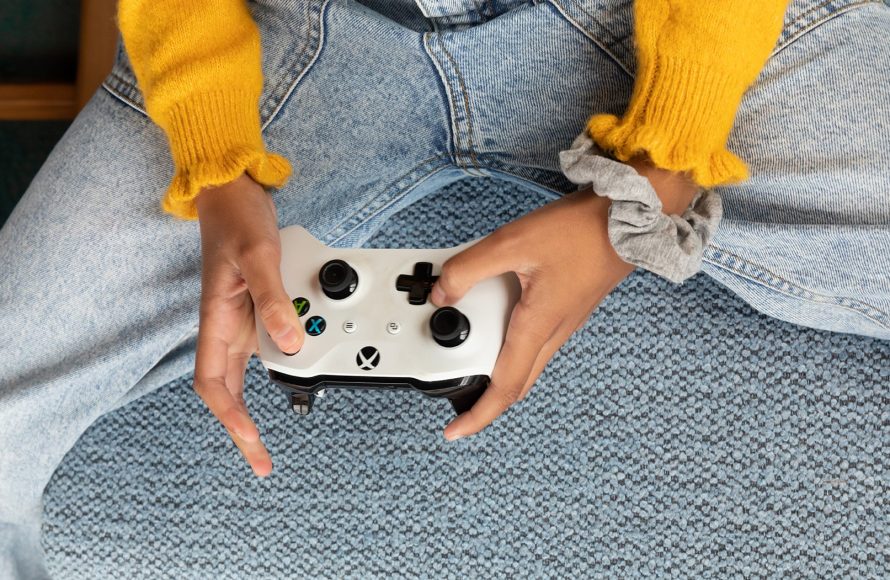
Xbox innovative gaming solutions include features like Game Pass, cloud gaming, and adaptive controllers, enhancing accessibility and providing diverse ways to play.
The gaming landscape constantly changes, and Xbox pushes boundaries with its inventive approaches. Xbox innovative gaming solutions offer players more than just console games; they provide a complete ecosystem. From its subscription service that gives access to a huge library of games to its cloud-based play options, they are making strides towards accessible gaming for everyone. The dedication shows in their design of adaptive controllers. These controllers empower gamers with various needs to play on their terms.

Xbox Innovative Gaming Solutions
Xbox isn’t just a console; it’s a powerhouse of cool ideas that change how we play! They’re always coming up with new ways to make gaming more fun, more exciting, and more accessible for everyone. Let’s dive into some of these super neat solutions.
Xbox Game Pass: Your All-You-Can-Play Gaming Buffet
Imagine having access to a gigantic library of games, all for one monthly price. That’s exactly what Xbox Game Pass offers! It’s like having a giant video game buffet at your fingertips. Instead of buying each game separately, you get to play tons of different titles, from action-packed adventures to brain-teasing puzzles, all in one place. It’s a great way to try new things without spending a lot of money.
How Game Pass Works
Game Pass is a subscription service. You pay a monthly fee, and in return, you get access to a changing list of games. These aren’t just old games either. Many brand new titles are available on Game Pass right when they launch. This means you get to play the latest and greatest as soon as everyone else, and sometimes even earlier! There are different tiers of Game Pass, including one for just console games, one for PC games, and one that includes both, plus some extra goodies. It’s super flexible!
- A wide variety of games: Big hits to hidden gems.
- New games added regularly: Always something new to try.
- Play on Xbox or PC: Choose your preferred device.
- Save money: Play more games for less than buying them all.
Xbox Cloud Gaming (xCloud): Play Anywhere, Anytime
Have you ever wanted to play your favorite Xbox games on your phone or tablet? With Xbox Cloud Gaming (xCloud), you can! Think of it like streaming a movie but instead of a movie, it’s a video game. You don’t even need a powerful console to play. As long as you have a good internet connection, you can play games on almost any screen you have. It’s gaming on the go at its finest.
The Magic of Cloud Gaming
How does it work? The games actually run on powerful servers in a data center. Then, they send the video and audio of the game to your device, and you send your controller inputs back to the servers. This all happens super quickly so you don’t see a lag. It allows you to start playing a game on your Xbox at home, then pick it up on your phone while you’re waiting in line. It’s incredibly convenient and offers so much flexibility. Plus, you’re always playing the latest and updated versions of games, no need to worry about manually installing updates on your device!
- Play games on phones, tablets, and computers.
- No need for a high-end console.
- Play games from almost anywhere with internet.
- Continue games across different devices
Xbox Adaptive Controller: Gaming for Everyone
Xbox knows that not everyone plays games the same way. That’s why they created the Xbox Adaptive Controller. This special controller is designed for people who might have a hard time using a regular controller. It’s very flexible and can be connected to many different kinds of buttons, switches, and joysticks. It makes gaming possible for more people, which is truly wonderful. It’s a big step forward for making gaming accessible to everyone.
How the Adaptive Controller Makes a Difference
The Adaptive Controller doesn’t have a traditional set of buttons. It’s like a hub that connects to many inputs and it’s highly customizable. It has big buttons that are easy to press and can connect to other devices, like foot pedals or chin switches. This allows each person to set up the controller in the way that is most comfortable and usable for them. It’s an incredibly thoughtful product that shows how committed Xbox is to making games inclusive for all.
- Highly customizable to fit individual needs.
- Connects to many assistive devices.
- Makes gaming accessible to more people
- Allows players to create their own configurations.
Xbox Play Anywhere: Seamless Gaming Across Devices
Xbox Play Anywhere is another clever solution that lets you buy a game once and then play it on both your Xbox console and your PC. This is super convenient because you don’t have to buy the same game twice to play on multiple devices. Your progress also gets saved so you can start playing on one device and pick up where you left off on another. It’s all about making your gaming experience smooth and simple.
Play Anywhere in Action
Imagine you start playing a big adventure game on your Xbox at home. Then you have to leave. With Play Anywhere, you can continue that adventure on your PC at work or school. All your saved games and achievements are synced between your devices. This means you can always get right back into the action, wherever you are, without losing any of your progress. It removes those annoying platform barriers.
- Buy games once, play on both Xbox and PC.
- Saves game progress across different devices.
- Seamless transition between platforms.
- No need to buy the same game twice.
Quick Resume: Dive Right Back into the Action
Quick Resume is a feature available on the newer Xbox consoles (Series X and Series S) that allows you to jump back into multiple games quickly and easily. Imagine you are playing a racing game and then want to switch to a role-playing game. With Quick Resume, you can switch between games without having to go back to the main menu or wait for long loading screens. You can pause and pick right up where you left off, this works even if you turn the console off. It’s like putting a bookmark in a book, but for multiple games.
How Quick Resume Saves Time
When you switch to another game, Quick Resume saves your place in the game you just left. When you want to go back, it loads you right back to where you were, even if you closed the game and opened another. This makes gaming sessions more fluid, and it saves a lot of time waiting for games to load. This lets players maximize their time having fun instead of staring at loading screens. It’s a big plus for people who like to play several games at once.
- Jump back into games almost instantly.
- Switch between multiple games easily.
- No need to wait for loading screens.
- Saves the game state, even when turning off the console.
Smart Delivery: Always the Best Version of Your Games
Smart Delivery is a feature that ensures you are always playing the best version of your games, no matter what console you play on. If you buy a game that is available on both Xbox One and Xbox Series X/S, Smart Delivery will give you the right version for your console. It happens automatically, so you don’t have to worry about buying the same game twice or downloading the wrong version. It’s a simple way to make sure you’re always having the best possible gaming experience. It makes upgrading consoles easier than ever.
How Smart Delivery Works Behind the Scenes
When you get a game with Smart Delivery, the console checks to see which version you need. If you are playing on an Xbox One, you will get the Xbox One version. If you play on an Xbox Series X or S, it will automatically get you the best version with all the enhanced features for the new system. It’s all automatic, so you never need to figure out which version you need. It simplifies the whole process of playing games across multiple consoles. This is really useful if you’re planning to upgrade your console but still want to play the games you own.
- Automatic updates to the best version for your console.
- No need to worry about different versions.
- Games work seamlessly across Xbox One and Series X/S.
- Simplifies the gaming experience
Xbox Design Lab: Design Your Dream Controller
Xbox also allows you to be creative with your controller through the Xbox Design Lab. This neat service lets you design your own custom controller. You can choose from a wide range of colors for the different parts of the controller, plus add engraving to make it truly yours. It’s a cool way to have a unique controller that matches your personal style. It lets gamers really express themselves.
Your Personal Touch
The Xbox Design Lab is an online tool that makes it easy to create a custom controller. You can play around with colors and choose the style you like. You can see what your controller will look like before you order it. It’s fun to create something that is exactly how you want it to be, and it makes your gaming experience feel even more personal. This shows another way Xbox allows gamers to have fun outside of the game itself.
- Customize the look of your Xbox controller.
- Choose colors for all parts of the controller.
- Add engraving for a personal touch.
- Create a unique controller that expresses your style.
Accessibility Options in Games: Making Gaming Inclusive
Xbox is committed to making gaming accessible to everyone, which means making games easier to use for people with disabilities. This includes features like subtitles, adjustable control layouts, colorblind options, and many other settings. These features aren’t just nice to have; they allow many more people to enjoy the wonderful world of video games, and that’s what Xbox believes in. It makes a big difference in making gaming inclusive.
Examples of Accessibility in Action
Imagine a game that has very bright colors that makes it hard for someone with a visual impairment to see the game clearly. Accessibility options would let that person change the colors and brightness, so they can play and enjoy the game as much as everyone else. Another example would be having the option to re-map the controls to the buttons, so people who have difficulty pressing standard buttons can customize it and continue having a wonderful time. There are lots of different ways to personalize the settings to each person’s unique needs.
- Subtitles and adjustable text sizes
- Customizable control layouts
- Colorblind modes and high contrast options
- Audio descriptions
- Many different accessibility settings tailored to different players needs.
In short, Xbox is continuously pushing the boundaries of what’s possible in gaming. From the giant game library offered by Game Pass to the anywhere play of xCloud and the inclusive designs of the Adaptive Controller, Xbox is always finding ways to make gaming more engaging, more convenient, and more accessible for everyone. These are just a few examples of how Xbox continues to bring new and great ideas to the gaming world. They are committed to innovating and making gaming fun for everyone, no matter how they like to play. And they are doing a fantastic job of it.
Xbox Series X: Hardware Innovations
Final Thoughts
Xbox continually pushes boundaries with its hardware and services. They deliver unique experiences through Game Pass and cloud gaming. These services provide immense value and accessibility to players.
Xbox innovative gaming solutions include forward thinking designs in both console and software. The ecosystem enables playing across various devices. It provides a connected and convenient experience for gamers.

