
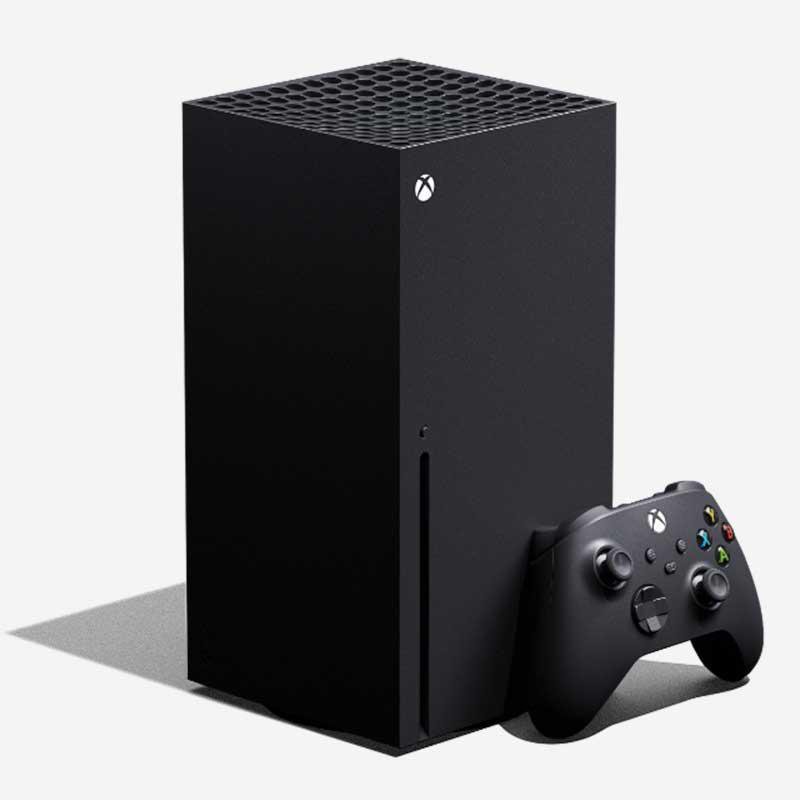
Xbox privacy regulations aim to protect user data, offering controls over personal information and online interactions.
Navigating the world of gaming can be exciting, but understanding how your data is handled is crucial. With the ever-evolving landscape of online interaction, it’s important to be aware of the policies in place. This is why we need to talk about Xbox privacy regulations.
These regulations give you the power to manage your privacy, from who sees your online activity to what data is collected. It allows gamers to control their experience and safeguard personal information.

Understanding Xbox Privacy Regulations
Playing games on your Xbox is super fun! But just like with anything online, it’s important to know about privacy. Xbox has rules to help keep your information safe. These rules are called privacy regulations. Think of them like safety instructions for playing games online. They tell you what information Xbox collects, how they use it, and what you can do to protect yourself. This can seem a little tricky, but we’re going to break it down so it’s easy to understand. Let’s explore the important parts of Xbox privacy regulations.
What Information Does Xbox Collect?
When you use your Xbox, it collects certain information. This helps them make your gaming experience better and helps them keep things safe. But what exactly do they collect? Let’s take a look at some key things:
Your Account Information
This is the basic stuff you provide when you first set up your Xbox account. It includes:
- Your name (or gamer tag)
- Your email address
- Your date of birth (this helps them make sure younger gamers are kept safe)
- Your country
Your Gameplay Data
Xbox keeps track of the games you play. They record things like:
- Which games you own
- How long you play each game
- Achievements you earn
- Your in-game progress (like levels you finish)
Your Communication Data
If you talk to other players through Xbox, they collect some information about that too:
- Voice chats you have
- Text messages you send
- Who you chat with
Device Data
Xbox also collects info about the devices you use to play:
- What type of Xbox console you have (like an Xbox Series X or an Xbox One)
- What software versions you are using
- Any error messages that pop up
Why Does Xbox Collect This Information?
It might seem like Xbox collects a lot of information! But it’s all for specific reasons. They use the information to:
- Make your gaming experience better. They use your gameplay data to give you recommendations about games you might like, and tailor your feed to your interests.
- Help keep your account safe. They use your data to prevent fraud and other malicious activities.
- Improve Xbox products and services. This information helps them find bugs and make the systems and games work better.
- Show you relevant ads. This helps Xbox provide some of their services for free, but they must make sure these ads are appropriate.
- Follow the law. They have to collect and use your data according to laws and regulations.
Your Rights Regarding Xbox Privacy
Even though Xbox collects some of your information, you still have rights. This means you have control over your data. Here are a few important rights you should know about:
Access Your Data
You can ask Xbox for a copy of the information they have collected about you. This lets you see what they know and what they keep for you.
Correct Your Data
If you see something in your data that is incorrect, you can ask Xbox to correct it. For example, if your date of birth is wrong, you can have it fixed.
Delete Your Data
In some cases, you can ask Xbox to delete your data. There are some rules about when you can do this, but you always have the right to request it. It’s important to know when and how to use this right.
Control How Your Data Is Used
You have some choices about how Xbox uses your data. You can change your privacy settings to control what information they collect and who can see it.
How to Adjust Your Xbox Privacy Settings
You have control over your privacy. Xbox makes it easy to change your settings. Here’s how you can do it:
Using Your Xbox Console
You can change your privacy settings right on your Xbox console. Here’s how:
- Go to Settings.
- Go to Account.
- Select Privacy & Online Safety.
- Then, you can choose Xbox Privacy or Data Collection to adjust different settings.
This will allow you to change who can see your profile, who can send you messages, and what information is collected from you.
Using Your Web Browser
You can also change your privacy settings using a web browser, like on your computer or phone. Here’s how:
- Go to the Microsoft Account website and sign in to your Xbox account.
- Go to Privacy.
- Change your privacy options there.
It’s simple and allows you to make changes even when you’re not playing on your console.
Key Privacy Settings To Consider
There are a lot of different settings you can change, but some of the most important ones include:
- Who can see your profile? You can choose whether everyone, only your friends, or no one can see your profile.
- Who can send you messages? You can choose who can message you through Xbox. You can choose everyone, only friends, or no one.
- Who can see your gameplay history? You can control who can see the games you play and the achievements you’ve earned.
- Voice Chat: You can control if voice chat is allowed, and with whom.
- Data collection: You can control if Xbox collects your data or not.
Parental Controls and Child Safety
Xbox understands that kids and teens play video games and they have specific settings to help parents keep their kids safe. These parental controls allow parents to manage what their kids can do on the Xbox. Here’s what parents can do:
Set Up a Child Account
When a child uses an Xbox, they should have a child account. This means their account is linked to a parent’s account. Parents can manage the child’s privacy settings and control other aspects of the game. The parent account is the boss account, and it can control and monitor the child’s game.
Content Restrictions
Parents can choose which games their child can play based on age ratings. This ensures children are only playing games that are appropriate for them.
Purchase Restrictions
Parents can control if their child can buy games or other items on the Xbox store. This helps avoid any unexpected expenses.
Communication Controls
Parents can control who their child can communicate with through messages and voice chat. This helps protect their children from talking to strangers.
Screen Time Limits
Parents can set time limits for how long their child can play on the Xbox. This ensures that children have a healthy balance of screen time and other activities.
Staying Safe Online
While Xbox has privacy settings and parental controls, it’s also important to know how to stay safe online on your own.
Never Share Personal Information
This is super important! Never share your real name, address, phone number, or school information with anyone you meet online. It can be dangerous for your safety and that of your family.
Be Careful Who You Talk To
Not everyone online is who they say they are. Be careful about who you talk to and never agree to meet someone you’ve only met online in person. This is the safety rule number one!
Report Any Problematic Behavior
If you see or experience anything inappropriate, report it to Xbox. You can report other players if they are being mean or if they are saying inappropriate things. You can also report if anyone asks you for personal information or you feel unsafe with someone.
Keep Your Password Secret
Don’t share your password with anyone, not even your closest friends. Make sure to choose a strong password, with letters, numbers, and symbols. Also, change your password from time to time.
Keep Your Software Updated
Keep your Xbox system updated. This allows Microsoft to fix bugs and security issues. Turn automatic updates on so that you have the latest version of your system.
Changes to Privacy Regulations
Privacy regulations can change, so it’s a good idea to keep updated. Xbox may update its privacy policies from time to time, and that is very normal in the tech industry. Here’s how to stay informed:
Check the Xbox Website
The best way to keep up to date with Xbox privacy policies is by visiting the Xbox website. The company keeps its customers informed on its privacy page. The website has all the latest information about their regulations.
Read Email Updates
If you have an Xbox account, you’ll sometimes get emails about important changes to the privacy policy. It’s a good idea to read these emails so you know what’s changed.
Stay Informed Through News Outlets
Technology websites and news outlets will usually cover any big changes that happen to the Xbox privacy policies. Keeping track of these will help you stay informed.
Third-Party Apps and Services
Sometimes, you might connect your Xbox account to other apps or services. For instance, streaming on Twitch or accessing your information in a third-party companion app. When you do this, it’s important to remember that those services have their own privacy policies.
- Always read their privacy policies before connecting your accounts.
- Be mindful about the data you agree to share.
It’s essential to be aware of these connections because the Xbox privacy policy might not cover what other apps do with your data.
Understanding Cookies
Like many websites, Xbox uses cookies on its websites and apps. Cookies are small files that store information about your activity. Xbox uses them for several reasons. For example, it helps them personalize your experience, like remembering your language preferences, which helps make your visit better.
Cookies also help them understand how you use the site, so they can fix things and make improvements. Sometimes, Xbox uses cookies for advertisement reasons as well, showing you ads that you may be interested in.
If you are not comfortable with the idea of tracking your visit with cookies, you have options. You can control the use of cookies through your browser. You can choose to block cookies or to remove any cookies that are already stored. Just be aware that blocking cookies might affect how some websites work, it might change the page’s functionality. Make sure to check your browser settings and adjust them if needed.
Xbox privacy regulations are in place to help keep you safe while playing your games online. By understanding what information is collected, how it is used, and what your rights are, you can have a safer and more enjoyable gaming experience. Remember to take advantage of your privacy settings, use the parental controls if you are a parent, and to stay informed about any changes to the regulations. Knowing these things will keep you safe and secure, as you have fun playing Xbox games!
Xbox Series X/S: How to Change Xbox Privacy Default Settings Tutorial! (Privacy & Online Safety)
Final Thoughts
In short, you must always check your privacy settings. These settings permit you to control data sharing. Xbox privacy regulations give you control over your personal information. Review these settings periodically.
Keep your personal data safe. Understand the privacy options to protect yourself. Choose appropriate settings for gaming and online interactions. Stay informed about policy changes concerning Xbox privacy regulations.

