
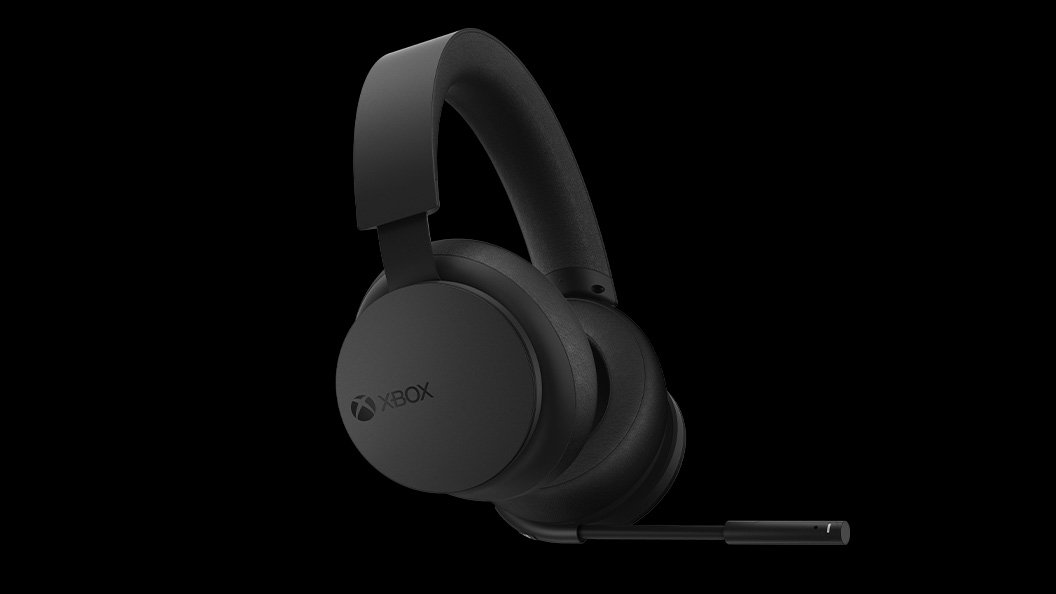
Xbox wireless technology provides a reliable, low-latency connection between Xbox consoles and their controllers, headsets, and other accessories.
Ever wondered how your Xbox controller seems to magically connect to your console? It’s all thanks to Xbox wireless technology, a system designed for seamless gaming experiences. This technology allows for quick pairing and stable connections, minimizing lag and frustration.
This proprietary connection method lets you move freely around your play area without tangled cords. Xbox wireless technology improves the overall gaming enjoyment with responsive controls and clear audio from wireless headsets.

Exploring the Magic of Xbox Wireless Technology
Hey gamers! Have you ever wondered how your Xbox controller talks to your console without any wires? It’s all thanks to something called Xbox wireless technology, and it’s pretty cool! This special tech isn’t just about getting rid of cords; it’s about making your gaming experience smooth, fast, and super fun. Let’s dive into what makes it tick, how it works, and why it matters to you. We’ll explore all the different parts of this technology, from how it connects to your devices to what makes it so reliable.
What is Xbox Wireless?
At its heart, Xbox wireless is a communication system. It allows different Xbox devices to “talk” to each other without needing a cable. Think of it like a secret language that your controller, headset, and console all understand. This tech uses radio waves to send signals back and forth, letting you control your games, chat with friends, and hear all those awesome game sounds.
It’s not just a simple connection; it’s designed to be fast and reliable so you don’t get annoying lags or dropped signals during intense gameplay. That’s why you can move freely around the room without your game suddenly stopping. It’s all about having a good, seamless experience, whether you are racing cars or exploring new worlds.
The Magic of Radio Waves
Radio waves are used in lots of things like your car radio, but the way Xbox uses them is a bit different. The technology uses specific frequencies (like radio stations) that are reserved for Xbox devices. This helps to prevent your controller from accidentally controlling the TV or other electronics.
Frequencies: These are like channels on the radio, but instead of songs, they carry game data.
Signals: The game sends signals to your controller, and the controller sends signals back to the console.
Reliability: By using a specific frequency, the connection stays stable, even when other wireless devices are nearby.
How Does it Differ from Bluetooth?
You might be thinking, “Isn’t that just like Bluetooth?” Well, yes and no. Bluetooth is another wireless tech, and Xbox devices can connect to some things using Bluetooth. But Xbox wireless is designed specifically for gaming. It typically provides faster and more stable connection compared to standard Bluetooth connection when you are playing games. This results in lower latency (or lag), which is super important when you need your commands to happen instantly.
Speed: Xbox wireless is generally faster than Bluetooth for gaming.
Stability: Xbox wireless has more consistent connections, reducing the chance of disconnects.
Optimized: Xbox wireless is built to handle gaming demands better.
Key Components of Xbox Wireless Technology
Xbox wireless involves a few different pieces working together like a well-tuned machine. Let’s break down some of the main players:
The Wireless Controller
The Xbox controller is a super important part of the wireless setup. Inside, there’s a tiny radio transmitter that sends signals to the console and also has a receiver that picks up instructions from the Xbox itself. The controller has some cool features that make gaming more fun like the rumble motors to make games feel more real. These communicate using Xbox wireless technology. When you press a button on your controller, it sends a message through the radio waves to the console and the game responds instantly.
The Xbox Console as the Hub
The Xbox console acts like the main communication center for the wireless network. It has its own radio receiver that listens for signals from controllers, headsets, and other devices. The console also sends out messages to these devices using its transmitter, telling them what’s happening in the game. Think of the console as the brain, processing the signals and then sending back all the right instructions to each device.
Wireless Headsets
Many Xbox headsets also use Xbox wireless technology. This means they connect directly to your Xbox without needing any extra adapters or cables. This is how the game audio and chat come through the headset. Just like the controller, these headsets have tiny radios inside that work in the same way to send and receive signals, allowing you to hear everything clearly and talk to your friends while gaming.
Wireless Adapters for PC
Sometimes, you might want to use your Xbox controllers on your computer. That’s where the Xbox Wireless Adapter for Windows comes in. This little device acts like the console and allows your controller to connect to your PC. It lets you play PC games using your favorite controller. It uses the same signals as Xbox wireless, so the connection is smooth and reliable. It also makes it super easy to switch between your console and your PC.
How Xbox Wireless Improves Your Gaming Experience
So, why is all this important? It’s simple – Xbox wireless makes your gaming way better! Here are some of the ways it impacts your experience:
Freedom to Move
With no wires holding you back, you can move around more freely. Play on the couch, on the floor, or even a bit further away from the TV. As long as you are within range, the connection stays strong. This is great when you are playing with friends and want some space, or you are just trying to get comfy. You are no longer stuck in one spot because of wires.
Less Clutter
No wires mean no tangled messes! Your gaming area stays cleaner and more organized. This is super helpful when you are trying to keep everything tidy and avoid tripping over cables. It keeps your gaming area looking neat and helps keep you safe from unwanted accidents.
Consistent Connection
Xbox wireless is designed to be reliable, so you shouldn’t experience connection problems like lags, dropped signals or disconnects when you are in the middle of a game. This is essential for competitive games, where every millisecond counts. You always want your commands to register instantly, and Xbox wireless makes that happen.
Easy Setup
Setting up an Xbox wireless device is super easy. Usually, you just have to push a button on the controller or headset and the console will automatically connect to the devices. You don’t have to mess with any cords or complicated settings. It’s quick and very easy to connect your devices, letting you jump right into the game.
The Technical Side of Xbox Wireless
Okay, let’s get a little technical for a moment. Xbox wireless tech isn’t just magic; it’s built using specific engineering. Here are some of the details that make it work so well:
Radio Frequency (RF)
Xbox wireless operates in the 2.4 GHz radio frequency band. This is the same frequency used by many other wireless devices, but Xbox wireless is designed to minimize interference.
2.4 GHz Band: A common frequency for wireless devices.
Interference Reduction: Special techniques are used to ensure a strong, stable connection.
Multiple Channels: The technology can switch to different channels within the frequency to reduce interference.
Proprietary Protocol
Unlike Bluetooth, Xbox wireless uses a proprietary protocol. This means that Microsoft has created its own special way for devices to communicate. This allows for better performance compared to standard methods. This protocol is fine-tuned for gaming and makes sure signals get from point A to point B very quickly.
Custom Designed: Built specifically for gaming.
Optimized Performance: Faster and more stable than standard wireless tech.
Lower Latency: Reduces lag and response times.
Range and Distance
Typically, Xbox wireless has a range of about 30 feet (10 meters). This is a good distance for most living rooms and gaming areas, allowing you to move freely without losing your connection. However, the range could be affected by obstacles like walls and large furniture.
Typical Range: Around 30 feet, or 10 meters.
Obstacle Effects: Walls and other things can shorten the range.
Strong Signal: Even at longer ranges, the signal is generally stable.
Troubleshooting Common Xbox Wireless Issues
Sometimes, you might run into a few issues with Xbox wireless. Don’t worry; here are some tips on how to fix common problems:
Controller Not Connecting
If your controller isn’t connecting to the console, first try these steps:
- Make sure your controller’s batteries aren’t dead.
- Try pressing the connect button on both the controller and the console.
- Move closer to the console.
- Restart both the console and the controller.
- Update your controller and console software
Headset Issues
If your headset isn’t working properly:
- Check the headset’s battery.
- Make sure your headset is properly paired to your Xbox.
- Try turning the headset off and on again.
- Make sure the headset volume is not muted or too low.
- Update the software of your headset.
Interference Problems
If you have issues with interference:
- Try to move other wireless devices away from your Xbox.
- Make sure your console is not blocked by walls or other objects.
- Move your console closer to your gaming area.
Future of Xbox Wireless Technology
Technology always gets better, and so does Xbox wireless! Here are some things we might see in the future:
Faster Connection Speeds
We might see faster connection speeds and even lower latency to make gaming even smoother and more responsive. These speeds could make a huge difference in online games.
Improved Range
Future versions might have improved range, which would be great for larger play spaces. Longer range would let players move even more freely around their play space.
Better Interference Handling
New tech could be better at handling interference, which means fewer connection issues, no matter where you’re playing. This would be super helpful if you have a lot of wireless devices in your home.
More Wireless Devices
We could see more wireless accessories for Xbox, like keyboards, mice, and even VR headsets, all using this wireless technology. This could expand our gaming experience.
Xbox wireless technology is much more than just a way to get rid of wires. It’s an important part of the gaming experience, making it more smooth, reliable, and fun for everyone. From the controller in your hands to the headset on your head, this tech helps make it possible to play your favorite games anytime, anywhere. By understanding how it works, you will have a better gaming experience and be prepared to fix any potential issues. It’s clear Xbox wireless has become a staple in gaming.
The new Xbox Wireless Headset has a longer battery life, an all-black design and Dolby Atmos support
Final Thoughts
Xbox wireless technology provides gamers with a dependable and low-latency connection for controllers and headsets. This system enhances the gaming experience by minimizing disruptions.
It allows seamless pairing and switching between Xbox consoles and compatible devices. Xbox wireless technology is a key factor in the overall responsiveness of gameplay.

