
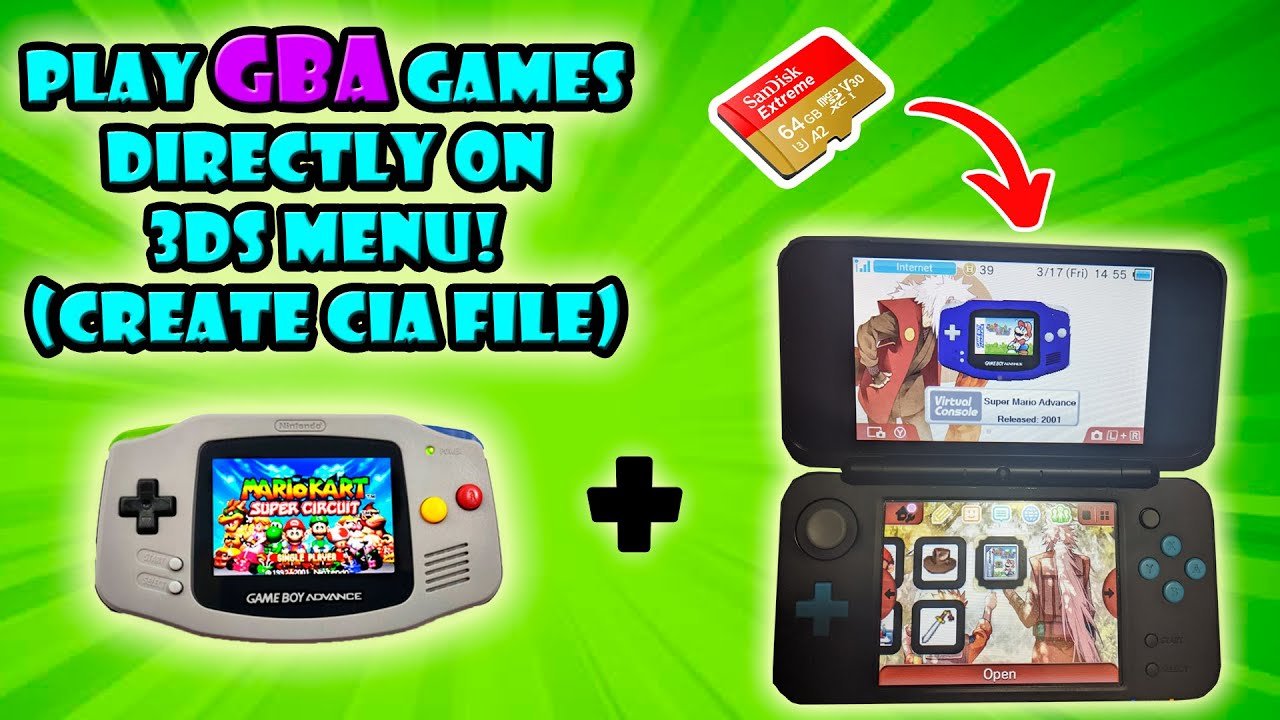
Yes, the 3DS can play GBA games, but only through Virtual Console releases or using specific hardware modifications.
Retro gaming fans often wonder, can 3DS play GBA games? It’s a common question as many cherish those classic titles. The 3DS has a large library of games, but it doesn’t natively support Game Boy Advance cartridges.
Officially, Nintendo only offered select GBA titles through its Virtual Console on the 3DS. This means you can’t simply insert a GBA game and play. There are also hardware modifications that make it possible to play GBA games.

Can 3DS Play GBA Games? A Deep Dive into Compatibility
Okay, so you’ve got your trusty Nintendo 3DS, and you’re feeling a little nostalgic for those classic Game Boy Advance (GBA) games. Maybe you’re dreaming of revisiting the pixelated world of Pokemon Ruby, or perhaps you’re itching to jump back into Metroid Fusion. The question burning in your mind is: can this handheld hero, the 3DS, actually play those older GBA games? The answer isn’t a simple yes or no, and that’s what we’re going to explore today. Let’s dive into the specifics of 3DS and GBA compatibility, the different methods, and what you need to know.
The Short Answer: It’s Complicated
First things first, let’s be clear. The Nintendo 3DS isn’t designed to play GBA cartridges directly. You can’t just pop a GBA game card into the 3DS slot and expect it to work like magic. The hardware is different, and the 3DS wasn’t built with that backwards compatibility in mind. It’s a bit like trying to put a square peg in a round hole; it just doesn’t fit. However, the good news is, there are still methods to play GBA games on your 3DS, just not in the most obvious way.
The Ambassador Program: A Blast from the Past
In the early days of the Nintendo 3DS, there was a special program called the “Ambassador Program”. This program was a gift to early adopters who purchased the 3DS before a price drop in 2011. As a thank you, these lucky gamers received a batch of free downloadable games, including several classic GBA titles. This is where the 3DS first showed some capability to play GBA games, but it was a very specific situation.
What Games Were Included in the Ambassador Program?
Here’s a list of the GBA games that were gifted through the Ambassador Program:
F-Zero: Maximum Velocity
Mario Kart: Super Circuit
Metroid Fusion
Kirby & The Amazing Mirror
Wario Land 4
The Legend of Zelda: The Minish Cap
Fire Emblem: The Sacred Stones
Mario & Luigi: Superstar Saga
Yoshi’s Island: Super Mario Advance 3
Advance Wars
If you were an Ambassador Program recipient, you might already have some of these titles downloaded on your 3DS, ready to play! This offered a taste of GBA goodness, proving that the 3DS could handle these games under the right circumstances. This was not regular retail GBA game. The files were optimized for the 3DS, not played from the old GBA game card.
Virtual Console: The GBA Games That Never Arrived
After the Ambassador Program, many fans hoped that Nintendo would start releasing GBA titles through the 3DS’s Virtual Console, where they sold other retro games like NES, SNES, and Game Boy games. Sadly, this never happened. Despite the clamoring from many fans, GBA games remained absent from the 3DS eShop. The reasons for this are complex and speculation abounds, but ultimately, Nintendo never made official GBA Virtual Console games available for purchase on the 3DS.
Why No GBA Virtual Console Games on 3DS?
This is one of the most asked question by many gamers, here are few reasons why GBA games never came to the 3DS Virtual Console:
Hardware Limitations: While the 3DS could play GBA games, it was more complex than just emulation. The 3DS needed specific software built to run the GBA games properly, and doing it efficiently for every game probably presented a development challenge.
Nintendo’s Focus: Nintendo was likely more focused on developing for the Wii U and later the Nintendo Switch, as well as new 3DS titles. Porting the many GBA titles they would need to meet demand may have been considered a less valuable use of their resources.
Business Strategy: Maybe Nintendo wanted to save GBA games for a later platform or service. We might see those games come to the Nintendo Switch Online Service at some point in the future, although this is not confirmed.
Custom Firmware: A Path for Tech-Savvy Gamers
While Nintendo never officially sold GBA games through the Virtual Console on 3DS, the community has stepped in to provide another option. If you’re familiar with modifying gaming consoles, you might have heard of Custom Firmware (CFW). Custom Firmware is basically a modification of the 3DS software that allows you to bypass some of the built-in limitations, including running software that Nintendo didn’t intend for you to run. In short, its kind of like hacking.
How Does Custom Firmware Help with GBA Games?
With CFW installed, you can use emulators. An emulator is a piece of software that makes your 3DS act like a different console. There are GBA emulators available for CFW-enabled 3DS devices. These emulators let you play .GBA game files that you obtain elsewhere (remember, we are not endorsing downloading copyrighted game files from questionable sources).
Risks of Using Custom Firmware
It’s important to be very aware of the potential risks of installing CFW on your 3DS:
Warranty Void: Modifying your 3DS with CFW will void your warranty with Nintendo, meaning you’ll be on your own if anything goes wrong.
Brick Risk: There is a small risk that installing CFW could damage your 3DS or make it unusable. This is called “bricking” your console.
Legality: Downloading and using game ROMs that you don’t own is illegal in most areas. This is something to keep in mind while modding and playing on your console.
Technical Knowledge: Installing CFW requires a good level of technical skill and understanding. It’s not for the faint of heart, and if you are not comfortable with technical processes, it might be best to avoid it.
How to Get GBA Games Running with Custom Firmware
If you choose this method, remember it carries risk. Be sure you understand it before proceeding. Here are general steps:
- Research and choose a CFW method that suits you for your 3DS model and software version.
- Carefully follow instructions from a reliable source, such as a trustworthy website that has been tested.
- Once CFW is installed, download and install a compatible GBA emulator.
- Obtain .GBA ROM files (again, make sure you’re using those you are legally allowed to use), transfer them to your 3DS.
- Launch the emulator and play your GBA games.
Remember: it’s very important to research and be very careful before proceeding with custom firmware as you could break your 3DS.
The New Nintendo 2DS XL: A Slight GBA Connection
While technically not a direct way to play GBA games, the New Nintendo 2DS XL (and its 3D counterpart, the New 3DS XL) has a built-in feature that has some GBA connections. With access to the Virtual Console, you can play a small number of Game Boy Color games like Pokemon Crystal or The Legend of Zelda: Oracle of Seasons. While these are not GBA games, the Game Boy Color did share a cartridge size with the Game Boy Advance. By including this connection, it shows that Nintendo did not entirely forget these older titles, giving some hope that they could one day come to this service or one like it.
Why No GBA on New 2DS XL Virtual Console?
Just like the regular 3DS, the New 2DS XL never received any official GBA games via the Virtual Console. The reasons are most likely similar: a combination of technical hurdles, Nintendo’s resources, and their business strategy. It’s still something many gamers were very hopeful for and are still hoping to see in the future.
Other Options to Play GBA Games
If you want to play GBA games but don’t want to use CFW on your 3DS, you still have other options to explore:
Original GBA/GBA SP: The most straightforward way to play GBA games is on an original Game Boy Advance or Game Boy Advance SP. If you have these systems still, they are perfect for playing GBA titles.
Nintendo DS/DS Lite: Both of these devices had a GBA cartridge slot, letting them play GBA games natively. These are the true successors to the Game Boy Advance and are a great option.
Emulators on PC/Mobile: Many emulators are available for computers and mobile devices. While not ideal for some people, playing via PC or mobile emulators is convenient and easy to access.
Wii U Virtual Console: Interestingly enough, Nintendo did release some GBA games on the Wii U’s Virtual Console. If you have a Wii U, that may be the most legal way to play GBA games outside of the original hardware.
Nintendo Switch Online Service: As of this writing, there is still no official way to play GBA games on the Nintendo Switch. However, many are speculating that they will arrive at some point, just like NES and SNES games before them.
A Quick Comparison: Options for Playing GBA Games
Let’s put it all together and compare the different ways you could play GBA games:
| Method | Pros | Cons | Ease of Use |
|---|---|---|---|
| Ambassador Program 3DS | Free if you had it, official, easy to play. | Only if you had it, Limited games. | Very Easy |
| Custom Firmware on 3DS | Plays most GBA games, lots of options. | Risk of bricking, voids warranty, potential legality issues | Difficult |
| Original GBA/GBA SP | Plays all GBA carts, most authentic experience. | Requires old hardware. | Easy |
| Nintendo DS/DS Lite | Plays all GBA carts, readily available. | Requires old hardware. | Easy |
| Emulators on PC/Mobile | Many options, convenient, does not require Nintendo hardware. | Not as authentic, requires finding ROM files. | Medium |
| Wii U Virtual Console | Official release, plays on TV. | Requires a Wii U console, limited GBA titles | Easy |
| Nintendo Switch Online | Hypothetically, would be on current platform. | Not yet available, requires a Nintendo Switch. | Easy, if it happens. |
This table is only a basic overview. The best choice for you will depend on your personal preference.
Final Thoughts on Playing GBA Games on 3DS
The question “Can 3DS play GBA games?” isn’t simple. Directly, no, the 3DS doesn’t play GBA cartridges. Indirectly, with methods like the Ambassador Program, CFW, or alternative devices, you can certainly enjoy those classic games again. The lack of official GBA Virtual Console titles on the 3DS is a disappointment for many fans, but there are still plenty of ways to revisit your favorites. Whether you prefer the authentic feel of original hardware, the flexibility of emulators, or the risks and rewards of custom firmware, you have several avenues to pursue. It all comes down to what you want from your GBA gaming experience and what you are comfortable with. Remember, gaming is all about having fun, so choose the method that works best for you!
3DS Can Play Game Boy Advance Games Without Emulation
Final Thoughts
So, can 3ds play gba games? The answer is a bit nuanced. Officially, the 3DS cannot directly play GBA cartridges.
However, Nintendo released select GBA titles on the 3DS eShop as part of the “Virtual Console” service. This offered a way to play some of your favorites.
Therefore, the 3DS can play gba games, but it is not by inserting actual cartridges, but through digital purchases or via a modded system.

