
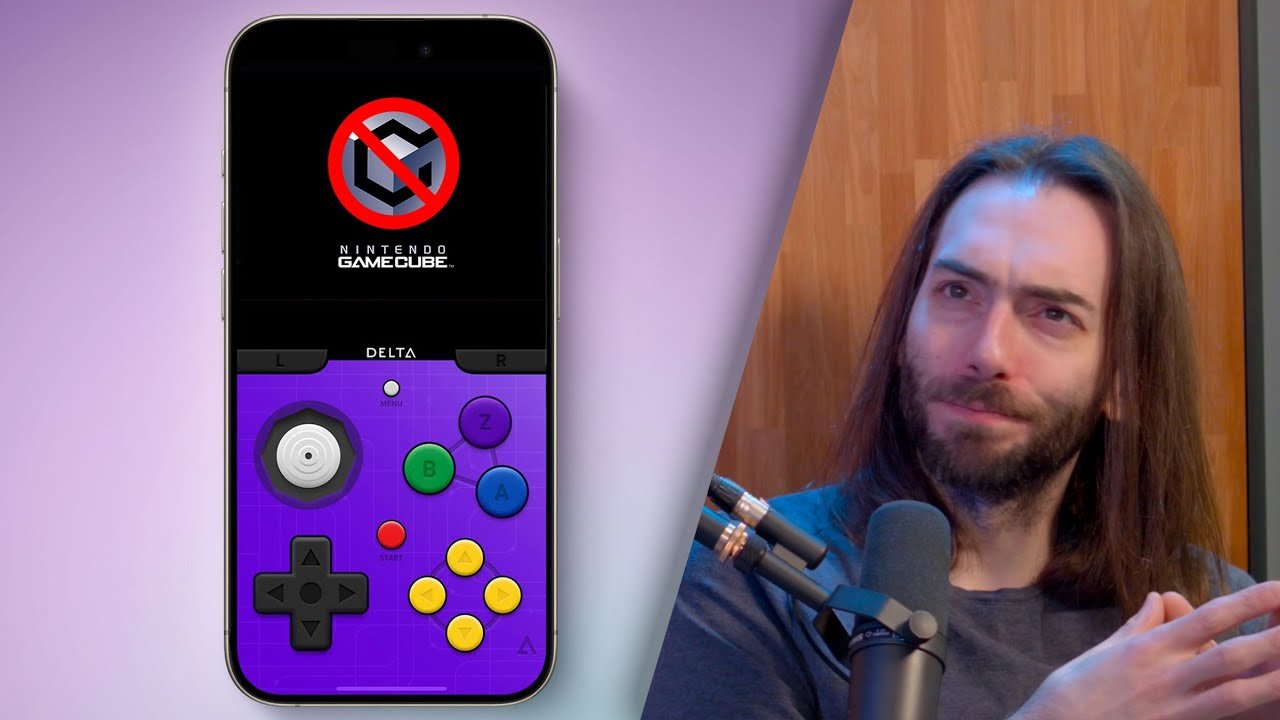
No, Delta cannot directly play GameCube games.
The burning question on everyone’s mind: can delta play gamecube games? It’s a common inquiry given Delta’s impressive emulation capabilities with other platforms. Many users are eager to extend their gaming experiences.
However, Delta is primarily designed for other console systems. This means it won’t run GameCube titles out of the box. Other dedicated Gamecube emulators are needed for that specific console library.

Can Delta Play GameCube Games? Exploring the Possibilities
So, you’re wondering if Delta, that cool emulator you might have heard about, can play your favorite GameCube games? It’s a great question! Let’s dive deep into what Delta can do, especially when it comes to those awesome titles from Nintendo’s cube-shaped console. We’ll explore the current situation, look at some alternatives, and talk about the future of emulation. It’s like a video game investigation, so let’s get started!
Understanding Delta Emulator
Before we get into GameCube specifics, let’s first understand what Delta is all about. Delta is an emulator that’s been making waves, especially with its focus on ease of use and support for different game systems. Think of it like a magic box that can pretend to be different game consoles on your phone or computer.
Delta’s Supported Systems
Delta’s primary focus has been on classic handheld and console systems, including:
- Nintendo Entertainment System (NES)
- Super Nintendo Entertainment System (SNES)
- Nintendo 64 (N64)
- Game Boy
- Game Boy Color
- Game Boy Advance
- Nintendo DS
As you can see, Delta handles some pretty popular consoles, and they work pretty well on the devices that support it. But the important question remains: Where does the GameCube fit into all of this?
The GameCube Challenge
The GameCube is a different beast compared to the older consoles that Delta currently supports. It uses a more powerful processor and has more complex hardware. This means emulating it is a bigger challenge. Here’s why playing GameCube games on Delta is not straightforward:
Hardware Requirements
GameCube emulation needs lots of processing power. Your phone or computer needs to be fairly powerful to run these games smoothly. This is where the challenge really lies with Delta. Delta is built primarily to work smoothly on mobile devices, and the demands of GameCube emulation might be too much for many phones.
Software Complexity
The way the GameCube’s software is written is more intricate than older systems. It uses more advanced programming and graphic techniques. Writing an emulator that can accurately replicate this is a very complicated process that takes a lot of time and effort from emulator developers.
Development Focus
Delta’s developers have been primarily focused on perfecting their current supported systems, before moving on to others. It’s important to get existing systems working really well before adding new, more complicated ones like the GameCube. This means that GameCube compatibility hasn’t been a main priority.
Can Delta Play GameCube Games? The Current Answer
So, after all that explanation, here’s the straight answer:
At this time, Delta cannot natively play GameCube games. Delta’s current focus is on 8-bit, 16-bit, and handheld console emulation, and it has not yet expanded to the more advanced 3D systems like the GameCube. You won’t find any options or settings for GameCube games within the current Delta app. If you tried to load a GameCube game file, it would not work.
Alternative Emulators for GameCube Games
But don’t worry, if you really want to play those GameCube classics, there are other options available. Here are some well-known emulators that can play GameCube games:
Dolphin Emulator: The Go-To Choice
Dolphin is the most popular and widely used GameCube emulator. It is known for its accuracy and performance. Dolphin is available for Windows, macOS, Linux, and even Android. So, if you’re looking for the best GameCube experience, Dolphin is a great place to start.
Dolphin’s Features
- High compatibility: Dolphin supports most GameCube games.
- Resolution scaling: Play games in higher resolution than the original console.
- Controller support: Works with many different controllers.
- Customizable settings: Lets you fine-tune settings for better performance and graphics.
Other GameCube Emulators
While Dolphin is the primary option, some other emulator options do exist, but they are less popular:
- GCEmu: This emulator is older and does not receive much updates, but might run some games that Dolphin does not.
- Cube64: This is a more specialized emulator for some titles, but also does not get updated often.
Setting Up Dolphin for GameCube Gaming
If you decide to use Dolphin to play your GameCube games, here’s how you can get started. It might take a little extra effort compared to Delta but the result is definitely worth it.
Step 1: Download Dolphin
First, go to the official Dolphin emulator website and download the version that matches your operating system. If you have a Windows PC, download the Windows version. If you have a Mac, download the macOS version and so on. Be sure to use the official website only, as third-party sources might contain malware.
Step 2: Install Dolphin
Once you have the downloaded file, run the installer and follow the instructions. The process is fairly straightforward and does not require much technical knowledge.
Step 3: Get GameCube Game Files
You will need game files, which are usually in the ISO or GCM file format. You can dump these from your own game discs if you own the original copy. Please keep in mind that downloading games that you do not own is illegal.
Step 4: Configure Dolphin
Open Dolphin and configure the settings for your game. This might take some trial and error to get right. You can adjust video settings, input devices, and audio settings as well.
Step 5: Start Playing
With your settings configured, load your game file and start playing. If the game runs too slowly, you may need to adjust the video settings to reduce the processing load.
Future of Delta and GameCube Emulation
Even though Delta doesn’t support GameCube yet, the landscape of emulators is always changing. Here’s what might be on the horizon:
Potential GameCube Support in Delta
While there is no official confirmation, the possibility of Delta adding GameCube support isn’t impossible. As technology progresses and hardware gets more powerful, it might be feasible for Delta to expand to more powerful systems. However, it will take time, as the developers focus on other priorities.
Other Emulator Developments
Emulator development is constantly evolving. There could be new, powerful emulators that become available in the future. We also might see improvements in performance in existing emulators. These changes could make it possible to play GameCube games on a wider variety of devices.
The Importance of Legal Emulation
Before we wrap up, let’s have a quick chat about legal emulation. Here are some important things to keep in mind:
Owning the Original Games
The safest and most ethical way to emulate games is to only use games that you own. This means making copies of your original game discs and using these in your emulator.
Respecting Copyright
Downloading game files from unofficial sources is usually against the law and violates the copyright of the game publishers. This is a serious issue, and you should always be mindful of copyright laws.
Supporting Developers
Purchasing games legally also supports the people and companies that create them. If you love a game, support it by buying a copy from a legal source.
Summary Table of Key Points
Let’s make everything easier to remember with a quick summary table.
| Topic | Details |
|---|---|
| Can Delta play GameCube games? | No, Delta currently does not support GameCube games. |
| Why not? | GameCube emulation is complex, requires a lot of resources, and is not a current focus for Delta. |
| What emulators CAN play GameCube games? | Dolphin is the most popular and highly compatible emulator. |
| How do I set up Dolphin? | Download from official website, install, configure settings, and load game files. |
| What about the future? | GameCube support in Delta is a possibility but not a current priority; emulator development is always changing. |
| How to legally emulate games? | Only emulate games you own and respect copyright laws. |
So, can Delta play GameCube games? The answer, for now, is no. However, the emulation world is always changing, and who knows what the future holds. For now, if you want to play those fantastic GameCube games, you will have to use Dolphin. Remember to be a responsible gamer and respect copyright laws. Have fun playing, and keep exploring the amazing world of emulation!
You'll NEVER play Gamecube Games on iPhone!
Final Thoughts
Delta does not directly support GameCube games. Emulation for GameCube titles is complex and needs dedicated software. Users must find alternative methods if they want to play these games.
The app focuses on retro consoles like GBA, NES, and SNES. These platforms utilize different architectures compared to the GameCube. The question of ‘can delta play gamecube games’ remains unanswered in the affirmative.
Currently, playing GameCube games through Delta is not possible. Delta does not offer the required functionality. Therefore, players need other solutions for their GameCube experience.

