
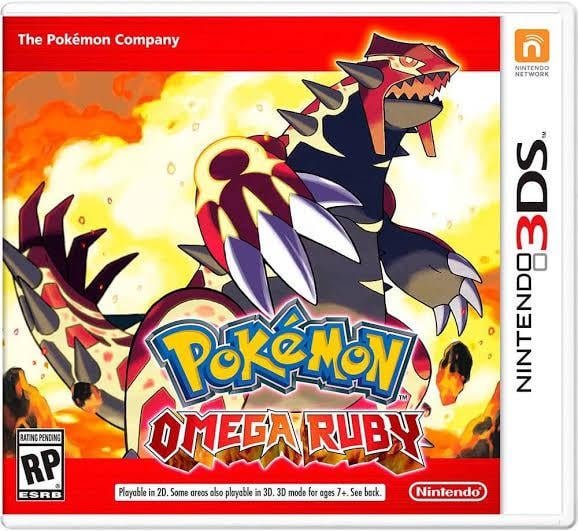
No, Delta cannot run 3DS games.
The burning question on many retro gaming fans’ minds is: can delta run 3ds games? It’s a valid query, given Delta’s capabilities with other platforms. Many are excited about the prospect of playing 3DS titles on their favorite emulators.
Delta shines with its support for older systems, like Game Boy Advance and Nintendo DS. However, its current architecture doesn’t include 3DS emulation.
Therefore, unfortunately the answer for can delta run 3ds games right now is a no. You’ll need to explore other dedicated emulators for Nintendo 3DS gaming.

Can Delta Run 3DS Games?
The question of whether Delta, a popular emulator, can handle Nintendo 3DS games is something many retro gaming fans are curious about. The short answer is, currently, Delta does not directly support 3DS games. But let’s dig deeper into why that’s the case, what options you have for playing your favorite 3DS titles, and what the future might hold.
Understanding Delta Emulator’s Core Focus
Delta is primarily designed as an all-in-one emulator for various classic Nintendo systems. Its main strength lies in emulating the following consoles:
- Nintendo Entertainment System (NES)
- Super Nintendo Entertainment System (SNES)
- Nintendo 64 (N64)
- Game Boy (GB)
- Game Boy Color (GBC)
- Game Boy Advance (GBA)
You can see that the emulator is focused on older handhelds and home consoles. The 3DS, while also a handheld, uses quite a different architecture, making it a very different beast to emulate.
Why 3DS Emulation is More Complex
Emulating a console like the Nintendo 3DS is much more complicated than emulating earlier systems. Here are some reasons why:
- Dual-Screen Setup: The 3DS has two screens – a top screen and a touch screen at the bottom. The emulator needs to accurately render both screens and handle the interaction with the touchscreen input, this can be quite complicated for software development.
- 3D Capabilities: The 3DS had glasses-free 3D capabilities. Replicating this in an emulator requires a lot of processing power and complex algorithms.
- Processing Power: The 3DS is much more powerful than older consoles like the GBA. This means it requires more processing power to be accurately emulated.
- Unique Hardware: The 3DS had specific hardware that can be difficult to replicate in software, like gyroscope and accelerometer sensors, which are used in many games.
These technical challenges make 3DS emulation a significant undertaking, and it is different than handling a system like the Game Boy.
Current State of 3DS Emulation
While Delta doesn’t support 3DS games, there are other emulators that can play them on various devices.
Popular 3DS Emulators
Here are some of the most popular emulators that are capable of running 3DS games:
- Citra: This is the most prominent 3DS emulator, known for its accuracy and compatibility. It runs on Windows, macOS, Linux, and even Android. Citra is a good option if you want the best emulation experience.
- PC and Mac: Citra provides the most advanced 3DS emulation on computers.
- Android: While the Android version is improving, it might require powerful smartphones to run games smoothly.
- Lemuroid: This multi-system emulator, like Delta, incorporates Citra core, so users can play 3DS games in the emulator if you use Android devices.
How Citra Works: A Closer Look
Citra, the leading 3DS emulator, works by recreating the inner workings of the Nintendo 3DS hardware in software. It interprets the game code and translates it into commands that your computer or phone can understand. This is why it requires a lot of resources. It performs functions like:
- CPU Emulation: Citra mimics the 3DS CPU to execute the game code.
- GPU Emulation: It emulates the 3DS graphics processing unit (GPU) to render graphics.
- Audio Emulation: Citra emulates the audio chip to play the game’s sound.
- Input Emulation: It translates your keyboard, mouse, or gamepad inputs into the 3DS controls.
Citra vs Delta: Key Differences
Let’s compare Citra and Delta:
| Feature | Citra | Delta |
|---|---|---|
| Primary Focus | 3DS Emulation | Classic Nintendo Emulation (NES, SNES, N64, GB, GBC, GBA) |
| 3DS Support | Yes (Good compatibility) | No |
| Ease of Use | Good, but requires a bit more setup | Very user-friendly |
| Platforms | Windows, macOS, Linux, Android | iOS, macOS |
| Resource Intensity | Relatively High (especially on Android) | Moderate |
As you can see, Citra and Delta have very different purposes. Delta focuses on the easier task of emulating older systems, while Citra tackles the complexity of 3DS games.
Setting Up Citra for 3DS Gaming
If you want to play 3DS games, Citra is the emulator you need to use. Here is a basic guide on getting started with it:
- Download Citra: Go to the official Citra website and download the correct version for your system (Windows, macOS, Linux or Android).
- Install Citra: Follow the installation instructions for your operating system.
- Obtain 3DS ROMs: You’ll need to get game ROMs. You should only get them from games you legally own.
- Set Up Citra: When you first open Citra, you might need to adjust some settings, like graphic rendering.
- Start Playing: Load your 3DS game ROM, and it should run.
Important Notes About Citra Set Up
Keep in mind some important things regarding setting up the Citra emulators:
- System Requirements: Make sure that your computer or device meets Citra’s system requirements. 3DS games can be demanding, so you need a good computer or a very powerful phone to handle the emulation.
- BIOS Files: Certain versions of Citra may require BIOS files from an actual 3DS system. You’ll need to look up the method to do that yourself, as they can’t be included directly in the software.
- Game Compatibility: Not all 3DS games work perfectly on Citra. Some games might have graphic or gameplay issues. Check compatibility lists online to see how your favorite game is going to perform.
The Future of Delta and 3DS Emulation
The main question remains: will Delta ever support 3DS games? Here’s what we might expect in the future:
Potential for Future Support
While Delta’s developers haven’t specifically stated they will add 3DS support, the possibility isn’t completely out of the question. Here’s how it might happen:
- Core Integration: Delta could potentially integrate with the Citra core to allow for 3DS emulation. This would be a massive undertaking but would bring the 3DS emulation to Delta.
- New Development: The Delta team could decide to develop their own 3DS emulation core. This is a huge task that would require significant time and resources.
- Community Contribution: The open-source nature of many emulators allows for community contributions. A skilled programmer could create a method to introduce 3DS emulation, provided they are willing to do the effort.
Challenges to Overcome
Adding 3DS emulation to Delta comes with some challenges:
- Complexity: The complexity of 3DS emulation is a huge challenge. It needs a lot of coding to make the emulator work well.
- Resource Demands: 3DS emulation requires a lot of processing power. The Delta team might need to make it work well with limited resources of a phone or older laptop.
- Maintaining Compatibility: Keeping the emulator working with different 3DS games and new updates would be a constant task.
Alternatives to Delta for 3DS Gaming
While we wait to see if Delta will ever support 3DS games, here are the best options you have right now:
Recommended Emulation Solutions
- Citra on PC/Mac: If you have a computer, Citra provides the most feature-rich and best-performing experience for 3DS gaming.
- Citra on Android: If you have a strong Android phone, Citra on Android is an option, but be prepared for possible performance limitations.
- Dedicated Handheld Emulators: There are portable handheld devices designed specifically for emulation that can run 3DS games quite smoothly if the hardware is powerful.
Tips for Improving 3DS Emulation
Here are some tips that can help you get better 3DS performance:
- Keep Your Drivers Updated: Make sure your graphics card drivers are updated, which can greatly impact the performance.
- Optimize Citra Settings: Experiment with Citra’s settings to find the best balance between performance and visual quality. Start with the lowest settings and increase as needed.
- Close Background Applications: Close any unnecessary programs running on your computer or phone while playing to give the emulator more resources.
- Use a Gamepad: Using a gamepad to play 3DS games is always better than keyboard controls, if you can.
So, while Delta might not be the way to play 3DS games right now, hopefully, this overview provided you with an understanding of why and how other emulators fill that space. The world of emulation is always changing, so who knows what the future might hold!
Delta Emulator vs the 3DS: A DS Emulation Comparison and Impressions
Final Thoughts
Delta currently does not support 3DS games. The emulator focuses on retro consoles like NES and Game Boy. You cannot play 3DS titles using Delta at this time.
This situation might change in the future. Developers are always working on improvements. For now, the answer to the question, “can delta run 3ds games,” is a firm no.

