
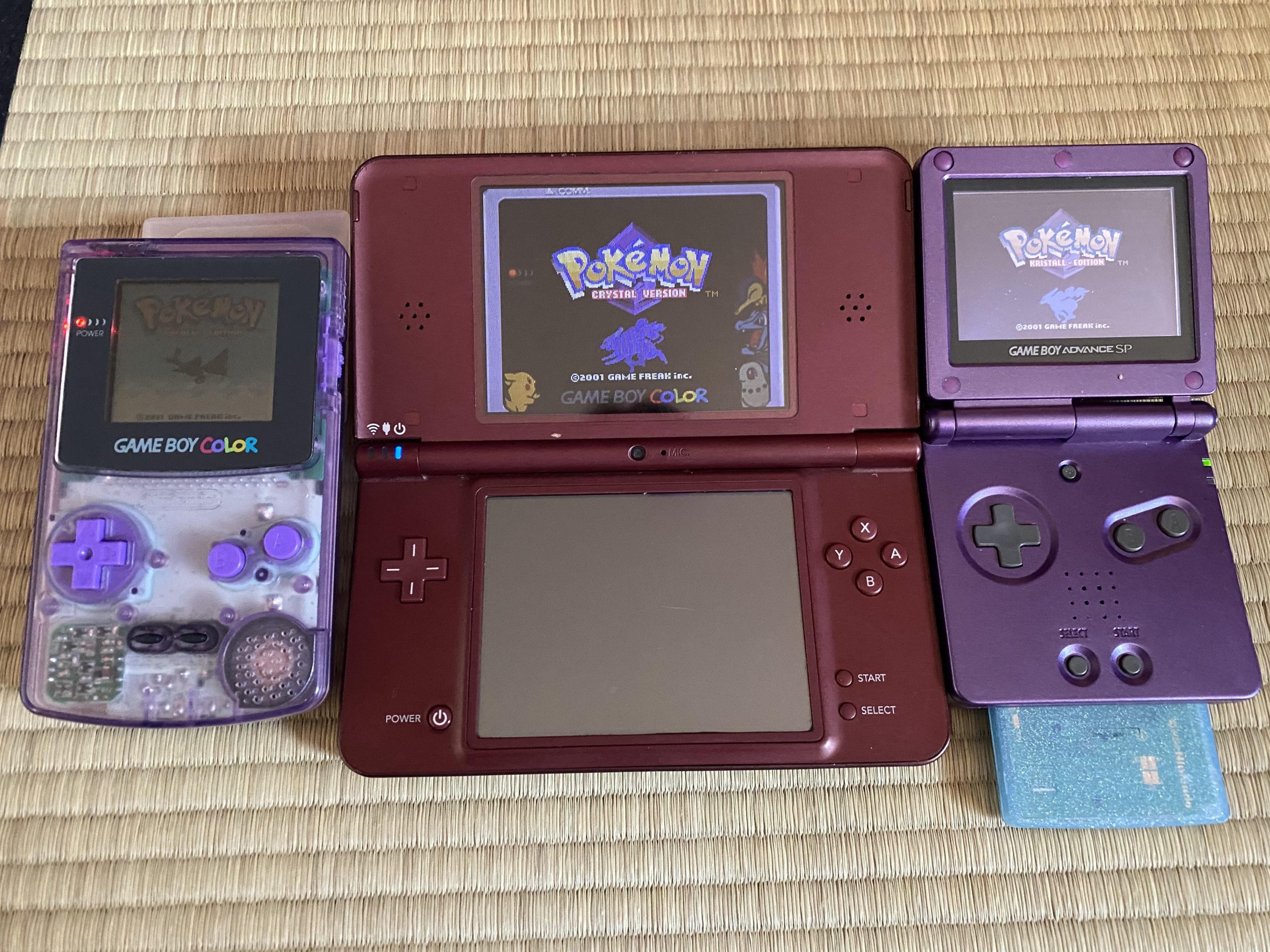
No, the Nintendo DSi cannot directly play original Game Boy cartridges.
Wondering if your DSi can revisit the classics of the Game Boy era? It’s a question many retro gaming fans ponder. Can dsi play gameboy games directly? The answer, unfortunately, is no.
The DSi does not have the necessary hardware to read those older cartridges. This means you can’t simply insert a Game Boy game and start playing. However, there are some alternatives to explore if you want to experience these classic games.

Can DSi Play Gameboy Games? Exploring Compatibility and Options
The Nintendo DSi, a popular handheld gaming device, was a big hit with gamers when it came out. Many people who own a DSi or are thinking about getting one often wonder if they can play their old Game Boy games on it. It’s a valid question, especially if you have a collection of those classic cartridges or just love the retro feel of those games. This section will dive deep into answering that very question and explore the different ways you can, or can’t, enjoy your favorite Game Boy titles on your DSi.
The Short Answer: No Native Game Boy Play
Let’s cut to the chase: the Nintendo DSi, in its original form, cannot directly play Game Boy or Game Boy Color cartridges. This is because the DSi doesn’t have a slot for the older Game Boy cartridges. The DSi’s cartridge slot is designed specifically for Nintendo DS and DSi games. So, if you were hoping to simply pop in your old Pokémon Red cartridge and start playing, you’re out of luck. Nintendo made this decision with the DSi to focus on new games designed for the device and to move forward technologically.
Why the DSi Doesn’t Play Game Boy Games
It’s not just about having a slot that fits. There are several reasons why the DSi doesn’t support Game Boy games:
Hardware Differences
The Game Boy, Game Boy Color, and Nintendo DS use different hardware technologies. The processors, graphics systems, and even the way the game cartridges store information are all different. The DSi was designed with specific hardware to run its own generation of games, and it’s simply not built to understand or process the old Game Boy game code.
Focus on New Technology
The DSi was released with an emphasis on new features like the built-in cameras and downloadable DSiWare games. Nintendo wanted to push forward with new capabilities rather than backward compatibility. Including the technology required to play old Game Boy games would have added extra cost and complexity to the system.
No Legacy Cartridge Slot
The most obvious reason is the lack of a Game Boy cartridge slot. The original Game Boy, Game Boy Color, and Game Boy Advance all had their own unique slots, while the DSi uses a single slot meant for DS game cards. The physical design simply doesn’t allow for a Game Boy cartridge to be inserted.
Emulation: A Potential Solution
Okay, so the DSi can’t play Game Boy games directly. Does that mean all hope is lost? Not necessarily. There’s a method called emulation. Emulation involves using software that makes your DSi act like an old Game Boy. It allows the DSi’s processor to read the data from a Game Boy game file, effectively tricking the DSi into running it.
What is Emulation?
Emulation software basically translates the instructions from an old system to a new one. Imagine if you could read a book in Spanish even though you only know English – that’s what an emulator does! It translates game data. For Game Boy games, emulators interpret the game code so that your DSi can run it.
Homebrew and Emulators for DSi
To use emulators on a DSi, you will usually need to install custom firmware. This is where the process becomes more complicated. Custom firmware, often referred to as “homebrew,” is software that replaces the DSi’s original system software. It lets you run unsigned code, such as emulators. There are many kinds of emulators for different old consoles, like the NES, Super NES, and, most relevant to us, the Game Boy.
How To Install Homebrew
It’s very important to mention that installing homebrew can sometimes be risky. It can also be complicated and might void your warranty. You’ll need to follow very detailed instructions specific to your DSi system software. Usually, this involves a specific program and an SD card. However, it is not advised for beginners. Before doing anything like this, ensure that you fully understand the risks involved. Also, doing so is sometimes illegal.
How To Use Emulators
Once homebrew is set up on your DSi, you will need to find and download an emulator program for Game Boy games. These programs usually have a file format, like .gb or .gbc for Game Boy and Game Boy Color games respectively. You can then place the emulators program and game ROMs onto your DSi’s SD card. When you start the emulator application from the DSi’s home menu, you will be able to choose the game file you want to play from the SD card. It’s like having a virtual Game Boy library on your DSi!
Legality of Emulators and ROMs
Before jumping into emulation, it is very important to consider the legal implications. Downloading and sharing ROM files of games that you don’t own is often illegal. Many companies still hold copyrights for these older games. Owning the original game cartridges and then dumping the files for personal use can be a legal grey area. It’s best to make sure that you only download or use game files that you have the legal rights to use. Emulators themselves are generally legal, but using them with illegally obtained games is not.
Understanding Game Boy Generations
When discussing Game Boy games, it’s important to understand there were different Game Boy generations. These different types of cartridges will have an impact on what kind of emulation is needed.
- Game Boy: This is the original, with its black and green screen. It’s usually referred to as the classic Game Boy.
- Game Boy Color: This upgraded version added color to games. It still used cartridges but made them colorful and more vibrant.
- Game Boy Advance: While not a direct Game Boy, it’s still relevant. This was a significant upgrade over the original and could play its own Advance cartridges and, notably, could also play older Game Boy/Game Boy Color games.
Other Ways To Play Game Boy Games
While using an emulator on your DSi is an option, it’s not the only path for enjoying old Game Boy games. There are other official ways that you can play these classic games.
Nintendo 3DS Virtual Console
If you own a Nintendo 3DS, you’re in luck! The 3DS has an official “Virtual Console” service where you can purchase and download many classic Game Boy and Game Boy Color games from the Nintendo eShop. This is a legal and safe way to play these games without resorting to emulation. It also means you do not need to install homebrew to run them.
Nintendo Switch Online
Another great option is a Nintendo Switch. If you have a Nintendo Switch Online subscription, you gain access to a growing library of classic Nintendo games, including some Game Boy and Game Boy Color titles. This is again an official option and very similar to what the 3DS offers.
Other Retro Handhelds
There are many other kinds of retro gaming handhelds on the market these days. They are designed specifically to play classic games. These devices may be a better option than a modded DSi if your primary goal is to play retro games without all the hassle and potential risks of modding.
Advantages and Disadvantages of Emulation on DSi
Let’s look at some of the pros and cons of using an emulator on your DSi.
Advantages
- Cost-Effective: If you already own a DSi, it can be cheaper than buying a new device or specific cartridges.
- Large Library: You can potentially access almost all Game Boy, Game Boy Color games.
- Portability: All your games are on one device, making it convenient for gaming on the go.
Disadvantages
- Legality Concerns: Downloading ROMs can be illegal.
- Risk: Homebrew has potential to damage your system if not done correctly.
- Complexity: It requires technical knowledge to set up correctly.
- Performance Issues: Emulation can sometimes have glitches or slow downs.
- Not Always Exact: Emulators may not perfectly replicate the original Game Boy experience.
The Bottom Line
While the Nintendo DSi does not support the use of original Game Boy cartridges directly, you can still enjoy some of your favorite classic Game Boy games by using emulators. However, doing so requires careful consideration of the legal and technical aspects. Official methods like the Nintendo 3DS Virtual Console and Nintendo Switch Online are good legal alternatives.
So, can the DSi play Game Boy games? The answer isn’t a simple yes or no. It’s more like a “not directly, but potentially with some work.” The key is understanding your options, evaluating the risks and rewards, and deciding what method suits your gaming needs and preferences. Whether you want to play it safe and buy legal digital versions, or go the more adventurous homebrew route, there are ways to revisit those great old games.
Wait? Nintendo DSi CAN PLAY Game Boy Advance Games?!
Final Thoughts
The Nintendo DSi, unfortunately, cannot directly play original Game Boy cartridges. It lacks the necessary hardware. However, the DSi shop did offer some classic Game Boy titles as digital downloads.
So, while physical Game Boy games won’t work, digital versions were available. The important thing to remember is: the DSi cannot physically play gameboy games.

