
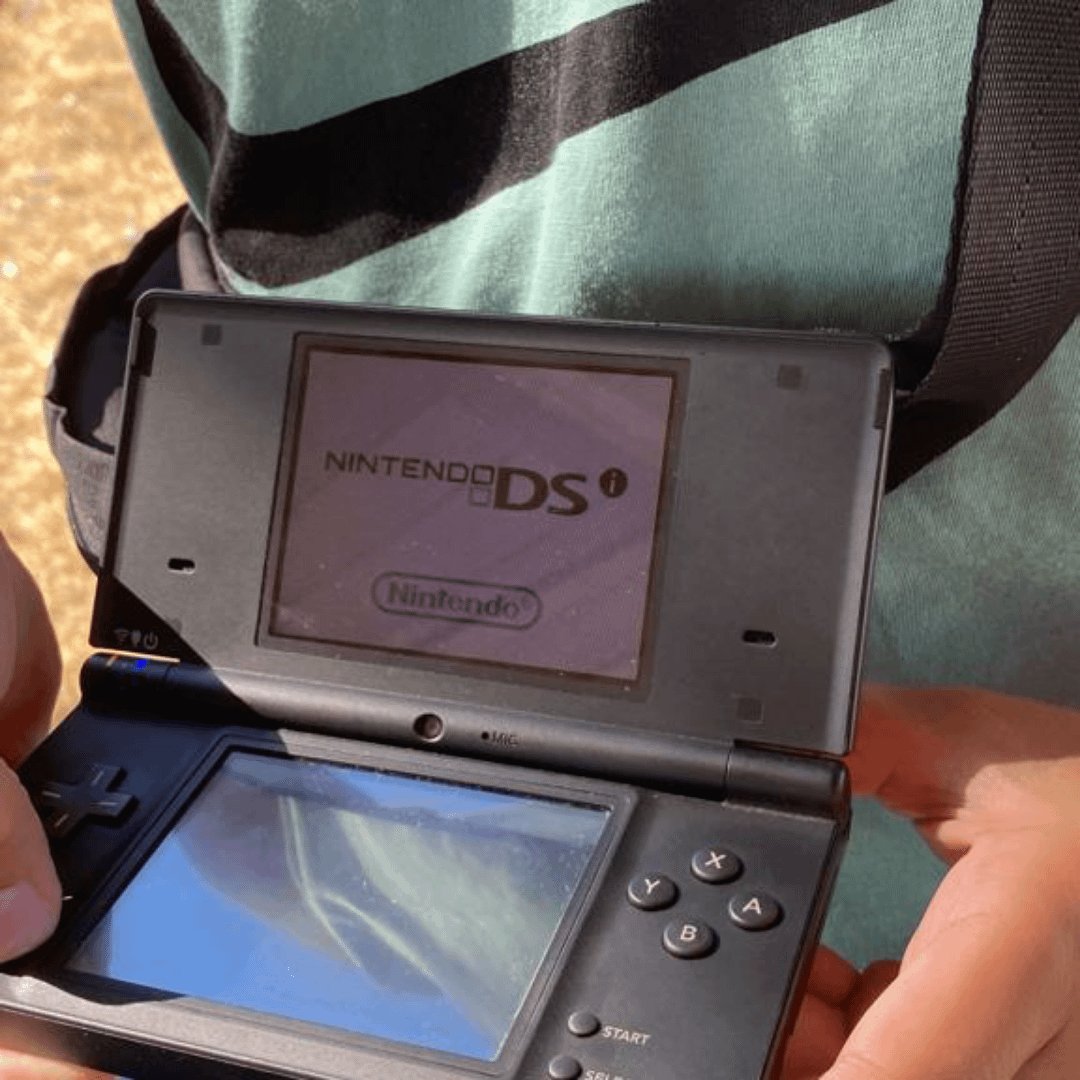
No, the Nintendo DSi cannot play Game Boy Advance (GBA) games.
Ever wondered if your old DSi could handle those cherished GBA titles? It’s a common question, especially for those of us who enjoyed both consoles. The short answer regarding ‘can dsi play gba games’ is a simple no.
The DSi hardware lacks the necessary cartridge slot and internal components to run GBA games. Nintendo designed it without backwards compatibility for GBA titles, focusing instead on DS games and new features.

Can DSi Play GBA Games?
That’s a fantastic question, and it’s one many Nintendo fans have wondered about! The Nintendo DSi was a cool handheld console, and the Game Boy Advance (GBA) had some amazing games. So, the idea of playing those classic GBA games on the DSi is super appealing. Let’s dive into the details and find out exactly what’s possible.
The DSi’s Hardware and Game Compatibility
To understand why playing GBA games on the DSi is tricky, we first need to take a look at what each system is made of. The DSi was designed with its own set of hardware, which is very different from the Game Boy Advance. Think of it like trying to put a puzzle piece from one puzzle into another – they just don’t quite fit.
DSi Cartridge Slot
The DSi has a slot where you put in game cartridges. This is the same type of slot used by regular Nintendo DS games. The GBA, on the other hand, uses a different, wider kind of cartridge. If you have a Nintendo DS, you might remember there are two slots, one for DS games and one for GBA games. However, with the Nintendo DSi, you only see one slot, which is only for the DS games.
Absence of a Second Slot
The biggest reason why the DSi can’t directly play GBA games is because it’s missing the GBA cartridge slot. The DSi was designed to be a more streamlined device, and Nintendo decided to remove the second slot. This removal made the console thinner and lighter, but it also meant it could not physically accept GBA cartridges. It was a design choice that changed how people could enjoy older games. The original Nintendo DS and DS Lite both had that second slot, and that is the main thing that is changed between these three models.
Why the DSi Removed GBA Support
Why did Nintendo decide to remove the GBA slot from the DSi? There are a few reasons. One was to make the DSi smaller and lighter. Another was to encourage people to buy new Nintendo DS games, or download new titles from the DSi shop. Nintendo always tries to push their latest games and hardware, and removing the older cartridge slot made sense for their strategy. It was a move that focused on newer titles and the new possibilities of the DSi. This approach allowed them to introduce innovative features such as the cameras and DSiWare, while the focus on the old hardware was not their priority anymore.
The Difference Between DSi and DS
It’s important to remember that the original Nintendo DS and the Nintendo DS Lite are different from the DSi. Those earlier models had two cartridge slots – one for DS games and one for GBA games. That means you could play GBA games directly on them. This was a big plus for many gamers who loved the old GBA titles and wanted to play them on a newer system. If you want to play GBA games using a Nintendo handheld, these devices are much more suitable.
Are There Alternatives for GBA Gaming on a DSi?
Even though you can’t play GBA cartridges directly, there are some ways you might be able to play GBA games using your DSi. Let’s check some different possibilities:
Emulators
Emulators are special programs that let you play games from one system on a different system. For example, you can use a computer or even a modded handheld system to run Game Boy Advance games. Some unofficial software exists which enables a DSi to emulate a GBA; however, installing and using these emulators comes with some specific requirements and warnings:
- Not Officially Supported: Nintendo doesn’t endorse or support the use of emulators. This means you won’t find them in the official DSi shop.
- Risk of Damage: Modifying your DSi to run emulators can sometimes cause problems with the hardware or software, possibly damaging it.
- Legality Concerns: Downloading and using game files (ROMs) is a legal grey area, and you should only do this if you have the right to use these game files.
- Compatibility Issues: Not all GBA games might work perfectly on emulators. There can be slowdowns, glitches or sound problems.
It’s important to remember the potential downsides when considering using emulators. Always make sure you understand what you’re doing and take the risks into consideration. This is not an easy way, and not recommended for those who are not familiar with this, or are afraid to make modifications on their console.
DS Download Play
This is a completely different way of how you can play GBA games on your DSi, but this option works by using your other console that supports GBA games. There are some DS games that allow you to copy and play GBA games directly by using the DS Download Play function. For example if you have a copy of a Pokemon game from the 3rd generation (e.g. Ruby, Sapphire, Emerald) and another copy of Pokemon from the 4th generation (e.g. Diamond, Pearl, Platinum), then you could insert the 3rd generation game in to the Nintendo DS or DS Lite system and start the 4th generation game on the DSi. If you go to a specific place in that game you can use the DS download play to enable the GBA game features. However, this method has specific requirements:
- Requires a GBA-Compatible DS System: You need another DS (either an original DS or DS Lite) that can play GBA games in order to enable this feature.
- Limited Game Options: Only specific DS games support this function.
- Specific In-Game Conditions: You often need to progress in the DS game to a certain point to activate the GBA game transfer feature.
Even if this works it’s not a very usual way of playing those GBA games, and also it still doesn’t mean that the DSi is directly playing GBA games.
Virtual Console
The Virtual Console is a special feature that Nintendo provides on other consoles, but unfortunately not on DSi. Nintendo’s Virtual Console allows you to purchase and download classic games on your Nintendo 3DS and Nintendo Wii U. The original DSi didn’t have this feature, which means you can’t legally buy and play GBA games on your DSi. The 3DS systems did have some GBA games but not all of them, and this option did not exist on DSi console.
Why is There So Much Interest in GBA Games?
So, why are GBA games so popular even today? Here are a few reasons that might spark interest in playing these classic titles:
Nostalgia
Many people grew up with the Game Boy Advance. For many players, those games are tied to special memories. Playing those games again can bring back great feelings and let older gamers relive their younger days.
Classic Titles
The GBA had a wide variety of amazing games. Games like “Pokemon Ruby” and “Fire Emblem: The Sacred Stones” are classics that many gamers still enjoy. These games had fantastic gameplay, great stories, and awesome music that still resonates today.
Simplicity
Compared to modern games, many GBA titles are more straightforward and easy to pick up. They have a simple style that many appreciate and prefer over today’s hyper-realistic and complex games. This simplicity is part of their timeless appeal.
Availability and Price
GBA games can often be found used for reasonable prices, which makes them affordable. Because so many GBA games were sold, it’s much more easier to find the ones you want to play. Also, the availability of various emulators and ROMs might be another reason why people try to access these games. However, as mentioned before, you should only download games you own.
Table Summary: DSi and GBA Compatibility
Let’s summarize the key points in an easy-to-understand table.
| Feature | Nintendo DSi | Original Nintendo DS/DS Lite |
|---|---|---|
| GBA Cartridge Slot | No | Yes |
| Direct GBA Game Play | No | Yes |
| GBA Emulation Options | Unofficial and potentially risky | Unofficial and potentially risky |
| GBA transfer by DS Download Play | Yes (requires a secondary system) | Yes (secondary system is not required) |
| Virtual Console support for GBA games | No | No |
So, Can the DSi Play GBA Games? – The Short Answer
The short answer is no. The Nintendo DSi cannot play GBA games directly because it does not have a GBA cartridge slot. While there are unofficial methods, they come with certain risks and are not supported by Nintendo.
Keeping the Legacy Alive
Even though the DSi can’t play GBA games natively, there are still ways to enjoy those classic games. Whether you choose to get an older DS or DS Lite, use an emulator on another system, or wait for possible releases on other Nintendo platforms, the wonderful games of the Game Boy Advance remain alive, loved by so many people. They are an important part of gaming history, and gamers continue to enjoy them today.
Ultimately, while the DSi might not be the perfect device for those wanting to revisit their GBA favorites, it did offer some amazing new features and games in its own right. If you want to play GBA games, consider the other options, and be cautious about unofficial methods. And remember, the best way to enjoy any game is by playing it legally and safely.
Wait? Nintendo DSi CAN PLAY Game Boy Advance Games?!
Final Thoughts
The Nintendo DSi cannot directly play Game Boy Advance cartridges. You will not find a GBA slot on the device. This is a key difference from the previous Nintendo DS model.
However, some DSi-specific software may offer ways to experience some GBA games. These methods are not built-in and might need other considerations. Therefore, the direct answer to “can dsi play gba games” is no.

