
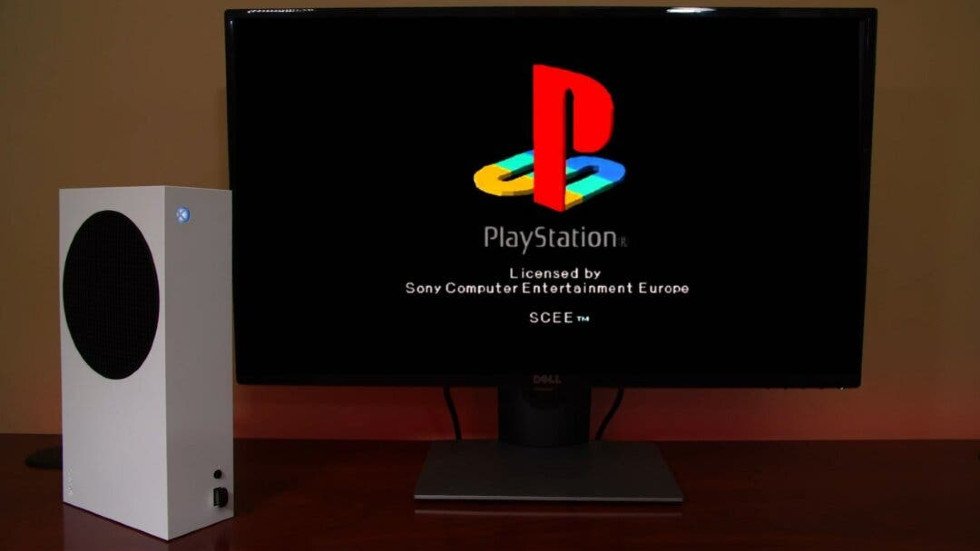
DuckStation cannot directly play PS2 games; it’s designed for PlayStation 1 emulation.
Many gamers wonder if they can use their favorite emulator, DuckStation, for PS2 titles. The simple truth is, while DuckStation works wonderfully for original PlayStation games, it doesn’t handle PlayStation 2 games. There’s a clear distinction in the hardware and software architecture between these consoles. So, if you’re searching for a way that can duckstation play ps2 games, the answer is unfortunately no.

Can DuckStation Play PS2 Games? A Deep Dive
Let’s get straight to the heart of the matter: Can DuckStation, the popular PlayStation emulator, play PlayStation 2 (PS2) games? The short answer is a resounding no. DuckStation is specifically designed to emulate the original PlayStation (PS1). It’s fantastic for playing classics like Final Fantasy VII, Metal Gear Solid, and Crash Bandicoot, but it won’t handle the more advanced architecture of the PS2. Trying to get PS2 games running on DuckStation is like trying to fit a square peg into a round hole; it simply won’t work.
Why DuckStation Doesn’t Emulate PS2 Games
You might be wondering, “Why can’t DuckStation play PS2 games? It’s an emulator, right?” Well, it’s all about the hardware and software involved. Emulating a console isn’t a simple copy-and-paste job. Here’s why:
Different Hardware Architectures
The PS1 and PS2 are very different machines under the hood. The PS1 uses a 32-bit MIPS R3000A processor, while the PS2 uses a much more powerful 128-bit Emotion Engine processor. This difference in architecture means that the way games are made and how they work is completely different. DuckStation is built to understand the PS1’s processor; it doesn’t know what to do with PS2 instructions. Think of it like this: a translator who speaks English can’t understand Spanish. You would need a different translator who knows both languages.
Graphics Processing Differences
The graphics hardware in each console is also vastly different. The PS1’s graphics were relatively simple compared to the PS2’s powerful GPU (Graphics Processing Unit). The PS2 could handle complex 3D graphics, advanced lighting, and high-resolution textures. DuckStation is designed to replicate the PS1’s graphics processing unit, and it doesn’t have the functionality to render PS2-level graphics. This requires a completely different emulation approach.
Software Complexity
PS2 games are much more complex in terms of software and how they communicate with the hardware. Emulating these intricacies requires a specialized emulator that can understand all the PS2 system’s nuances. DuckStation is a great PS1 emulator because its developers have focused on accurately recreating the PS1’s unique system. Emulating the PS2 is an entirely different challenge, which needs a completely different code base and development team.
The Right Tool for the Job: PCSX2
If you want to play PS2 games on your computer, you need to use a different emulator. The most popular and capable choice is PCSX2. PCSX2 is specifically built to emulate the PlayStation 2 and has made amazing progress over the years, allowing many PS2 games to run on a PC with good performance.
How PCSX2 Works
PCSX2 works by interpreting the PS2’s code and translating it into something your computer can understand. This is done through a very complex process, and the developers work hard to make sure it’s as accurate as possible.
- Core Emulation: PCSX2’s core is designed to emulate the PS2’s Emotion Engine processor and other core components.
- Plugin Architecture: PCSX2 uses plugins for graphics, sound, input, and other functions. This allows users to customize the emulator based on their preferences and hardware.
- Active Development: PCSX2 is still actively being developed, with frequent updates that improve compatibility, performance, and features.
Key Differences Between DuckStation and PCSX2
It’s important to understand the fundamental differences between these two emulators:
| Feature | DuckStation | PCSX2 |
|---|---|---|
| Target Console | PlayStation (PS1) | PlayStation 2 (PS2) |
| Processor Emulation | 32-bit MIPS R3000A | 128-bit Emotion Engine |
| Graphics | PS1-level graphics | PS2-level graphics |
| Complexity | Less complex | More complex |
| Focus | Accurate PS1 emulation | Accurate PS2 emulation |
Getting Started with PCSX2 for PS2 Gaming
So, how do you get started with PCSX2? Here is what you will need to do:
- Download PCSX2: Go to the official PCSX2 website and download the emulator. Make sure you choose the correct version for your operating system (Windows, macOS, or Linux).
- Obtain a BIOS file: You’ll need a legitimate PS2 BIOS file to use PCSX2. This file is from your own PlayStation 2 console and needs to be extracted. Obtaining this file through illegal means could cause you legal trouble. So be sure you own the physical hardware and follow the right steps to back it up properly.
- Get PS2 Games: You will need your own physical copies of the PS2 games. You can legally create a backup of your own games for use with an emulator, but downloading them from the internet is illegal.
- Configure PCSX2: Setting up PCSX2 correctly is important for good performance. This involves selecting the BIOS, choosing the graphics and sound plugins, and configuring the input methods.
- Start Playing: Once everything is set up, you can load up your PS2 games and start playing.
Tips for Better PCSX2 Performance
PS2 emulation can be taxing on your computer. Here are some ways to improve performance:
Graphics Settings
- Resolution: Start with a lower resolution and slowly increase it until your game runs smoothly. Higher resolutions require more processing power.
- Rendering: Experiment with different rendering settings (like Direct3D or Vulkan) to see what works best for your GPU.
- Upscaling: Avoid heavy upscaling settings unless you have a powerful computer. Up scaling can make the game look better, but can slow down performance if your hardware can’t keep up.
Speed Hacks
PCSX2 includes speed hacks which can improve performance. Try these options:
- EE Cyclerate and VU Cycle Stealing: These can increase processing speed. However, some games may experience glitches with speed hacks enabled.
- Multi-threaded GS Mode: If your CPU has multiple cores, this can improve performance, but it may also cause stability issues on some older titles.
Plugin Selection
Choosing the right plugins for your hardware can make a big difference:
- GS Plugin: Different graphics plugins will perform better on different graphics cards. Try various options until you find the best fit.
- SPU2 Plugin: Adjust the sound settings in this plugin if you have audio problems, like crackling or poor quality sound.
The Future of PlayStation Emulation
Emulation is constantly improving, and the future for both PS1 and PS2 emulation looks very promising. As technology advances, emulators become more accurate and more efficient. DuckStation continues to improve its PS1 emulation, and PCSX2 is always working to provide better compatibility and performance for PS2 titles. There are other Playstation emulators, but these two, are the most popular and the most actively developed.
While DuckStation is a great option for playing your old PS1 games, remember it cannot play PS2 games. For that, you’ll need to turn to PCSX2. With proper setup and a bit of patience, you can enjoy your favorite PS2 classics on your PC.
PCSX2 Huge Breakthrough thanks to Duckstation (PS2 Emulation on PC)
Final Thoughts
DuckStation focuses on PlayStation 1 emulation. It performs that job very well. Users experience good performance with PS1 titles on DuckStation.
The emulator excels at accurately recreating the original PlayStation experience. While DuckStation is a very capable emulator, it does not support PlayStation 2 games.
So, the answer is no, can duckstation play ps2 games. DuckStation is made only for PS1 emulation. This is a must for understanding its capabilities.

