
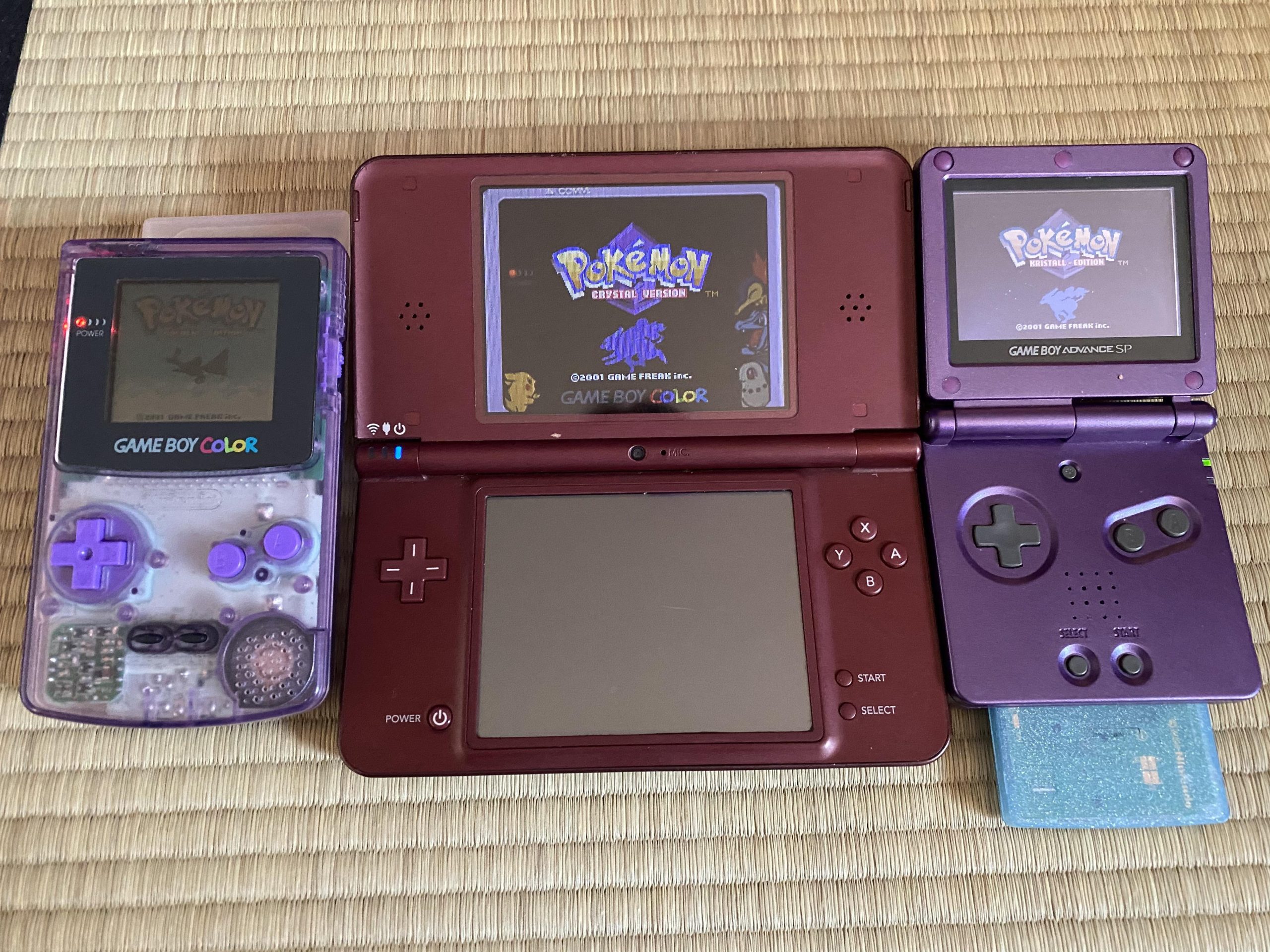
No, you cannot directly play Game Boy Color games on a Nintendo DS.
Ever wondered if your old favorites could make a comeback on newer hardware? The question of whether you can play Game Boy Color games on DS is common among retro gaming enthusiasts. Sadly, the Nintendo DS’s hardware does not have the necessary compatibility to support original Game Boy Color cartridges.
While the DS has backwards compatibility for Game Boy Advance games, this doesn’t extend to its older sibling. This means you will need to explore different methods if you want to enjoy those classic titles on other devices.

Can Game Boy Color Games Be Played on DS?
Okay, let’s get right to it! You’ve got that awesome collection of Game Boy Color games, and you’re wondering if your Nintendo DS can join the fun. It’s a totally understandable question! After all, they’re both Nintendo handhelds, right? The short answer is: not directly. But, don’t get bummed out just yet! There’s more to the story than a simple yes or no. Let’s dive deep and see what’s up with playing Game Boy Color games on the DS.
Understanding the Hardware Differences
To really understand why you can’t just pop a Game Boy Color game into your DS, we need to talk a little about what makes each system unique. Think of it like this: they’re both cars, but one’s a sporty roadster, and the other is a family SUV. They serve a similar purpose, but they’re built differently under the hood.
Game Boy Color: The Classic
The Game Boy Color (GBC) is a true icon! It uses cartridges and its processor is specifically made to play those 8-bit and slightly more advanced 8-bit games. It also has its own unique display technology. Remember those fun, slightly blurry screens that sometimes needed good lighting to see? That’s the GBC magic! It had its own way of working. The GBC was designed with a particular type of hardware, called custom chips, that are not found in the Nintendo DS.
Nintendo DS: The Dual-Screen Wonder
The Nintendo DS (and its variants like the DS Lite, DSi, and DSi XL) is a much more advanced machine. It uses a different processor (more like a computer’s brain), different software architecture, and, of course, the famous dual screens. The DS was made for games that were more complex than the ones on the GBC. It could handle more colors, more detailed graphics, and use touch screen technology. It was designed to run DS games, not Game Boy Color games.
Why the DS Doesn’t Play GBC Games Directly
So, if they’re both Nintendo systems, why the incompatibility? It comes down to the technology inside. The DS doesn’t have the hardware inside to read and process the Game Boy Color game cartridges. It’s like trying to play a DVD on a Blu-ray player, or trying to put a square peg into a round hole; they are just different. The DS focuses on its own game formats and technology.
- Cartridge Differences: The most obvious difference is the size and shape of the cartridges. Game Boy Color cartridges are physically different and won’t fit into the DS game slot.
- Internal Hardware: The DS processor and internal circuits are designed to run DS games, not Game Boy Color games. They have very different computer languages and instructions.
- Software: The operating system of the DS is built for DS games, not games from previous generations of Game Boys. Each generation of consoles has its own coding language.
The Good News: How to Play Game Boy Color Games
Even though the DS can’t play GBC cartridges directly, all hope is not lost! There are ways you can still enjoy your classic Game Boy Color games, but you will need to use a different approach. Let’s go over that!
The Nintendo 3DS Virtual Console
One of the best solutions comes from Nintendo themselves, but you need a Nintendo 3DS, not a DS. If you have a 3DS (or a 2DS), you are in luck! The 3DS includes a feature called the Virtual Console. This is a shop where you can buy and download classic games from older systems, including some Game Boy Color games. Games are not as numerous as the cartridges you could find for a GBC, but you have some iconic titles that you may want to replay. This is a very legal way to play the games that you like.
Here’s how it works:
- Access the eShop: On your 3DS, open the Nintendo eShop.
- Search for GBC Games: Use the search bar and type “Game Boy Color” or the name of the specific game you are looking for.
- Purchase and Download: If the game is available, you can buy and download it directly to your 3DS.
- Play! Once downloaded, you can play the GBC game on your 3DS.
The Virtual Console is a safe and legal way to play many old games without needing the original cartridge and hardware. You might need to pay a little for each game, but it’s a nice way to replay classic titles while supporting Nintendo’s efforts. They are usually priced in the range of $5 to $10 depending on the game.
Emulators: A More Technical Approach
There’s another way to play Game Boy Color games, but it requires a bit more technical know-how. That method involves using software called an emulator. An emulator is a program that makes your device act like another device. In this case, an emulator would make a computer, smartphone, or even another type of handheld console act like a Game Boy Color.
You can find a wide range of emulators on the internet, some are free and some need to be purchased. While emulators can be useful, please be careful and understand the implications:
- ROMs are Needed: Emulators use files called ROMs, which are digital copies of game cartridges. You have to provide the ROMs and that process is not always legal. If you do not own a copy of the game, downloading the ROM is considered piracy. We strongly advise you to acquire copies legally.
- Legality Issues: Downloading ROMs of games you don’t own is illegal. It is strongly advised that you only use ROMs you created yourself from your own physical copies of the games.
- Finding Emulators: Many emulators are available on the internet, but some are better than others. Be careful about the sources you use, since some emulators may contain viruses or unwanted software.
- Setup can be tricky: Emulators may be more complex to install than normal software. You need to make the right settings for your machine to emulate the game well.
Please note that we do not endorse using emulators with illegally downloaded ROMs. Always respect copyright laws and try to acquire your games legally. If you have original games, you can legally create your own ROM backups, so that you can play them via emulator.
Game Boy Player on GameCube
Another option for playing Game Boy Color games is to use a Game Boy Player. The Game Boy Player is a special attachment made by Nintendo that connects to the Gamecube console. It allows the Gamecube to play the Game Boy, Game Boy Color and Game Boy Advance cartridges on the television. You can then play GBC games on your TV screen. This is a more complex solution that requires having multiple devices.
- Hardware Needed: To use this method, you need a Gamecube console, a Game Boy Player attachment, the original GBC games and a TV screen to play the games on.
- Physical setup: After connecting everything properly, you can load your GBC games in the adapter and start playing.
- Not portable: Unlike the other options, you can only play the game in your home and you can’t take it with you for travel.
The Case of the Game Boy Advance
Now, you might be thinking, “Wait a minute! Didn’t the Game Boy Advance play Game Boy Color games?”. You are absolutely right! The Game Boy Advance was designed with compatibility for older Game Boy games. It has a special chip that allows it to read both Game Boy Advance cartridges and older Game Boy Color cartridges. However, the DS is a different kind of machine. The DS was not designed to have a slot for older cartridges. The DS has only one cartridge slot and is only intended for DS cartridges.
So, Can You Play GBC Games on DS?
To recap, the short answer is that you can’t directly play Game Boy Color games on a Nintendo DS. You can’t simply put the game cartridge into the DS and expect it to work. The technology inside them is very different, and the cartridges are also different sizes. However, there are other ways to enjoy classic Game Boy Color games: you can play it on Nintendo 3DS via the virtual console, or you can use an emulator to play on other devices. There is also the option to play the games through a Game Boy Player on a Gamecube.
The world of video games is ever-evolving, with new systems and technologies constantly appearing. However, games are here for us to have fun, and even older games can be replayed with some ingenuity. So grab your favorite classic game and get playing!
Will Gameboy Games Work In A Nintendo DS?
Final Thoughts
Game Boy Color games do not natively play on the original Nintendo DS. The DS hardware lacks backward compatibility for GBC cartridges. You can’t directly insert and run them.
However, the DS family includes the DS Lite which has a Game Boy Advance slot. GBC games are not directly compatible with this slot either, thus, can gameboy color games be played on ds? No, not on a regular DS or a DS Lite.

