
Yes, you can game share MW3 on compatible platforms through their respective sharing features.
So, you’re wondering can i game share mw3 with a friend or family member? It’s a common question for players looking to share their gaming experiences. Different consoles and platforms have their own specific methods for this, but the general idea is you share access to the game.
You can usually do this without needing to buy another copy of the game. Just remember to check the terms and conditions set by your console manufacturer. This ensures a smooth experience and follows their guidelines.

Can I Game Share MW3? Let’s Break it Down!
So, you’re excited to play the newest Modern Warfare 3 (MW3), and you’re wondering if you can share it with your friends or family. That’s a very common question, and the answer, like many things in the gaming world, isn’t always a simple yes or no. Let’s dive deep into how game sharing works, especially when it comes to big titles like MW3, so you can figure out your best way to play.
Understanding Game Sharing Basics
Before we get into the specifics of MW3, it’s important to understand what game sharing actually means. Game sharing is essentially a way to let other people access games you’ve purchased digitally, without them having to buy the same game themselves. This is done through the console’s system, which allows you to set up a ‘home’ console or a ‘primary’ account. This setup means you are essentially allowing other accounts on your console access to your content, or letting your account’s content be accessible on other consoles. It is a pretty handy feature that can save you a lot of money, especially when you and your friends like playing together.
How Game Sharing Generally Works on Consoles
Game sharing has become a popular way for families and friends to enjoy the same games on consoles. Here’s how it generally works on the most common gaming platforms:
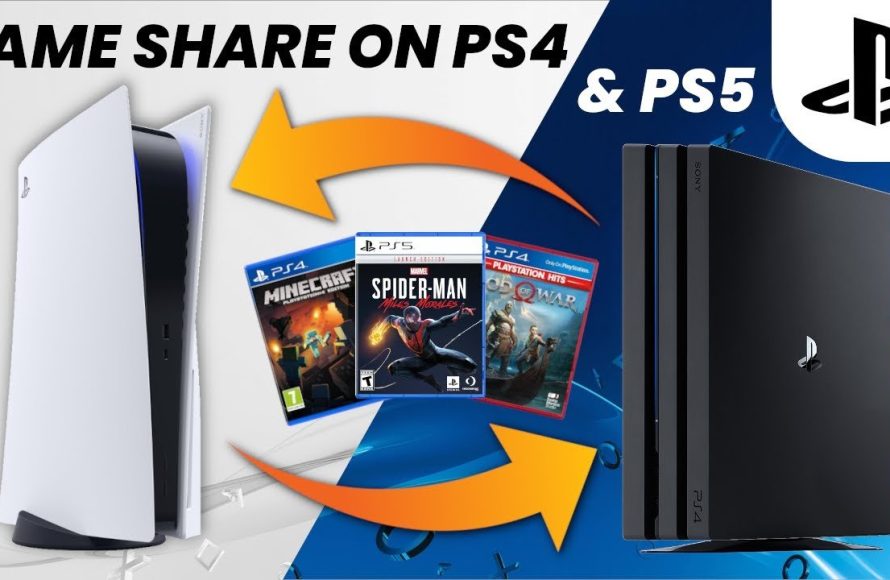
- PlayStation (PS4 & PS5): On PlayStation, you use the “Primary” account feature. This means one console becomes the primary one for a specific account, and anyone using that primary console has access to the games that account has bought. You can even play games on your own account on a secondary console.
- Xbox (Xbox One, Xbox Series X|S): Xbox uses the “Home Xbox” feature. You make a console your “Home Xbox,” and other users on that console can access your games, even if you aren’t logged in. Also, you have the ability to play your games on other consoles, simultaneously.
- PC (Steam, etc.): PC game sharing is a bit different. Platforms like Steam often have a “Family Sharing” function. This feature allows you to share your games library with other Steam accounts, with some rules in place (like not being able to play the same game at the same time). Other PC platforms often don’t offer traditional ‘game sharing’ options.
However, there are important limitations. These systems are generally designed for a household or a very small group of close friends. Abusing the systems could mean losing access to your account, or getting banned from certain games. You need to be sure you adhere to the platform’s user agreement.
MW3 Game Sharing on PlayStation
Now, let’s get specific about MW3. If you have a PlayStation 4 or PlayStation 5, you can share MW3 using PlayStation’s game sharing feature. It works like this:
Setting Up Game Sharing on PlayStation
- Primary Console: The person who bought MW3 will need to set up their console as the primary console for their account. This means they will need to log into their account on their friend’s or family member’s console.
- Activating Primary Console: Go to Settings, then Account Management, then “Activate as Your Primary PS4” or “Console Sharing and Offline Play” on the PS5. This makes that console the primary one for your account.
- Sharing Games: The other accounts on that primary console can now play games owned by the primary account, including MW3.
- Playing On Your Own Console: The account that bought the game can still play on a different console, as long as they are logged in with their account.
Important Considerations for PlayStation Game Sharing
There are some important things to keep in mind when using PlayStation’s game sharing feature:
- Simultaneous Play Limitations: Only one person can play MW3 using a shared copy at a time on different consoles. If you’re playing on the non-primary console, and the owner of the game starts to play the game, you’ll usually get kicked off.
- DLC and Add-ons: Sometimes, downloadable content (DLC) or extra add-ons might not be shared across accounts, or they may require a specific purchase. This is something to watch out for when sharing.
- Account Security: You’re sharing your account information. Make sure you trust the person you are sharing with.
- Internet Connection: Both consoles will need an internet connection for the game sharing to work.
MW3 Game Sharing on Xbox
Xbox has a pretty similar system for game sharing, using the “Home Xbox” feature. Here’s how it works with MW3.
Setting Up Game Sharing on Xbox
- Home Xbox: The person who bought MW3 needs to make their console the “Home Xbox” for their account. You’ll need to sign in on your friend’s or family’s Xbox.
- Setting Up Home Xbox: Go to Settings, then Personalization, then “My Home Xbox.” Select “Make This My Home Xbox.”
- Sharing Games: Other accounts on that “Home Xbox” can now access the games on your account, including MW3.
- Playing On Your Own Console: You can still play your own games on your own console, even if it’s not set as your “Home Xbox”. You will just need to log in to your account.
Important Considerations for Xbox Game Sharing
Similar to PlayStation, there are some important things to keep in mind on the Xbox:
- Simultaneous Play Limitation: Just like with PlayStation, only one person can play a shared copy of MW3 at the same time on separate consoles. If the primary account starts to play, the secondary account will likely get disconnected.
- DLC Sharing: Add-ons and downloadable content might not be shared across accounts always. Check the specific requirements for the game and DLC.
- Account Safety: You are sharing account access. Only share with trusted individuals.
- Internet Requirement: Both consoles will require a consistent internet connection for game sharing to work properly.
PC Game Sharing and MW3
On PC, things get a little different. MW3 is available on Battle.net, and while there are ways to potentially share access, it’s not as straightforward as console game sharing.
Challenges of PC Game Sharing on Battle.net
Battle.net, the platform where MW3 is available on PC, does not have a formal “Family Sharing” system like Steam. This means there are some challenges when trying to share MW3 access:
- No Official Sharing: Battle.net does not have a feature like the “Family Sharing” on Steam. This means that generally you can’t simply let another user log in and play the game from your account on a different PC.
- Account Security Risk: Sharing account credentials is a security risk, and you generally shouldn’t do this with anyone.
- One User at a Time: Even if you did share account info, Battle.net only allows one user to be logged into the account at a time, which means you can not play simultaneously.
Potential (But Not Recommended) Workarounds
Some players have tried to use workarounds to share PC games, but they are often not officially supported and can be risky:
- Sharing Account Info: Some players share their account email and password, so multiple people can try to play on the same account. This can break the terms of use, and it’s not recommended.
- Third-Party Tools: There are some unofficial third-party tools that could potentially enable game sharing, but these could come with the risk of malware, account ban or other problems.
Because of the issues, it’s often best not to try to find a workaround to share your copy of MW3. Your account and the game access could be in danger.
General Restrictions and Why They Exist
Game sharing restrictions are put in place by console makers and publishers for important reasons. Let’s explore why they do this:
The Business Side of Things
- Preventing Piracy: Game sharing restrictions exist to prevent piracy. If everyone could share games easily, then game developers would see their profit decrease and may not continue to make high quality games.
- Protecting Revenue: The main purpose is to ensure that game developers and distributors get paid for each game sold. Without this, the gaming industry would suffer.
- Fair Game Development: If every game copy could be shared, the money used to fund high-quality game creation would disappear. These restrictions support the game creation ecosystem.
User Experience and Account Security
- Preventing Account Abuse: Restrictions also help to make sure you do not have your account stolen or abused.
- Maintaining a Fair Ecosystem: Sharing rules help maintain a fair playing field for all gamers by not enabling widespread access to games.
- Protecting Personal Information: Account security rules protect the personal information you have stored on your gaming accounts.
Is Game Sharing Worth It?
So, considering everything, is game sharing a worthwhile feature? Let’s look at the advantages and disadvantages.
Pros of Game Sharing
- Cost Savings: Game sharing can significantly cut down the cost of playing multiple games for families and groups of friends. This saves a lot of money.
- Easy Access to Games: It makes it super easy to try out a game your friend bought, without having to go through the process of buying it yourself.
- Discover New Games: Game sharing can let you try games you might not have thought about purchasing.
Cons of Game Sharing
- Limitations: You can’t always play at the same time on different consoles with the same shared copy. This can get frustrating.
- DLC Issues: DLC and other add-ons might not always be shared easily. This can lead to disappointment.
- Account Security Risks: Account sharing involves a bit of risk.
- Potential for Conflict: If multiple people want to play the same shared game at the same time, conflicts are likely to happen.
Tips for Safe and Effective Game Sharing
If you decide to use game sharing, here are a few tips to do it well and safely:
- Share with Trustworthy People: Only share game accounts with those you trust completely. This is the most important thing to remember.
- Understand Platform Rules: Know the rules for game sharing on your specific platform to prevent potential issues.
- Communicate Play Time: Establish clear communication with others you are sharing with to prevent conflicts over play time.
- Regularly Update Passwords: It is a good idea to regularly change your password to maintain safety.
- Don’t Share Across Many Devices/Accounts: Game sharing works best when it is a very small group of people and devices.
Game sharing can be a great way to share the fun of gaming, but it should be done carefully and with consideration for the rules and potential risks. Always focus on responsible gaming and account management practices.
In summary, while game sharing MW3 is possible on consoles, the restrictions and limitations make it less simple than we’d all like. Consider your specific needs and circumstances to make an informed decision about your approach to sharing game access with others.
How to Fix Gameshare Locked Call of Duty Modern Warfare 3
Final Thoughts
In short, the ability to game share MW3 depends greatly on the platform you use. PlayStation and Xbox systems have ways to share games, but methods and limitations exist. For PC, game sharing is not as straightforward.
Each platform has unique steps for game sharing, so make sure you check the specific instructions. Remember the account rules for each platform. This brings up the essential question, “can i game share mw3?”
Ultimately, while sharing is possible, consider the restrictions from specific platforms. The specific method for game share on a console affects access. You may need to explore alternative options.

