
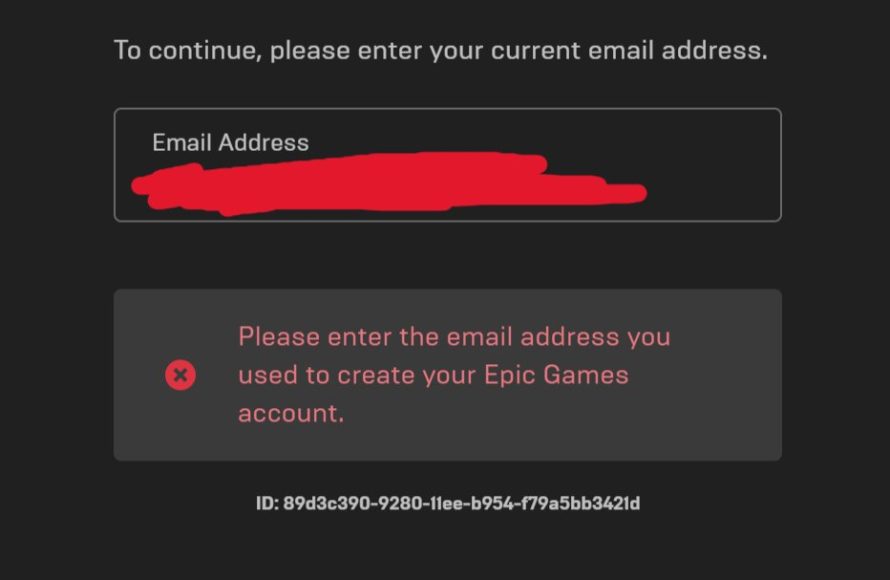
No, you cannot log into Epic Games with your account ID. You must use your registered email address or a linked platform account.
Ever wondered, “can i log into epic games with my account id?” It’s a common question for players new and old to the Epic Games ecosystem. Many platforms use account IDs, and it’s easy to assume Epic does the same.
However, Epic Games doesn’t allow login with your account ID directly. You need the email or other linked account you used when initially registering. Keep this in mind for smoother access to your favorite games!

Can I Log Into Epic Games With My Account ID?
Okay, let’s talk about logging into Epic Games. You might be wondering, “Can I use my Account ID to log in?” It’s a good question, and it’s important to know the correct way to access your awesome games and all the cool stuff Epic Games has to offer. The simple answer is no; you cannot directly use your Account ID to log into Epic Games. Think of your Account ID as your behind-the-scenes identifier—sort of like a secret code that the system uses, but not something you personally use for logging in. Instead, Epic Games uses your email address (or sometimes a connected social media account) as your main gateway. Let’s explore all the ways to get logged in and why this is important.
Understanding Your Epic Games Account
Before we dive into login details, it’s helpful to understand what makes up your Epic Games account. It’s more than just the games you play. It includes your profile, your friends list, any items you’ve bought, and other settings. There are a few main pieces of information that are vital:
- Email Address: This is usually the key to your account. You need to remember this because it’s what you’ll typically use to log in.
- Password: A strong password keeps your account safe. Make sure it’s something only you know and is hard for others to guess.
- Display Name: This is the name other players see when you’re in a game, not necessarily how you log in.
- Account ID: As we already mentioned, this is a unique string of numbers that identifies your account inside the Epic Games system. It’s used by Epic Games support when you need help.
Think of it like this: your email and password are the front door to your house (your Epic Games account), and your account ID is a special number on your mailbox only postal workers use. You use the key (email and password) to get inside, not the number on the mailbox.
Why You Can’t Log in With Your Account ID
There is a good reason why you can’t log in with your Account ID. Using the Account ID to log in would be like using a random series of letters and numbers instead of your own unique password. It would be really hard to remember. The system is built in a way that allows users to easily access it with memorable information while keeping the account secure. So, while your Account ID is important, it’s not for login. It’s designed for account management and support purposes on the back end.
How to Log Into Your Epic Games Account
Now that we know your Account ID isn’t for login, let’s talk about how you actually get into your Epic Games account. There are a few ways, and they’re all pretty straightforward. These different methods give you some flexibility.
Using Your Email Address and Password
This is the most common way to log into Epic Games. If you created an Epic Games account directly, then this is the login method you’ll likely be using. Here’s how it works:
- Go to the Epic Games website or open the Epic Games Launcher.
- Click on the “Sign In” or “Log In” button.
- You’ll see boxes for your email address and password.
- Type in the email address you used to create your account.
- Type in your password carefully. Remember, passwords are case-sensitive.
- Click the “Sign In” button.
If you entered the correct information, you’ll be logged in to your account.
Using Connected Social Media Accounts
Epic Games allows you to connect your account to different social media or gaming platform accounts. This makes logging in easier if you prefer not to remember a separate password. Here’s what this looks like:
- When you are on the sign-in page, you should see different icons for different platforms like Google, Facebook, PlayStation, Xbox, etc.
- Click the icon of the account you want to use to log in.
- You may be prompted to enter your credentials for that platform or just click through.
- If your account is connected to your Epic Games account, you’ll be logged in automatically.
If you haven’t connected your social media accounts, you may have to do that one time through settings. Once connected, the logging in process is easier.
What To Do If You Forget Your Password
It happens to all of us. Forgetting passwords can be frustrating, but the good news is that Epic Games makes it easy to recover your password. If you can’t remember your password, follow these steps:
- On the login page, look for a link that says “Forgot Password?” or something similar.
- Click on that link.
- You will be asked to enter the email address associated with your Epic Games Account.
- Check your email inbox for a password reset email from Epic Games.
- Follow the instructions in the email to set a new password.
- Once you’ve created a new password, you can use that and your email address to log in.
Always choose a new password that is strong. A strong password will ensure better security for your account.
Why is it important to Know How to Log In?
Understanding how to log in is more than just accessing games. It’s also critical for:
- Accessing Your Games: Obviously, to play your games, you need to be logged into the Epic Games Launcher.
- Account Security: Knowing the correct login method and how to recover your password helps you keep your account secure.
- Buying Games and Items: You need to be logged in to purchase new games or in-game items.
- Managing Your Account: You have to log in to make changes to your display name, payment methods, and other account settings.
- Connecting with Friends: Many features of the Epic Games platform require you to be logged in to connect and play with your friends.
Being comfortable with the login process will ensure you are always ready to jump in and play without issue.
Troubleshooting Common Login Problems
Even if you know how to log in, sometimes things don’t go as planned. Here are some common login issues you might encounter and what you can do to fix them.
Incorrect Email Address or Password
The most common problem is entering an email or password incorrectly. Double check to make sure you have the correct info.
- Typos: Be sure to check spelling and if the caps lock key is on or off.
- Outdated password: You may have recently changed your password and are using an old one.
- Remember password: Be sure you are using the correct email address associated with your Epic Games account.
Account is Locked
Sometimes, if you enter your password incorrectly too many times, your account might get temporarily locked to protect it. If this happens, just wait some time, and try again. You may need to reset your password again if this issue persists.
Two-Factor Authentication (2FA) Issues
If you set up 2FA for your account for added security, you’ll need an extra step when you try to login.
- Code isn’t arriving: Make sure you are checking the correct app or email to get your code.
- Code is expired: Some codes are time sensitive and expire after a certain time, so make sure to use it promptly.
If you are having trouble getting the code, try logging in again.
Website or Launcher Issues
Sometimes, the problem isn’t with your login information. It may be a problem with the Epic Games servers or their website. If this happens, check their social media for any service issues. You can also try again after waiting a bit to see if the problem has cleared up.
Internet Connection Problems
Make sure you have a stable internet connection before you try to log in. Check if you can access other websites to confirm that your internet is working fine. If not, then try to restart your modem or router.
Keeping Your Account Safe
Your Epic Games account is precious, so keeping it safe should always be your priority. Here are some important tips:
- Strong Password: Use a password that is long and contains a combination of numbers, letters, and symbols. Don’t reuse passwords.
- Enable 2FA: Two-factor authentication adds an extra layer of security. If you enable it, someone trying to log in to your account would need both your password and a special code that is sent to you.
- Be Cautious of Phishing Attempts: If you receive any email asking for login information, be cautious. Always make sure to log in directly through Epic Games official channels and websites. Do not use unknown links.
- Keep Your Email Secure: Since your email is often linked to your account, make sure that your email account is secure.
- Don’t Share Your Login Information: Do not give your password or login information to anyone.
Protecting your account is something that is important for you to practice at all times.
Contacting Epic Games Support
If you’ve tried everything to log in and still have trouble, it’s always a good idea to contact Epic Games support. They can help you with issues you may not be able to resolve yourself. You might need to provide them with your Account ID during the process, but remember, that is to help them identify you, and is not meant to log in.
Here’s how to reach them:
- Visit the Epic Games Support website.
- Look for the “Contact Us” section.
- Provide a detailed description of the issue and include any relevant screenshots if possible.
- Be ready to answer any questions to verify your account.
Epic Games Support is available to help you get back into the game as soon as possible.
In summary, while you can’t use your Account ID to directly log in to your Epic Games account, it’s still an important part of your account information. You’ll use your email address and password, or a connected social media account, to access your games and settings. Make sure you always keep your information safe. Now that you understand the login process, you can confidently jump into your favorite games and have fun!
How To Login With Username In Epic Games
Final Thoughts
You cannot directly log into Epic Games with just your account ID. Epic Games primarily uses email addresses and associated passwords for login credentials. This ensures account security and verifies user identity.
Remember that your account ID is for identification purposes only, not for direct access. You will always require the linked email and password to log in. Thus, the answer to the question “can i log into epic games with my account id” is no.

