
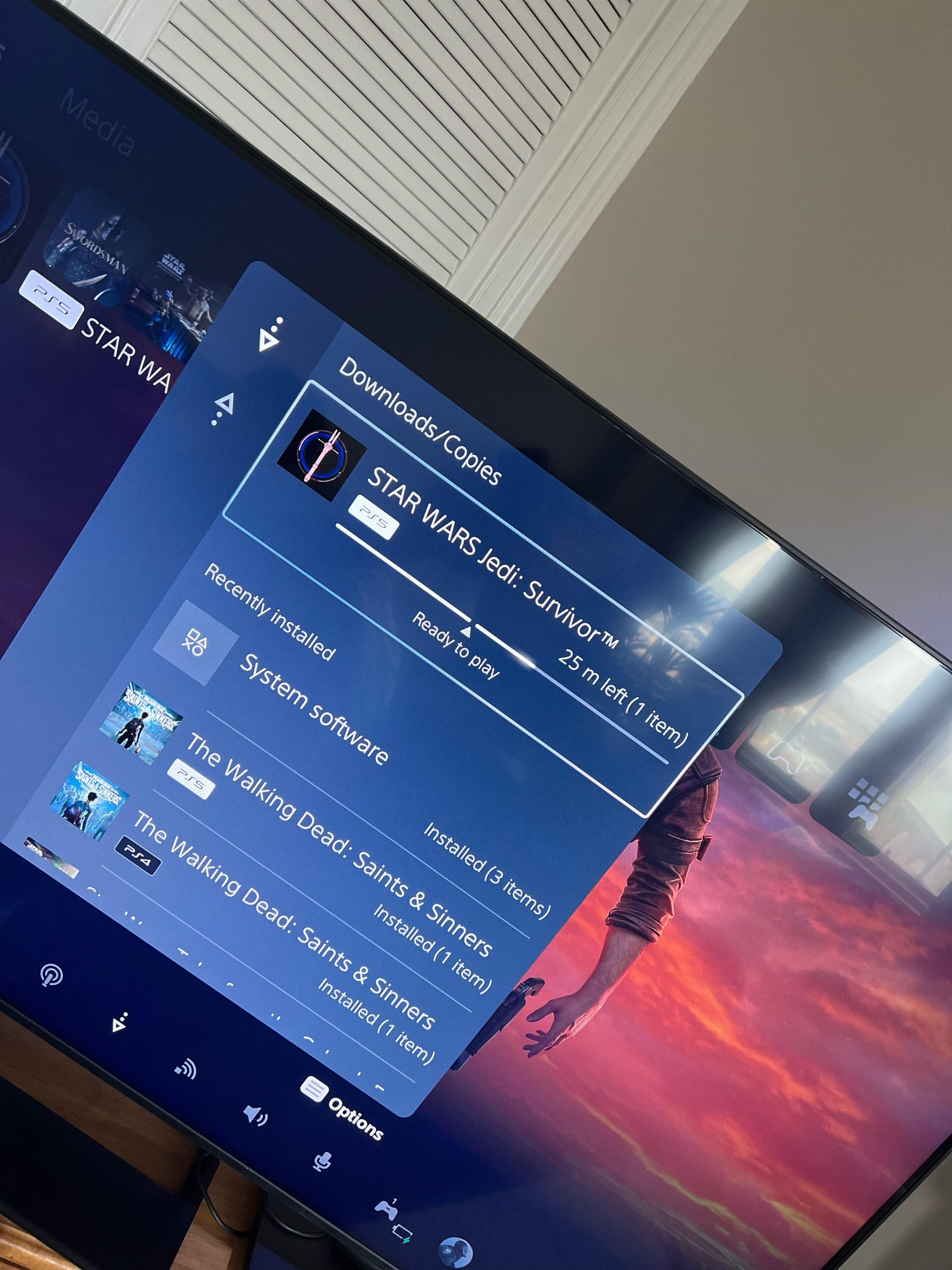
Yes, you can play another game while downloading on PS5.
Ever wondered if you’re stuck staring at a progress bar when you start a new download? The question, “can i play another game while downloading on PS5,” pops into many minds. It is annoying to wait, right?
Thankfully, the PlayStation 5 allows you to switch to a different game while your new content downloads in the background. This feature keeps the fun going without pauses.

Can I Play Another Game While Downloading on PS5?
So, you’ve got a new game that’s downloading, and it feels like it’s taking forever! The big question pops into your head: “Can I play another game while this is happening?” Well, let’s dive deep into this topic and explore all the ins and outs of gaming while downloading on your PlayStation 5. You might be surprised by what you can and can’t do!
Understanding How PS5 Downloads Work
Before we get into whether you can play something else, it’s important to understand how your PS5 handles downloads. Think of your console as having different “lanes” for doing different things. One lane is for your game downloads, while another is for actually running games. The PS5’s system is designed to allow these lanes to work at the same time, but that doesn’t mean there aren’t some limitations.
The Role of Background Downloads
The PS5 excels at performing downloads in the background. This means that your game can download even if you’re not actively paying attention to it. You could be watching a movie, browsing the internet, or – yes – playing another game! It’s like your console has a little worker bee diligently getting the files ready while you’re busy doing other things.
How Internet Speed Affects Downloads
Your internet speed has a huge impact on how quickly your downloads progress and whether playing another game will cause problems. Imagine trying to fill a swimming pool using a garden hose. If the hose provides only a tiny trickle, it will take a long time, and any extra use of the water might slow it down even more. Similarly, a slower internet connection will make downloads take longer, and playing other games might mean things move at a snail’s pace. If you have a fast internet connection, your downloads will be much quicker and should not be very affected by other activities.
Here’s a simple table to illustrate this:
| Internet Speed | Download Speed | Impact on Gaming While Downloading |
|---|---|---|
| Slow (e.g., 10 Mbps) | Very slow downloads | Playing other games may severely slow downloads and may experience lag |
| Medium (e.g., 50 Mbps) | Moderate downloads | Playing other games may slightly slow downloads, some lag may occur |
| Fast (e.g., 100+ Mbps) | Fast downloads | Little to no impact on downloads when playing other games, smooth experience |
The speeds mentioned are just examples, and your actual speeds will vary based on your internet provider and plan.
Playing Other Games While Downloading
Now for the main event: can you actually play another game while your big new title is downloading? The answer is mostly yes, but with some things to keep in mind.
Playing Digital Games
When you download a digital game, it stores on your PS5’s storage drive. The great news is that you can absolutely play other digital games, even as one is downloading. The PS5 is built to handle these multiple actions simultaneously. This is super handy since you do not have to wait until your download is finished before you play.
Imagine you’re excited about playing the newest adventure game. While it’s downloading, you can jump into a quick racing game or try to beat your high score in a puzzle game. The PS5 allows you to do this without interrupting the download process. As long as your internet connection is not super slow, you will not even realize that a download is happening.
Playing Disc-Based Games
If you prefer physical copies of games, you’ll be happy to know that you can play a game from a disc while a digital game downloads. Just insert the disc, and you’re good to go! You don’t have to worry about whether it will interrupt your other download.
Limitations and Considerations
Even though you can generally play other games while downloading, there are a few things to keep in mind. These include:
- Game Performance: If your internet connection is slow, the download might take up a lot of your PS5’s resources, and this can cause some performance problems with the other game. You might notice some slowdown or lag, especially in online games where a stable connection is important.
- Download Speed: Playing a game can sometimes make downloads go a bit slower. It’s like having two people use the same garden hose to fill different buckets, and it will take both longer.
- Game Type: Some games that need a lot of processing power may be more likely to experience lag or slowdown if your PS5 is also busy downloading. This is particularly true for games with detailed graphics or those that require continuous online communication.
Tips for Better Download and Gaming Experience
To get the best of both worlds—downloading new games quickly and having a smooth gaming experience—try these tips:
Optimize Your Internet Connection
The faster your internet, the better your downloading and gaming experience will be. Look into your internet plan and see if you might want to pay extra to receive a higher speed. Many internet providers offer different packages with various speeds. If your internet provider has an internet speed tester, use it to see if you are getting the internet speed you have signed up for. You also want to check if the internet speed varies during the day and at night. This is important because it will give you an idea when the best time is to download games and play online games.
Use an Ethernet Cable
Connecting your PS5 to your router using an Ethernet cable instead of Wi-Fi can often give you a more stable and faster internet connection. Wireless signals can sometimes fluctuate due to interferences, while a wired connection is more consistent.
Here’s a quick comparison:
- Wi-Fi: Convenient but can be slower and less stable.
- Ethernet: More reliable and faster, but requires a cable connection to your router.
If possible, try using an Ethernet cable when downloading large games. It will usually provide the fastest and best download speed.
Pause Downloads When Necessary
If your game is lagging a lot, or if you want to do another activity, you can always pause the download. It’s as easy as going into your downloads and selecting the pause option. You can resume the download later when you’re not using your internet for something else.
Check Download Priorities
The PS5 lets you prioritize downloads. If you’re downloading multiple things, you can make sure that the game you want to play is downloading before everything else. This ensures that it will download more quickly.
Close Unused Applications
If you have other applications running in the background, closing them can free up some resources that can help your game play more smoothly and make your download faster.
Understanding Background Activity
The PS5 is quite good at managing different tasks at the same time, and this includes downloads and gaming. The console allows the downloads to be done in the background without having your attention. Let’s dive a little deeper into how the PS5 does this so well.
Multi-tasking with Ease
The PS5 is designed to handle many different tasks at the same time. This means that the console uses its processor and memory to balance between downloading a game, and letting you play a different game without needing to interrupt the download progress.
It’s similar to having a very organized kitchen. You can be cooking dinner (playing a game) while you are also baking (downloading a game), and you can move between the two without needing to stop either activity.
Optimized Processing Power
The console is equipped with fast processors and lots of memory which helps to manage different tasks smoothly. The system also ensures that the downloads don’t interfere with your gaming. The PS5 knows how to give enough power to both the download process and your gaming.
Memory Management
The PS5 uses a technique to allocate memory effectively. It will give more memory to the application you are actively using (such as the game you are playing) while also ensuring enough resources for the background download. If you switch between your different tasks, the memory allocation can change and adjust automatically.
Different Download Scenarios
Let’s take a look at some specific situations you might encounter while downloading and gaming:
Downloading Very Large Games
If you are downloading a massive title, such as one that is 100 GB or more, you might find that the download process will take quite some time. During such a huge download, playing other games can be a bit more challenging because the download is using most of your internet speed. However, you will still be able to play other games; but you may notice more lag or slower download times compared to downloading smaller games.
Playing Online Multiplayer Games
When you’re playing an online multiplayer game, the quality of your internet connection is very important. If you are downloading a game at the same time, you might find that you experience some lag because the download process is using up the same internet connection as the online game. Consider pausing the download if you notice problems.
Downloading Updates
Sometimes instead of downloading a new game you might be downloading a game update. Game updates are usually smaller than full game downloads so the impact on your gaming will be much less. You are usually able to play without much issue when a game update is being downloaded.
Playing PS4 Games on PS5
You may be curious if downloading a new PS5 game will have an impact on PS4 games. PS4 games work well on the PS5, and you can download a new PS5 game while playing a PS4 game with no problems. They are both treated the same by the console’s internal system.
When Things Don’t Go as Planned
Sometimes even with great internet and a powerful console, things may not go perfectly. Let’s take a look at some common problems:
Lag or Slowdowns
If you notice that your game is lagging or slowing down, first check the download status. If a huge game is downloading, this may be the cause of your issue. Pause the download and see if your gaming experience improves. You may also want to check your internet connection using a speed test tool. If you are experiencing lag, this might mean there are problems with your internet connection, and not necessarily the download.
Download Errors
From time to time, you may encounter a download error. If this happens, make sure that your internet connection is still working. You can restart your console or you can try to pause and resume the download. If the problem continues, there might be a problem with the game itself, so you may need to contact the Playstation support team for more help.
Game Freezes
Sometimes you might be playing a game and it suddenly freezes. If you have a download running at the same time, this might be the problem. The download may be using too much memory. Pause the download to see if the game is able to resume normally. If that fixes the problem, this shows that the download was indeed interfering with the game.
Making the Most of Your PS5
Overall, the PS5 is designed to let you play other games while downloading in the background. The system is designed to handle multiple tasks at the same time. This is a very convenient option because it means you don’t have to sit around waiting for your download to be done before you can play something new. However, you may notice the game you are playing to be laggy, or that the downloads are slower when performing multiple tasks at the same time. You need to remember that your internet speed and the type of game you are playing can also play a role in how well things run.
The PlayStation 5 is built to provide a great gaming experience, and its background download capabilities make it easy to enjoy other content while you’re waiting for a new title to be ready. With a good internet connection, and by utilizing the various options that the console has, you’ll be able to manage everything and have the best experience on your PS5.
How to Download Games in Rest Mode on PS5!
Final Thoughts
Yes, you can typically play other games while your PS5 downloads in the background. This functionality enhances the user experience. The system manages both processes efficiently without major performance drops.
Many users enjoy this feature, using the time to enjoy another title. However, large downloads may still slightly impact loading times. ‘can i play another game while downloading on ps5’ is a common question, and the answer is generally yes.

