
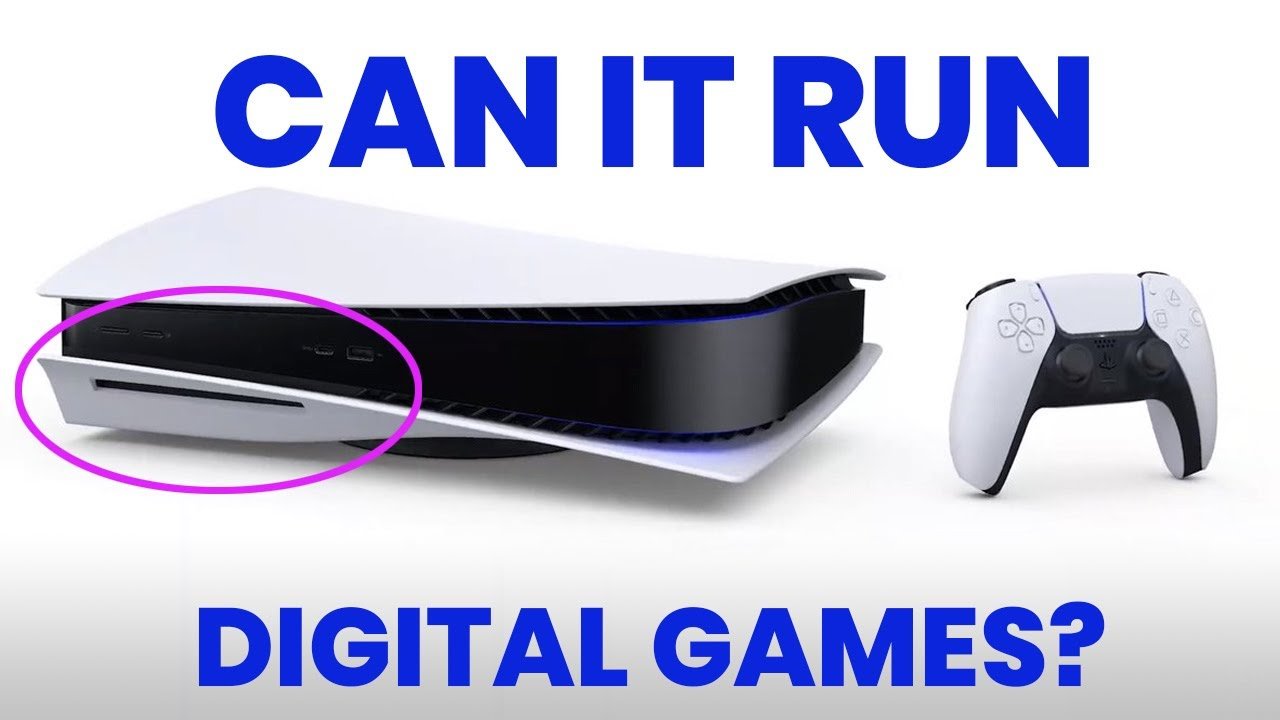
Yes, you can play digital games on a PS5 disc version.
Many people ask, “can i play digital games on ps5 disc version?” It’s a common question with a straightforward answer. The disc drive on your PlayStation 5 does not limit your access to digital titles. You can purchase and download games from the PlayStation Store as you would on any console.
The PS5 disc version functions exactly the same as the digital edition, besides the ability to play physical games. This means your digital game library will work perfectly fine. Enjoy all of your downloaded games without any issues.

Can I Play Digital Games on PS5 Disc Version?
Okay, let’s talk about something super important for PlayStation 5 gamers: can you play digital games on the PS5 that has a disc drive? It’s a question many people have, and the answer is a big, exciting YES! The PlayStation 5, even the version that plays game discs, isn’t limited to just those. It’s like having a cake and being able to eat cookies too – you get the best of both worlds! You might be wondering how it all works, and we’re here to explain it all step-by-step, so grab a snack, and let’s dive in.
Understanding the PS5 Versions
First, let’s quickly recap. There are two main versions of the PlayStation 5: the standard PS5 (which has a disc drive) and the PS5 Digital Edition (which does not). Both versions have the same powerful brains and can play the same amazing games. The key difference is how you get those games. The standard PS5 lets you play games from discs and download digital games. The PS5 Digital Edition, on the other hand, can only play digital games. So, if you have the standard PS5 with the disc slot, you’re already set to enjoy digital content as well!
How to Get Digital Games on your PS5
Getting digital games on your disc-based PS5 is actually really simple. Think of it like ordering a pizza online – you pick what you want, pay for it, and then it shows up (in your case, as a download!). Here’s how it works:
The PlayStation Store
The main place to get digital games is through the PlayStation Store. This is like a giant online shop for PlayStation games. You can find it right on your PS5’s main menu. It looks like a shopping bag. Inside, you can browse all sorts of games: brand new ones, old favorites, indie titles, and everything in between. They have games for all ages and all sorts of players. Here’s a breakdown of how to use the store:
- Navigating: You can use your controller to move around the store. Use the directional buttons or the left stick to go through all the choices.
- Searching: If you know the game you want, use the search bar at the top. Type in the title or parts of the title, and the store will show you what it finds.
- Browsing: If you’re not sure what you want, browse by genre (like action, sports, or adventure), by popularity, or by what’s new.
- Game Details: When you find a game that looks cool, click on it. This brings you to a page with all the information: what the game is about, some screenshots or videos, the price, and user reviews.
- Adding to Cart: If you want to buy the game, you’ll see a button to “Add to Cart”. This puts the game in your shopping cart, just like in any online store.
Purchasing Games
Once you’ve added games to your cart, it’s time to go to the checkout. Here’s how that works:
- Payment Methods: The PlayStation store accepts different payment methods. You can use credit cards, debit cards, or even PlayStation Store gift cards.
- Checking Out: Follow the instructions on the screen to complete your purchase. It usually involves confirming your payment method and billing address.
- Downloading: After your purchase is complete, the game will start downloading. You can see the progress on your PS5’s download screen, which you can access from the main menu.
Using PlayStation Gift Cards
If you prefer not to use credit or debit cards, you can purchase PlayStation gift cards. These are available at many stores or online. You scratch off the code on the back of the card and enter it into the PlayStation Store to add the money to your account. You can then use that money to buy digital games. It’s a very easy and secure method. Here’s how you redeem a code on your PS5:
- Go to the PlayStation Store.
- Move to the top of the store and select the ellipsis (three dots).
- Choose “Redeem Code”.
- Type the 12-digit code carefully.
- Select “Redeem.”
Managing Your Digital Game Library
After downloading your games, they’ll be in your game library. This is like your bookshelf, but for digital games. You can access it on the PS5’s home screen. From there, you can start the game, see how much you’ve played, and even manage your storage. Here’s some more detail on managing your digital game library:
Accessing Your Library
You can find your game library by going to the “Games” section on your PS5 dashboard. It will have a separate section for your purchased games that are ready to play or downloading. You can sort the games by name, date added, or usage. You can also quickly access your library from the home screen by pressing the PlayStation button on your controller. It’s simple to use your collection!
Storage Considerations
Digital games take up space on your PS5’s storage. The amount of space each game needs depends on its size. Modern games can be very big. If you start running out of space, you can:
- Delete old games: If you’re done playing a game, you can delete it to make room for new ones. Don’t worry; you can always download it again later.
- Use an external drive: You can also buy an external USB drive to store your games. That way, you don’t need to delete them to make space. You can plug the external hard drive into your PS5, format it, and use it to save and play your PS4 games, as well as store PS5 games.
Re-downloading Games
If you delete a digital game, it is not gone forever! Your purchase history is linked to your PlayStation account. That means you can always re-download a game you own if you need to. Simply go to your library, find the game, and start the download again. It’s an awesome feature if you need to free up space but want to come back to a game at some point.
The Benefits of Digital Games
So why would you want to buy a digital game if your PS5 can play discs? Here’s why so many people are using the digital game approach:
Convenience
Digital games are super convenient. You can buy them from your couch, you don’t have to go to a store, and they’re ready to play after they finish downloading. There’s no need to get up and swap game discs. It’s very fast and simple to buy, download, and play!
No More Lost Discs
Have you ever lost or scratched a game disc? It’s no fun. With digital games, you never have to worry about that. Your games are stored safely on your PS5 and are always available whenever you need them.
Pre-loading
Many games let you “pre-load” them before the release date. This means you can download the game to your PS5 a few days before it’s available, and then it’s ready to go as soon as the release time hits. You can start playing your new game right away! No more waiting for discs!
Sales and Deals
The PlayStation Store often has great sales and deals on digital games. You can find discounts on many popular titles and save some money. These sales also help players try different games that they might not have considered playing before.
PS Plus and Digital Games
PlayStation Plus is a subscription service that can help players enjoy their PS5 even more. It offers several benefits that will enhance your game library and experience:
Monthly Games
With a PlayStation Plus subscription, you get to play a selection of digital games every month, which you can download and play as long as you are subscribed. These monthly games vary and are generally a mix of popular and indie titles. This gives gamers the opportunity to try out new types of games and build up their game libraries.
Discounts
PlayStation Plus subscribers often get extra discounts on many digital games. The discounts can be very helpful when buying a new big game or even a series of games that you wanted to play.
Cloud Saves
PlayStation Plus also includes cloud saves. This means that your game saves are automatically backed up online. If something happens to your PS5 or its storage, your game progress is safe. You can easily pick up where you left off on another PlayStation console as well.
Are There Any Downsides to Digital Games?
Digital games have many upsides, but they also come with some limitations that are worth considering:
Storage Space
As mentioned before, digital games use up storage space. Large, modern games can take up a lot of your storage, especially on the base PS5 model. This can be an issue for some players who like to have lots of games. You have to consider deleting games to make space or investing in a storage expansion.
No Physical Copy
Some people like having physical game cases. If you buy a digital game, you don’t get a physical case to display. This may or may not be important to you. Some people also like the ability to sell or trade game discs, which you cannot do with digital versions.
Internet Dependency
You need a good internet connection to download digital games. Depending on the game’s size, it might take a while to download. If your internet is slow or unstable, downloading games could be an inconvenience. You will also need an active internet connection to start a game or any application.
In the end, the digital versus disc decision is based on personal preference. Some people like the convenience of the digital platform, while others prefer the physical ownership of game discs.
So, to wrap it all up, yes, you can absolutely play digital games on your PS5 disc version! You have the freedom to choose between buying physical discs and downloading digital copies, whichever you prefer! It offers a great mix of options so you can enjoy gaming your way!
Can PS5 Disc Drive Version Run Digital Games Downloaded from the PlayStation Store?
Final Thoughts
Yes, you can absolutely play digital games on the PS5 disc version. The console’s ability to access the PlayStation Store allows for digital game purchases and downloads. You aren’t limited to just physical discs for gaming.
This feature provides flexibility. You can enjoy games both ways. So, if you want to know ‘can i play digital games on ps5 disc version’ the answer is a definite yes.

