
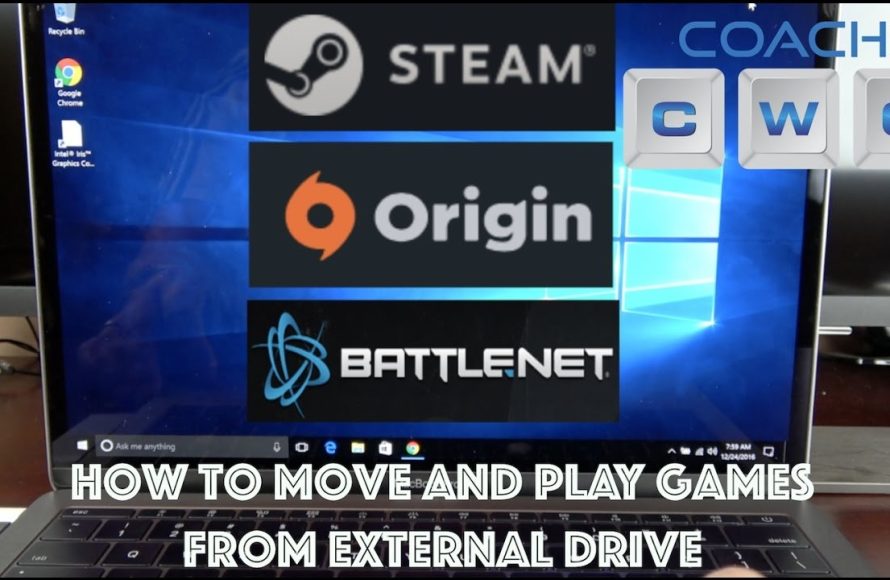
Yes, you can play games from an external hard drive, provided your system supports it and the drive meets the game’s performance requirements.
Ever wondered, “can i play games from an external hard drive?” It’s a common question for gamers facing storage limits on their main system. Many of us struggle with ever-growing game libraries.
Fortunately, external hard drives offer a solution. They provide extra space when your internal storage is full. However, it’s essential to choose the right external drive.

Can I Play Games From an External Hard Drive?
Okay, let’s talk about something super cool: playing your favorite video games from an external hard drive. You might be wondering if this is even possible, and the short answer is: absolutely! It’s like having a giant backpack for all your games, letting you carry them around easily. But, there’s a bit more to it than just plugging in a drive and hitting ‘play’. Let’s dig into all the details and make sure you’re ready to become an external hard drive gaming pro.
Why Would You Want to Play Games From an External Hard Drive?
First, let’s explore why using an external hard drive for games is a great idea. It’s not just a cool tech trick; it solves some real problems gamers face all the time.
Freeing Up Space on Your Computer or Console
Let’s be real, video games can be HUGE! They take up tons of space on your computer or gaming console’s hard drive. Imagine you have a closet filled to the brim, and you can’t fit another thing. That’s what it’s like when your internal drive gets full. Using an external hard drive is like getting a whole new closet – or maybe even a whole new room – just for your games. You can keep all your big games without slowing everything down.
Portability: Game on the Go
Ever wish you could take your whole game library to a friend’s house without spending hours downloading everything again? Well, an external hard drive makes that a breeze! You can plug it into your gaming computer at home, then unplug it and take your games with you to your friend’s house. Plug in, and get gaming. It’s like magic, but it’s real!
- Bring your complete game library to a friend’s house.
- Easily switch between devices without redownloading games.
- Share games quickly with friends (if games allow).
Expanding Your Console’s Storage
Consoles, like the PlayStation and Xbox, also have limited storage. Running out of space means you need to delete games to make room for new ones. That’s a bummer! An external hard drive helps you keep all your games installed at once so you can easily go back to playing them whenever you want without any extra steps.
How Does Playing Games from an External Hard Drive Work?
Okay, so how exactly does your game go from that little external drive onto your screen? It’s like taking a book off the shelf and starting to read. The process is pretty straightforward, but there are some important pieces of the puzzle.
Connecting Your External Hard Drive
First, you will need an external hard drive that is compatible with your computer or console. You connect this drive using a USB cable, kind of like plugging in a flash drive, but bigger. When the external drive is connected, your computer or console recognizes it as extra storage space.
The Game’s Files
When you download a game, all the stuff that makes the game work – the pictures, music, and instructions – are saved as files. Usually, these files go directly onto your computer’s main hard drive. But when using an external drive, you are saving or transferring these files there. Think of it as organizing your toys in a specific box rather than leaving them scattered around the room.
Playing the Game
When you start up the game, your computer or console knows to look for the game’s files on the external hard drive. It gathers all the info it needs, then runs the game. It’s pretty quick, and you’ll likely notice it performs similarly to games stored on your internal drive.
What to Consider When Choosing an External Hard Drive for Gaming
Not every external hard drive is perfect for gaming. You want to find one that will let your games run smoothly. Here are some things to think about when picking the right drive.
Hard Drive Type: SSD vs. HDD
There are two main types of external hard drives: SSDs and HDDs. Here’s a quick rundown:
Solid State Drives (SSDs)
- Speed: Very fast, meaning games load quicker and run more smoothly.
- Cost: Generally more expensive than HDDs.
- Durability: More durable because there are no moving parts, making them good to carry around.
- Ideal For: Gamers who want the fastest loading times and best performance.
Hard Disk Drives (HDDs)
- Speed: Slower than SSDs, which means games may take a bit longer to load.
- Cost: Less expensive, so you can get more storage for your money.
- Durability: Less durable, so you should be a bit more careful with them.
- Ideal For: Gamers who need lots of storage space and don’t mind slightly longer load times.
Think of it this way: SSDs are like race cars that are very fast but cost a bit more, while HDDs are like trucks that can carry lots of stuff and are cheaper but a bit slower.
Storage Space: How Much Do You Need?
This is a big one. Modern games can be huge, often taking up 50 GB or more! Think about how many games you usually play. Here’s a general guide:
- 500 GB: Good for a few large games or a bunch of smaller games.
- 1 TB: Can store a decent collection of games.
- 2 TB and up: Ideal for gamers who want to keep many games downloaded at once or for large game libraries.
If you often play brand-new games and have a big library, go for more storage to be safe. It’s better to have too much than not enough, so you do not have to delete your games all the time.
Connection Speed: USB 3.0 vs. USB 2.0
The way the external hard drive connects to your computer matters a lot for speed. You might see terms like USB 3.0 or USB 2.0. Here’s what they mean:
- USB 3.0 (or higher): Much faster, meaning games load and run more smoothly.
- USB 2.0: Slower, so games might not load as quickly.
Always go for a hard drive with USB 3.0 or a newer connection like USB 3.1 or USB 3.2, as this will make a big difference.
Compatibility: PC, PlayStation, or Xbox?
Make sure the external hard drive you pick is compatible with the device you’re using, whether it is a Windows PC, a PlayStation, or an Xbox console. Some drives are made specifically for one type of device. For PCs it’s quite straightforward, but if you’re choosing a drive for console gaming, double-check the compatibility because some devices only work with specific kinds of drives. For example, some older consoles may not recognize an SSD or high capacity drive, whereas newer versions often allow you to use them.
Potential Issues and How to Fix Them
Even with the best external hard drive, there can be some hiccups. Here’s what can happen and how to fix them:
Slow Loading Times
If your games are loading too slow, there could be a few reasons:
- Slow Hard Drive: If you are using an HDD, it will load slower than an SSD.
- USB Connection: Are you using a USB 2.0 port instead of a USB 3.0 port? If so, change the port to the faster one.
- Too Many Files: If your hard drive is full, it might run slower. Consider clearing some old files, but not game files.
Game Crashes or Freezing
If your game is crashing or freezing, it could be due to:
- Bad USB Connection: Make sure your cable is plugged in tightly.
- Overheating: Make sure your external hard drive is not getting too hot.
- Bad Hard Drive: The external hard drive might not be working properly. If you think this is the issue, it might be time to replace it.
Drive Not Recognized
If your computer or console doesn’t see your drive, do this:
- Try Another USB port: Connect to a different USB port on your device.
- Check the Cable: Make sure the cable is working and connected properly.
- Restart: Turning your device and drive off then on again sometimes helps.
Tips for the Best Gaming Experience
Okay, you’ve got your drive, you’re ready to go. Here are some helpful tips to make sure your gaming is always top-notch:
Keep Your Drive Organized
Just like you organize your books on a bookshelf, you should keep your games organized. Create folders for different types of games, so it is easier to find the game you are looking for.
Keep Your Drive Cool
External hard drives can get warm, especially when they’re working hard, so give them some space to breathe. Don’t leave them on top of other devices or covered by blankets, as this might cause overheating. It’s just like when you are exercising, and you need to cool down!
Don’t Forget to Eject Safely
Always “eject” your drive safely before unplugging it. This prevents you from losing any data or causing the drive to have any problems. You can do this from the settings on your computer or console. It’s like saying “goodbye” properly before you leave!
Update Your Drivers
Sometimes, drivers (the software that allows your computer or console to talk to the drive) need to be updated. Make sure your drivers are up-to-date for the best performance.
In conclusion, playing games from an external hard drive is a fantastic way to manage your ever-growing game library, take your games anywhere, and keep your main hard drive running smoothly. By choosing the correct type of drive (SSD is often better for speed), and understanding how to set it up, you’ll have a great gaming experience. Just remember to keep your external drive organized, cool, and properly connected, and you will always be ready to jump into your favorite games. Happy gaming!
Move Your Games To An EXTERNAL SSD? (Take Your Game Library With You!) #shorts
Final Thoughts
Yes, you can play games from an external hard drive. This provides a simple way to expand storage without needing internal changes. Game loading times may slightly vary compared to internal drives.
External drives give you flexibility for your gaming library. They are portable, allowing you to easily move your games. “Can I play games from an external hard drive?” is a frequent question with a positive answer.

