
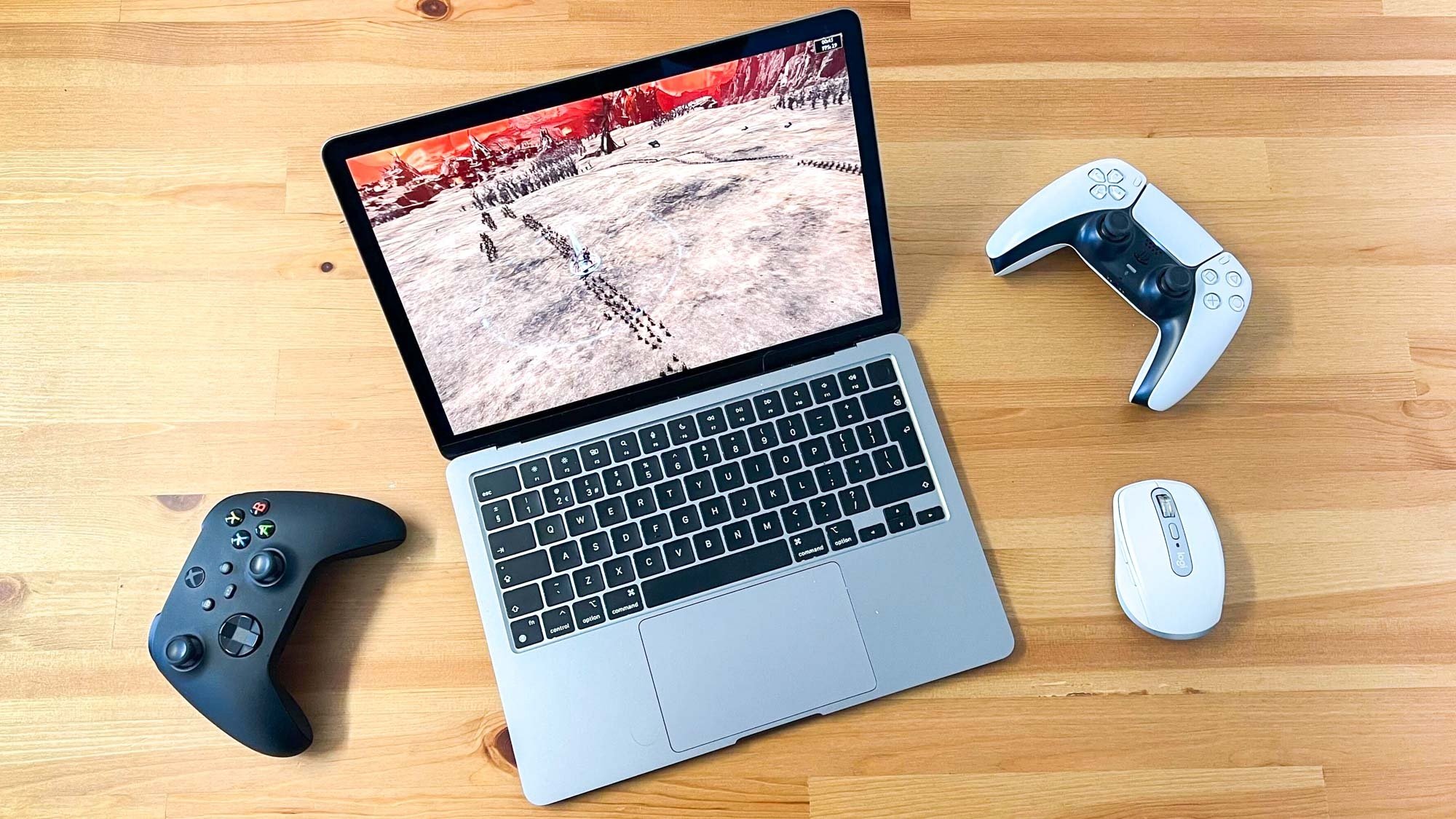
Yes, you can play games on a MacBook, but the experience varies depending on the game and the MacBook’s specifications.
Ever wondered, “can i play games on a macbook?” The short answer is yes! However, diving into gaming on a Mac involves more than just a simple yes or no.
The ability to game effectively hinges on the specific MacBook model and the game itself. Some games run beautifully, while others might require tweaking or simply be unplayable.
Modern MacBooks with Apple silicon offer better gaming performance than older Intel-based models. Consider compatibility and performance expectations before diving in.

Can I Play Games on a MacBook?
Yes, you absolutely can play games on a MacBook. The experience, however, varies depending on the game, the MacBook model, and your expectations.
Modern MacBooks are capable of running a wide range of games. They are not just for productivity anymore.
MacBooks and Gaming: A General Overview
The gaming capabilities of a MacBook have increased significantly in recent years. This is thanks to advancements in Apple silicon and improved software support.
However, it’s important to understand the limitations. Not all games run flawlessly on macOS.
Factors Affecting Gaming Performance on a MacBook
Several factors influence how well a game performs on your MacBook. These include hardware specifications, software compatibility, and game optimization.
Understanding these factors will help you manage expectations and choose appropriate games.
Hardware Specifications
The processor, graphics card, and RAM are critical components for gaming. A more powerful MacBook will generally deliver a better gaming experience.
The M1, M2, and M3 series chips have dramatically improved performance. This makes newer MacBooks much more capable gaming machines.
Software Compatibility
Not all games are available for macOS. Many popular titles are designed primarily for Windows.
This can limit your game selection. However, there are ways to play Windows games on a Mac, which we’ll discuss later.
Game Optimization
Even if a game is available for macOS, it may not be optimized for Apple’s hardware. Poor optimization can lead to performance issues.
Check user reviews and forums to see how well a game runs on different Mac models.
Gaming on Different MacBook Models
Gaming performance varies greatly depending on the specific MacBook model. Let’s look at some common scenarios.
Different MacBook models offer drastically different gaming experiences. Newer models are generally better optimized for gaming.
Gaming on MacBook Air
The MacBook Air is known for its portability and efficiency. It’s not primarily designed for gaming, but it can handle some titles.
Older MacBook Air models may struggle with demanding games. Newer models with M-series chips offer significantly improved performance.
- Casual Games: The MacBook Air handles casual games like puzzles, strategy games, and older titles well.
- Indie Games: Many indie games are optimized for lower-end hardware and run smoothly on the MacBook Air.
- Demanding Games: Demanding AAA games may require lower settings or may not be playable at all on older models. The newer M2 and M3 Air models can handle more demanding games at lower settings.
Gaming on MacBook Pro
The MacBook Pro is designed for more demanding tasks, including gaming. It offers better performance than the MacBook Air.
The 14-inch and 16-inch MacBook Pro models with M-series Pro and Max chips are particularly well-suited for gaming.
- Improved Performance: The MacBook Pro offers better sustained performance due to its improved cooling system.
- Higher Graphics Settings: You can generally run games at higher graphics settings on a MacBook Pro compared to a MacBook Air.
- AAA Titles: Many AAA titles are playable on the MacBook Pro, although some may still require lower settings or rely on game streaming services.
Gaming on Older MacBooks (Intel-Based)
Older MacBooks with Intel processors can still play some games. However, performance may be limited.
These models often struggle with newer, more demanding titles.
- Compatibility Issues: Some newer games may not be compatible with older versions of macOS.
- Lower Settings: You’ll likely need to run games at the lowest possible settings to achieve playable frame rates.
- Driver Support: Driver support for older Intel graphics cards may be limited, leading to performance issues.
How to Play Windows Games on a MacBook
Even if a game isn’t available for macOS, there are ways to play it on your MacBook. These methods include using virtualization software, Boot Camp, and game streaming services.
Using these methods expands the available game library to include some Windows-exclusive titles.
Virtualization Software (Parallels Desktop, VMware Fusion)
Virtualization software allows you to run Windows within macOS. This lets you play Windows games without needing to reboot your Mac.
However, virtualization can impact performance. Games may not run as smoothly as they would on a dedicated Windows machine.
- Convenience: Virtualization is convenient because you can switch between macOS and Windows easily.
- Performance Overhead: There’s a performance overhead associated with running Windows within a virtual machine.
- Compatibility: Not all games are compatible with virtualization software.
Boot Camp
Boot Camp allows you to install Windows directly on your Mac. This provides the best possible performance for Windows games.
However, it requires you to reboot your Mac to switch between macOS and Windows.
- Native Performance: Boot Camp provides near-native performance since Windows is running directly on the hardware.
- Rebooting Required: You need to reboot your Mac to switch between macOS and Windows.
- Not Available on Apple Silicon: Boot Camp is not available on Macs with Apple silicon chips (M1, M2, M3).
Game Streaming Services (GeForce Now, Xbox Cloud Gaming)
Game streaming services allow you to play games remotely on powerful servers. The game is streamed to your Mac, so you don’t need to install it locally.
This is a good option for playing demanding games on less powerful MacBooks. However, it requires a fast and stable internet connection.
- No Installation Required: You don’t need to install games on your Mac.
- High Internet Requirements: A fast and stable internet connection is essential for a good streaming experience.
- Subscription Fees: Game streaming services typically require a subscription fee.
Popular Games to Play on a MacBook
Many games run well on MacBooks, especially with Apple silicon. Here are some popular titles to consider.
The growing number of macOS-compatible titles, plus the availability of game streaming, means that there are plenty of games to choose from.
Native macOS Games
These games are designed specifically for macOS and often run well on MacBooks.
- Minecraft: A hugely popular sandbox game that runs well on most MacBooks.
- Fortnite: A popular battle royale game that is available for macOS. Performance may vary depending on your MacBook model.
- World of Warcraft: A long-running MMORPG that runs natively on macOS.
- Divinity: Original Sin 2: A critically acclaimed RPG that runs well on MacBooks with Apple silicon.
- No Man’s Sky: An exploration and survival game that has been optimized for macOS.
Games Available Through Game Streaming
These games can be played on MacBooks using game streaming services.
- Cyberpunk 2077: A visually stunning open-world RPG. Game streaming is a good option for playing this on less powerful MacBooks.
- Assassin’s Creed Valhalla: A popular action-adventure game.
- Red Dead Redemption 2: A critically acclaimed open-world western.
Optimizing Your MacBook for Gaming
There are several things you can do to optimize your MacBook for gaming. These include closing unnecessary applications, adjusting graphics settings, and keeping your system up to date.
These optimizations can help improve performance and reduce lag.
Closing Unnecessary Applications
Closing unnecessary applications frees up system resources for gaming. This can improve performance, especially on less powerful MacBooks.
Make sure to close any apps that you aren’t actively using. This can have a noticeable impact on frame rates.
Adjusting Graphics Settings
Lowering graphics settings can significantly improve performance. This reduces the load on your MacBook’s graphics card.
Experiment with different settings to find a balance between visual quality and performance. Start by lowering resolution and texture quality.
Keeping Your System Up to Date
Keeping your macOS and graphics drivers up to date ensures that you have the latest performance optimizations and bug fixes.
Apple regularly releases updates that can improve gaming performance. Check for updates in the App Store.
Using an External Monitor
Using an external monitor can sometimes improve performance. This is because the MacBook’s built-in display may be more demanding.
Try connecting your MacBook to an external monitor and see if it makes a difference. Choose a monitor with a low response time for the best gaming experience.
Managing Heat
MacBooks can get hot during intense gaming sessions. Managing heat is important to prevent performance throttling.
Consider using a cooling pad or external fan to keep your MacBook cool. Avoid playing games on soft surfaces like beds or couches, as this can restrict airflow.
The Future of Gaming on MacBooks
The future of gaming on MacBooks looks promising. Apple’s continued investment in Apple silicon and Metal graphics API should lead to further improvements in gaming performance.
Expect to see more games optimized for macOS in the future. Apple’s commitment is only growing.
- Improved Apple Silicon: Future generations of Apple silicon chips are expected to offer even better gaming performance.
- Metal API Enhancements: Apple’s Metal graphics API is constantly being updated to provide better performance and features.
- Increased Game Support: More game developers are starting to target macOS, leading to a wider selection of games.
- Cross-Platform Development: Technologies that simplify cross-platform game development will help bring games to the Mac more easily.
Can you game on Macbook?
Final Thoughts
So, can i play games on a macbook? Absolutely! While not primarily designed for gaming, modern MacBooks can handle many games. Native Mac games are readily available.
You must consider compatibility and performance. Lower settings might be necessary for demanding titles.
Cloud gaming services offer another avenue. Boot Camp is a potential option for Windows-exclusive games.

