
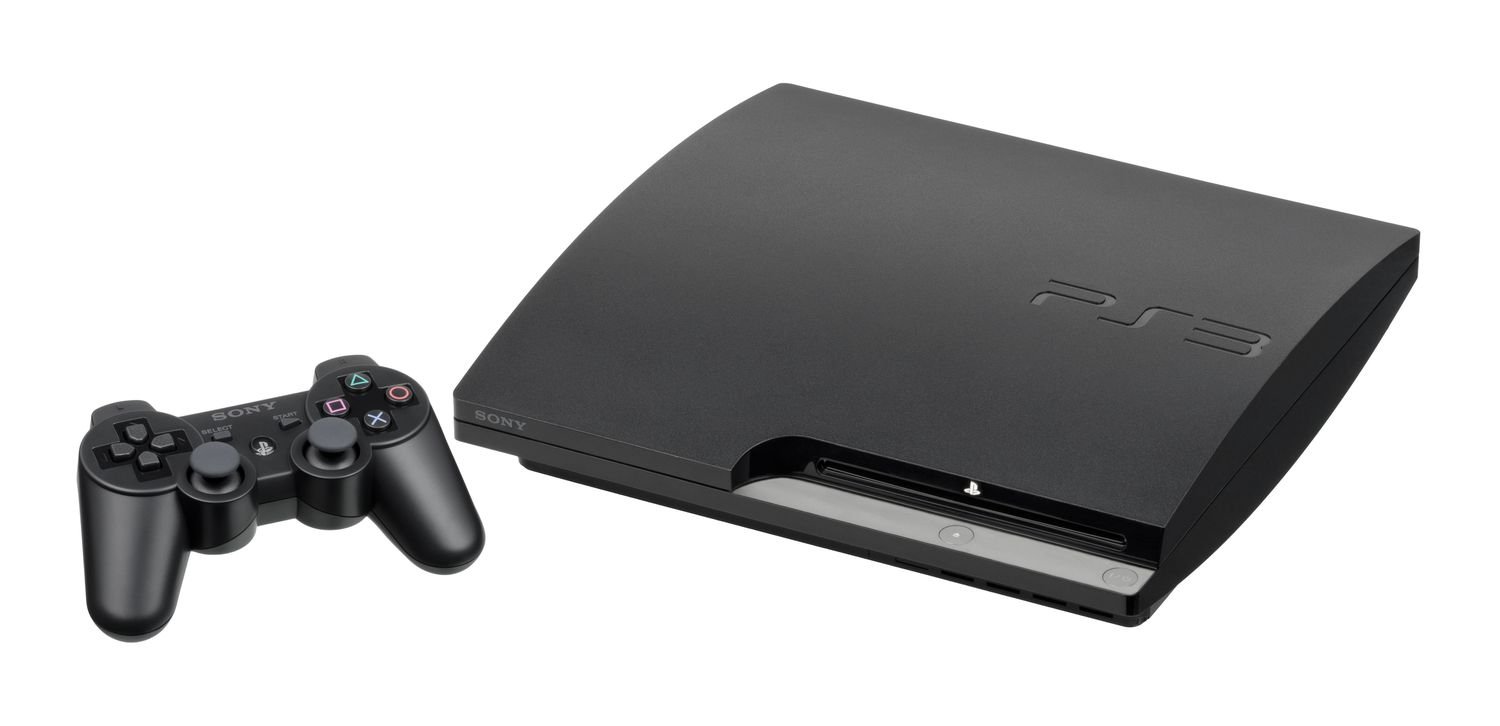
Certain PlayStation 3 models can play PlayStation 2 games; however, not all PS3 consoles offer this backwards compatibility.
The burning question lingers for many retro gamers: can i play playstation 2 games on a playstation 3? It’s a query that sparks nostalgia and a desire to revisit classic titles. Finding out the truth could save you a lot of time and frustration.
Some early PlayStation 3 models did indeed come with the hardware necessary to play PS2 games. Unfortunately, Sony removed that feature in later releases to cut production costs. So the answer is not a simple yes or no.

Can I Play PlayStation 2 Games on a PlayStation 3?
So, you’ve got a pile of awesome PlayStation 2 games gathering dust, and you’re wondering if you can dust off your PlayStation 3 and dive back into those classic adventures. It’s a great question, and the answer isn’t as simple as a yes or no. Let’s explore the world of PlayStation backwards compatibility and see what the story is.
The Short Answer: It Depends on Your PS3 Model
The main thing to know is that not all PlayStation 3 consoles can play PlayStation 2 games. It all comes down to the specific model of PS3 you have. Some were made with the ability to play older games, while others weren’t. Think of it like this, some older cars can use parts from previous models and some newer models can’t.
Understanding PlayStation 3 Models
To really understand if your PS3 can play PS2 games, we need to talk about the different types of PS3 consoles that Sony released. There are three main categories:
- Original “Fat” PS3 Models (First Generation): These are the older, bigger PS3s, often with a glossy finish. Some of these had full PlayStation 2 hardware built in.
- Slim PS3 Models (Second Generation): These are smaller and lighter than the original PS3. They look a bit different and are more rounded.
- Super Slim PS3 Models (Third Generation): These are the slimmest and most lightweight PS3s. They’re the most recent of the different PS3 models.
Each type of PS3 has different capabilities regarding playing PS2 games.
Full Hardware Backwards Compatibility: The “Holy Grail” PS3s
The very first versions of the “fat” PlayStation 3 consoles, specifically the 20GB and 60GB models, are the ones that hold the key to playing almost every PS2 game. These models have actual PlayStation 2 hardware inside them, like a miniature PS2 computer, allowing them to play PS2 games perfectly. They essentially contain a real PS2 processor and graphics chip, making the game experience incredibly accurate. This kind of compatibility is called hardware backwards compatibility.
Identifying a Full Backwards Compatible PS3
To see if your fat PS3 has full backwards compatibility, check these things:
- Look at the model number on the back of the console. The compatible model numbers usually start with CECHA (60GB model) or CECHB (20GB model). If you find these, you’re in luck!
- You might also notice a shiny chrome trim on the console that only comes on these models.
These early models can be a bit harder to find since they are older. If you have one, treasure it! It’s a special PS3 that provides the best PS2 gaming experience.
Partial Software Emulation: Some PS2 Support
The 80GB “fat” PS3 model, sometimes called CECHE, and some early 40GB versions, attempted backwards compatibility with PS2 games through a software-based approach known as software emulation. This means instead of having the actual PS2 parts inside, the PS3 tries to mimic the PS2 system using software. This allows some PS2 games to work but often with some performance issues, such as slightly slower speeds, graphical glitches, or some games just not working at all.
Why Software Emulation Isn’t Perfect
Software emulation can be tricky because it requires the PS3 to do a lot of complex work. It’s like trying to speak a different language using only a translator – it can work but might not always be smooth. This led to some PS2 games not running as well, or at all, on these models.
No Backwards Compatibility: Slim and Super Slim Models
Unfortunately, all Slim and Super Slim PS3 models, as well as later versions of the 40GB “fat” model, do not have any backwards compatibility for PlayStation 2 games. They lack the hardware and emulation technology to run them. So, if you have a Slim or Super Slim model, you are out of luck for playing any PS2 game directly on your PS3 console. For these versions, you have to look at alternative ways to play them.
Why Sony Removed Backwards Compatibility
Sony removed the PS2 hardware and software emulation from later PS3 models to reduce the cost of making the console. It made PS3 more affordable. By focusing on the core PS3 functions, they aimed to keep production costs down. The thinking was that people would focus on new PS3 games instead of older ones.
Checking Your PS3 Model Number
If you’re not sure which PS3 model you have, you can find the model number printed on a sticker on the back of your console. Look for a label that starts with “CECH”. Here’s a quick guide to help you figure out if your PS3 is backwards compatible:
- CECHAxx or CECHBxx: These models have full hardware backwards compatibility. They can play almost all PS2 games without any issues. The “xx” part at the end can be any number.
- CECHCxx or CECHExx: These models have some software emulation and can play a limited number of PS2 games. Some games may not work perfectly.
- CECHGxx, CECHHxx, CECHJxx, CECHKxx, CECHLxx, CECH-2xxx, CECH-3xxx, CECH-4xxx: These models (all Slim and Super Slim PS3s) cannot play PlayStation 2 games.
PlayStation 2 Classics on the PlayStation Store
Even if your PS3 can’t play PS2 discs, there’s another way to enjoy some classic PS2 games on your console. Sony offers a selection of PlayStation 2 games as digital downloads on the PlayStation Store. These are often called “PS2 Classics.”
How PS2 Classics Work
These games are made to work on any PS3 model. Sony has adapted the games to run correctly, but there are some things to keep in mind:
- You will need to purchase them digitally through the PlayStation Store.
- The selection is limited. Not every PS2 game is available.
- Some PS2 Classics may look and play a little different compared to the original disc version.
If you can’t play your PS2 discs on your PS3, checking the PlayStation Store for digital versions is a great way to still enjoy some old favorites.
Alternative Ways to Play PlayStation 2 Games
If your PS3 can’t play PS2 games and the PlayStation Store doesn’t have what you’re looking for, you’re not completely out of options. Here are a few more ways to play PS2 games:
PlayStation 2 Console
The most straightforward way is to use a real PlayStation 2. If you still have it, dust it off! It will play all your old games perfectly, just as you remember.
PlayStation 2 Emulators on PC
There are also emulators for your computer, but this can be more complex. You need to download software (which can sometimes be risky) and find compatible game files. Emulation can be a lot of work, but it may allow you to play PS2 games on your PC if you’re up for the challenge.
The Ups and Downs of Backwards Compatibility
Backwards compatibility, whether it’s hardware or software, has its good points and drawbacks:
The Pros of Backwards Compatibility
- Nostalgia: It’s a trip back in time to your favorite games from past consoles.
- More Games: You get access to a wider library of games to choose from, which makes the console a more complete gaming system.
- Cost Savings: If your PS3 can play PS2 games, you don’t need to keep or buy another console.
The Cons of Backwards Compatibility
- Limited Availability: Only certain PS3 models offer this feature, meaning many PS3 owners miss out.
- Performance Issues: Software emulation isn’t always perfect. Some games may not run well, or at all.
- Increased Cost (for backward compatible PS3s): The backwards compatible PS3 models can be more expensive than other versions, since they are highly sought-after.
Keeping Your PS3 and PS2 Games Healthy
Whether you have a PS3 that can play PS2 games or not, it’s important to keep your consoles and games in good shape. Treat them with care to ensure you can keep playing for years to come.
Tips for PS3 and Game Care
- Store it properly: Don’t leave your console in direct sunlight. Make sure it has enough space around it for ventilation.
- Clean them often: Use a soft, dry cloth to wipe dust from your console and games. Don’t spray any liquids directly onto them.
- Be careful with the discs: Always handle game discs by their edges and store them in their cases when you’re not playing.
Taking good care of your gaming equipment will help it last longer, and will keep the fun going!
Ultimately, whether or not you can play your PlayStation 2 games on a PlayStation 3 depends heavily on the specific model you have. While the fully backwards compatible “fat” PS3s are the gold standard, the availability of PS2 Classics and other alternative methods can still let you experience those great games. Check your model number, explore your options, and get back to gaming.
"Can PS3 Play PS2 Games? Quick Compatibility Guide"#gaming #ps3share #retro #ps2 #snes
Final Thoughts
Only some PlayStation 3 models offer backward compatibility. These specific models can play PlayStation 2 games. So, can i play playstation 2 games on a playstation 3? The answer is a definite yes, but only with the original, first-generation fat consoles.
If you own a newer, slimmer PS3, unfortunately, you cannot play your PS2 games on it. This limitation is must for many gamers. Therefore, choosing the correct hardware is important.

