
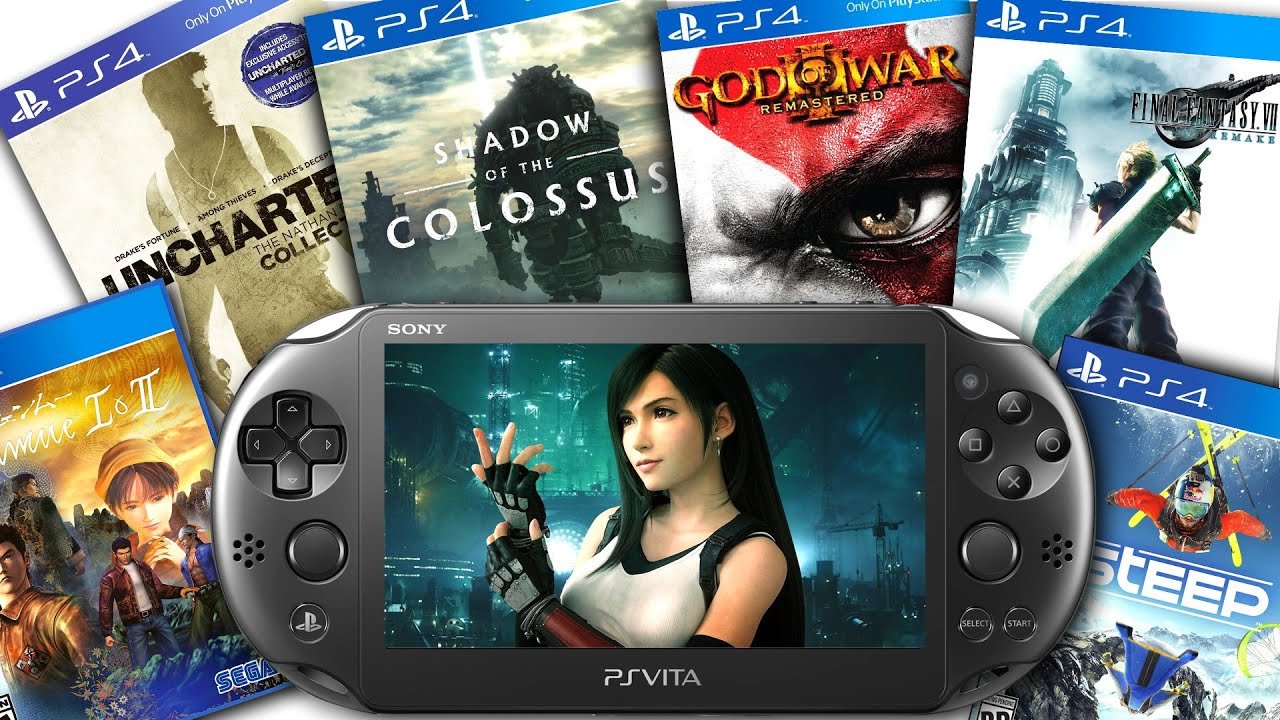
Unfortunately, you cannot directly play PS Vita games on a PS4.
Ever wondered about playing your favorite PS Vita titles on your big screen PS4? It’s a common question many gamers ask: can i play ps vita games on ps4? While the thought of enjoying those portable classics on a home console is appealing, the simple answer is that they’re not natively compatible.
The hardware and software architectures are different, preventing direct gameplay. This means there is no simple plug-and-play solution, or a way to use those physical Vita game cartridges.

Can I Play PS Vita Games on PS4?
So, you’ve got a bunch of awesome games for your PlayStation Vita and you’re wondering if you can play them on your PlayStation 4? That’s a great question, and it’s one many gamers ask. The short answer is: it’s a little tricky. You can’t just pop a PS Vita game cartridge into your PS4 and start playing like you can with PS4 games. Let’s dive into why this is the case and what options, if any, you have for enjoying your PS Vita games on your PS4 console.
Understanding the Differences Between PS Vita and PS4
Before we get into the specifics, it’s helpful to understand why PS Vita games aren’t directly compatible with the PS4. Think of them as different puzzle pieces. The PS Vita was a handheld gaming console, designed to be portable. The PS4, on the other hand, is a home console, built for your TV. They use completely different hardware and software, a bit like how an apple and an orange are both fruits, but very different.
Hardware Differences
The biggest thing is the hardware. The PS Vita uses totally different processors, memory, and graphics chips than the PS4. It’s like comparing a small, fuel-efficient car to a powerful truck – both vehicles, but very different inside. Because the PS Vita and PS4 have different “brains”, they can’t understand each other’s games easily.
Software Differences
The PS Vita also runs on its own unique operating system, which is different from the PS4’s operating system. Games are built for a specific operating system, just like how some apps work on Android but not on iPhone. This difference in software means that the game code from the PS Vita isn’t understandable by the PS4 and vice versa.
The Challenge of Emulation
You might be thinking, “Well, can’t the PS4 just pretend to be a PS Vita?” This process is called emulation. Emulation is when a computer (like the PS4) tries to act like another computer (like the PS Vita) so it can run its software. It’s technically possible, but it’s a tough challenge. Emulation requires a lot of processing power and needs very accurate software that replicates every aspect of the original hardware. The PS4 does have some emulation features for PS2 games but does not have for PS Vita games.
Why PS4 Doesn’t Emulate PS Vita
The biggest reason the PS4 doesn’t have an PS Vita emulator is because of Sony’s choice. They may have wanted to focus development time on other areas, or they didn’t see enough demand to warrant building one. Also, emulating complex hardware like the PS Vita is incredibly difficult to do perfectly, and it can be expensive and time-consuming.
PS Now: A Glimmer of Hope (Now Part of PlayStation Plus Premium)
Okay, so directly playing PS Vita games on PS4 is mostly a no-go. However, there’s a service that gives you some access to classic games, including some titles originally on the PS Vita. It’s called PlayStation Plus Premium (formerly known as PS Now).
What is PlayStation Plus Premium?
PlayStation Plus Premium is a subscription service from Sony that lets you stream a collection of PS3, PS2, and some PS Vita games to your PS4. It’s kind of like Netflix for video games. You don’t download the actual games to your console. Instead, you stream the games directly from Sony’s servers, like watching a movie online. Keep in mind it is based on your internet connection, speed and stability.
How PlayStation Plus Premium Works for PS Vita Games
The PlayStation Plus Premium library does include a number of games that were originally released on the PS Vita. You can stream these games to your PS4 and play them, but there are a few important things to note:
- Game Availability: Not all PS Vita games are available on PlayStation Plus Premium. The selection changes, and you’ll need to check the library to see if your favorites are included.
- Streaming Required: You won’t be playing these games directly from your console. You’ll be streaming them over the internet. So, you need a good, fast and stable internet connection for a smooth experience.
- Subscription Fees: You need to pay for the PlayStation Plus Premium subscription each month or year to access the game library.
- Controller Differences: The PS Vita has a touchscreen and rear touchpad, which some games used. Playing these games on the PS4 can sometimes mean you have to use the controller touchpad or map those functions to other buttons, which can feel a bit different.
Remote Play: Playing PS Vita on Your TV (Through a PS Vita)
There is another way to play your PS Vita games on a bigger screen but this will not be using your PS4 console. It is called Remote Play and while it doesn’t allow you to play PS Vita games directly on the PS4, it does allow you to stream the gameplay from your Vita to your TV via the PS4.
How Remote Play Works
With Remote Play, you use your PS Vita as a controller and display. The game processing is done by your PS Vita, but the image is sent to your PS4 which is connected to your TV. Think of it as the opposite of how PlayStation Plus Premium works. Instead of streaming from Sony servers, your PS Vita is sending the stream to your console. This also requires a solid internet connection and you need a PS Vita to get this to work.
Things to Keep in Mind About Remote Play
- You Need a PS Vita: You have to have a working PS Vita to utilize this feature. It’s not a way to play games without the handheld.
- Setup is Required: You have to properly connect your PS Vita to your PS4 to get this working properly. It is a simple process but requires few minutes to set it up.
- Potential Lag: Streaming gameplay can sometimes cause a slight delay (lag) depending on the speed and stability of your internet connection.
What About Remasters or Remakes?
Sometimes, game developers create updated versions of older games, called remasters or remakes. A remaster usually means updated graphics and sound, while a remake is a more fundamental overhaul of the original game. Some games that were originally on PS Vita have received remasters or remakes that are now available on the PS4.
Examples of Remasters and Remakes from PS Vita to PS4
For example, a game like “Gravity Rush” which was originally released on the PS Vita, received a remastered version on the PS4. These upgraded versions are designed for the PS4, and you can play them directly like any other PS4 game. This isn’t the same as playing your original PS Vita copy, but it is a way to experience some beloved PS Vita games on your PS4 with improvements.
- Look for Specific Titles: Not every PS Vita game has a remake or remaster, so keep your eyes open for news if there is a specific title you are hoping to play on your PS4
- Quality Improvements: Often times, the quality of graphics, sound and framerate is improved in these remasters and remakes.
Why Not Just Build a PS Vita Emulator?
You might be wondering why Sony or someone else can’t just build a great PS Vita emulator for the PS4 and be done with it. There are several reasons why this isn’t straightforward.
The Technical Complexity of Emulation
Developing a good emulator is very difficult and time consuming. You need to perfectly replicate how the PS Vita’s hardware and software function, which includes:
- Precise Instruction Replication: Every bit of instruction from the Vita must be correctly replicated. If something isn’t right, the game might crash, have glitches, or not run at all.
- Hardware Differences: The PS Vita’s processors and chips are very different from the PS4’s. An emulator must bridge these differences effectively.
- Touchscreen and Rear Touchpad: Emulating the PS Vita’s touch screen and rear touchpad can be very challenging on a PS4 controller. Mapping these controls to the gamepad has its own complications.
Development Costs and Resources
The time and cost it takes to make a good emulator is huge. Developing an effective emulator requires many software engineers and is a big investment. It would take a lot of research, effort and testing, which is why it’s not something that just happens overnight.
While you can’t directly insert a PS Vita game cartridge into your PS4 and play it, there are some ways you might be able to enjoy PS Vita games on your big screen. PlayStation Plus Premium offers a selection of PS Vita games that you can stream, and Remote Play allows you to send gameplay from your PS Vita to your TV via your PS4 if you have a PS Vita. Also, some PS Vita titles have gotten the remaster or remake treatment and are available to play on PS4. Whether through a subscription service, remote play or remakes, you can still experience some of your favorite PS Vita games on a bigger screen. Keep an eye out for announcements about specific remasters or remakes, and enjoy your gaming journey!
How to Setup Remote Play on PS Vita! (PLAY PS4 GAMES ON PS VITA) (EASY METHOD)
Final Thoughts
Unfortunately, you cannot directly play most PS Vita games on a PS4. The systems have different architectures and are not backwards compatible. Some PS Vita titles were remade or ported to PS4. You can purchase these separately.
Therefore, the answer to ‘can i play ps vita games on ps4’ is generally no, but some specific titles are available. You must check the PS4 store for versions of your favorite PS Vita games.

