
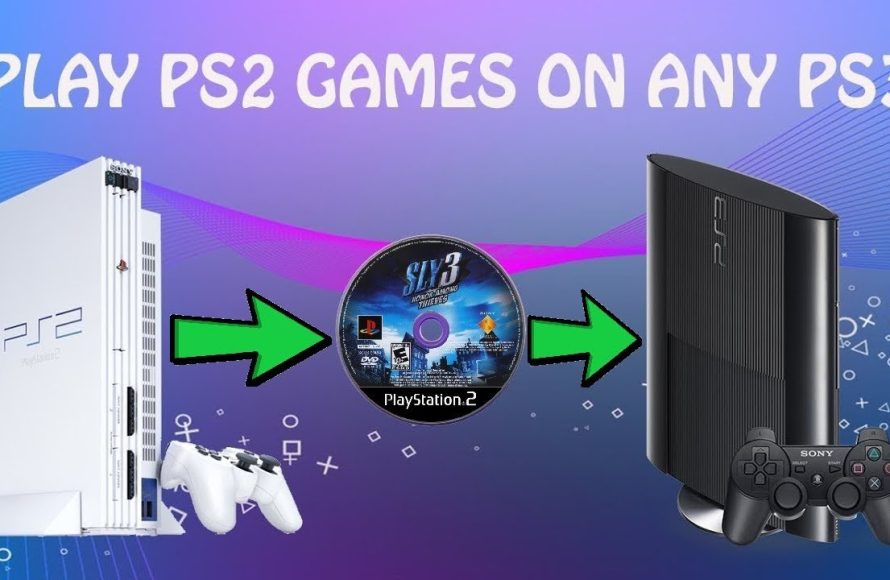
Whether you can play PS2 games on PS3 depends on the specific PS3 model. Only the original, first-generation PS3 consoles offered full backwards compatibility to play PS2 games.
Here’s the response:
Remember those classic PS2 games? Many of us have fond memories of playing them. But, can I play PS2 games on PS3? That’s a question a lot of gamers have asked over the years.
Early PS3 models did indeed allow it, but later versions removed this functionality. It all boils down to the specific PS3 you own.

Can I Play PS2 Games on PS3?
The answer isn’t a simple yes or no. It depends on the specific PlayStation 3 model you own. Some models offer backwards compatibility, while others do not.
Understanding this compatibility requires a look at the different PS3 versions. Let’s explore the details to clarify which PS3 consoles can play your cherished PS2 games.
PS3 Models and Backwards Compatibility
Not every PS3 can play PS2 games. Sony initially included the hardware to support PS2 titles. However, this feature was later removed to cut costs.
Determining your PS3 model is the first step. It will tell you if you can directly play PS2 games on your console.
Identifying Your PS3 Model
Locate the model number on your PS3. It’s typically found on a sticker on the back or bottom of the console.
This number is crucial for determining compatibility. Common PS3 models include the original “Fat” models, the Slim models, and the Super Slim models.
The Original “Fat” PS3 Models (CECHAxx, CECHBxx, CECHCxx, CECHExx)
These early PS3 models are often called “Fat” due to their bulky design. They are the most likely to offer full or partial PS2 backwards compatibility.
Two “Fat” PS3 models stand out: the CECHAxx and CECHBxx.
CECHAxx and CECHBxx: Full Hardware Emulation
These models (CECHA01 and CECHB01 in North America) featured the actual PS2 hardware inside. This included the Emotion Engine CPU and the Graphics Synthesizer GPU.
These models offer the most authentic PS2 gaming experience on a PS3. You can simply insert a PS2 disc and play.
These models are highly sought after by collectors. This is due to their complete backwards compatibility.
CECHCxx and CECHExx: Partial Emulation
The CECHCxx and CECHExx models (like CECHC03/04 and CECHE01/03) only included the Graphics Synthesizer GPU. The Emotion Engine CPU was emulated in software.
This means that compatibility isn’t quite as perfect as the CECHAxx and CECHBxx models. Some games may have minor issues.
Still, these models offer a good degree of compatibility. Many PS2 games will run without problems.
The Slim PS3 Models (CECH-20xx, CECH-21xx, CECH-25xx, CECH-30xx)
The Slim PS3 models were designed to be smaller, quieter, and more energy-efficient. They unfortunately removed the PS2 hardware.
None of the Slim PS3 models offer backwards compatibility with PS2 games via disc. You cannot insert a PS2 disc and play it directly.
Sony did offer some PS2 Classics on the PlayStation Store. These were digital versions of select PS2 games.
You could purchase and download these games. They would run through software emulation.
The Super Slim PS3 Models (CECH-40xx)
The Super Slim PS3 models are the thinnest and lightest of the PS3 consoles. Like the Slim models, they do not have backwards compatibility with PS2 discs.
Again, you are limited to PS2 Classics available on the PlayStation Store, if any are still available. Digital downloads are the only option.
These models prioritized affordability and size. Backwards compatibility was sacrificed.
Software Emulation vs. Hardware Emulation
Hardware emulation uses actual PS2 chips inside the PS3. This allows for near-perfect compatibility.
Software emulation relies on the PS3’s processor to mimic the PS2’s hardware. This is less accurate.
Software emulation can result in glitches, frame rate drops, or even game crashes. Hardware emulation generally offers a smoother experience.
Checking for Backwards Compatibility on Your PS3
The easiest way to check is to look up your model number. Compare it to the list of compatible models.
You can also visually inspect the console. “Fat” models are more likely to be compatible.
Attempting to play a PS2 game is also a method, albeit an obvious one. If the PS3 doesn’t recognize the disc, it’s not backwards compatible.
Playing PS2 Games on Non-Compatible PS3 Models
If your PS3 isn’t backwards compatible, you still have some options. These involve software emulation or other platforms.
These options may not be ideal, but they can provide a way to experience PS2 games. Let’s explore these alternatives.
PlayStation Store PS2 Classics
Sony offered a selection of PS2 games on the PlayStation Store. These were digitally remastered versions of classic titles.
These “PS2 Classics” ran through software emulation. This provided a relatively stable experience.
However, the selection was limited. Not every PS2 game was available.
The availability of these games may also vary depending on your region and the current status of the PlayStation Store. Always check the store for availability.
PlayStation Plus Premium
Sony’s PlayStation Plus Premium subscription service offers a selection of classic games, including some PS2 titles. These are streamed or downloaded to your PS4 or PS5.
The game selection varies and isn’t comprehensive. However, it provides another avenue for playing some PS2 games.
Check the PlayStation Plus Premium game library to see if your desired PS2 game is available. Keep in mind that games are added and removed periodically.
Using a PlayStation 2 Console
The most authentic way to play PS2 games is on a PlayStation 2 console. This ensures full compatibility.
PS2 consoles are relatively inexpensive to purchase. You can find them used from various retailers.
This is the best option for purists. You get the original gaming experience without emulation.
PC Emulation
PC emulation offers another way to play PS2 games. Emulators like PCSX2 can run PS2 games on your computer.
This requires a relatively powerful PC. The performance will vary depending on your system specifications.
You will need to obtain a BIOS file from a PS2 console. You’ll also need ROM files of the games you want to play.
Be aware of the legal implications of downloading ROMs. Downloading copyrighted games without owning them is illegal in many jurisdictions.
Game Compatibility Issues
Even on backwards compatible PS3 models, some PS2 games may not work perfectly. This is due to emulation limitations.
Some games may experience graphical glitches, audio problems, or control issues. Compatibility lists are available online to check for known issues.
Consult online resources to see if a specific game has known problems. This can help you manage your expectations.
Upscaling and Visual Enhancements
Some PS3 models offer upscaling for PS2 games. This can improve the visual quality.
However, the results can vary. Upscaling doesn’t always make the games look significantly better.
Experiment with the PS3’s display settings to find the best visual configuration for your PS2 games. Adjusting the smoothing and resolution can help.
Save Data Compatibility
PS2 memory cards are not directly compatible with PS3 consoles. You cannot insert a PS2 memory card into a PS3.
However, some methods exist for transferring save data. This allows you to use your old save files on your PS3.
One method involves using a PS2 memory card adapter. This allows you to copy save data to a USB drive, and then to your PS3.
The Future of PS2 Emulation
The demand for PS2 games remains strong. Emulation technology continues to improve.
New methods and software are constantly being developed. These advancements could lead to better compatibility and performance.
Keep an eye on the emulation scene. New developments may offer better ways to play PS2 games on various platforms.
Cost Considerations
The cost of playing PS2 games on a PS3 varies. A backwards compatible PS3 is usually more expensive due to its rarity.
Purchasing PS2 Classics from the PlayStation Store involves paying for each game individually. A PS2 console and games also require an investment.
Consider your budget when choosing how to play PS2 games. Each method has its own associated costs.
Rarity of Backwards Compatible PS3 Models
The original “Fat” PS3 models with full backwards compatibility are increasingly rare. This makes them more valuable to collectors.
Finding a CECHAxx or CECHBxx model in good condition can be challenging. Expect to pay a premium price.
These models are sought after for their authentic PS2 gaming experience. The demand drives up their value.
Troubleshooting Compatibility Issues
If you encounter problems playing PS2 games on a compatible PS3, try some troubleshooting steps. Clean the game disc.
Ensure that your PS3’s firmware is up to date. Try a different game to see if the problem is specific to one title.
Consult online forums and communities for solutions. Other players may have encountered similar issues.
Advantages of Playing PS2 Games on PS3
Playing PS2 games on a PS3 offers several advantages. Upscaling can improve the graphics.
You can use a PS3 controller, which may be more comfortable than a PS2 controller. You consolidate your gaming collection onto one console (if compatible).
It offers a convenient way to revisit classic games. The PS3’s features enhance the experience.
Disadvantages of Playing PS2 Games on PS3
There are also disadvantages to consider. Not all PS3 models are compatible.
Emulation isn’t always perfect. Some games may have issues.
The selection of PS2 Classics on the PlayStation Store is limited. These drawbacks should inform your decision.
PS2 Games On PS3?!
Final Thoughts
So, can I play PS2 games on PS3? Only some early PS3 models offered full backwards compatibility. These versions included the necessary hardware to run PS2 games.
If you have a later PS3, you might still play some PS2 titles through digital downloads. However, physical PS2 discs won’t work on these consoles; you must check PlayStation Store.
Therefore, the answer to “can I play PS2 games on PS3” depends entirely on your PS3 model. Checking your console’s specifications before trying to play a game is a must.

