
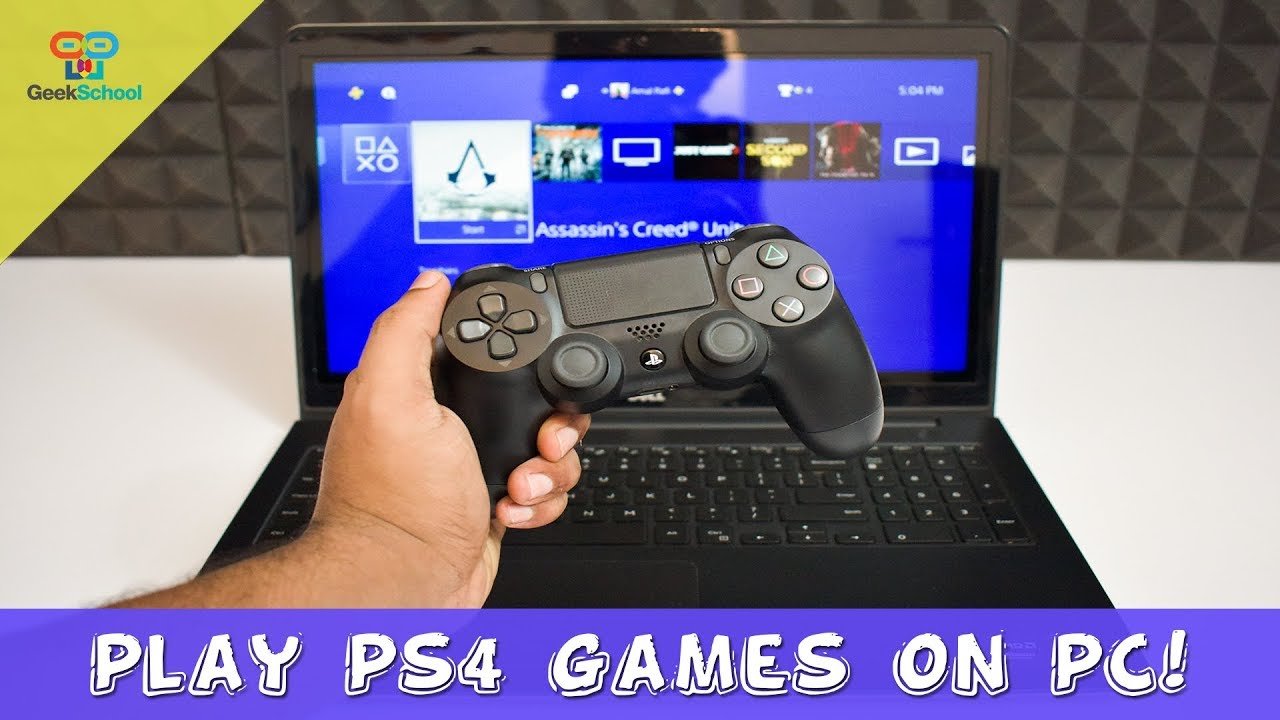
No, you cannot directly play PS4 games on PC.
Wondering if you can play your favorite PlayStation 4 titles on your computer? This is a common question for gamers who own both platforms, and the answer isn’t a simple yes or no. Unfortunately, you cannot directly play PS4 games on PC through emulation or any official method.
While it isn’t possible to play the games natively, there are alternative methods that involve using Playstation’s remote play functionality, which allows you to access your Playstation from your pc over a network connection. This means you can still experience PS4 games on a PC screen with a bit of setup.

Can I Play PS4 Games on PC? Exploring Your Options
So, you’ve got a shiny PC and a stack of awesome PlayStation 4 games, and you’re wondering if you can somehow bring those two worlds together? It’s a question many gamers ask. Let’s dive deep into the world of playing PS4 games on your computer. It’s not as simple as popping a disc into your PC, but there are ways to experience those great PS4 adventures on your monitor. We will explore the different methods available, their limitations, and what you can expect.
Understanding the Challenge: Why It’s Not Straightforward
The main reason playing PS4 games directly on a PC isn’t a simple plug-and-play scenario is because the PlayStation 4 and your PC are built on totally different systems. Imagine trying to fit a square block into a round hole; it just won’t work. Your PlayStation 4 uses its own special software, called an operating system, and hardware that is quite different from what your PC uses. This means that games created for the PS4 are written in a way that only the PS4 can understand.
However, this doesn’t mean all hope is lost! There are workarounds and methods we can use. Let’s investigate some of the practical ways you might be able to enjoy your PS4 games on your computer.
The Main Method: Remote Play
The most common and officially supported way to play your PS4 games on a PC is by using the PlayStation Remote Play feature. This neat trick lets you stream the game from your PlayStation 4 to your computer. It’s like having your console’s screen show up on your computer’s monitor. You’re not actually playing the game on your PC, you’re playing it on your PS4, but the visuals and controls are sent to your PC.
How PlayStation Remote Play Works
Here’s a simplified version of how it works:
- Your PS4 runs the game.
- The game’s video and audio are sent through your home network to your PC.
- Your controller input is sent from your PC back to your PS4.
Think of it like watching a live video of your game on your PC, while your controller signals control actions to your PlayStation. Because the PS4 is actually doing the work, your PC doesn’t need to be a super-powerful gaming machine to use Remote Play.
Setting Up PlayStation Remote Play
Getting started with Remote Play involves just a few steps:
- Download the Remote Play app: First, go to the official PlayStation website and download the Remote Play application for your Windows PC or Mac. It is free and easy to find.
- Install the app: Once downloaded, install the app on your computer. The installation is similar to installing other applications.
- Connect your PS4 controller: Use a USB cable to connect your DualShock 4 controller to your computer. The controller needs to be directly connected and not through Bluetooth for the initial setup.
- Sign into PlayStation Network: Open the Remote Play application and sign in using the same PlayStation Network account you use on your PS4. Make sure both your PC and PS4 are using the same account.
- Connect to your PS4: The app should automatically find your PS4 if it’s on the same network. If it does not automatically, you may have to enter the PS4 settings to “link” the PC manually. Just follow the prompts on your screen and you will be ready to go!
Important Notes About Remote Play
- Internet Speed: Your home network speed is a big deal. A stable and quick Wi-Fi or ethernet connection is needed for smooth gameplay. A weak connection will result in lag, causing delayed responses and pixelated graphics.
- PS4 Must Be On: Your PlayStation 4 has to be powered on or in Rest Mode for Remote Play to function. It isn’t about playing games that are on your PC, but accessing your PS4’s ability through your PC.
- Not All Games Work Perfectly: While most games function great with Remote Play, some might experience small issues due to the streaming process. Especially games that require split-second reactions might be more difficult to play through Remote Play.
Cloud Gaming Services: Another Path
Another option to play some PlayStation games on PC is through cloud gaming services. These services let you stream games from powerful servers directly to your computer. It is like renting a very powerful gaming computer and watching the video of the game on your screen, while controlling the game with your controller.
How Cloud Gaming Services Work
These services function through the power of the internet. Here’s a quick breakdown:
- Powerful Servers: Companies that provide these services have powerful computers in giant data centers. These computers run the games.
- Streaming: The video and audio of the game are streamed to your PC through your internet connection.
- Controller Input: Your controller actions are sent back to the servers.
PlayStation has its own cloud service called PlayStation Plus Premium, which offers cloud gaming as part of its subscription. You can stream some PS4 games (and even PS5 games!) to your PC. This is a very different method than using Remote Play because you do not need your PS4 console to do this.
PlayStation Plus Premium: Cloud Gaming Options
PlayStation Plus Premium offers several ways to access games on your PC:
- Game Catalog: You can stream a selection of PS4 and PS5 games from the PlayStation game catalog to your PC. It’s a constantly changing list, so there are always new games to explore.
- Classic Games: This service also lets you stream some classic PlayStation, PS2, and PSP games. This is very helpful for those who love the older games.
- Requires a Subscription: You need to have an active PlayStation Plus Premium subscription to use this service. It is very important to remember that the subscription is required to have access to the game streaming.
Other Cloud Gaming Services
Besides PlayStation’s service, some other cloud gaming services may offer PlayStation games. It’s always wise to check the specific game libraries of these services. Often they offer a list of titles available for play. Always remember that these options can change over time, so keeping up-to-date is a good practice. The other cloud gaming services often vary in the quality of their streaming and game choices, so it is worth doing some research.
Emulation: A Complicated Option
One other possibility that sometimes comes up is emulation. Emulation is a process that lets a computer act like another system, like a PS4. There are software programs called emulators. They try to make your PC understand the PS4’s special language. Emulation is a complex topic.
Why Emulation is Tricky
Here’s why emulating a PS4 is difficult:
- Hardware Requirements: PS4 emulation requires a very powerful computer, often with a very high end processor and graphics card. This is because the PC needs to do all the work of the PS4 hardware, which is a very complicated and energy intensive operation.
- Software Development: Creating a working emulator is very difficult. It takes lots of time and very specialized programming skills. Often it is not something a single person can do alone.
- Legal Issues: Emulation and the use of downloaded game files can often be in a grey area. You should always be aware of copyright rules and policies.
Currently, there isn’t a stable and readily available PS4 emulator that works well for most games. While work is being done in this area, emulation is not a viable option to play your games on PC today. It’s important to stay up-to-date on the developments. There may be some working emulators in the future, but for now, they are not ready for normal gameplay.
Game Availability: The Key Factor
An important thing to consider is if the game you want to play is even available on other platforms. Many PlayStation games are exclusive to the PS4. This means they are created just for that system, and will never be available to be purchased for the PC. Some games are originally made for the PS4, but are released for PC as well, either a few months or years later.
Understanding Exclusives
Here’s what makes a game exclusive:
- Platform Specific: These games are designed to work only on a specific system, like the PS4.
- Limited Release: Exclusives are often a reason why some people buy a particular console. These games help sell the hardware to customers.
- Sometimes Changed: Sometimes an exclusive game will be released on other platforms later, but this is not something that is very common. It is very important to consider what a game’s history is, to determine if it may be available later.
If a game is exclusive to PlayStation, you won’t be able to play it on your PC, even with Remote Play or cloud streaming. If a game has been made for PC, you can buy the game directly for your PC, and play it without using your PS4 at all.
Alternatives to Playing PS4 Games
If playing your PS4 games on PC is not possible, there are many great games to enjoy on your computer. There is a large catalog of games that you can purchase directly for your PC. In addition, many PC games are made for multiple operating systems.
PC Game Stores
You can find PC games through many places. Here are some of the most popular places:
- Steam: One of the biggest stores for PC games. Steam offers a very large catalog, often with discounts and sales.
- Epic Games Store: Another online store with a growing library of games. They often give away free games to users.
- GOG: This is a store for older games, or some independent titles. They make sure the games are free from any copyright issues.
- Microsoft Store: The main store for Microsoft software. They also offer a large list of video games.
Exploring these stores can open you up to great games you have never even considered, so you should keep an open mind when you are looking at the options that are available for you on PC.
The PC Game Scene
PC gaming has a huge following, and an immense amount of options to explore. Many games are specifically created for PC. There is always something new and interesting to discover. There is always an answer for those wanting to find an exciting adventure in a virtual world.
Making The Choice
So, can you play PS4 games on PC? Yes, but with limitations. Remote Play and cloud gaming are the most practical methods to play your PS4 titles on a PC. Emulation is a possibility, but isn’t very functional. Remembering which games are exclusive is very important. The choice comes down to what you have available to you, and what type of experience you are looking for.
Ultimately, exploring the options, trying Remote Play, and keeping an eye on new cloud gaming services or PC game releases are the keys. It might not be exactly like plugging a PS4 disc into your computer, but there are several ways that can lead to very fun and amazing times.
How To Play PS4 Games On PC – Full Guide
Final Thoughts
You cannot directly play PS4 games on PC using a disc. The hardware architectures differ significantly. Some games, however, have PC versions available for purchase.
Sony’s Playstation Now service allowed some PS4 games to play on a PC, but this is now part of Playstation Plus. This option involves cloud gaming rather than local gameplay.
Ultimately, the question “can i play ps4 games on pc” requires careful consideration. While not directly, you can play a limited set via the Playstation Plus and purchasing a PC compatible version of specific games.

