
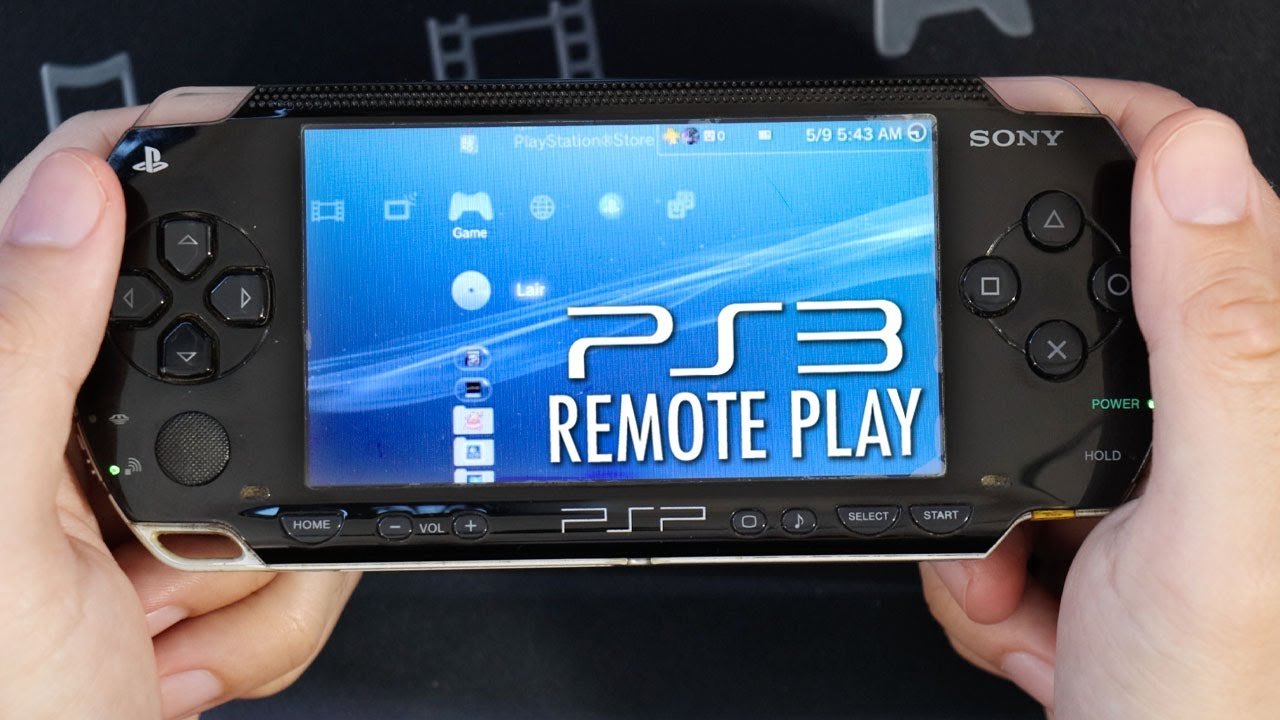
No, you cannot directly play physical PSP games on a PS3. However, some PSP games are available for download on the PlayStation Store and can be played on your PS3.
Ever found yourself wondering, “can I play psp games on ps3?” It’s a question many gamers have pondered, especially those who fondly remember the PSP era. The lure of revisiting old favorites on a larger screen is certainly strong.
While the PS3 offers a variety of gaming options, direct compatibility with PSP discs isn’t one of them. Luckily, there is a method to experience some of these classic games.
So, if you’re ready to explore your options, keep reading to find out which of your favorite PSP titles you might be able to play on your PS3.

Can I Play PSP Games on PS3? A Deep Dive
So, you’ve got a bunch of awesome PSP games and a trusty PS3 sitting nearby? You’re probably wondering, “Can I play my PSP games on my PS3?” It’s a great question, and the answer is a little bit of a mix. Let’s unpack all the details and get you playing (or not) in no time!
The Short Answer
The quick and straightforward answer is: mostly, no. The PlayStation 3 isn’t designed to play physical UMD (Universal Media Disc) games made for the PSP. Think of it like trying to fit a square peg in a round hole; they just don’t match up. The PS3 uses Blu-ray discs and digital downloads, while the PSP uses those mini discs.
Why Physical PSP Games Won’t Work on PS3
Let’s get a little technical, but not too much! The main reason you can’t just pop a PSP game into your PS3 is because of the different hardware. Here’s a breakdown:
- Different Disc Formats: PSP games come on UMDs, which are smaller and read differently than Blu-ray or standard CDs/DVDs that the PS3 uses. The PS3 doesn’t have a UMD drive.
- Hardware Limitations: The PS3 simply lacks the internal hardware to read or process data from a UMD. It wasn’t built to do that job.
- Software Compatibility: Even if you could somehow get a UMD in the PS3, the PS3’s operating system wouldn’t know what to do with it. It’s not designed to understand or run PSP game code.
So, that’s why trying to directly play your physical PSP games on the PS3 won’t work, even if you wish it would!
The Digital Option: PlayStation Store Availability
Okay, so physical PSP games are a no-go on the PS3. But there’s a silver lining! Some PSP games are available as digital downloads from the PlayStation Store. This is where things get interesting.
How to Find and Download PSP Games on the PlayStation Store
You can access the PlayStation Store through your PS3’s main menu. Once there, you can search for PSP games that have been re-released for the PS3. Sony has brought some popular PSP titles to the PS3 store, allowing you to buy and play them on your console. Think of it as getting a digital version of your old favorites, perfect for playing on the big screen. Here’s what you should do:
- Turn on your PlayStation 3 and make sure it’s connected to the internet.
- Go to the PlayStation Store icon on the XMB (Cross Media Bar) menu.
- Use the search function within the store. Try searching for specific PSP game titles.
- Browse the list of games. Look for games that were originally on the PSP. Sometimes, these might be listed under the “PS One Classics” or “PS Vita” categories as well, as many cross over.
- If you find a PSP game you want, purchase it just like any other game on the store.
- After purchase, download and install the game to your PS3’s hard drive.
- Go back to the XMB menu to launch your downloaded PSP game and start playing.
Which PSP Games Are Available on PS3?
Not every single PSP game made it to the PlayStation Store for PS3. The selection is curated and includes a lot of popular titles, such as those from the Final Fantasy, Metal Gear Solid, and Persona series, as well as many other notable games from other developers. It is always best to search for a specific title to see if it is available for purchase. Here’s a general idea of the types of PSP games you might find:
- Role-Playing Games (RPGs): Expect to find many classic RPGs that are perfect for longer playtime.
- Action Games: Many action-packed adventures and combat titles are available.
- Puzzle Games: Some clever puzzle and brain-teasing titles are also available.
- Strategy Games: If you enjoy thinking through your moves, there are options for you.
Important Things to Know About Digital PSP Games on PS3
- Not All Games Are Available: As we noted, some of your favorite PSP games might not be on the PS Store, and it is not a guarantee that all PSP games will get a digital re-release.
- Cost: You’ll need to purchase these games again, even if you have the original PSP UMD.
- Digital Format: These games are fully digital and playable only on your PS3; there is no way to get them on physical media for your console.
- Save Data: Save data from your physical PSP games won’t transfer to the PS3 digital versions. You will need to start from scratch.
Using PlayStation Vita (PS Vita) and PS3
Here’s another interesting tidbit: if you also own a PlayStation Vita (PS Vita), there’s more flexibility. The PS Vita is the successor to the PSP, and it can access a much larger selection of digital PSP games. It can also connect to your PS3. Here’s what you need to know:
PS Vita as a Bridge
While you can’t use the PS Vita to directly get a physical PSP game onto your PS3, you can download the digital versions of PSP games on to the Vita and then if those games are compatible, transfer the save data from the Vita to the PS3.
How Does This Help Play PSP Games on PS3?
Here’s what you can do with this connection:
- Vita Downloads: You can buy and download many PSP games on your PS Vita from the PlayStation Store.
- Vita System Link: Some PSP games purchased on the PS Vita can connect to their PS3 counterparts, if they are available on both systems.
- Limited Game Support: Keep in mind that not all PSP titles have PS3 counterparts or support cross-system connectivity or transfers.
Emulation: A More Complicated Option
Now, let’s talk about a more complicated but still available option – emulation. Emulation involves using software on your computer to mimic the hardware of a PSP, allowing you to play PSP games on your PC.
Understanding Emulation
Emulation is a tricky subject for some because it often involves using software or game files that were not acquired in a traditional way, but there are legitimate and useful use cases for game emulation.
How Emulation Works
Here’s a simple explanation:
- Emulator Software: You download special software (an emulator) that pretends to be a PSP.
- Game Files (ROMs): You need the game files for the games you want to play, typically in a digital file format.
- Play on PC: The emulator reads the game files and lets you play the game on your computer.
Can You Emulate PSP Games on PS3?
Technically, while not a fully out of the box experience, emulation is possible on modified PS3s. However, this process is very complicated and requires certain knowledge of modifying the PS3 software. There are also legal and security issues that can come about when engaging in emulation outside of normal legal practices and so it is best to be careful before considering this approach.
Here are things to know:
- Modifying the PS3: To get emulation software on your PS3, you would need to “jailbreak” or modify your system’s software, which is a process that can void your warranty and potentially brick your system if not done correctly.
- Security Risks: Be aware that modding the software on your console can come with security risks and could potentially introduce viruses or other malware.
- Not Recommended: Due to the risks involved, this option is not recommended for the majority of users.
- Legal Considerations: Emulation and the use of digital game files can sometimes raise legal questions, so it’s always best to only emulate games you legally own.
The Benefits of Playing PSP Games on PS3
If you can play a PSP game on your PS3, there are some advantages:
- Bigger Screen: Playing on your TV is much more comfortable than the small screen of the original PSP.
- Better Controls: Using a PS3 controller can be more comfortable and precise for many games than the PSP’s controls.
- Improved Visuals: Some PSP games may be upscaled or have slightly enhanced visuals on the PS3, but this will vary by title.
Summary of Key Points
Let’s quickly recap the important facts:
- Physical UMDs: You cannot play physical PSP games directly on your PS3 because the console lacks a UMD drive.
- Digital Downloads: Some PSP games are available for digital purchase and download from the PlayStation Store on your PS3.
- PS Vita Connection: The PS Vita can help connect and transfer some digital PSP games between systems.
- Emulation: This is a complex and risky option for playing PSP games, which involves modifying your system and comes with legal and security risks.
In conclusion, while the dream of simply popping a PSP UMD into your PS3 isn’t possible, there are still ways to experience some of your favorite PSP games on your PlayStation 3. Check the PlayStation Store, and see if any of the games you want are available for purchase and download, or if you also have a PS Vita, explore the options there. You may be surprised at what you discover.
How to play PSP, PS1, PS2, PS3 Game on PS3 CFW/HEN
Final Thoughts
No, you cannot directly play PSP games on a PS3 using physical UMD discs. The PS3 does not have the necessary hardware.
However, some PSP games are available digitally on the PlayStation Store. You can purchase and play these versions on your PS3. Therefore, the answer to ‘can i play psp games on ps3’ is mainly based on digital availability.
Keep in mind that not all PSP titles made the jump to digital for the PS3. Checking the PlayStation Store is the best way to determine if your favorite game is available.

