
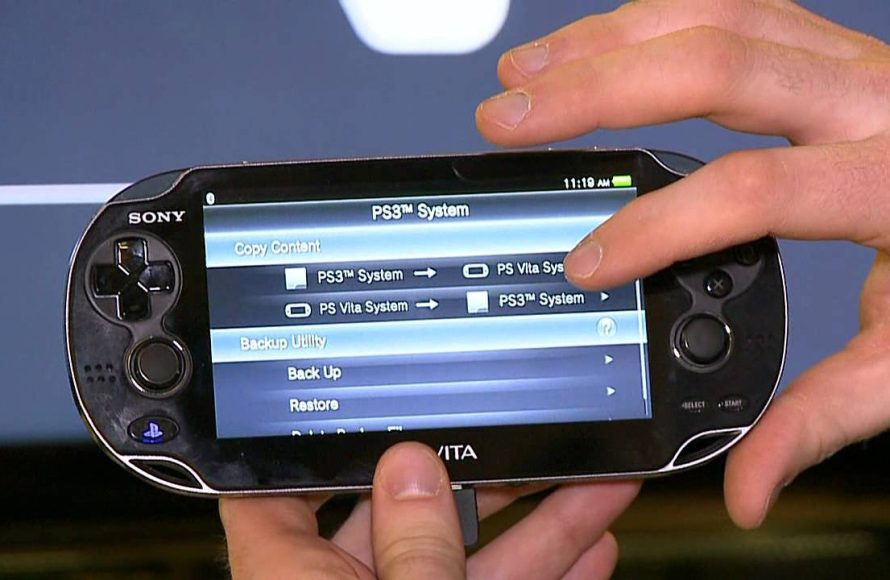
Yes, you can play PSP games on the Vita through digital downloads from the PlayStation Store.
Wondering “can i play psp games on the vita”? Many gamers have had this question. The good news is that the PlayStation Vita, while primarily a handheld console in its own right, has a great trick up its sleeve.
It actually allows you to enjoy a huge library of PSP titles. You can access them through digital download via the PlayStation Store. This functionality significantly expands the Vita’s game selection.

Can I Play PSP Games on the Vita?
The PlayStation Vita, or PS Vita as many people call it, is a cool handheld gaming system from Sony. It came out after the PlayStation Portable (PSP). Many gamers who have a Vita wonder if they can play their old PSP games on it. The answer is a bit more involved than a simple yes or no, so let’s dive in and explore the wonderful world of PSP games on the Vita!
Digital PSP Games on the PlayStation Store
The most straightforward way to play PSP games on your Vita is through the PlayStation Store. Sony made it possible to buy and download many PSP games directly onto your Vita. This means you don’t need those old UMD discs anymore! If you purchased PSP games digitally on your old PSP using the same PlayStation Network account that you use on your Vita, you might be able to redownload them for free!
Checking Your Download List
It’s a good idea to first check your download list in the PlayStation Store. Here is how you can do it:
- Go to the PlayStation Store on your PS Vita.
- Click on the three dots in the bottom-right corner of the screen.
- Select “Download List.”
- Look through the list of games. You might see your old PSP games available for download.
If you see a PSP game that you previously purchased, click download, and you will be able to play it. It’s as easy as that! The game will appear on your Vita’s home screen, just like any other game.
Purchasing New PSP Games
Even if you didn’t buy the games before, you can still buy many PSP classics directly from the store and play them on your PS Vita. Sony made many great PSP games available on the PlayStation Store for Vita owners. You can use the Vita’s search bar to find the titles that interest you. Keep in mind that not every PSP game is available, but the selection is still quite good.
Advantages of Digital PSP Games
Getting PSP games digitally for your Vita has several benefits:
- No Discs Needed: You don’t have to carry around UMD discs anymore. The games are stored right on your Vita’s memory card.
- Easy Access: It’s easy to switch between games because all the games are on the vita.
- Some Enhance Features: Some games might have added features such as better loading times, and some display improvements.
Using Your Old PSP UMD Discs
Now here is the tricky part, what if you have a big collection of old PSP games on UMD discs? Sadly, the Vita cannot read UMDs directly. The Vita doesn’t have the hardware to handle PSP UMD discs, since Sony removed that feature from the Vita, so there is no way to insert a UMD disc into the vita.
Why You Can’t Use UMDs
The PlayStation Vita does not have a UMD drive, unlike the old PSP. The Vita was designed with the future in mind, so it embraced digital downloads. It’s a bit disappointing for those of us with many UMD games, but this design made the Vita sleek and modern.
What Can You Do With UMDs?
Since you cannot use your UMD discs directly with the Vita, you’ll need to purchase a digital copy of your favorite PSP games from the PlayStation store, if they are available on the store. This is a bummer for people who have large collections of UMD discs, but unfortunately, it’s the only official way to play your PSP games on the Vita.
PS Vita with UMD Support?
There was a special version of the PS Vita called the PS Vita TV, also know as PlayStation TV, which was a console that can play Vita and PSP games on TV. It had the ability to play many digital PSP games from the PlayStation Store. However, it also can’t read UMDs. So while it could display the games on your TV, you still would have to use digital versions of your old PSP games, or buy digital versions through the PlayStation Store.
Limitations of PSP Games on Vita
Even though playing PSP games on the Vita is fantastic, there are some things you should keep in mind. Sometimes, there are some minor issues that might happen with your PSP game on the vita, but nothing game-breaking, most of the times these issues can be easily fixed.
Game Compatibility
While many PSP games work great on the Vita, not every single game is available. Some games might not have been ported over, meaning they were not converted from PSP to Vita, therefore are not downloadable from the PlayStation Store. If you have your heart set on playing a specific game, be sure to check if it is on the PlayStation Store before getting your hopes too high.
Controls and Screen
When playing PSP games on the Vita, you may notice that the games might look a bit smaller than on a PSP because the Vita has a different aspect ratio, meaning the screen is shaped differently. Usually, the screen will have black bars on the sides of the game, which is common because PSP games are made for a different screen type. You may also notice that the controls on the PSP games may need a little getting used to because the Vita’s buttons and sticks are a little bit different than the PSP’s, but most of the time, it feels very similar.
Features
Some features that worked great on the PSP might not work the same on the Vita. This includes ad-hoc multiplayer games, for example, which rely on a direct connection between two or more PSPs. Usually, this is not possible with the vita. In place of ad-hoc feature, if the developers provided it in the game, some games could use online play, and could connect with other players using internet.
How to Get the Best Experience Playing PSP Games on Your Vita
To make sure you have a good time playing PSP games on your Vita, here are some tips:
Update Your Vita Software
Always make sure your Vita software is up to date. Sony often releases updates that fix bugs and improve the overall performance of your system. The newest updates will usually help your PSP games work better on the Vita.
Use a Good Memory Card
The Vita needs a special memory card to store games. Make sure you have a good size card. PSP games don’t take too much space, but if you want to have many games on your vita, a bigger memory card is the way to go.
Adjust Your Screen Settings
You may be able to adjust the screen settings of some PSP games, so the graphics look their best on the Vita screen. Mess around with the settings and see what you think looks best.
Look for Bundles and Sales
Keep an eye on the PlayStation Store. Sometimes, Sony offers deals where you can get multiple games at a lower price. You can build your digital PSP collection without breaking the bank!
Emulation of PSP Games
While we have covered the official way to play PSP games on the Vita using the PlayStation Store, we should briefly touch on emulation. Emulation allows your vita to run software and games made for another device. There are many different types of Emulation available, from retro consoles to handhelds.
Homebrew and the Vita
The PS Vita is very capable of running PSP games, using emulators built by developers from the community. The process of installing and playing those games is complex, and also is not supported by the developers of Vita or the PlayStation, therefore can lead to problems if you don’t know what you are doing. We won’t dive into the details of it here, as this article focuses on officially supported methods of playing PSP games on the vita.
Risks of Emulation
It is important to remember that emulating games, can be illegal if you don’t own the games legally, so proceed at your own risk, and only use your legally owned roms. This type of emulation requires you to change the system software on your Vita, which voids your warranty and can cause issues with your system, even bricking it, making it unsuable. If you decide to do that, you should know what you’re doing, and what could go wrong.
A Quick Summary of Playing PSP Games on Vita
So, can you play PSP games on the Vita? Yes! Here’s a quick rundown:
- You can buy and download many PSP games from the PlayStation Store onto your Vita.
- You can redownload PSP games you bought before on your PlayStation Network account.
- You cannot use your old PSP UMD discs on the Vita.
- Not every PSP game is available on the Vita, but many are.
- You might have some small differences in screen size and controls, but overall the experience is great.
Playing PSP games on the Vita is a fun way to enjoy classics on a more modern handheld. With digital downloads, the experience can be great. You can play your favorite old games, and discover new titles as well.
Ultimately, playing PSP games on your Vita is a fantastic option for fans of both systems. While the lack of UMD support is a bummer for some, the ease of access to digital titles makes it a great way to carry your games wherever you go. So grab your Vita, check out the PlayStation Store, and dive into the world of PSP gaming!
Play PSP & PS1 Games On Your Vita With Adrenaline
Final Thoughts
Yes, you can definitely play PSP games on the Vita. The Vita is designed with backward compatibility in mind; this feature is a must for many gamers.
Many digital PSP titles are available for purchase through the PlayStation Store. These titles function perfectly on your Vita console.
So, if you’ve been wondering “can i play psp games on the vita”, the answer is a definite yes. Enjoy your library of older titles on the newer handheld!

