
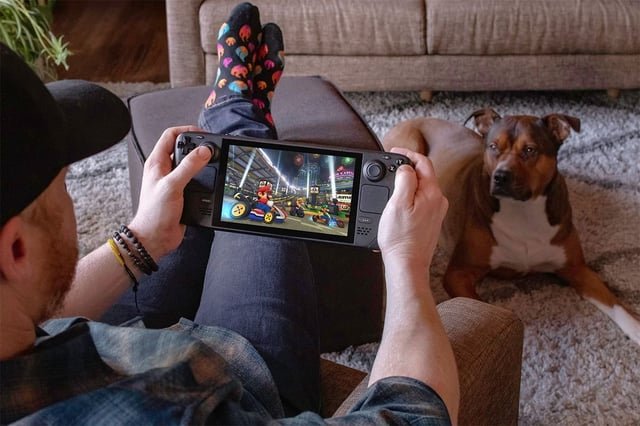
Yes, nonsteam games can go online, often utilizing their own servers or third-party platforms for multiplayer functionality.
Ever wondered if your favorite games outside of Steam can join the online fray? Many assume that only games from the popular platform can access the internet, but that’s not true at all.
The question of ‘can nonsteam games go online’ is actually quite simple to answer. These titles frequently have their own dedicated servers or partner with other services to enable online play.

Can Non-Steam Games Go Online?
Okay, let’s talk about something cool: playing games online! You probably know that Steam is a big place to get games, but what if you have a game that didn’t come from Steam? Can those games join the online fun? The short answer is: YES! It’s totally possible. But how does it work? That’s what we’re going to explore. Get ready, because we’re about to dig into all the ways non-Steam games can go online. We will explore all the methods, whether that is the use of other game launchers, using third party servers, or even by using direct connections using IP addresses.
Understanding the Basics: What Makes a Game Online?
Before we jump into the “how,” it’s important to understand the “what.” What makes a game able to go online in the first place? It’s not magic, it’s about connections. Games that play online use the internet to connect players to each other, it uses servers that make these connections happen, and allows you to play with your friends or with other people from all over the world. It’s like a big phone line, or more accurately, a data highway for game information.
Key Elements for Online Gaming
- Servers: These are special computers that run the game world. They keep track of everything happening in the game, from player positions to scores.
- Game Clients: This is the software you use to play the game itself. It talks to the servers.
- Networking Protocols: These are sets of rules that computers follow to talk to each other over the internet.
- Authentication: This is how the game checks if you are allowed to play, usually through a username and password or an account system.
Different Ways Non-Steam Games Connect Online
Now, let’s get into how non-Steam games manage to do the online thing. There are several ways they can make this happen, each with its own approach. Some are simpler than others, but all let you play with people who are far away.
Direct Connection via IP Address
One of the oldest methods for online gaming is connecting using IP addresses. Think of an IP address as your house’s address on the internet. In this method, one player needs to act as the host, meaning that their computer runs a version of the game where other players join them using their IP address. It’s a pretty direct connection. This is common for games from older eras or for games designed with less complex network functionality.
How it Works
- One player starts the game and chooses the option to host or create a server, which becomes the server for other people to join to.
- The host then shares their IP address with other players, usually over voice chat or by texting.
- The joining players then type that IP address into their game’s connect option.
- If all goes well, they join the host’s game session and play together.
Things to consider while using IP Address
- IP Address Changes: Your IP address could change, if you use dynamic IP address, meaning the game connection might be broken, so the players will not be able to join the host anymore with the old IP address.
- Firewall and Router Issues: Sometimes your firewall or router may block the game from connecting properly. The host might have to set up port forwarding, which might sound complicated, but it just tells the router to let the game information through.
- Security: Sharing your IP address with strangers can bring risks, it’s a good idea to share it with trusted friends to ensure your security.
Using a Game Launcher other than Steam
Just like Steam, there are other game launchers, like Epic Games Store, GOG Galaxy, Origin, and Ubisoft Connect. Games from these launchers will definitely have online functionality built in because that is the purpose of game launchers. These launchers often provide the game servers, handling most of the complex details of the online connection. They usually make it very easy to add friends and join matches, making the process smooth and simple.
Key Features of Game Launchers
- Automatic Updates: The launcher keeps your games up to date without having to worry about updating it manually.
- Friend Lists: It’s easy to see when your friends are online and join them in games with a click.
- Multiplayer Support: They have built in systems for you to play with others.
- Game Management: They let you download, install, and manage all your games from one place.
Dedicated Servers Hosted by the Game Developer
Many games have their own dedicated servers that are run by the company that made the game. This provides a way to join matches online. These servers provide the game world, manage player connections, and keeps the game running smoothly. When you join a game session that uses the company’s servers, you will just join a lobby and then join a game, you don’t usually need to worry about IP addresses or ports.
Benefits of Dedicated Servers
- Stability and Reliability: These servers are specifically for the game, which means they usually have a reliable online experience.
- No Single Host Needed: The game does not depend on a single player’s computer to keep the game running, making sure that the experience doesn’t end if that host player leaves.
- More Players: These types of servers can usually support many players at once.
Third-Party Server Browsers and Online Platforms
Sometimes, players make their own tools to help people connect to online games. These tools are called third-party server browsers. These apps often allow you to find game servers that aren’t officially listed anywhere. Many older games, or games with small online player bases, rely on these third party platforms.
How Third-Party Server Browsers Work
- Server Discovery: These apps scan the internet for game servers. They use filters to help you find the game you are looking for.
- Simplified Connection: Usually, you can join a server using the server browser and then launch the game from the browser, making it simple to join games online.
- Community-Driven: Third party platforms rely on the game’s community, which often can help find servers and keep the game alive online.
LAN Emulators for Simulating Local Networks
If a game was designed to be played locally on a LAN (Local Area Network) but you want to play it with people online, LAN emulators can help. These programs trick your computer into thinking that all players are on the same local network even when they are not.
Common LAN Emulators
- Hamachi: This is a popular VPN program that creates a virtual LAN connection.
- Tunngle: Similar to Hamachi, it creates virtual local area networks for players to join, making it easier to play local multiplayer over the internet.
- Radmin VPN: This is an option for creating secure virtual networks for gaming online.
How to Use a LAN Emulator
- Install a LAN emulator.
- The host creates a network, and shares the network name and password with their friends.
- All other players join the same network.
- Now, the game treats everyone like they are on a LAN, allowing for games that only support local play to be played online.
Challenges and Solutions with Non-Steam Online Gaming
While playing non-Steam games online is possible, it can sometimes come with challenges. Let’s look at some common problems and how to overcome them.
Common Issues
- Firewall and Router Issues: These can block your game from connecting to the internet, which can cause connection issues when trying to join a server.
- Compatibility Problems: Some older games are not designed for modern networks, which can lead to connection problems.
- Finding Servers: It can be hard to find servers for some non-Steam games, making it difficult to find other players.
- Software Conflicts: Sometimes other software on your computer can interfere with the game, causing connection or stability problems.
Solutions
- Configure Firewalls: You may need to allow the game to communicate through your firewall in order for it to properly connect to the internet.
- Port Forwarding: If you are hosting the game, you may need to configure your router to allow game traffic through port forwarding.
- Use Server Browsers: Using a third-party server browser can help you find more servers.
- Update Drivers: Make sure your network drivers and the game itself are updated.
- Run as Administrator: Run the game as an administrator in case the software doesn’t have the required permissions to run properly.
Examples of Non-Steam Games That Can Go Online
Let’s look at some types of non-Steam games that have online capabilities. These games show how different titles handle online connectivity in different ways.
Older PC Games
Many classic PC games from the past still have a big online community. Games like Age of Empires 2, Command & Conquer, and other titles have large player bases, and they usually connect via direct IP or via third party server browsers. These communities keep these older games alive.
Indie Games from Other Stores
Many indie games found on the Epic Games Store, GOG, or other sites also have online multiplayer. They often use the game launchers for online connectivity. Some use their own dedicated servers, while some use peer-to-peer connections. Each game might have a different setup, but online play is common.
MMORPGs from Non-Steam Platforms
Massively Multiplayer Online Role Playing Games are designed to have many players online at once, so these games use their own servers. These games do not rely on the Steam platform. They usually require their own accounts and software. The game company usually provides the software and the servers.
Games with Cross-Platform Play
Some games allow you to play with people on different platforms like console or mobile. This type of game may not be on Steam, and you can play with others not on Steam, too. The game usually manages the connection details automatically. This can be a great way to play with others regardless of the system they play on.
Community-Made Games and Modifications
Many games have large modding communities, and these mods often create their own servers for people to connect to. These servers are very common for games that might not have an online mode originally. These types of servers allow people to experience the game in new and exciting ways.
So, as you can see, playing non-Steam games online is completely achievable. It might require a little extra effort, like setting up a LAN emulator or using a server browser. Despite these potential hurdles, the fun of online gaming is very reachable for many non-Steam games.
How To Add Non Steam Games To Steam – Full Guide
Final Thoughts
Many non-Steam games absolutely can go online. This functionality often depends on the game itself and its built-in networking features. Some games use their own servers, while others rely on third-party platforms or peer-to-peer connections.
Ultimately, the ability for nonsteam games go online is tied to their specific design and how developers implemented multiplayer options. Always check the game’s documentation or online resources.

