
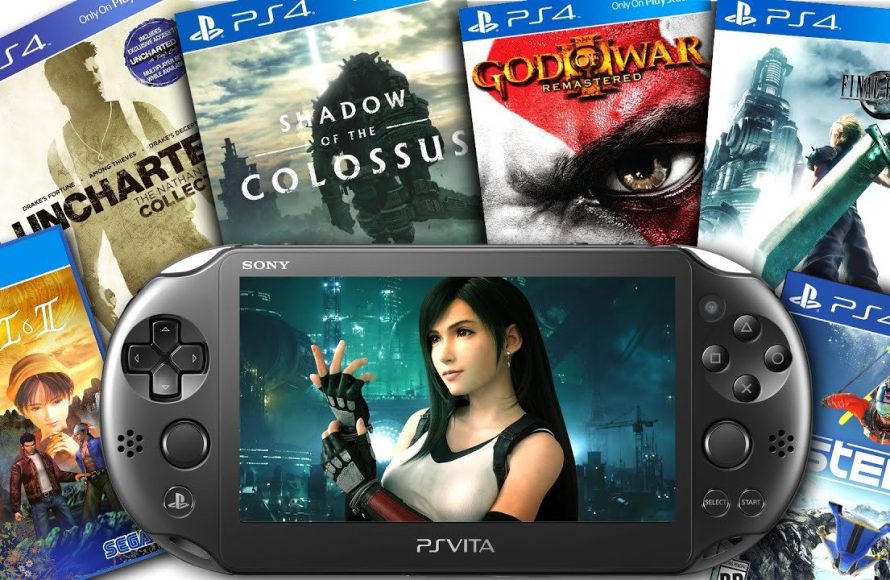
No, the PS Vita cannot directly play PS4 games. However, through Remote Play, you can play some PS4 games on your PS Vita by connecting to your PS4 console.
Have you ever wondered if you could enjoy your favorite PS4 titles on the go? The question “can ps vita play ps4 games” often comes up for gamers. It’s a common desire to experience console quality gaming on a portable device like the PS Vita. This little handheld had a dedicated following, and the idea of it playing PS4 games is very appealing.

Can PS Vita Play PS4 Games? Exploring Remote Play and More
The question of whether a PlayStation Vita can play PlayStation 4 games is a common one, and the answer isn’t a simple yes or no. It’s more about how you can access those games and the technology that makes it possible. Let’s explore the world of Remote Play and how your PS Vita can become a window into your PS4 gaming experiences. It’s important to know that the PS Vita isn’t natively playing PS4 games in the way a console would run them. Instead, it uses a feature called Remote Play to stream the games from your PS4. Let’s delve deeper into this.
Understanding PlayStation Remote Play
Remote Play is the key to playing PS4 games on your PS Vita. It’s like having your PS4 display on your Vita screen, with all the controls and audio being sent back and forth between the two devices. Think of it as a live video stream of your PS4 game playing on your Vita. Your PS4 does all the heavy lifting of running the game; the Vita acts like a remote screen and controller. This means that the Vita isn’t actually processing or running the game itself, but instead relaying the inputs and display.
How Remote Play Works: A Step-by-Step Look
Here’s a breakdown of how the process works:
- Connecting Your Devices: First, both your PS4 and Vita need to be connected to the same Wi-Fi network. You can also connect through the internet, but having both devices on the same network generally provides a better experience.
- PS4 Activation: Your PS4 needs to be on, and you’ll need to enable Remote Play in its settings. This usually involves finding the “Remote Play Connection Settings” area within the PS4 system menu.
- Vita App Launch: On your PS Vita, you’ll open the PS4 Link app. This app handles the connection and streaming. It’s usually the icon with a PS4 logo with two interconnected lines.
- Initial Setup: The first time you use Remote Play, you might need to log in to your PlayStation Network account and register your Vita. The Vita will then search for your PS4.
- Playing the Game: Once connected, you’ll see the PS4 display on your Vita screen. You can now use the Vita’s buttons, sticks, and touch screen to control your game as if you were playing on your TV.
Because the game is streamed, the quality of your Wi-Fi connection greatly affects your experience. A strong and stable internet connection is crucial for a good Remote Play session.
Benefits of Using Remote Play with PS Vita
Remote Play has several things to offer.
- Play Anywhere (Almost): You are no longer stuck to your TV screen. You can play your PS4 games in bed, on the couch, or even in a different room, if your WiFi reaches.
- Use of Existing PS4 Games: You don’t need to buy a separate version of a game for the Vita. If you own the game on PS4, you can play it remotely on your Vita.
- Dual Use of a Portable Console: It extends the life of your PS Vita, giving you another way to play on the device. It’s not just limited to native Vita games.
- Simple Setup: The setup process is pretty easy and straightforward. Once you get through the initial setup, it’s easy to connect for the next game session.
Limitations of PS Vita Remote Play
Despite all the goodness, there are some things you need to be aware of before going into remote playing.
- Dependence on WiFi: The biggest hurdle to Remote Play is relying on a good Wi-Fi connection. Lag or drops in connectivity can affect the game experience, making games unplayable.
- Touchpad Functionality: The PS Vita does not have a touchpad like the DualShock 4 controller. Instead, the Vita uses the front and rear touchscreens to emulate touchpad functionality, which may not always be the most comfortable or precise. You might experience some control issues.
- Battery Life: Playing games with Remote Play can drain the Vita’s battery pretty quickly, especially on older models of the console.
- Game Compatibility: While most PS4 games are compatible with Remote Play, some games might not work or may have some control configuration issues.
- Visual Quality: The screen size and resolution on the PS Vita are not as high as what you may see on a TV screen, and it’s possible to see some compression artefacts during high-action gameplay.
Optimizing Your Remote Play Experience
If you are planning to use Remote Play, here are some tips for getting the best experience possible:
Network Optimizations
- Use a 5 GHz WiFi Network: If your router supports it, using the 5 GHz band can provide a less congested and faster connection than the 2.4 GHz band. This is crucial for reducing lag.
- Minimize Wireless Interference: Keep your router away from other electronic devices that might cause interference. Make sure your device has a clear path to the router.
- Prioritize Your PS4 on Your Network: Some routers allow you to prioritize network traffic for specific devices. This can help make sure your PS4 is getting all the bandwidth it needs to keep the stream stable.
- Use a Wired Connection for Your PS4: For the most stable performance, connect your PS4 to your router using an Ethernet cable rather than WiFi. This can eliminate any interference.
PS Vita Setup
- Keep Your Vita Charged: Remote Play drains the battery, so start with a full charge or keep a charger nearby.
- Clean the Screen: The touch controls can be affected by fingerprints and smudges. A clean screen ensures better control.
- Consider a Grip or Case: Playing for longer periods on a small device can cause fatigue. A grip or case can help make the Vita more comfortable to hold.
In-Game Settings
- Adjust Resolution Settings: In Remote Play settings, you can experiment with different resolutions. Lowering resolution can improve performance if your network connection is not fast enough.
Alternative Solutions and Other Ways to Play
While Remote Play is the primary method of playing PS4 games on the Vita, there is no other official way to play the games on Vita that require you to own a PS4 or have a stable WiFi. However there are some other methods that can improve the gaming experience with Vita, by utilizing its other features and other compatible consoles and devices.
PlayStation Now
PlayStation Now (now part of PlayStation Plus Premium) was a subscription service that allowed you to stream a library of PS2, PS3, and PS4 games to your PS4 or PC. Although, you couldn’t stream PS4 games directly to the PS Vita using the PS Now app, the service did include many PS4 titles, so it indirectly offered a way to play some of those games on other devices. Now, this service is integrated into PlayStation Plus. The Premium tier has many PS4 games that can be played, but not directly on the PS Vita.
PS Vita Native Games
Don’t forget that the PS Vita had its own library of great games. Some of these games are exclusives that you can’t find anywhere else. Games like Uncharted: Golden Abyss, Gravity Rush, and Persona 4 Golden are amazing experiences that can be played on the go, without needing to connect to a PS4. There are also ports and remasters of older titles that can be played natively on the Vita.
What About PlayStation 5 Games?
It is important to know that the PS Vita cannot do direct remote play with the PS5. Instead, the PlayStation Portal is a device that is created by Sony which allows players to stream from their Playstation 5 device to a handheld device.
While the PS Vita cannot natively play PS4 games, the Remote Play function allows you to stream and enjoy many PS4 games on your handheld device. It does come with certain limitations, such as dependence on a solid Wi-Fi connection and the lack of a dedicated touchpad. However, with careful setup and network optimizations, you can get a better Remote Play experience with your Vita. It allows you to keep playing those games when you’re away from the big screen. And let’s not forget the PS Vita’s own catalog of amazing titles that can be enjoyed without a need for remote play. So, if you have a PS4 and a Vita, give Remote Play a try and explore the possibilities.
How to Setup Remote Play on PS Vita! (PLAY PS4 GAMES ON PS VITA) (EASY METHOD)
Final Thoughts
PS Vita’s Remote Play allows some PS4 game interaction. You can’t directly play all PS4 games on it. The experience relies on a good internet connection.
Not all PS4 games support Remote Play. This means your library’s compatibility varies. Therefore, can ps vita play ps4 games? The answer is yes, with limitations.
It is a convenient way to play some games. However, it is not a replacement for a PS4. It provides a secondary, mobile experience.

