
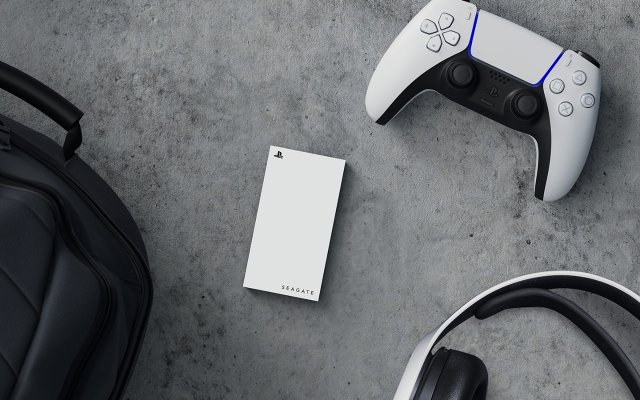
Yes, the PS5 can play PS4 games directly from an external hard drive, but it cannot play PS5 games from an external drive.
Wondering if you can expand your PS5 storage and play games off an external device? Many gamers find themselves facing this dilemma. The question ‘can PS5 play games from external hard drive’ often pops up as game libraries grow.
While you can’t launch PS5 titles directly, the console supports storing and playing PS4 games this way. This allows you to save precious internal space for next-gen adventures.

Can PS5 Play Games From External Hard Drive?
Okay, so you’ve got your shiny new PlayStation 5, and you’re probably already loving all the amazing games. But, there’s a tiny problem: the PS5’s storage fills up fast. Those games are big! This might lead you to wonder, “Can I plug in an external hard drive and play games from it?” Let’s dig in and find out exactly what’s possible.
Understanding PS5 Storage and Game Play
Before we get into the details of using external drives, it’s important to understand how the PS5 handles storage. The console has a super-fast internal solid-state drive (SSD). This SSD is what makes games load so quickly and run smoothly. It’s a key part of what makes the PS5, well, a PS5!
Because this internal SSD is so fast, not just any old storage device can keep up. This is important when considering if an external drive can play PS5 games directly. The console needs a certain speed to run games properly, and not all external hard drives are created equal.
The Need for Speed: SSD vs. HDD
We often hear about SSDs and HDDs, but what’s the real difference? An SSD (Solid State Drive) is like the internal storage in your PS5 – it’s very quick because it uses flash memory. An HDD (Hard Disk Drive) is an older tech that uses spinning disks. Think of it like a record player – it needs to spin to find data. HDDs are generally cheaper, but much slower than SSDs.
This speed difference is important when playing games. Imagine trying to read a book by flipping through it super slowly instead of quickly turning to the page you need! That’s kind of the difference between an HDD and SSD.
Because of the speed requirement, the PS5 can’t run all its games directly from an external HDD. But, don’t worry, all is not lost.
Storing PS5 Games on an External Drive
Here’s the good news: Even though you can’t directly play PS5 games from an external HDD, you can store them there! This is fantastic for saving space on the PS5’s internal SSD. Think of it like a big closet for your games. You keep them safe and ready, but you need to bring them back to the main room (the PS5’s SSD) when you want to use them.
How to Move PS5 Games to an External Drive
Moving games to an external drive is easy. Here are the basic steps:
- Connect Your External Drive: Plug your external drive into one of the USB ports on the back of your PS5. Make sure it’s a USB drive, not just a charging cable.
- Format the Drive: Your PS5 might ask you to format the drive, which will erase everything on it. Be certain you have backed up anything you want to keep beforehand! Follow the on-screen instructions to format it as extended storage.
- Move Your Games: Go to Settings, then Storage, then Extended Storage. You’ll see a list of your games. You can select which games you want to move to the external drive.
Just remember that when you want to play a PS5 game, you’ll need to move it back to the internal SSD. This only takes a few minutes, and it’s still faster than downloading a game again from scratch!
Playing PS4 Games From an External Drive
Now, here’s where things get even more interesting. While the PS5 is picky about playing its games directly from an external drive, it is completely okay with playing PS4 games this way. Yes, you heard correctly! You can plug in an external drive, put your PS4 games on it, and play those games directly from the external hard drive on your PS5.
Benefits of Using an External Drive for PS4 Games
This is a huge advantage for many reasons. It allows you to keep your PS5 internal SSD free for the latest and greatest PS5 titles. Also, if you have a huge library of PS4 games (some players have hundreds!), it saves you the hassle of moving games back and forth.
- Save Space on Internal SSD: Keep the super-fast SSD for games that need it most.
- Play Directly: No need to transfer games back and forth before playing.
- Easy to Manage: Keep all your PS4 games in one place.
How to Play PS4 Games from an External Drive
The process for playing PS4 games from an external drive is similar to storing PS5 games:
- Plug in your External Hard Drive: Ensure the hard drive is plugged into the back of your PS5.
- Format the Drive (if needed): Just like with PS5 games, you might need to format the drive. Remember that formatting erases everything on the drive, so back up anything important first.
- Move Your PS4 Games: You can either move games you already have on your PS5, or you can install new PS4 games directly to the external hard drive.
- Play Directly: Once the games are on the drive, you can play them directly from there! Just find the game in your library and launch it.
Choosing the Right External Hard Drive
Alright, so you’re ready to get an external drive. But which one should you choose? It’s important to consider a few things to get the most from your purchase.
Types of External Hard Drives
Let’s look at the types of hard drives available, so you can make the best choice:
- External HDD: These are cheaper and offer lots of storage. They are a good choice for storing and playing PS4 games, and for storing PS5 games when not in use.
- External SSD: These are much faster, but also more expensive. They are great for transferring PS5 games quickly, although they still can’t play PS5 games directly from external drive.
Key Features to Consider
Here are some of the features to pay attention to:
- Storage Capacity: This is how much space you get on the drive. The bigger, the more games you can store. Think about how many games you might want to keep and choose a size that suits you.
- USB Connection Type: The PS5 uses USB 3.0 (or higher) ports. Make sure your drive supports these speeds. USB 3.2 Gen 1 is what you’ll want to see.
- Drive Speed: SSDs are far faster than HDDs for game transfers. This is important for quickly transferring games between the external drive and the PS5’s SSD.
- Brand and Reliability: Choose a trusted brand that has a good reputation. Reviews from other users can help in making a decision.
Recommended External Hard Drives
Here are a few popular and well-regarded options that gamers often consider:
- Seagate Game Drive for PlayStation: These are usually good for storing both PS4 and PS5 games.
- Western Digital (WD) Elements/My Passport: These are a solid choice and offer a good balance of price and capacity.
- Samsung T7 Shield/T7: These are some faster external SSD options for better game transfer speeds.
- SanDisk Extreme Portable SSD: These are also solid, faster options.
Research and check current prices before making a purchase to make sure you’re getting the best value.
Managing Game Storage
Now that you know all about using external hard drives, let’s talk about managing your storage. This will make your gaming experience much smoother.
Tips for Keeping Your Storage Organized
- Regularly Transfer Games: Move games you are not currently playing to your external drive, to free up space on your PS5 internal drive.
- Prioritize PS5 Games: Keep the PS5 games that you are currently playing on the internal SSD for faster loading times.
- Use Folders: Use folders in your library for better game organization.
- Monitor Storage Space: Regularly check your storage to make sure you are not running out of space. You can see this in your PS5’s settings.
Limitations and Things to Remember
While using an external drive is extremely useful, it’s good to be aware of a few limitations:
Key Considerations
- No Direct Play for PS5 Games: Again, you can’t directly play PS5 games from an external HDD. They must be moved to the internal drive to play them.
- Potential for Reduced Loading Times: Playing PS4 games from an external HDD could sometimes mean slightly longer loading times compared to playing from the internal SSD.
- Formatting Erases Data: Formatting a drive will erase everything on it. Ensure to backup important files first.
- USB Port Limitations: The PS5 has a limited number of USB ports, so keep this in mind when adding other peripherals.
By keeping these points in mind, you can properly manage your game storage and keep your PS5 running smoothly.
In short, while you can’t play PS5 games directly from an external hard drive, you can certainly use one to store them and keep your console’s internal storage from getting filled up. Additionally, playing PS4 games from an external drive is absolutely no problem. So, adding an external hard drive to your PlayStation 5 is a very good idea and can greatly help manage your digital game library.
Why PS5 Games Cant Play From An External Drive
Final Thoughts
In short, the PS5 cannot directly play games from an external hard drive. You can store PS4 games there, which will play directly, but PS5 titles must reside on the console’s internal SSD or a compatible expansion drive. This limitation means you need fast storage for playing current-gen games.
While external drives work for storage, playing PS5 games demands the speed of internal or officially supported storage. So, while you can keep games on an external drive, remember, can ps5 play games from external hard drive directly? No, you can’t for PS5 titles but you can for PS4 titles.

