
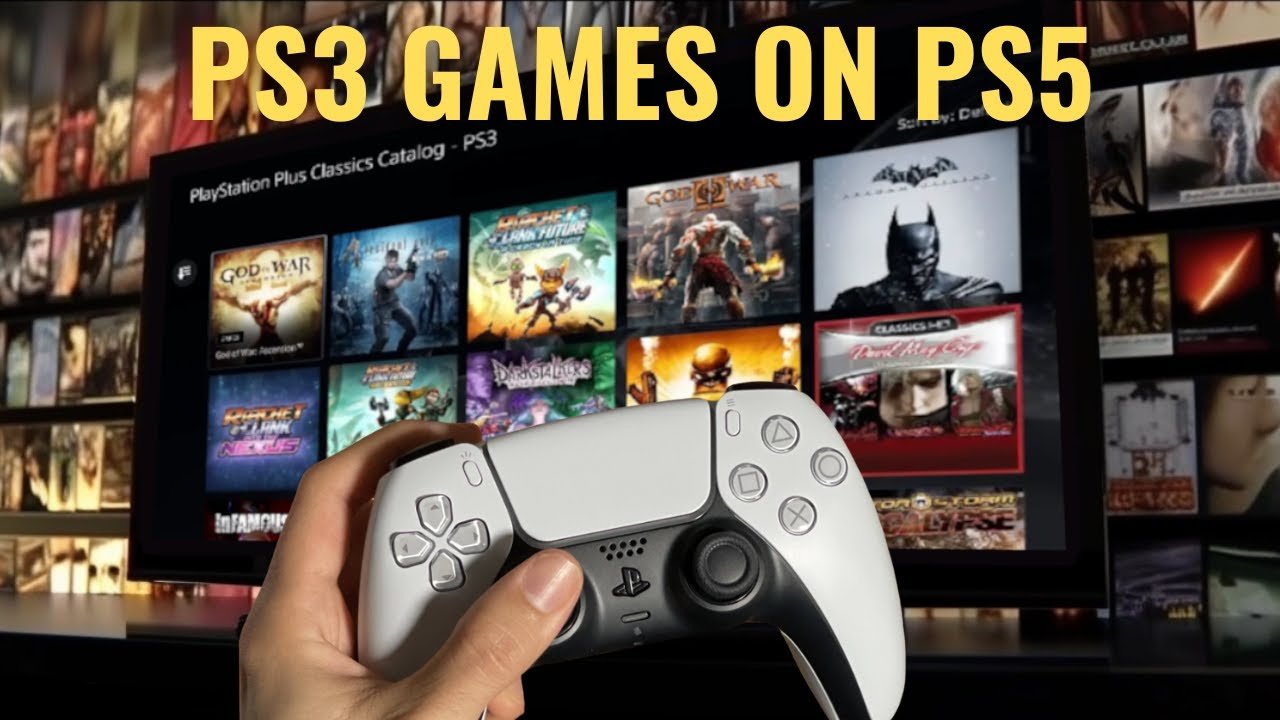
Unfortunately, the PS5 cannot play PS3 games natively using physical discs or digital downloads.
So, you’re wondering if you can dust off those old PlayStation 3 titles and play them on your shiny new PS5? It’s a valid question. The backward compatibility of consoles is a hot topic, and many gamers hope to revisit classic titles on newer hardware. The core of the question is can ps5 play ps3 games and the simple answer is more nuanced than you might expect.

Can PS5 Play PS3 Games? Exploring Backward Compatibility
So, you’ve got your shiny new PlayStation 5, and maybe you’re feeling a little nostalgic for some of your old PlayStation 3 favorites. You’re wondering, “Can I play those old PS3 games on my new PS5?” It’s a really common question, and the answer is a bit more complicated than a simple yes or no. Let’s dive in and explore all the details about playing PS3 games on the PS5.
The Short Answer: Not Directly
Unfortunately, the PS5 doesn’t have the ability to directly play physical PS3 game discs. If you try to pop a PS3 disc into your PS5, it simply won’t work. The technology inside the two consoles is very different, which makes playing PS3 games on a PS5 complicated. It’s not as easy as just inserting the disc and starting to play.
Why the PS5 Doesn’t Play PS3 Discs
Here’s a breakdown of the main reasons why the PS5 doesn’t play PS3 game discs:
- Different Architecture: The PS3 used a very unique processor called the Cell processor. The PS5 uses a totally different type of processor called an x86-64 architecture. These two are not compatible, which means the PS5 simply doesn’t understand the instructions for running PS3 games. It’s like trying to play a DVD on a Blu-ray player that doesn’t know how to read it – it just won’t work.
- Disc Reading Technology: While both consoles use Blu-ray discs, they utilize slightly different technologies. The PS5’s Blu-ray drive is designed for newer Blu-ray technology and can’t read the older format used by the PS3 games.
- Hardware Differences: The internal parts of the PS5 and PS3 are very different. The way they handle graphics, sound, and everything else is not the same. This is a big reason why old games can’t just run smoothly on a new system.
The Idea of Emulation: A Complicated Process
You might be thinking, “Why can’t they just use a program (an emulator) to make the PS5 play PS3 games?” Emulation is when one system pretends to be another, allowing it to run software from the other system. While this is theoretically possible, it’s very complicated for something as complex as the PS3. Here’s why it’s so tricky:
- Power Needs: Emulating a PS3 on a PS5 would take a lot of processing power. The PS5 is powerful, but emulating an entire console is a whole different challenge. It would require the PS5 to basically act like a PS3 inside of itself.
- Software Challenges: Creating a reliable emulator for a system as complex as the PS3 is incredibly hard and takes a lot of programming and development. There are many games, and each would need to be tested to ensure everything runs perfectly. It’s a huge project!
- Licensing Issues: Even if the technical hurdles could be cleared, there are legal aspects to think about with software and old game licenses. The process would likely face copyright and licensing issues that could delay or prevent such functionality.
PlayStation Plus Premium: A Potential Workaround
Okay, so playing PS3 discs directly on the PS5 is out of the question. Does that mean you can’t play any PS3 games on your PS5 at all? Well, there is a potential workaround if you’re a member of PlayStation Plus Premium. This is the highest tier of Sony’s subscription service, and it includes access to a growing library of games.
How PlayStation Plus Premium Helps
Here’s how PlayStation Plus Premium allows you to play select PS3 games:
- Cloud Streaming: PlayStation Plus Premium uses cloud streaming to let you play certain PS3 games on your PS5. Instead of running the game directly on the console, the game runs on a powerful server, and the video is streamed to your PS5. It’s like watching a movie online, but it’s also interactive!
- Limited Selection: The available library of PS3 games on PlayStation Plus Premium is not huge. It’s a selection of some of the most popular titles, but not every PS3 game you may want to play is there. Sony is continually adding to this, but it’s always a good idea to check the most current list if you have a specific game in mind.
- Internet Connection Needed: Because it uses cloud streaming, you need a strong and stable internet connection to play the games without any lagging or issues. If you have a slow or unreliable internet, you may have trouble playing this type of game.
- Not Downloadable: These PS3 games streamed through PlayStation Plus Premium are not downloaded to your PS5. They’re only played through streaming. You don’t keep these games on your console unless you have purchased them.
Things to Keep in Mind with Streaming
There are some important things to think about when using cloud streaming for PS3 games:
- Internet Speed is Key: A fast and consistent internet connection is very important for smooth gameplay. If your internet is too slow, your games might be blurry or jumpy. You could experience slowdowns, delays, and even disconnects.
- Latency: There is always going to be a very slight delay between when you press a button and when the action happens on screen. This is known as latency. It can affect fast-paced action games, so it’s something to be aware of.
- Limited Resolution and Refresh Rate: Streaming games may not look as sharp and clear as running them directly on the console. There can also be limits to how smooth and responsive the game is compared to a native copy.
Understanding PlayStation’s Approach to Backward Compatibility
Backward compatibility, the ability for a new console to play games from older consoles, isn’t always a high priority for console makers. This is for a variety of reasons, including the cost and complexity of making it work. Instead, they focus on developing new experiences for the new hardware. However, Sony has also acknowledged the value of letting players access their old favorites and is doing this through PlayStation Plus Premium.
Why backward compatibility can be challenging for PlayStation
- Architectural differences: As we have already mentioned, The technical differences between different console generations are often a hurdle for backward compatibility. It’s not easy to make old code work correctly on brand-new tech.
- Resource Allocation: Developing and maintaining full backward compatibility requires a big commitment of resources, including engineering time and testing. This can take resources away from the development of new games and features.
- Business decisions: Sometimes the decision not to implement full backward compatibility can be a business choice. Sony might want to promote the PS5’s own new games, and not let players be too focused on older games.
What About Remasters and Remakes?
While you can’t use your old PS3 discs on a PS5, there is good news for some games. Some popular PS3 games have been remade or remastered for the PS4 and PS5.
The difference between Remasters and Remakes:
- Remasters: A remaster is usually an older game that gets an upgrade to make it look better on newer hardware. Sometimes they may fix some bugs, but the core gameplay remains the same. It’s like polishing an old car to make it shine like new, but it still drives the same.
- Remakes: A remake completely rebuilds an old game, sometimes with new graphics, new gameplay, and other changes. It’s like taking an old car and building it into something totally new while using its old frame as a base.
Finding Remastered PS3 Games:
To see if any of your favorite PS3 games have been remastered or remade, here are a few things you can do:
- Check the PlayStation Store: The PlayStation Store often lists games available for PS4 and PS5, making it a good place to see if a PS3 game you like has been updated for the newer consoles.
- Do an Online Search: Search online by using the title of the PS3 game you want to find out about along with the words “remastered” or “remake.”
- Keep Up With Gaming News: Gaming websites and social media accounts often post announcements for remasters or remakes, so it is a good idea to keep an eye on these to find what new games are coming.
The Future of Backward Compatibility on PlayStation
Looking ahead, it’s difficult to say what Sony’s approach to backward compatibility will be. There is always a debate on whether to go all the way with backward compatibility, and some players might like to see that feature on the PS5. But so far the focus has been on newer and better experiences for the new consoles. It’s always possible that something will change in the future, but it’s not something to be expected.
So, Can You Play PS3 Games on PS5?
Let’s recap. You can’t put a PS3 game disc into your PS5 and play it. The PS5 doesn’t directly play PS3 games. However, if you subscribe to PlayStation Plus Premium, you can stream some PS3 games from the cloud, but you must have a good internet connection for these games to play well. Also, some PS3 games have been remade or remastered for PS4 and PS5, and those can be played on your PS5. It’s not perfect, but it does allow some options for playing old PS3 games on your new PS5 console.
Keep in mind to keep checking for news about new games and always check the PlayStation Store for titles you would like to play. This will help you keep up with all the changes and ensure you will be able to play games you enjoy on your console.
CAN A PS5 RUN PS3 GAMES??
Final Thoughts
The PS5 cannot directly play PS3 games via physical discs. Sony opted for different hardware architecture, creating this incompatibility. Players must rely on PlayStation Plus Premium’s cloud gaming option to access some PS3 titles.
Cloud gaming presents the only current method for playing selected PS3 games. This means you need a stable internet connection and a PlayStation Plus Premium subscription. The question of ‘can ps5 play ps3 games’ still has an answer, but it’s indirect.

