
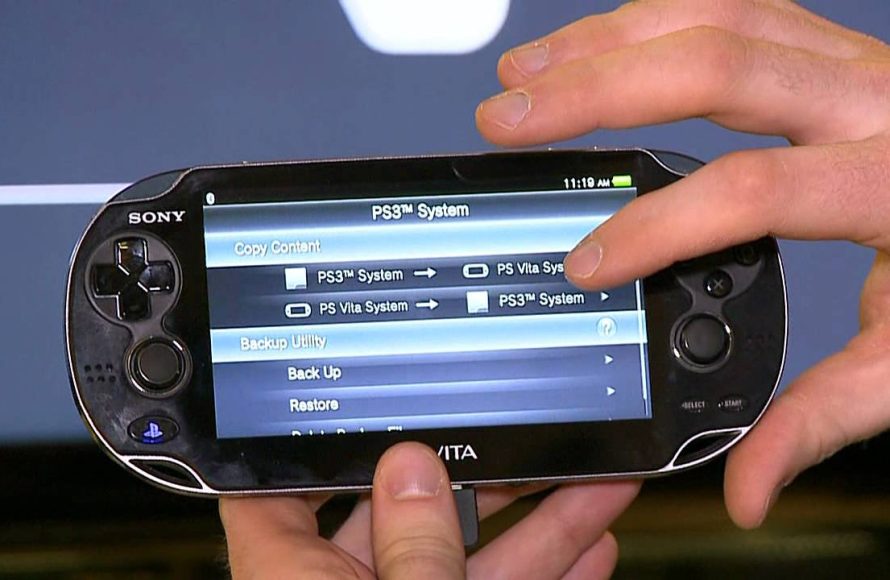
Yes, the PSP Vita can play PSP games.
Have you ever wondered if you could revisit your old PSP library on Sony’s successor handheld? The question of whether a modern device can psp vita play psp games is common for those who love retro gaming. Let’s address this curiosity directly.
The good news is that the Vita offers support for playing PSP games, but it’s mostly through digital downloads. You’ll be able to access a library of PSP titles on the PlayStation Store. This lets you enjoy many of your beloved games again.

Can PSP Vita Play PSP Games?
The question of whether a PSP Vita can play PSP games is a common one for gamers. The good news is, yes, the PSP Vita can indeed play many PSP games! This feature was a big deal when the Vita first came out because it meant you could carry a huge library of games with you. But, it’s not as simple as just popping a PSP game disc into your Vita. Let’s dive into how this works and what you need to know.
Digital Downloads: The Key to Playing PSP Games on Vita
Unlike the PSP, the PSP Vita doesn’t have a slot for the old PSP game discs called UMDs. Instead, you need to get PSP games digitally from the PlayStation Store. The Vita was designed to be a more modern system, so it uses digital downloads, not discs. This means you’ll need a PlayStation Network (PSN) account to get started.
How to Access the PlayStation Store on Your PSP Vita
Finding the PlayStation Store on your Vita is easy:
- Turn on your PSP Vita.
- From the main menu, scroll until you find the PlayStation Store icon. It looks like a shopping bag with the PlayStation logo on it.
- Tap on the icon to open the store.
- You’ll need to be connected to the internet. If you’re not, you’ll be prompted to connect.
- Once connected, you can browse through the available games.
Once you’re in the store, you can search for PSP games. Many popular titles are available for download. The games are usually cheaper than they were when they were originally released on UMDs. This makes it a great way to experience classic PSP titles.
PSP Games Available on the PlayStation Store
Not every single PSP game is available on the PlayStation Store for Vita. However, many of the best games made the jump. You will find a wide variety of genres including action, adventure, RPGs, racing, and puzzle games. Some of the most popular games available include:
- God of War: Chains of Olympus
- Final Fantasy VII: Crisis Core
- Metal Gear Solid: Peace Walker
- Persona 3 Portable
- Patapon
- LocoRoco
- Monster Hunter Freedom Unite
- Grand Theft Auto: Vice City Stories
This is just a small sample of the many enjoyable games you can find. It’s always a good idea to explore the PlayStation Store to see what’s new and what catches your eye. The selection is still quite good even though the system is no longer manufactured.
How to Buy and Download PSP Games on Your Vita
Buying games from the PlayStation Store is pretty simple:
- Find a Game: Use the search function to find a game you want, or browse through the various categories.
- Add to Cart: Once you find a game, tap on it to see more information and then select the option to add it to your shopping cart.
- Checkout: Tap on your shopping cart icon to go to the checkout.
- Payment: You’ll need to have a payment method linked to your PSN account. You can use a credit or debit card, or a PSN gift card.
- Download: Once your purchase is complete, the game will automatically start downloading to your Vita.
Make sure your Vita is connected to a stable Wi-Fi connection. Also, it should have enough space for the game download. Larger games will take longer to download. Once the download is complete, the game will appear on your Vita’s main screen and will be ready to play.
Managing Your Downloaded PSP Games on Vita
Once you’ve downloaded a game, you can manage it directly from your Vita. Here are a few things you can do:
- Launch a Game: Tap on the game’s icon to start playing.
- Delete a Game: If you want to remove a game from your system to free up space, tap and hold the game icon, and then select delete. You can always download it again from the store later if you choose.
- Update a Game: Sometimes games need updates. The system will usually notify you if an update is available. You can download these updates from the system’s notifications menu.
- View Download Progress: You can check on the progress of downloads from the notifications area on your Vita.
Keeping your system and games up to date is important. This ensures that they perform smoothly and that you don’t miss out on any new features or fixes that the developers may add.
What About PSP Physical Game Discs (UMDs)?
As mentioned earlier, the PSP Vita does not have a UMD drive. Therefore, you cannot use the physical PSP game discs you might own. Your old game collection won’t be playable on the Vita unless the titles are available as digital downloads on the PlayStation Store. This was a move by Sony to push the console into the digital age. This move meant smaller file sizes, and the ability to carry many games without having to juggle cartridges or discs. Many gamers see this as a benefit, but some miss having physical copies of their games.
Is there any workaround to play UMD games on the PSP Vita?
Unfortunately, there’s no official way to play UMD games on the PSP Vita. The hardware simply isn’t designed to read those physical discs. Some people might discuss unofficial workarounds online that involve modifying the Vita, but it’s important to note that these are usually risky. These methods can sometimes cause damage to your system. Moreover, it can sometimes break the system’s software. It is generally best to stick with the games available through the PlayStation Store to keep your Vita safe and working properly.
Benefits of Playing PSP Games on Vita
While there is no way to play UMD discs, playing PSP games on the Vita comes with some benefits that make the experience better than playing them on a regular PSP.
Improved Screen Quality
One of the biggest improvements is the Vita’s screen. The screen is sharper, brighter, and has better colors than the original PSP’s screen. This will make PSP games look much more vibrant and enjoyable.
Dual Analog Sticks
The PSP only had one analog stick, but the Vita has two. This can give you better control in games that make use of it. Many games now become easier and more enjoyable to play with this added control. It’s a welcome addition for many players.
Enhanced Audio
The sound quality on the PSP Vita is a bit better than the original PSP as well. This helps to make the experience more immersive while playing your favorite classic games.
Trophies
Another fun feature that the Vita brings to some PSP games is trophy support. Not all PSP games will have trophy support, but when they do, you can try to earn them and show them off to your friends on the PlayStation Network.
Are There Any Drawbacks?
While there are many benefits to playing PSP games on Vita, there are a few potential downsides to consider:
Not All Games are Available
Not all PSP titles are available on the PlayStation Store. There might be a favorite game that you want to play that you won’t be able to access digitally. This is a downside for players who have a large collection of UMDs with very specific games.
Dependence on Digital Store
You are completely dependent on the PlayStation Store to get your games. If Sony ever stops supporting the store, you won’t be able to purchase new games for your Vita. This can be a concern for players who like to make sure their games are available at any time.
No UMD Support
This is a problem for players with existing collections of PSP physical game discs. You’ll have to purchase digital versions. This can be a downside to gamers that have previously bought the game.
PSP and PSP Remastered Games: What’s the Difference?
Sometimes, you might see games in the store that are labeled as “PSP Remastered.” These are PSP games that have been improved and upgraded for the Vita or other PlayStation platforms. They often have enhanced graphics, better audio, and sometimes even additional content. These remastered versions are usually a little more expensive than the standard digital downloads of the original PSP games, but they often come with the additional content.
Graphics Improvements
Remastered games will have a higher resolution than the originals. This will make them look sharper on the Vita’s screen. The improved graphics can make these games look a lot better than the originals and improve gameplay. This can make playing through your classic titles feel like an entirely new experience.
Gameplay Upgrades
Some remastered games may include slight changes to gameplay. The gameplay changes might make it easier or more comfortable to play for some gamers. These changes are often very minor, but still provide an improved experience.
Using a PlayStation Account
It is really necessary to have a PlayStation Network (PSN) account if you want to download and play PSP games on your Vita. This is your way to buy, download, and manage your games. The account lets you keep track of your game progress, trophies, and friends lists, across PlayStation devices. If you already have a PSN account that you use with a PlayStation 4 or 5, you can use that same account with your Vita. This allows you to sync your information between your various systems.
Creating a PlayStation Account
If you don’t already have an account, creating one is easy. You will need to do this on a web browser or on a PS4/5. Then, sign in with that account on your PSP Vita. The system will guide you through the steps to do this. Make sure you have a working email address and that you remember your password. Your email address will be the key to recovering your account in the future if needed.
Troubleshooting Common Issues
Sometimes, you might run into problems when trying to play PSP games on your Vita. Here are some common issues and what to do about them:
- Game won’t download: Make sure you have enough space on your Vita’s memory card. Also, check your internet connection to see if it’s stable. You may also want to try restarting your system.
- Game crashes or freezes: Some games may experience bugs. You can try closing the game and then opening it again. Checking for a game update is also a good idea. If the problem continues to happen, it may be an issue with the game itself.
- Can’t find the game in the store: Some PSP games may no longer be available in the store. You should double-check the game’s name and make sure you’re searching for it correctly.
- Can’t connect to the PlayStation Network: Check your Wi-Fi settings. Try to reconnect to your network. Make sure that the PlayStation network is working properly by visiting the official website on your computer or phone.
If you continue to have trouble, you can also visit the official PlayStation support website for more assistance. There may be a solution that you can find there.
Keeping Your PSP Vita Ready for Action
Taking good care of your PSP Vita can help to ensure that it keeps playing your games. It also will keep the system running properly for a long time. Here are a few things to keep in mind:
Keep the System Up to Date
Make sure to install the latest system software updates as they are released. These updates can improve the performance and fix potential issues. It also gives you access to new features.
Charge the System
When your system is not being used, keep it charged. This will make sure that you are ready to play when you want to. Also, leaving the system uncharged for too long can damage the battery.
Memory Card Space
The PSP Vita comes with limited internal storage. If you want to download many games, get a memory card that has enough space. These can be easily installed in the system.
Take Care of Your Screen
Clean your screen with a soft cloth. Try to avoid getting scratches on the screen as this can make gaming more difficult.
PSP Vita: A Great Way to Play PSP Games
The PSP Vita is a fantastic way to play PSP games if you don’t have a PSP or if you just want to have a better experience. You’ll need to rely on digital downloads because the system doesn’t take game discs. However, many of the best PSP titles are available on the PlayStation Store. It’s still a good way to enjoy the classics. The Vita provides a better screen, better controls, and can even come with trophy support. If you haven’t yet tried playing PSP games on your Vita, it’s definitely worth checking out.
Overall, the PSP Vita is a great system for playing those classic PSP titles. The updated hardware makes those old games feel new again.
Does PS Vita Play PSP Games? 🎮 #psvita #retrogaming
Final Thoughts
Yes, the PSP Vita can play PSP games. It achieves this through digital downloads from the PlayStation Store. This makes a vast library of classic titles accessible.
The Vita uses emulation to run PSP software. Therefore, you must purchase games digitally. It does not support PSP UMD discs.
So, the answer to “can psp vita play psp games” is definitely yes! This capability enhances its value. You can play many amazing games on a single handheld device.

