
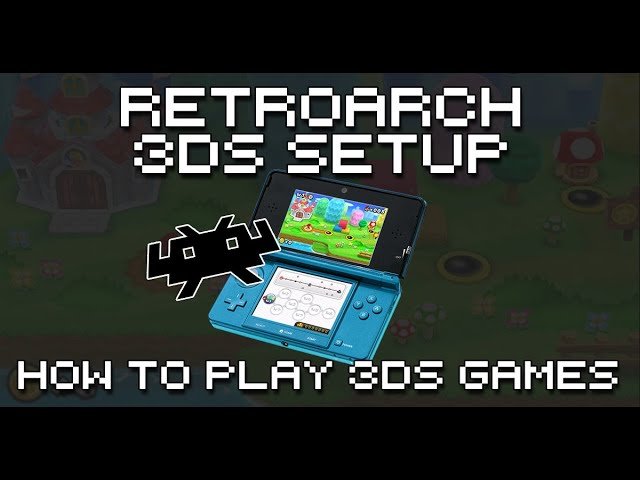
Yes, RetroArch can play 3DS games, but it requires a specific core called Citra and a compatible 3DS ROM file.
The world of emulation can feel like a constantly shifting landscape. Many gamers wonder if their favorite all-in-one emulator, RetroArch, can handle the complexities of Nintendo 3DS titles. The question “can retroarch play 3ds games?” is very common.
It’s understandable why you’d ask; playing 3DS games on other devices offers a convenient way to enjoy your classic games. Thankfully, the answer is a mostly positive one. Retroarch gives a way to play those games with the help of a special core.

Can RetroArch Play 3DS Games? A Deep Dive
So, you’re wondering if that amazing emulator, RetroArch, can handle your favorite Nintendo 3DS games? It’s a great question, and the answer isn’t a simple yes or no. Let’s explore this topic together and see what RetroArch can do when it comes to 3DS emulation, and what you need to know before diving in. We’ll look at the technical side, the challenges, and what the future might hold. Get ready for a thorough explanation of how RetroArch and 3DS games interact!
The Basics: What is RetroArch Anyway?
Before we talk about playing 3DS games, let’s make sure we all know what RetroArch is. Imagine a super-powered video game console that can play games from many different consoles. That’s kind of what RetroArch is! It’s not an emulator itself, but rather a platform. Think of it as a house, and inside that house are different emulators that we call “cores.” These cores are what do the actual work of running games from various systems. RetroArch provides the user interface, the menus, and the way to configure things, but it relies on these cores to do the heavy lifting for emulation.
- It’s a Front-End: RetroArch doesn’t actually emulate games on its own.
- Uses Cores: It uses “cores,” which are individual emulators for specific consoles.
- Cross-Platform: RetroArch runs on lots of different devices, like computers, phones, and even some game consoles.
Citra: The Key to 3DS Emulation in RetroArch
If you want to play 3DS games using RetroArch, you need a specific core – and that core is usually Citra. Citra is a very popular and powerful standalone 3DS emulator, and now, it is also available as a core in RetroArch. When you load a 3DS game in RetroArch with the Citra core, it’s like calling in the expert team to handle that specific game type. Let’s get into some of the details about Citra within RetroArch.
How to Get the Citra Core
Getting the Citra core is usually pretty straightforward. Here is the general idea:
- Start RetroArch: Open your RetroArch application.
- Go to Core Downloader: Navigate to the “Online Updater” menu and select “Core Downloader.”
- Find Citra: Look for the Citra core in the list. It might be named something like “Nintendo 3DS (Citra).”
- Download and Install: Select the core and download it. RetroArch will install it for you.
After that, you should be able to load 3DS game files and get them running in RetroArch if you have everything properly configured. Don’t worry we’ll get to that!
Setting Up RetroArch for 3DS Games
Just having the Citra core downloaded isn’t enough; you need to configure it properly for the best experience. This involves a few steps that might seem a little complicated, but don’t worry, we will break them down.
BIOS Files: The Secret Sauce
Like many emulators, Citra often needs some files from the actual 3DS system itself. These are called BIOS files, and they help the emulator imitate the real 3DS hardware. Think of them as the instruction manuals for the 3DS. These files are not included with RetroArch or Citra, as that would not be legal. You’ll need to get them from your own 3DS system.
- Why are they needed?: BIOS files contain important data from the 3DS’s operating system. Citra needs them to properly run 3DS games.
- Getting them: You usually need to copy these files from a real 3DS system using special tools.
- Placement: Once you have the files, you’ll need to put them in the correct folder for Citra to find them inside of your RetroArch files
It’s important to know that sharing BIOS files is illegal because those files are the copyrighted property of Nintendo. This is why they aren’t included with RetroArch or Citra.
Game Files: Getting Your Games Ready
You will need your game files in a certain format to play them within RetroArch. 3DS games are typically stored in a file format called “.3ds” or “.cci”.
- Finding Games: You must get your game files legally by dumping them from your own 3DS cartridges. Downloading them from websites is illegal and can be risky, as the files might contain malware.
- Copying: Once you have your game files, you can copy them to the folder where you keep all your game files.
Configuring Controls
You’ll also want to make sure your controller or keyboard is set up correctly with RetroArch so you can actually play games.
- Mapping Buttons: You will need to go into RetroArch’s settings and make sure each button on your controller is connected to the correct in-game button on the 3DS.
- Different Controllers: RetroArch works with many different types of game controllers, so you can probably use the one you are most comfortable with.
Adjusting Graphics and Performance
The Citra core in RetroArch gives you some options to change how the game looks and runs. If your computer is powerful, you can increase the resolution and make the game look sharper. If your computer isn’t very powerful, you might need to lower the graphics settings for the games to play smoothly. These settings might be in the “core options” menu when you load a game with the Citra core.
The Performance Reality: Can It Run Well?
Now that you know how to set up RetroArch with Citra, let’s talk about performance. Will your 3DS games run smoothly and be fun to play? It all depends on your computer and game choices.
Hardware Requirements
Emulating 3DS games can be quite demanding. The 3DS has some pretty complex hardware that emulators need to simulate. Here’s a general idea of what kind of computer you might need:
- CPU: You’ll need a decent processor, like an Intel Core i5 or better, or an equivalent AMD Ryzen chip.
- GPU: A dedicated graphics card, like an NVIDIA GeForce or an AMD Radeon card, is recommended for good performance.
- RAM: At least 8GB of RAM is good, but 16GB is better for larger, more demanding games.
If your computer doesn’t meet these requirements, some games might run slowly, might not look great, or may not run at all.
Game-Specific Differences
Some 3DS games are more demanding to emulate than others. Games with lots of 3D graphics and complex effects might have a harder time running smoothly. Games with simpler graphics may run just fine.
- Demanding Games: Games such as The Legend of Zelda: Ocarina of Time 3D or Monster Hunter 4 Ultimate may need a more powerful computer to run well.
- Lighter Games: Games such as Mario & Luigi: Dream Team or Pokemon X/Y might run well on less powerful machines.
Tweaking Settings
If you are having performance issues, you can try to change the settings within the Citra core in RetroArch. This can sometimes make a difference in how well games run.
- Resolution Scaling: Lowering the resolution can improve performance on less powerful hardware.
- Graphics Enhancements: Turning off some of the more advanced graphics options can help, as well.
- Framerate Limits: Try turning on or off framerate limiting to try and get smoother gameplay.
The Challenges of 3DS Emulation
Even with all the hard work the developers put into Citra, emulating 3DS games isn’t perfect. There are still some challenges and things you should be aware of.
Compatibility Issues
Not every 3DS game works perfectly in Citra. Some games may have bugs, glitches, or problems with graphics or sound. The compatibility is always getting better as developers work on Citra but it’s not perfect.
- Game Bugs: Some games might not run at all, while others have minor issues that you might just have to live with.
- Constant Improvement: The developers of Citra are always working on improving compatibility with more games.
Accuracy and Fidelity
Emulating a complex console like the 3DS with full accuracy can be very difficult. Some very subtle aspects of how the 3DS works might not be emulated perfectly, even if they don’t affect gameplay. You might notice some minor differences compared to playing on real hardware.
- Minor Differences: Some games may have some small graphics or sound glitches.
- Authentic Experience: Emulation is always trying to get closer and closer to a perfectly authentic experience.
Legal and Ethical Considerations
Finally, it is very important to discuss the legal and ethical side of emulation. It’s always important to be respectful of copyright law and the work of developers.
- Game Ownership: You must legally own a copy of any game you are playing on an emulator.
- BIOS Files: Copying BIOS files from other sources is illegal and unethical. You should always dump them from your own device
- Support Developers: Support game developers by purchasing games and content legally whenever possible.
Is RetroArch with Citra Right for You?
By now you know a lot about using RetroArch to play 3DS games. Now you can think about whether this is the right approach for you, as it has both advantages and disadvantages.
Advantages of Using RetroArch
- Centralized Interface: If you use RetroArch for other retro systems, it is very nice to have all your games in one place.
- Configuration Flexibility: RetroArch allows a lot of very fine control over the graphics and control schemes.
- Cross-Platform Support: You can play your games on many different kinds of devices.
Disadvantages of Using RetroArch
- Setup Complexity: Getting things set up correctly is sometimes tricky.
- Performance Issues: 3DS emulation is demanding and may not work on all computers.
- Compatibility Problems: Not all 3DS games will work perfectly on Citra.
If you’re comfortable with setting things up and have a powerful computer, RetroArch can be a very convenient way to play your 3DS games, but, if you are not comfortable with the technical requirements, a standalone Citra setup might be a better way to start.
So, can RetroArch play 3DS games? Yes, it can, but it’s not a simple plug-and-play experience. It requires setting up the Citra core correctly, making sure your computer has enough power, and being ready for some potential compatibility issues. The process can seem complex at first, but with patience and careful attention to detail, it’s definitely possible to get your favorite 3DS games running on RetroArch. With the emulator constantly improving, it should only get better over time. Always remember the ethical and legal considerations while playing your games. Enjoy your gaming journey and have fun exploring your favorite games!
RetroArch Nintendo 3DS Core Setup Guide – How To Play 3DS Games With RetroArch
Final Thoughts
RetroArch can play 3DS games, but it requires the Citra core. This core is still under development, so you might encounter some performance issues. Expect varying levels of compatibility across different 3DS titles.
Keep in mind that not all games will work perfectly, and some might not run at all. The accuracy and speed depend heavily on your system’s hardware. If you want to explore 3DS emulation, RetroArch with Citra offers one way, and its always good to research regarding the performance of specific games you intend to play.
So, ‘can retroarch play 3ds games’? Yes, it can through Citra, but you should manage your expectations regarding performance and complete compatibility.

