
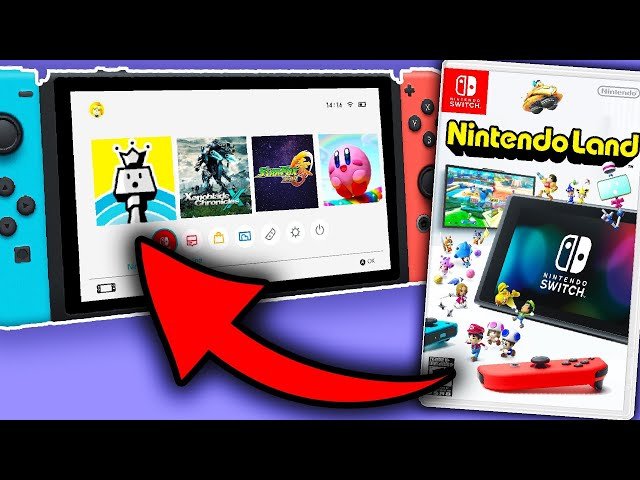
No, the Nintendo Switch cannot play Wii U games.
Ever wondered if you could dust off your old Wii U titles and play them on your Nintendo Switch? It’s a common question, especially with the Switch’s popularity. Many gamers are curious about backward compatibility, wondering if the can switch play wii u games.
Unfortunately, the answer is straightforward. The Switch uses a different game format than the Wii U, making physical disc compatibility impossible. The internal architecture also prevents direct play.

Can Switch Play Wii U Games? Delving into Compatibility
Okay, let’s get right to the big question that’s probably on your mind: Can you pop a Wii U disc into your Nintendo Switch and start playing? The short answer, and maybe a little disappointing one, is: no, the Nintendo Switch cannot directly play Wii U game discs. But don’t close the page just yet! There’s more to explore about why that is, and we’ll also look at ways you can still experience some of your favorite Wii U games on the Switch.
Understanding the Differences: Wii U vs. Nintendo Switch
To understand why the Switch can’t play Wii U games directly, it’s important to know that these are two very different systems. They are built using completely different technologies, kind of like how a DVD player can’t play a Blu-ray disc. Let’s take a closer look at some of their main differences:
Game Media
One of the biggest differences lies in how games are stored and read. The Wii U uses optical discs (like DVDs or Blu-rays), while the Nintendo Switch uses game cartridges, also known as game cards. This difference in media type is a major reason why physical Wii U games won’t work on the Switch. The Switch simply doesn’t have a disc drive to read Wii U discs.
Hardware Architecture
Think of a computer – it has many different parts working together. The Wii U and the Switch have different “parts”, technically called architecture. The Wii U used a PowerPC processor, while the Switch uses an Nvidia Tegra processor. Because of these differences, the games written for the Wii U are not compatible with the Switch hardware. It’s like trying to put a puzzle piece from one puzzle into a completely different puzzle – they just don’t fit together.
Operating Systems
The operating system (OS) is the basic software that helps a game console function. The Wii U and Switch use completely different operating systems. Because of this significant difference, Wii U games, which are designed to work with the Wii U OS, can’t just run on the Switch’s different system.
Why Backward Compatibility Is Tricky
You might be thinking, “Why couldn’t Nintendo just make the Switch play Wii U games?” Well, it’s not as easy as just flipping a switch! Here’s a simplified look at some of the reasons why backward compatibility (playing older games on a new system) can be difficult:
- Hardware differences: As we’ve covered, different processors, media types, and other internal parts make older games not easily compatible. It requires significant development and effort to make these games compatible with the newer hardware.
- Software differences: The Wii U and Switch have very different software systems, so games made for one aren’t automatically going to work on the other.
- Cost and Development: Making older games compatible can be a large task that requires time and money. Game companies need to consider if it is worth the investment of resources to develop these compatibilities, when they could be making new games for the new console instead.
However, there’s a little hope. While you can’t use your Wii U discs directly, Nintendo has been releasing some popular Wii U titles on the Switch, sometimes with added improvements or features. These are not the original Wii U versions, but instead they’re re-made or re-released for the Switch.
Re-releases and Remasters: Playing Wii U Games on the Switch
While direct disc playback is out of the question, Nintendo has provided a way for Switch owners to enjoy many great Wii U games through ports, remasters, and re-releases. These are usually available as digital downloads from the Nintendo eShop.
What’s a Port?
A “port” is basically moving a game from one system to another. So, a game from the Wii U is being “ported” to the Switch. This can sometimes mean changes to graphics, game play, or features to work better with the Switch’s technology.
What’s a Remaster?
A “remaster” is an improved version of an older game. It usually has better graphics and could also have added content or gameplay changes. A remastered game on the Switch is an attempt to make it look and play better than it did on the Wii U.
Examples of Wii U Games on the Switch
Several excellent games that first showed up on the Wii U have made their way to the Nintendo Switch. Here are a few examples of popular titles that have been ported or remastered:
- Mario Kart 8 Deluxe: This enhanced version of the Wii U classic includes all of the original content plus extra characters and modes.
- New Super Mario Bros. U Deluxe: This version of the Wii U game includes the New Super Luigi U expansion for even more levels.
- Donkey Kong Country: Tropical Freeze: This platformer was re-released on the Switch with a new playable character.
- Pikmin 3 Deluxe: The strategy game was improved on the Switch with new difficulty options and a local co-op mode.
- Captain Toad: Treasure Tracker: An adventure game with puzzle solving.
- Bayonetta 2: This fast-paced action game is also available on the Switch, often bundled with Bayonetta 1.
- Tokyo Mirage Sessions ♯FE Encore: A unique RPG that mixes the worlds of Fire Emblem and Shin Megami Tensei.
This list isn’t everything, but it does highlight that Nintendo has provided a good amount of quality Wii U titles for Switch users to enjoy.
How to Find and Purchase These Games
If you’re interested in playing any of these re-released Wii U games on your Nintendo Switch, you’ll need to access the Nintendo eShop. Here’s a simple guide:
- Turn on your Nintendo Switch and make sure you have an internet connection.
- From the HOME Menu, select the “Nintendo eShop” icon.
- Use the search bar to find a specific game title, or browse through the store to see what is available.
- Select the game you are interested in and follow the purchase prompts to download it.
- Once the download is complete, the game will be available on your HOME Menu to play.
Keep an eye out for sales and special offers on the eShop, as digital games are sometimes available for less money. Note that you will need a Nintendo Account to access and buy from the eShop.
The Future of Wii U Games on the Switch
We know you might be hoping that more Wii U titles might eventually make their way to the Nintendo Switch. Nintendo has not announced a plan to bring every Wii U game to the Switch, but it’s definitely possible that more could be ported or remastered in the future. Companies often want to bring back older games to introduce them to a new audience or allow those who missed them the first time to experience them.
Keep an eye on official Nintendo announcements and news outlets for any updates regarding future releases. The re-release of beloved Wii U titles shows that there is a clear interest from both Nintendo and the community to bring more of these games to the popular Switch console.
Physical vs. Digital
When it comes to the games that are available on the Switch that were originally on the Wii U, you will typically buy them as digital downloads from the Nintendo eShop. While it would be nice to have a physical cartridge version, most of these games will be digital. There are exceptions; sometimes, Nintendo releases a physical package containing a download code. But these can be rare. The convenience of having your games all ready to be played from the Switch’s menu is a major upside to these digital releases.
With a digital copy, you don’t need to worry about losing the game card, and it’s always there for you to play. You will need to make sure that you have enough storage on your Switch to download them, and also have a stable internet connection. You can always add an SD card to give your switch extra storage.
So, even though you can’t put a Wii U disc in your Switch, you can still play many popular Wii U games through digital downloads. This lets you enjoy these games without the need to keep your Wii U console around. We hope this helps clear up some of the confusion and helps you to have fun playing all your favorite games!
Nintendo Switch vs. Wii U
Final Thoughts
Ultimately, the ability to play Wii U games on the Switch remains a highly sought-after feature by many gamers. While not officially supported, various methods exist that allow players to experience their favorite Wii U titles on the newer console.
The question “can switch play wii u games” is important for people with large collections. You must understand that Nintendo does not provide a direct way. However, the community always finds ways to play those games through emulation or other workaround.

