
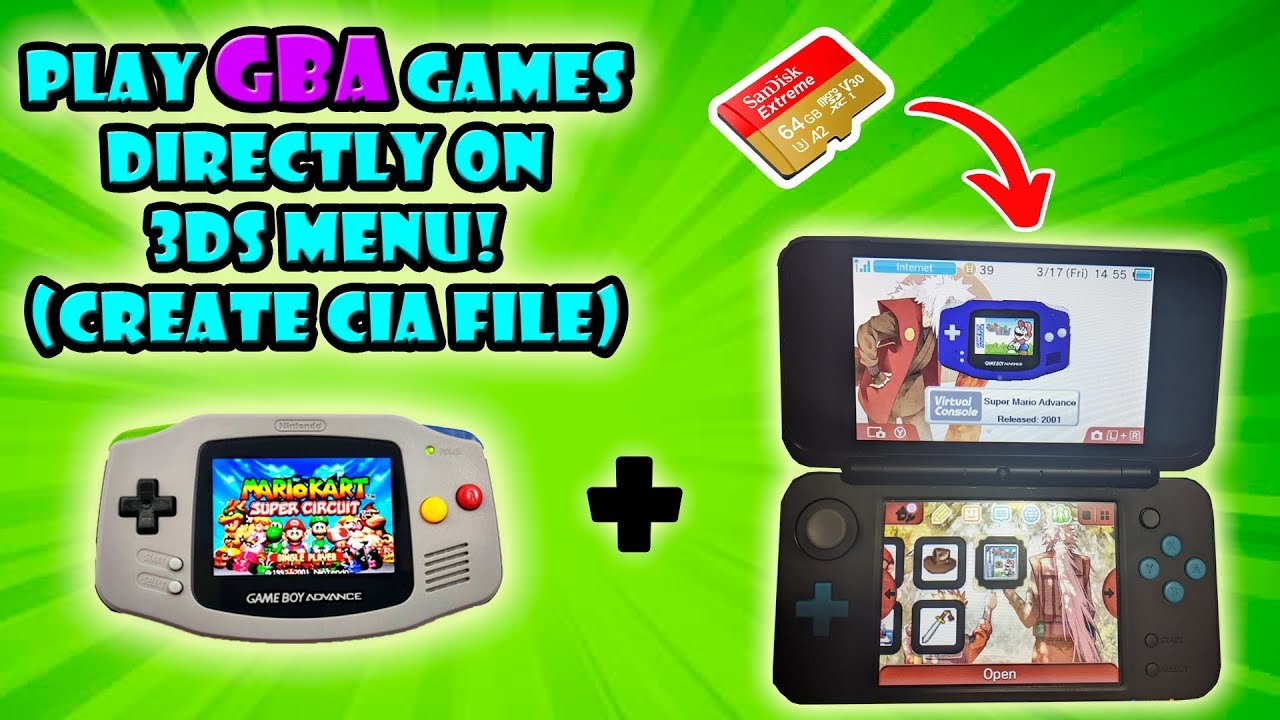
No, the standard Nintendo 3DS cannot directly play GBA games; however, select GBA titles are available through the Virtual Console on the 3DS eShop if you have an ambassador version or are running custom firmware.
Many gamers ponder, can the 3ds play gba games, and it’s a valid question with a slightly complex answer. The original 3DS systems did not feature a slot for GBA cartridges.
This means you cannot simply insert a GBA game directly into the console. Nintendo released some GBA games via the 3DS eShop’s virtual console, but availability was limited.

Can the 3DS Play GBA Games? A Deep Dive
The question of whether the Nintendo 3DS can play Game Boy Advance (GBA) games is a common one among retro gaming fans and those curious about the 3DS’s capabilities. It’s a valid question, considering the 3DS’s rich library of titles and its place as a successor to earlier Nintendo handhelds. The answer is a bit more nuanced than a simple yes or no, and that’s what we’re going to explore in detail.
Understanding the 3DS and its Hardware
Before we dive into the specifics of GBA compatibility, let’s take a quick look at what makes the Nintendo 3DS tick. It’s a dual-screen handheld gaming console that followed the Nintendo DS line. It brought a whole new dimension to handheld gaming with its 3D screen (hence the “3D” in the name). The 3DS boasts a powerful processor for its time, a good amount of RAM, and a variety of input methods including a touchscreen, buttons, and a slider.
Key Hardware Features of the 3DS
- Dual Screens: One top screen that can display 3D content (on compatible models) and a touch-sensitive bottom screen.
- Buttons and Controls: A D-pad, face buttons (A, B, X, Y), shoulder buttons (L, R), and a circle pad for movement.
- Processor: A relatively powerful (for its time) processor that allowed it to handle complex 3D games.
- Connectivity: Wi-Fi capabilities for online gaming and content downloading.
- Backwards Compatibility: The 3DS is known for its ability to play older Nintendo DS games. This is an important piece of the puzzle when we talk about GBA games.
These hardware features are essential to keep in mind because they influence what the system can do. Its compatibility with DS games gives a hint about its capabilities, while the hardware specs give us an understanding of its power.
The Native 3DS and GBA Games: The Truth
Okay, here is the straightforward answer you may be looking for: the standard Nintendo 3DS, Nintendo 3DS XL, or the New Nintendo 3DS systems, cannot natively play GBA game cartridges. The physical cartridges for the GBA are a different size and shape than the ones for the DS or 3DS, and the 3DS hardware is not equipped with a slot designed to read GBA cartridges.
Why the 3DS Doesn’t Have a GBA Cartridge Slot
There are multiple reasons for this. First, it would have increased the complexity and cost of manufacturing the system. Second, Nintendo was trying to move forward and promote its newer platforms, not support older ones indefinitely, especially since it already had the very successful Nintendo DS and its games to support. By not having that dedicated slot, Nintendo encouraged people to buy games for the current system. This is common with consoles; they usually don’t support all the games from consoles from the far past.
GBA Games via the Nintendo 3DS Virtual Console
While you can’t directly insert a GBA cartridge into a 3DS, there’s a key loophole: the Nintendo 3DS Virtual Console. This digital store, available on the 3DS, allowed you to buy and download classic games from older systems. It was like a retro game library, but the selection was curated by Nintendo.
The Ambassador Program
Initially, Nintendo gave out ten GBA games to early 3DS adopters as part of the ‘Ambassador Program’ as a thank you for early adoption. These games were given out for free and for a long time, they were the only way to officially play GBA games on a 3DS without using any external software. The GBA titles included in the Ambassador program were:
- Metroid Fusion
- Mario & Luigi: Superstar Saga
- Wario Land 4
- The Legend of Zelda: The Minish Cap
- Fire Emblem: The Sacred Stones
- F-Zero: Maximum Velocity
- Kirby & The Amazing Mirror
- Yoshi’s Island: Super Mario Advance 3
- WarioWare, Inc.: Mega Microgames!
- Mario Kart: Super Circuit
Limited Virtual Console Availability
After the Ambassador Program, sadly, these GBA titles were never made available for purchase on the regular 3DS Virtual Console. This was a disappointment to many players, as they wanted to play these GBA games, including beloved titles such as Pokemon Ruby and Sapphire and Golden Sun. These titles remained exclusive to the Ambassador Program on the 3DS system, or to other platforms.
Homebrew and Custom Firmware: A Different Route
The official channels from Nintendo don’t offer much in the way of playing GBA titles beyond those given away in the Ambassador program. However, there is another way to play GBA games on the 3DS, and it involves using homebrew and custom firmware. This route is a little more complicated and requires technical knowledge, but it allows you to play GBA games on the 3DS by using emulators and ROM files.
What is Homebrew?
Homebrew refers to software developed by the gaming community, not by the company that made the console. It often allows you to modify your console in ways the original designers didn’t intend.
Custom Firmware
Custom firmware (CFW) is a modified version of the 3DS’s operating system. It allows you to run homebrew software on your 3DS. By having CFW installed on a 3DS system, you can install GBA emulators and then play GBA ROM files, which are digital copies of the games.
How Emulators Work
Emulators are software programs that mimic the hardware of another system, in this case the GBA. This allows your 3DS to “pretend” to be a GBA and run GBA games. There are multiple emulators available for the 3DS homebrew scene, with the most commonly used being mGBA.
Things To Keep in Mind when Using Homebrew
It is extremely important to be very careful when deciding to install any type of custom firmware or use any type of homebrew software on your Nintendo 3DS. You are changing the system in ways that Nintendo does not want and has not authorized. You are modifying the system’s software, which can potentially cause damage to the console or cause it to not function properly. There are also potential legal issues concerning the use of ROMs, depending on the location in which you live. So please be very cautious and make sure you are following all laws and have a full understanding of any type of software you download before putting it on your 3DS.
Comparing Methods: Official vs. Homebrew
Let’s look at the pros and cons of playing GBA games through the official Nintendo method (the Ambassador Program) and the homebrew method.
Official Nintendo Method
- Pros:
- Safe and supported by Nintendo
- Easy to use
- Cons:
- Limited game selection
- Games no longer available for purchase
Homebrew Method
- Pros:
- Large game library, allowing for the ability to play almost any GBA game.
- More flexibility in terms of gameplay options
- Cons:
- Complex to set up and requires some technical knowledge
- Can potentially damage the system if not done correctly
- Requires finding and using ROM files, which can be an issue with game copyrights.
Visual Differences and Emulation Quality
When playing GBA games on the 3DS, you may see some slight differences in visuals compared to playing them on the original GBA hardware.
Visual Presentation
The GBA games were originally made to be displayed on a lower resolution and smaller screen than that of the 3DS. So, when you play GBA games on the 3DS, the screen resolution will most likely be upscaled, meaning that the pixels have to be stretched out, which can lead to some blurry or pixelated edges. This is especially true when using the emulator option. The 3DS screens do a decent job of displaying the games, however. It’s worth noting that the screen size on the New Nintendo 3DS systems can sometimes result in slightly sharper images than the older models. This is all also very subjective to the player’s eyes, as well. But, overall, the games still look very good on the 3DS screens.
Emulation Accuracy
The accuracy of GBA emulation on the 3DS is generally very good, particularly on the more modern versions of emulators. You shouldn’t experience many issues with game crashes, freezes, or slowdowns. But, remember that the quality can differ depending on the emulator you use and how well it is developed. The GBA games that are from the ambassador program are usually perfectly emulated, since the system is playing it in a more direct and supported manner. So, if you are not using the proper emulation method, the games could experience some glitches from time to time.
A Look at Specific Game Examples
Let’s talk about how some specific GBA games play on the 3DS.
Pokemon Ruby and Sapphire
These are two of the most highly sought-after games that people want to play on the 3DS. Unfortunately, there is no official way to do this on the system, and this forces many to look into using emulators to play these games. Using the emulators, the games play well and run smoothly on a New Nintendo 3DS system, but older systems may have some minor stuttering. The games look pretty good on the larger 3DS screens, but some may miss playing them on the smaller GBA screens.
The Legend of Zelda: The Minish Cap
This game, available through the Ambassador Program, plays fantastic on the 3DS. It looks great on the 3DS screen and the game has no glitches or issues with lag. This is a great example of how good the GBA games can be on the 3DS system.
Metroid Fusion
Another Ambassador game, Metroid Fusion also runs well with very little issue. It also looks really great on the screen and is the best way to play this version of the game, since it does not have any re-releases on other Nintendo consoles.
Game Compatibility: What to Expect
While most GBA games will run on a 3DS using homebrew methods, there may be some compatibility issues. More often than not, most games will play without issue, but some less common titles might not run as well or could have glitches or minor issues. The more powerful New 3DS systems generally have better compatibility than the older standard 3DS models because of their hardware upgrades. The compatibility with the GBA titles offered from the Ambassador program is always 100 percent.
Why Play GBA Games on the 3DS?
There are some great reasons to play GBA games on your 3DS.
Portability and Convenience
The most obvious reason is portability. Having a handheld that is able to play both 3DS games and many GBA games is incredibly convenient. It’s great for playing on the go or when you just don’t want to fire up a bigger console.
Nostalgia
For many gamers, GBA games hold a special place in their hearts. Being able to replay old favorites on a convenient system like the 3DS can be an amazing way to experience those games again.
Exploring a Classic Library
The GBA had a fantastic library of games. By using the 3DS system, you can explore and see many of the great titles of yesteryear. Whether it’s action, adventure, RPGs, or anything in-between, the GBA had it all, and being able to revisit those is a great idea for any gamer.
In summary, while the 3DS cannot play GBA game cartridges, there are other ways to enjoy GBA games on the 3DS. The official route, although limited, offers a taste through the Ambassador Program. Using homebrew and emulators opens up the door to the full GBA library, albeit with a bit of extra work and caution. Ultimately, whether you’re after nostalgia or simply want to play some great retro games, the 3DS offers a pathway to the GBA’s awesome game library. Just remember to explore your options carefully and choose what works best for you.
Play GBA Games on 3DS
Final Thoughts
Essentially, the 3DS cannot natively play Game Boy Advance cartridges. It lacks the necessary hardware slot. However, you can access GBA games through the Virtual Console.
Nintendo made certain GBA titles available digitally. This means that you can download and play those specific games on your 3DS. Therefore, the answer to “can the 3ds play gba games” is yes, but only through official digital releases.

