
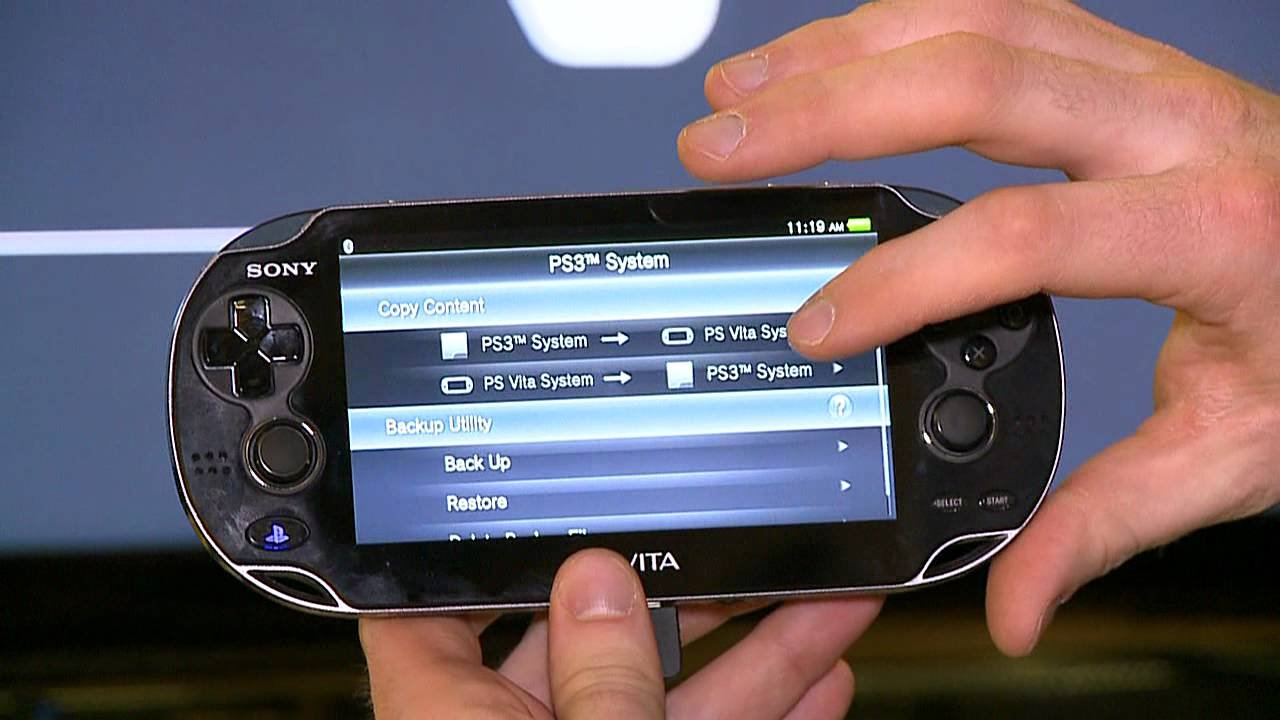
Yes, the PS Vita can play PSP games.
The question of whether you can play your old PSP favorites on the PS Vita has probably crossed your mind. It’s a reasonable query since you may have some great PSP titles you’d like to revisit. Many gamers want to know if they can bring their beloved PSP titles to Sony’s successor console.
The good news is, the PS Vita does indeed offer backward compatibility with a vast library of PSP games through the PlayStation Store. You can download and play those digital games right on your PS Vita. So yes, can the psvita play psp games, it definitely can.

Can the PS Vita Play PSP Games? A Deep Dive
So, you’ve got a shiny PS Vita and you’re itching to play some of those classic PSP games you loved? You’re not alone! A lot of gamers have wondered if they can revisit their favorite PSP titles on Sony’s handheld powerhouse. The good news is, yes, the PS Vita can play many PSP games, but there’s more to it than just popping in a disc. Let’s explore how you can enjoy PSP games on your PS Vita.
Digital Downloads: Your Gateway to PSP on Vita
The primary way to play PSP games on your PS Vita is through digital downloads from the PlayStation Store. Sony made a large selection of PSP games available for purchase and download directly onto the Vita. Think of it like an app store, but for games! These are not physical discs, but rather digital files stored directly on your Vita’s memory card.
Accessing the PlayStation Store
To get started, make sure your PS Vita is connected to the internet. Then, follow these easy steps:
- Turn on your PS Vita.
- Find the PlayStation Store icon and tap it.
- Use the search bar or browse through the categories. Look for “PSP Games” or “PlayStation Classics”.
- Choose a game you like.
- Purchase it using your PlayStation Network account.
- After the purchase, the game will download to your Vita.
Once the download is finished, you can find and play your game from your Vita’s home screen.
What Kind of PSP Games Can You Find?
The PlayStation Store offers a wide variety of PSP games, including popular titles in many genres. Think of epic role-playing adventures, fast-paced racing games, action-packed platformers, and challenging puzzle games. You’re likely to find many of the classics you remember, as well as some hidden gems you might have missed the first time around. Some popular titles like “Monster Hunter Freedom Unite,” “Final Fantasy VII: Crisis Core,” and “Metal Gear Solid: Peace Walker,” are often available. However, not every single PSP game is available, so make sure to check if your favorite is there.
Keep in mind that game availability can vary depending on your region. So if you are not finding your game on the PlayStation Store in your area, it is not there, but you can check on the store of other regions.
Playing PSP Games: How it Works
The PS Vita doesn’t magically play PSP games. It uses a special emulation software. Emulation is like having a small computer inside your Vita that pretends to be a PSP. This software allows the Vita to run the code of the PSP game correctly. So when you are playing a PSP game, you are not running the PSP game natively; rather the PS Vita is acting like a PSP to run the game.
How Does Emulation Impact Gameplay?
Generally, PSP games on the Vita run very well. You’ll get the same gameplay experience you remember from the original PSP. However, there are a few things to keep in mind:
- Screen Resolution: The PS Vita has a much sharper screen than the PSP, so PSP games may look a little different. They are not upscaled to full Vita resolution, so they might have black bars around them. However, the sharper screen often makes them look clearer than they did on the PSP.
- Controls: The Vita has more buttons and a second analog stick compared to the PSP. Some games might benefit from these extra inputs, but most work with the standard PSP control scheme. The Vita will usually have touch screen mapping of the PSP controls.
- Performance: Most PSP games run very smoothly on the PS Vita. However, a very small number of games might have minor slowdowns or glitches. These are generally rare, though.
Physical PSP Games: The Missing Piece
Here’s where it gets a little tricky. The PS Vita does not have a UMD drive. The UMD is the disc format that PSP games came on. This means that you can’t use your old PSP game discs with your Vita. That also means you will not be able to play the PSP games you own physically on your PlayStation Vita. This is a common misunderstanding by players new to PlayStation Vita ecosystem.
Why No UMD Support?
When the PS Vita was designed, Sony decided to move away from physical discs for handheld games. They focused on digital downloads. This allowed for slimmer, more portable console design and it reduced the cost of manufacturing.
Can You Transfer PSP Games From a PSP?
There was a function to transfer PSP games to Vita but this functionality was removed by Sony. It is now not possible to transfer PSP games from a PSP to PS Vita. However, there are ways people are able to do it through homebrew, but the process is very complicated, not for beginners, and could void your warranty.
Other Options: PSOne Classics
While you’re exploring PSP games, don’t forget about PSOne classics. These are PlayStation One (PS1) games that are also available on the PlayStation Store for your PS Vita. They also run via emulation. Many great PS1 titles are available. You can enjoy old hits from the PS1 such as “Final Fantasy VII,” “Metal Gear Solid,” and “Resident Evil” right on your PS Vita.
How to Access PSOne Classics
Just like PSP games, you can purchase and download PSOne classics through the PlayStation Store on your PS Vita. The process is exactly the same.
Memory Card Requirements for PSP Games
It’s very important to have a memory card in your PS Vita to be able to install the PSP games on your PS Vita. The PS Vita uses proprietary memory cards that are not compatible with other devices. PSP games tend to be smaller in file size compared to PS Vita games, but they can still take up a good amount of space on your memory card, so make sure you have enough space available.
PS Vita Memory Card sizes
The PS Vita memory cards come in different sizes, such as 4GB, 8GB, 16GB, 32GB, and 64GB. For the best experience, and if you plan to download several games, it is recommended to have a 16GB or larger memory card.
How to Check Memory Card Space
Checking memory card space on your PS Vita is simple. Just go to “Settings”, then “System”, and then “System Information”. Here you’ll find details about your memory card’s free space.
Tips for the Best PSP Gaming Experience on Vita
To make sure you have a great experience when playing PSP games on your Vita, here are some tips to keep in mind:
- Keep Your Vita Updated: Make sure your PS Vita’s system software is always up to date. This ensures that your Vita can run the games correctly and also fixes issues with the system.
- Manage Your Storage: Keep an eye on your memory card space. Delete games you aren’t playing to make space for new games. You don’t need to re-purchase a game once you purchase it digitally on the store.
- Experiment with Settings: Some PSP games might have display or control settings that you can adjust to fit your preferences.
- Check Online Reviews: Before buying a game, check online reviews to get an idea of its quality and how well it runs on the PS Vita.
Common Issues and Troubleshooting
While the PS Vita generally handles PSP games well, sometimes you might run into some problems. If a game is not downloading, check your internet connection or try restarting the PS Vita. If a game is having errors, try to delete it and download it again. If the problems persist, you should check online to see if others have had this issue and potential fixes.
Troubleshooting tips
- Game Won’t Download: Ensure you have a stable internet connection. Try restarting your PS Vita and router.
- Game Crashing or Freezing: Try closing the game and relaunching it. If it happens frequently, the game may have problems with emulation.
- Control Issues: If there are control issues, check the game’s settings for control options. Try different controls to find one that is comfortable.
- PSN Errors: If you are having issues with PSN, check the status of PSN servers.
A Look at Homebrew and PSP on PS Vita
Another aspect of playing PSP games on PS Vita is related to homebrew. Homebrew is software made by independent programmers. This software is usually not supported by Sony, but they often allow users to do more things with their devices. However, using this type of software comes with risks, and it is not officially supported by Sony. Using it can also void the warranty of your device. It is important to know what you are doing before you proceed.
Homebrew and the possibility to load PSP ISOs on PS Vita
The community for PS Vita homebrew has been very active over the years. It’s possible to run PSP backups, usually in the form of ISO files, through various homebrew programs on the Vita, but this needs modifications of your system. This is not officially supported by Sony and it is not for beginners. These solutions are generally risky and require a good understanding of how these things work before proceeding.
Risks involved
It’s very important to know that using homebrew has its risks. You could end up voiding your warranty, or you could damage your device. If you don’t know what you’re doing, it’s best to avoid using this type of software.
Ultimately, the PS Vita is a great way to enjoy many of your old PSP favorites. The digital downloads from the PlayStation Store make it easy to access a wide variety of games. The combination of the Vita’s advanced hardware and the emulation software ensures a good experience. So, go ahead and explore the PlayStation Store, download those games, and have fun!
Play PSP & PS1 Games On Your Vita With Adrenaline
Final Thoughts
Yes, the PS Vita can play PSP games. You can access and purchase many PSP titles from the PlayStation Store. This compatibility makes the Vita a great option for enjoying classic PSP experiences.
The digital nature of these games means you can easily store several on your system. Therefore, the answer to ‘can the psvita play psp games’ is a definitive yes, it is a main feature.

