
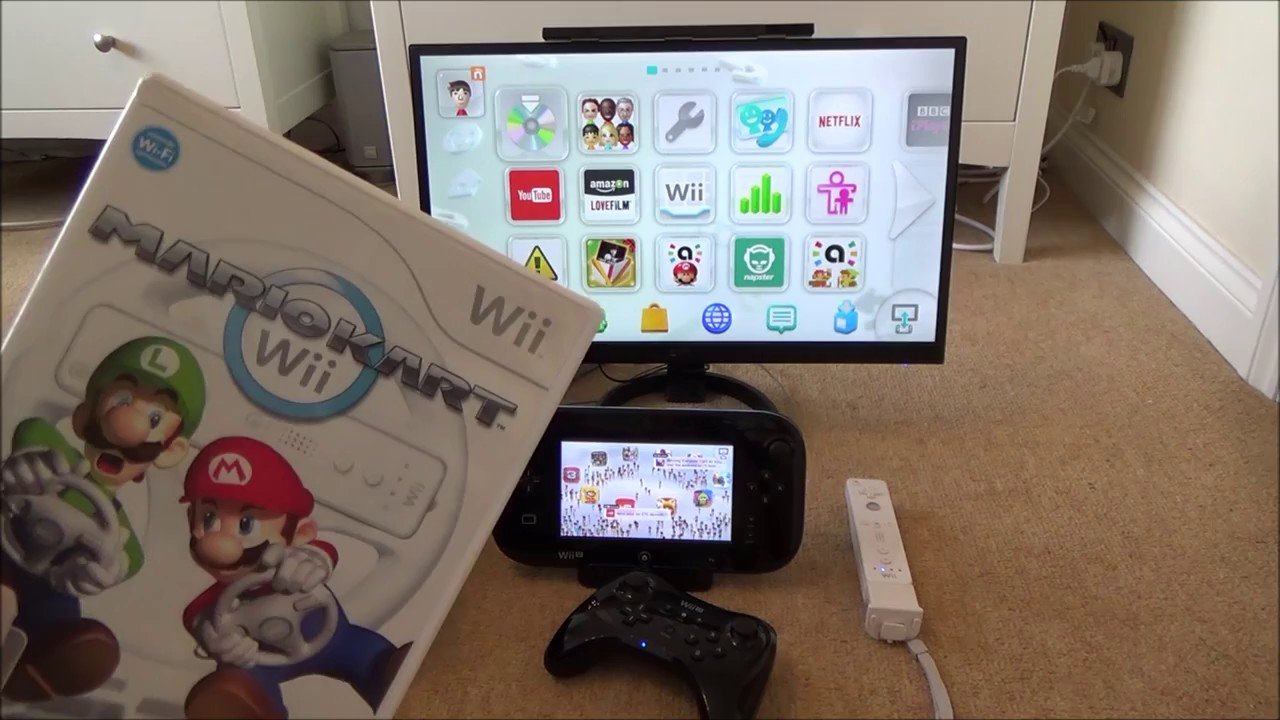
No, the Wii cannot play Wii U games.
Many gamers ask, can the Wii play Wii U games? The answer is a straightforward no. The Wii and Wii U consoles have different hardware architectures. Consequently, Wii games and Wii U games are not compatible.
The Wii U uses different discs and has upgraded processing power. Therefore, it can’t simply read game data from Wii discs. This hardware difference prevents cross-compatibility between the two Nintendo systems.

Can the Wii Play Wii U Games? The Truth About Compatibility
Let’s get straight to the point: the original Nintendo Wii cannot play Wii U games. It’s like trying to fit a square peg into a round hole – they’re just not made to work together. While both consoles share the “Wii” name, they’re different pieces of technology, kind of like how a bicycle and a car both help you travel but work very differently. This might be disappointing for those hoping to enjoy Wii U titles on their trusty Wii, but understanding the reasons behind this incompatibility will help explain it better. Think of it this way, a newer phone won’t run the same apps as your older phone without some changes, and the same thing goes for games and consoles.
Understanding the Differences: Wii vs. Wii U Hardware
The main reason the Wii can’t play Wii U games comes down to the hardware differences. These two consoles have completely different internal components. It’s like comparing a basic cake to a tiered wedding cake – they both are cakes, but they’re built quite differently!
The Wii’s Interior
The Wii, released in 2006, utilizes a processor and graphics card designed for that era. It was designed to handle games that were graphically simpler than those on the Wii U. Its system was built around the standard-definition television format, that means games were made to be played on standard tv’s and looked nice and clear on them. The Wii also stores its game information on discs, just like DVD’s. The technology used inside was the best for its time, but game development moves forward quickly.
The Wii U’s More Advanced Setup
The Wii U, on the other hand, launched in 2012, boasts a much more powerful processor and a different graphics processing unit. These newer components allow for high-definition graphics, meaning the games on the Wii U look way clearer and more detailed on modern televisions. The Wii U also uses a different disc format, with more space to hold larger games with more complex data. The console was also designed with network features and ways to connect with its gamepad. These differences mean that the Wii simply does not have the internal parts necessary to run the Wii U games smoothly.
Why Software Compatibility is Key
It’s not just about the hardware either. Software plays a vital role in this puzzle. Games for specific consoles are built with their unique system requirements in mind, like a book written in a specific language. Wii games are written to work specifically with the Wii’s system, and Wii U games are designed to be read and played using the Wii U’s software. So, even if you could somehow put a Wii U disc into a Wii (which you can’t!), the Wii just wouldn’t know how to read it or understand the game’s instructions. The systems are fundamentally different; they speak different digital languages.
Analogy of Books
Let’s think of video games like books. Imagine you have a book written in English, and you try to read it using a book written in a different language, such as Spanish, that doesn’t work. You need to have the correct book that is written in the same language to understand it. The same applies to game consoles and games. The Wii U games are like books written in a “Wii U language,” and the Wii, being made for its “Wii language” can’t understand it.
The Wii’s Backward Compatibility: A Different Story
Now, here’s where it gets a bit interesting. The Wii itself does have a feature called “backward compatibility.” This means that the Wii can play games from its older console, the Nintendo GameCube. This was a really cool feature at the time, since it meant people who owned GameCube games could still use them after switching over to the Wii. But, the important thing is that while the Wii is backward compatible with older games, the Wii and Wii U were never made to be compatible with each other. The technology leap between the two was too significant.
What does it mean Backward Compatibility
Backward compatibility, in simple words, refers to a newer device’s capability to run software designed for older hardware. Think of it like your new laptop being able to open old documents you created years ago. That’s the idea behind the Wii being able to play GameCube games. But, remember, this only works when the console is intentionally designed to do so. The Wii was designed to read and play GameCube games, but not designed for Wii U games.
The Absence of Emulation
You might be thinking, “Could an emulator solve this issue?” An emulator is a type of program that allows one computer system to behave like another one, basically letting your device act like the other device that is different from yours. While emulators do exist for a variety of consoles and can be used for Wii games on a PC, there are no official Nintendo emulators that would let the Wii play Wii U games. Creating an emulator that works well for an advanced system like the Wii U is an incredibly complex and complicated project, and the Wii hardware doesn’t have the power to run a Wii U emulator well anyway.
Why Emulation is Complex
Emulation is a complicated task that is not easy to do. It’s not as easy as just copying files. You need a very powerful processor to be able to translate all of the code and information on the older system for use on the new one. Think of it like translating a very long novel from one language to another. It takes a lot of effort and resources. This is why emulating more complex systems like the Wii U is very difficult, and generally not possible on older hardware like the Wii.
Specific Game Examples
To really understand it, let’s consider specific games. Games like “Super Mario Galaxy,” made for the Wii, will run great on a Wii. These games use graphics and game design that the Wii can handle really well. On the other hand, games like “Super Mario 3D World” and “Mario Kart 8,” which were designed for the Wii U, use higher resolution graphics, more complex details, and more demanding game code. The Wii simply does not have the processing power, graphics capabilities or the memory to handle these Wii U games. Trying to run a Wii U game on a Wii would be like trying to use a calculator to do very complicated math; it simply is not able to do that.
Visual Differences
The graphical difference between a Wii game and a Wii U game is like comparing a simple drawing with a detailed painting. A game like “Wii Sports” looks great on the Wii, but then you see “Super Mario 3D World,” where the characters are so detailed and the colors are vivid on Wii U. That difference is because the Wii U can handle much higher resolution, which means the games have more pixels per inch of the screen. This makes them much sharper, clearer and they can display more detail. The original Wii just was not built to handle that kind of detail.
Can You Transfer Wii Data to the Wii U?
While the Wii can’t play Wii U games, Nintendo did think about people who wanted to move to a Wii U. You could transfer some data from your Wii to your Wii U. This included things like save files, downloaded games from the Wii shop, and some of your Mii characters. This was very helpful because you could keep your progress in many of your games. However, this didn’t mean you could play Wii games on the Wii U itself; only that the data was moved to the Wii U for use in its backwards compatibility.
How The Transfer System Worked
The transfer process involved using both consoles together. You’d connect them to the same network and use a special transfer tool to move your data over. This process made transitioning to the Wii U a bit easier. It’s like bringing your old toys and pictures when you move to a new house. You get to keep your memories and continue with your progress even on a new system. But it did not make it possible to play Wii games on the Wii U console using your old Wii disc. The Wii U can read and play Wii game discs directly on the Wii U console without transferring data.
The Wii U’s Ability to Play Wii Games
Here’s a good piece of news: The Wii U can play almost all games that were made for the original Wii, this is its built-in backward compatibility. So if you upgraded to the Wii U, you could still play all your old Wii games, you can play your Wii games on the Wii U console, using the same game disc that you used on your Wii system. It’s like having a new car that can still play your old favorite music CDs. Nintendo made this to help those who were upgrading to the new system and wanted to keep playing their old game library.
How Wii Games Play on the Wii U
When you play a Wii game on the Wii U, the console actually goes into a Wii mode. It’s almost like the Wii U turns into a Wii for the time you are playing the game. This allows you to play Wii games as they were intended, using your Wii controllers. This was something many people liked about the Wii U. It allowed people to switch from playing new games to playing their old games with just a quick disc change. This feature allowed them to enjoy the large library of Wii games on the new Wii U console.
The Digital Game Store Question
With the introduction of digital game stores, you may wonder about the availability of Wii U games on the original Wii’s digital store. The original Wii’s store only offered games designed for the Wii. It did not have any Wii U games available on its store. The Wii U store was available on the Wii U console. This made it very clear which system the games were made for. Each store was designed to provide content specific to its particular platform.
The Digital Divide
The digital stores for each console are kept very separate, this separation further underscores the incompatibility of the Wii and Wii U. It was also part of Nintendo’s strategy to encourage players to move up to the new console to be able to enjoy the newer titles. Therefore, if you wanted to play any Wii U digital games, you had to do so on the Wii U console, not on the Wii console.
Why Not Design One Console to Play All Games?
You might ask, “Why couldn’t they just make one console that plays all games?” That is a great question, but there is a reason. Creating a single console that plays all games from different generations would require a console that is extremely complex and expensive. Also, newer hardware typically needs to run different software to take advantage of new features. Each generation of consoles is designed with the latest tech and game trends in mind. If they made a system that could play older games, it might not do newer games at their best. Therefore, it’s usually better to design and make the best and most optimized console for the time that it is being launched.
The Cost and Complexity
Building one console that plays all games is a big problem. Trying to make one system to run older, and newer games can make the system very expensive and complicated. It’s more efficient to have separate consoles. Each one is designed for its own specific generation of games, this allows for the systems to run those games really well and at the lowest possible cost to the consumer. It’s a better strategy for game development and for game players.
The Legacy of the Wii and the Wii U
Although the Wii cannot play Wii U games, both consoles played a big part in video game history. The Wii made motion controls very popular and brought gaming to a larger audience, with many games that were fun for the whole family. The Wii U, even though it didn’t sell as much, introduced great new ideas with its unique gamepad and some fantastic exclusive games. Both consoles gave players memorable experiences, and those experiences are different for each console.
A Look Back at Innovation
Looking back at both consoles shows us a good example of how gaming has changed. The Wii was all about motion, while the Wii U tried to add a secondary screen to gaming through the gamepad. Each one tried something new, this is what is always happening with new game consoles. They each gave us many fun games. Even though these console’s can’t play games for the other, they both still have many great games and many people have memories playing games on these consoles. They each contributed a great deal to the world of gaming and changed it.
In summary, while the Nintendo Wii is a beloved console, it simply lacks the necessary hardware to run Wii U games. The technical differences between the two consoles, both in hardware and software, make it impossible for the Wii to play Wii U games directly. The Wii’s backward compatibility is only applicable to the GameCube console. The Wii U, however, can play most Wii games. Understanding these differences helps appreciate the progress of console technology. The games were made for each specific system, and it is important to know how each of these console’s work.
Can the Wii play other games?
Final Thoughts
Ultimately, the Wii cannot play Wii U games. The hardware inside each console is different. Wii games use standard definition, whereas Wii U games are in high definition.
The Wii U is backwards compatible, meaning it can play Wii games. However, this capability does not work the other way around. Therefore, the simple answer to ‘can the wii play wii u games’ is a definitive no.

