
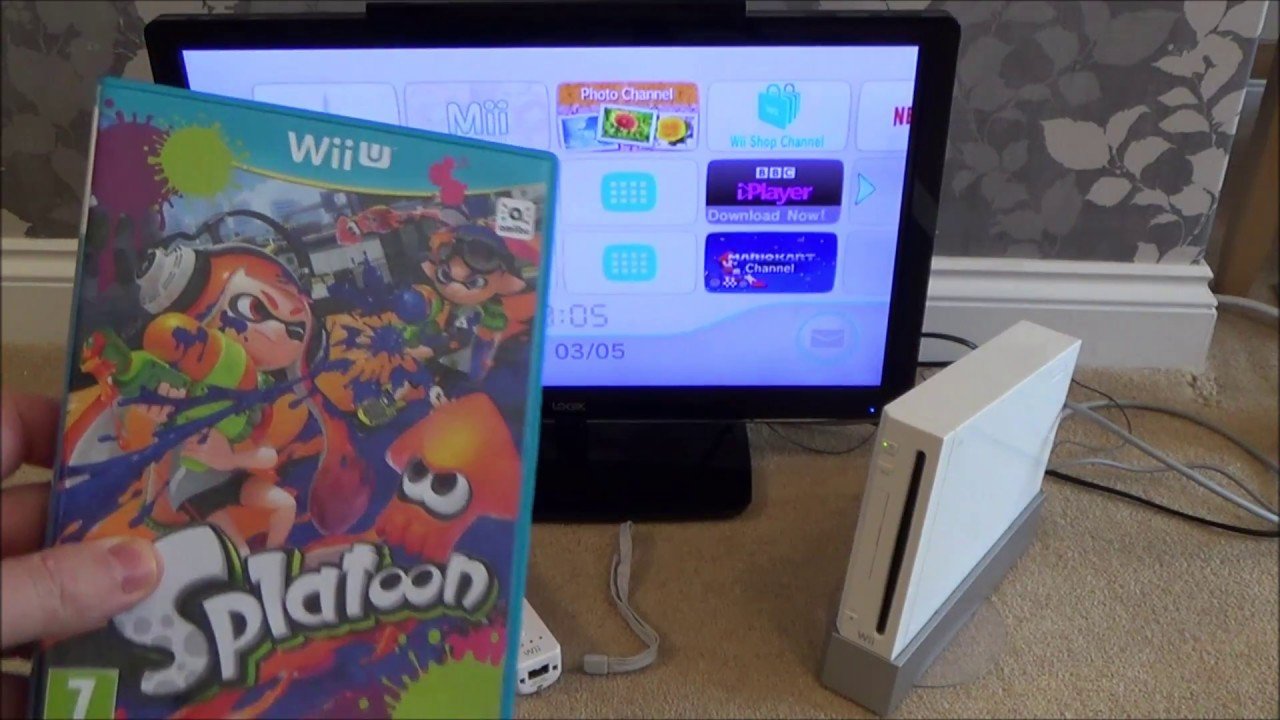
No, Wii U games cannot work on a Wii console.
Ever wondered if you could play your newer Wii U titles on the older Wii? It’s a common question gamers have, especially with so many great games across both platforms. Many might hope for backward compatibility but unfortunately, things are not that simple.
The hardware differences between the two consoles make it so that can Wii U games work on Wii is a question that has a simple answer: no. The Wii U uses different disc formats and has a different architecture.

Can Wii U Games Work on Wii? The Compatibility Question
The question of whether Wii U games can work on the original Wii is a very common one, especially for people who might have both consoles or are thinking about buying one. It’s a simple question with a not-so-simple answer. The short answer is no, Wii U games will not play on a Wii console. They are completely different systems, with different hardware, software and game formats. Let’s dive deep into why this is the case and explore all the reasons behind this incompatibility. We’ll examine the key differences between the consoles and what these differences mean for game compatibility.
Why Wii U Games Won’t Play on Wii: Technical Differences
The core reason why Wii U games won’t work on the original Wii boils down to their fundamental differences in hardware. These are not just minor differences; they’re major changes that make the consoles entirely separate. Think of it like trying to use a Blu-ray disc in a DVD player. It just doesn’t work because the technology isn’t compatible.
The Processor Power
The Wii U has a much more powerful processor than the original Wii. This increased power is necessary for running the more complex and graphically intensive games created for the Wii U. The Wii simply doesn’t have the processing muscle needed to handle Wii U game code. The difference in processing power is like comparing a bicycle to a car; both can get you somewhere, but they operate at very different levels. This difference in speed and power is one of the main reasons why Wii U games won’t function on the old Wii. The Wii’s processor is too slow to understand the more complex instructions in Wii U games.
The Graphics Capabilities
Another big difference lies in graphics. The Wii U is designed for high-definition graphics. It can display games in stunning HD, whereas the original Wii’s graphics are standard definition. The graphics chips in each console are completely different. Wii U games are created with these high-definition graphics in mind. They require the Wii U’s more advanced graphical processing unit to render their intricate details and visuals. The Wii doesn’t have the required graphical capability to display these games correctly. Trying to force a Wii U game to run on the Wii would be like trying to project a 4K movie on an old TV screen – the old TV just can’t handle the resolution and detail. The old TV would show a blurry or distorted picture, if it displayed anything at all. The Wii simply isn’t built to handle the enhanced graphical demands of Wii U games.
Disc Format Differences
The games themselves are also physically different. Wii games are stored on standard DVDs. Wii U games, on the other hand, use a different, high-capacity optical disc. This disc can store much more data which is needed for the bigger games with higher-quality graphics. These discs are not compatible with each other. The Wii’s disc drive is only designed to read DVDs. It doesn’t have the ability to read the different disc format used for Wii U games. Trying to place a Wii U disc in a Wii is like trying to put a square peg into a round hole. It won’t fit. The physical differences in how the games are stored and read by the console are another important reason for incompatibility.
Software and Operating Systems
Beyond the hardware, the software, called the operating system, on each console is unique and different. The Wii has its own software system, designed to run its own specific games and applications. The Wii U has an entirely different software system built to manage its games, online functionality, and the new Wii U interface. The Wii’s operating system doesn’t recognize the instructions found in Wii U software and games. It’s akin to trying to run a computer program designed for Windows on a Mac computer – the operating systems are not compatible. The core structure of the software is different, creating an inability for the systems to communicate effectively with each other.
Understanding Game Compatibility: What Can the Wii Play?
So, if Wii U games don’t work on the Wii, what can the original Wii play? The Wii can play its own library of games, those specifically designed for the Wii. These are games developed and optimized for the Wii’s hardware. You can also play GameCube games on the original Wii. The console has a special ability to play these older games which was one of its unique features at the time. The original Wii’s compatibility list is limited to these two categories.
Wii Game Library
The original Wii had a huge library of games, with lots of variety. You can find platformers, action games, sports games, and plenty of family-friendly titles. These games were all created to work with the Wii’s specific hardware and software. They were designed to take advantage of the Wii Remote’s motion controls. Classic games like “Wii Sports,” “Super Mario Galaxy” and “The Legend of Zelda: Twilight Princess” are perfect examples of games that are only available for the original Wii. These are titles that won’t work on the Wii U unless you buy the virtual console versions. They really highlight the fun and creative gameplay experiences the original Wii has to offer.
GameCube Compatibility
The original Wii also included a special feature, it could play games for the Nintendo GameCube. This meant that you could play both the new Wii games and the older GameCube games, giving players an even bigger library of titles to enjoy. However, this special feature was removed in some later models of the Wii, so if you want to play GameCube games on a Wii, you’ll need to have an older version.
Key Differences Summarized
To recap, here are some key differences between the Wii and Wii U that lead to game incompatibility:
- Processor: The Wii U has a much faster processor, allowing it to run more complex games.
- Graphics: The Wii U supports high-definition graphics, whereas the Wii is standard definition.
- Disc Format: Wii games use DVD discs, and Wii U games use a different disc type with more storage capacity.
- Software: Each console has its own operating system that is not compatible with the other.
- Controller Technology: Wii U controllers are different from those on Wii. The gamepad is a key part of Wii U gameplay.
Why Nintendo Made the Wii U Incompatible With Original Wii Games
You might wonder why Nintendo didn’t make the Wii U able to play Wii games. It’s a fair question. The main reason is that the Wii U was created as a new and separate console, designed to offer a step forward in gaming experience. The Wii U has much better graphics and overall performance compared to the Wii. To get the most out of the newer games, it needed its own system to work correctly. Making it compatible with the old system would have made it slower and less powerful.
However, Nintendo did offer some options for players who had games from both consoles. The Wii U had a backward compatibility feature. This means that you can play the original Wii games on the Wii U console. But it only plays the original Wii games, not the other way around. The Wii U can’t play GameCube games like the original Wii.
The Wii U also had a virtual console, allowing players to buy and download games that were originally on the Wii. This gave people a way to play some of the older games on the new console.
Wii U and Digital Game Purchases
The Wii U eShop provided a good way for Wii owners to enjoy some of their favorite older games on the new console. By purchasing and downloading games from the Wii’s online shop onto the Wii U console, gamers were able to access certain games from their old console. You could not play the games directly on the Wii U from the Wii disc. They had to be bought online. This was a nice way to let players continue enjoying the old games on their new console without requiring any new physical media. But, not all games were available as digital downloads.
Practical Implications of Incompatibility
Understanding that Wii U games are not compatible with the original Wii has important implications. If you own a Wii, don’t expect to pick up a Wii U game at a sale and play it. Similarly, if you are considering purchasing a Wii U to play games you have for your original Wii, you should be aware that you may have to purchase these again on the eShop (if they are available).
- Planning Your Game Purchases: If you have both a Wii and Wii U, remember to buy games that are designed for the specific console.
- Console Choices: The game selection on the Wii U is much more limited as the console is older now. It’s important to remember that you will need a different console to play the newer games.
- Storage and Space: Consider storage space if you decide to download games from the eShop on the Wii U, or ensure that you have the right discs for the console you are using.
Finding the Right Console for Your Games
The key to enjoying your video games is having the correct console for your games. It is essential to know which games are made for which console. It is very useful to have a good understanding of what each console can do and what games it plays.
Wii: Focus on Older Classics
The original Wii is great for playing older titles, GameCube games, and family-friendly games made specifically for the Wii console. If you like motion controls and classic titles, the original Wii is a good choice.
Wii U: Newer Games, Backward Compatibility
The Wii U is the console for those who want high-definition games. It allows you to play newer games that were made for the Wii U. Also, it has the added benefit of backward compatibility allowing you to play your old original Wii games on it. But remember that the Wii U can’t play GameCube games.
The choice between the Wii and Wii U really comes down to your preference in games and what kind of game experience you desire. If you are considering buying a used system, this understanding of which console can play what is really helpful.
The inability of the Wii to play Wii U games is due to significant differences in the hardware and software architecture of the two consoles. The Wii, a system designed for standard-definition graphics and different processing power, simply lacks the capability to run the more complex and graphically demanding games of the Wii U. Each console has its own catalog of games, each offering unique play styles and experiences. While the Wii U does offer backward compatibility to play games from the original Wii, that functionality doesn’t work the other way around. Remembering this is vital to making the right choices when purchasing games and systems. Knowing this information helps you fully appreciate the options available to you with these fun consoles and ensure that you play the right games on the right consoles.
Wii U's a Downgrade for Playing Wii Games
Final Thoughts
Wii U games cannot directly work on the original Wii console. The Wii U uses a different disc format and has upgraded hardware. This makes backward compatibility impossible.
The Wii, therefore, cannot read Wii U discs. You must use a Wii U console to play games designed for it. So, the simple answer is no, can wii u games work on wii? They must play on the console they designed for.

