
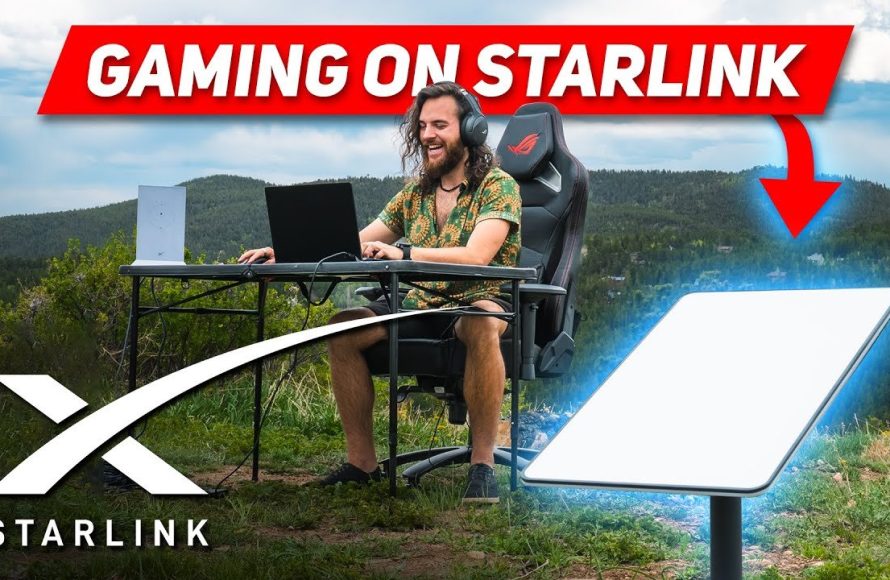
Yes, you can game on Starlink, though your experience will depend on game type and server location.
Wondering if your favorite pastime will work with satellite internet? The big question on many gamers’ minds is, can you game on Starlink? It’s a valid concern given the nature of satellite internet and its potential for latency.
We will delve into what kind of gaming will be better suited to Starlink, but also some limitations you may encounter, so you can enjoy playing games.

Can You Game on Starlink?
So, you’re wondering if you can ditch your old internet and start gaming with Starlink? It’s a big question, and a lot of people are curious about it. The short answer is: yes, you absolutely can game on Starlink! But, like most things, it’s not quite that simple. There are some things you need to know before you jump in. Let’s dive deep into what it’s like to game with Starlink.
Understanding Starlink: The Basics
Starlink is a satellite internet service. Instead of getting your internet through cables or phone lines, it uses a network of satellites orbiting the Earth. These satellites beam internet signals down to a small dish that you put up at your house. This is great for people who live in rural areas where regular internet is slow or not available. But how does that affect gaming?
How Starlink Works
Think of it like this: a whole bunch of super-fast internet routers flying high above. Starlink uses thousands of these satellites to send internet signals to the dish at your home. This system works in low-earth orbit. It means the signals have to travel a shorter distance than with traditional satellites, making it faster. The signal gets to your dish, then it’s sent to your home router, and then, to your game console or computer.
Key Factors for Gaming
When it comes to playing video games online, there are a few important things that matter:
- Speed: This is how fast data can move between your device and the internet. Faster speeds mean you can download games and load online matches faster.
- Latency (Ping): This is how long it takes for a signal to travel from your device to a game server and back. Lower latency is crucial for games. High latency means a noticeable delay, called lag.
- Stability: This refers to how consistent your connection is. If your connection keeps dropping or getting slow, you will have a very frustrating time gaming.
Let’s see how Starlink performs in these areas.
Starlink Speed for Gaming
Starlink’s speeds have improved a lot since it first came out. You can typically expect to see download speeds between 50 to 200 Mbps (Megabits per second), sometimes even higher depending on where you live. For gaming, this speed is definitely good enough for most games. You can download games, updates, and even stream video. It is very important to check what your local area speeds are.
Download and Upload Speeds
Download speed is important for getting games on your console or PC. Upload speed is important when you are talking with your teammates or streaming your gameplay live. Starlink’s upload speeds are typically lower than the download speeds, usually between 5 to 20 Mbps. While this is enough for regular chatting and streaming on low resolutions, it can be a bottleneck for higher resolutions live streams.
Speed Variability
Starlink’s speed is not always consistent. It can sometimes slow down during peak hours, when more people in your area are using the network. Weather can also affect the speed. This can cause some unexpected lag. However, Starlink has constantly worked on making the network more stable, and these speed fluctuations are becoming less frequent.
Starlink Latency (Ping) for Gaming
Latency, often called “ping,” is very crucial when you’re playing games online. High latency means that actions that you take in your game will take time to show up. For instance, if you press the jump button, your character will only jump after a short delay, which can be frustrating. With Starlink, the latency is usually between 20 to 60 milliseconds (ms). This is much better than traditional satellite internet, which can have very high latency. It is also really important to keep in mind that this is better than traditional satellites, but it might not be as good as fiber optic or cable.
Impact of Latency on Different Game Types
How much latency affects your gaming depends on the type of game you are playing:
- Fast-Paced Shooters: Games like Call of Duty, Fortnite, and Apex Legends need low latency. If your latency is too high, you’ll be at a disadvantage. You might find that your opponents are reacting to your actions faster than you can react to theirs. In these games, even a small increase in latency is noticeable.
- Strategy and RPG Games: In games like World of Warcraft, Civilization, and Baldur’s Gate, higher latency is a little more tolerable. You aren’t relying on fast reflexes. Still, low latency is preferred for a smooth experience. It also depends on the pace of gameplay, for instance, a fast-paced real time strategy game would benefit from lower latency.
- Casual Games: Games like Minecraft or Stardew Valley are usually not as sensitive to latency. This means, you should be able to enjoy these types of games without any problems.
Factors Affecting Latency on Starlink
Several things can affect your ping when you’re using Starlink:
- Weather: Heavy rain or snow can sometimes interfere with the signal and cause higher latency. This is something that is not avoidable, but the technology is improving.
- Obstructions: If your Starlink dish doesn’t have a clear view of the sky, this can cause higher latency and a less stable connection. This means you need to consider your surroundings when you are setting up the dish.
- Network Congestion: As more people in your area use Starlink, it can sometimes cause an increase in latency. This is something Starlink has worked very hard on to fix.
It’s important to make sure your dish is placed in a location where you have a clear view of the sky, to get the best latency possible.
Starlink Stability for Gaming
Having a stable internet connection is as important as speed and low latency. A connection that keeps cutting out or lagging can make online gaming impossible. How stable is Starlink for gaming?
Connection Drops and Disconnections
In the early days, Starlink had some issues with connection drops. But, things have improved a lot, the connection has become much more stable. It isn’t as stable as a wired connection like fiber, but the connection drops are not very common. Still, if you have frequent obstructions or very heavy weather, you might experience more frequent disconnects.
Jitter and Packet Loss
Jitter is the variation in latency over time. Packet loss is when data packets don’t reach their destination. Both can create some issues when you are gaming. Starlink has made some great strides in minimizing both. Most gamers will have a solid and consistent connection, which is definitely great for online games.
Factors Affecting Stability
Here are some factors that can have an impact on your connection stability:
- Clear View of the Sky: Make sure there are no trees, buildings, or other obstructions blocking the view of your Starlink dish. Obstructions are one of the biggest causes of unstable connections.
- Dish Setup: Make sure the dish is properly installed and is secure. If the dish is moving around, you are going to face some big problems.
- Weather Conditions: Heavy rain, snow, and strong winds can sometimes cause an unstable connection. If you are in an area where this happens often, you should keep this in mind.
- Software Updates: Make sure your Starlink software is always updated. Updates often improve connection stability.
Gaming Experiences with Starlink
So, what does gaming on Starlink actually feel like? Here’s what many gamers have experienced:
Positive Experiences
Many people, particularly those in rural areas, are very happy with Starlink for gaming. They have said that Starlink has provided a better connection compared to the internet options they had before. They are now able to play games they could not play before and have a great experience.
- Improved Speed: Faster download and upload speeds means they can download new games or updates very quickly.
- Lower Latency: They have been able to play fast-paced online games without much lag.
- Stable Connection: Most of the gamers have experienced a generally stable connection that allows for long gaming sessions.
Potential Challenges
While most people have good experiences, some gamers have faced some challenges:
- Occasional Lag: Some gamers still experience lag sometimes, especially during peak hours or bad weather.
- Connection Drops: Some gamers have experienced connection drops when there are obstructions or during extreme weather.
- Price: Starlink is a bit more costly compared to other traditional internet options.
Specific Game Titles
Let’s talk about how Starlink works for specific game types. Keep in mind that every person’s experience is a bit different, depending on where they live and the setup of their system:
- Competitive FPS Games: Games like Counter-Strike, Valorant, and Rainbow Six Siege. These games need very low latency. Gamers have reported that Starlink is good enough, but still, a fiber connection is slightly better.
- MMORPG Games: Games like World of Warcraft, Final Fantasy XIV, and Elder Scrolls Online. Gamers usually have a good experience because these games are a little more forgiving with latency.
- Battle Royale Games: Games like Fortnite, PUBG, and Apex Legends are very popular. These games also benefit from low latency. It is often reported that Starlink provides great connectivity for these games.
- Sports Games: Games like FIFA and NBA 2K games. Starlink works well with these titles.
In most cases, Starlink can provide a great experience with all of these games. It really depends on the setup of your system and how your local network is.
Setting Up Starlink for Gaming
Getting the most out of Starlink for gaming means setting it up properly. Here are a few things to remember:
Finding the Best Location for Your Dish
The most important thing to consider is that you need a clear view of the sky. Obstructions like trees or buildings will cause you problems. You should try to mount it on your roof or in another high, open area. Starlink provides an app that helps you find the best place.
Optimizing Your Home Network
After you have the dish setup, you need to make sure your home network is ready. Here are a few tips:
- Use a Good Router: The router that Starlink provides works fine. But, if you are a very serious gamer, you may want to get a high-quality gaming router.
- Connect via Ethernet Cable: For the best connection, connect your computer or console to the router using an Ethernet cable, instead of Wi-Fi. This will help reduce the chance of latency.
- Prioritize Gaming Traffic: Some routers let you prioritize gaming traffic. This can make sure that your game has enough bandwidth even when other people are using the internet in your home.
Software Updates
Starlink often releases software updates that make the connection better. Always make sure you have the latest version of the software on your dish and router. These updates can improve speed, latency, and stability.
Starlink vs. Other Internet Options for Gaming
How does Starlink compare to other types of internet when it comes to gaming? Let’s take a look:
Fiber Optic
Fiber optic internet is usually the best choice for gaming. It offers very fast speeds and very low latency and high stability. But, it is usually only available in cities and towns. If you have fiber in your area, it is probably better than Starlink for gaming, due to more stability and reliability.
Cable Internet
Cable internet is a little more widespread than fiber. It is also very good for gaming, giving both high speeds and low latency. It is very similar to fiber, though the latency may be slightly higher. It is a great choice for gamers who do not have fiber available.
DSL Internet
DSL internet uses phone lines to give you internet. It is usually slower and has higher latency. It is usually not the best for gaming. It can be good for older, less demanding games, but is not ideal for modern games.
Traditional Satellite Internet
Traditional satellite internet has very high latency. It is not good for gaming at all. Starlink is a much better option for gaming, compared to traditional satellite internet. This is because Starlink has very low latency and is better optimized for games.
Fixed Wireless
Fixed wireless is similar to Wi-Fi but operates over longer distances. The performance of fixed wireless depends on the system you have, but it can be good for gaming, depending on your provider. You should check the speeds and latency before choosing fixed wireless internet.
This table provides a general idea of how these different technologies compare.
| Internet Type | Typical Download Speed | Typical Upload Speed | Latency | Stability | Best for Gaming? |
|---|---|---|---|---|---|
| Fiber Optic | 100-1000+ Mbps | 100-1000+ Mbps | Very Low (1-10ms) | Very High | Excellent |
| Cable | 50-1000 Mbps | 5-50 Mbps | Low (10-30ms) | High | Very Good |
| Starlink | 50-200+ Mbps | 5-20 Mbps | Medium (20-60ms) | Medium to High | Good |
| DSL | 1-100 Mbps | 1-10 Mbps | High (30-100ms) | Medium | Poor to Fair |
| Traditional Satellite | 1-25 Mbps | 1-3 Mbps | Very High (500-1000ms) | Low | Very Poor |
| Fixed Wireless | 25-100+ Mbps | 5-20+ Mbps | Medium (20-80ms) | Medium | Fair to Good (depends on provider) |
As you can see, Starlink is a great option if you do not have fiber or cable available. It is much better than traditional satellite internet, and a great alternative for those living in rural areas.
In short, can you game on Starlink? Yes, you absolutely can! Starlink provides a great way to get online for people in rural areas who don’t have better options. While it may not always be as perfect as fiber optic, it’s certainly a giant leap forward, providing a great gaming experience for a lot of people. It is a very solid option for gamers if they do not have any other better options available. With a good setup, you can have lots of fun with all your favorite online games.
Gaming on Starlink – 2024 Review and Test
Final Thoughts
Starlink provides a viable option for gaming, especially in remote areas. Latency is usually acceptable for many games, though it can vary. You might encounter occasional hiccups.
‘Can you game on Starlink’? Yes, generally. However, performance depends on factors like weather and network congestion. It’s not a perfect substitute for fiber, but it offers a solid experience in areas without other good internet access.

