
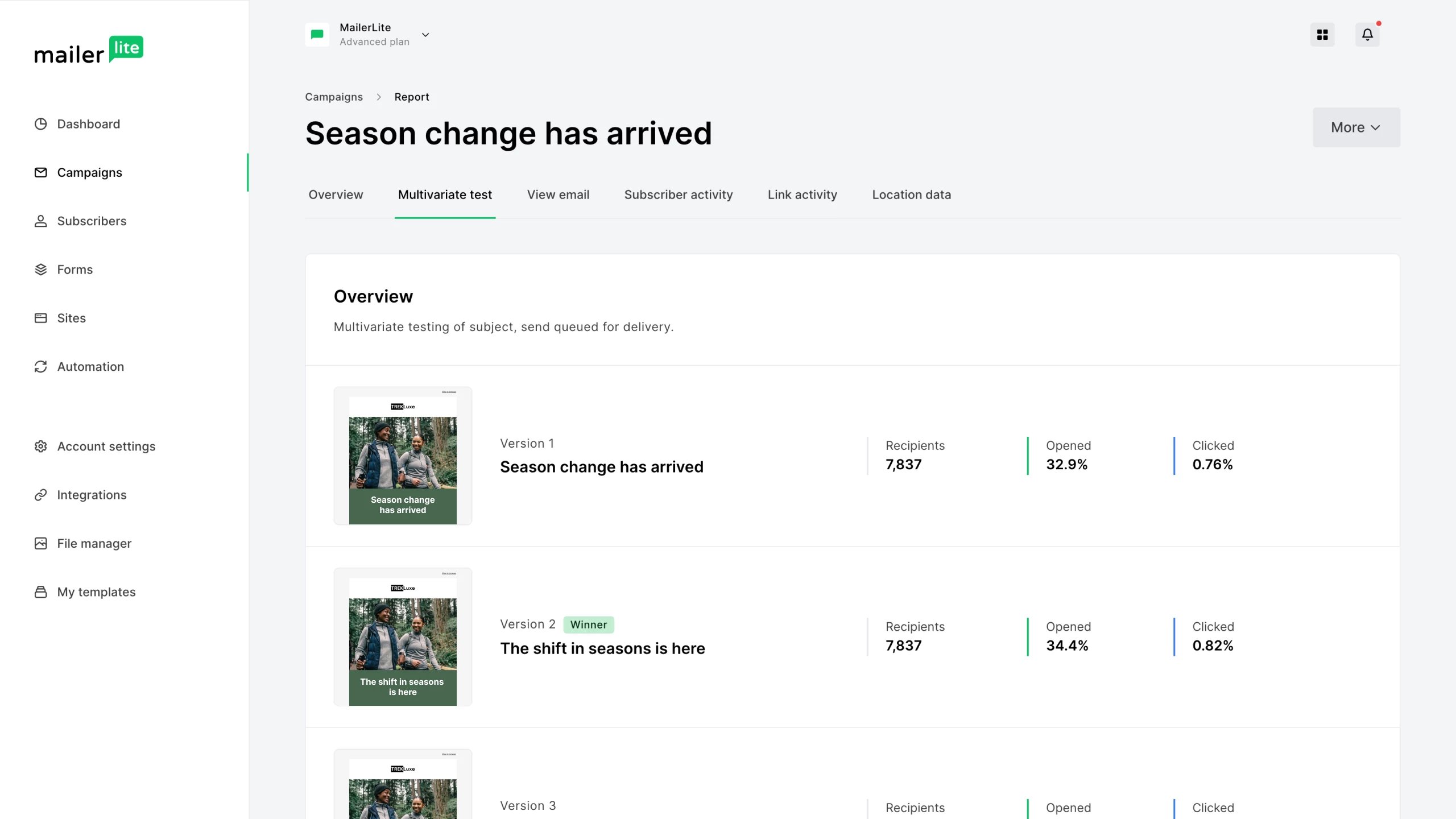
Multivariate testing in Roblox involves A/B testing multiple variations of game elements simultaneously to determine which combinations yield the best results.
Ever wondered how game developers on Roblox fine-tune their creations to maximize engagement? It’s not just guesswork; a significant part involves careful experimentation. This is where Roblox multivariate testing comes into play, allowing creators to test several changes at once.
By changing multiple features concurrently and analyzing the outcome, developers learn which combination works best. It’s a key method for improving user experience and game performance. This process helps them to make data-backed decisions.

Roblox Multivariate Testing: Level Up Your Game Design
Okay, so you’ve got a cool Roblox game. You’ve poured your heart and soul into it, and you’re seeing some players. But how do you make it even better? How do you know what changes will really make a difference? That’s where multivariate testing comes in! It’s like having a superpower for your game design, helping you figure out what players love and what they don’t. It’s about trying out different things at the same time to find the best combination.
What Exactly is Multivariate Testing?
Think of it like this: imagine you’re making a super cool cake. You could change one thing at a time – maybe you try a different frosting one day, and then a different type of sprinkles the next. That’s like basic A/B testing. But what if you wanted to test both frosting and sprinkles at the same time? That’s where multivariate testing comes in. It lets you test lots of different things, all at the same time, to see which combinations work best. In Roblox, this means testing changes to your game’s appearance, gameplay, or even the way players interact with the game.
Why Not Just Use A/B Testing?
A/B testing is fantastic for testing one thing at a time, like comparing two different loading screen images. But when you have multiple elements to consider, A/B testing can become very slow and take a lot of time. Imagine you have three choices of a main character, two background themes, and two types of music. A/B testing each combination would take a long, long time. Multivariate testing lets you explore all these combinations at once, saving you time and resources.
Key Concepts in Roblox Multivariate Testing
Before diving in, let’s break down some important ideas:
- Variables: These are the things you want to test in your game. Examples include: the color of a character’s skin, the starting point in a game, the layout of a shop, or the difficulty of a puzzle.
- Variations: These are the different options you have for each variable. If your variable is “character’s skin color,” variations might be “blue,” “green,” and “red.”
- Goal: This is what you hope to achieve with your testing. Do you want more players to stay in your game longer? Or maybe purchase more items? Your goal will guide which variables you want to test.
- Traffic Splitting: You’ll divide your players into different groups, and each group will see different variations. It’s important to do this randomly, so that you get clear results.
- Metrics: These are the numbers that will tell you how well your variations are performing. Common metrics include: how long players stay in the game (session length), how much they play (playtime), how many levels they complete, or how much Robux they spend.
Setting Up a Roblox Multivariate Test: A Step-by-Step Guide
Now, let’s get to the exciting part – putting together a real multivariate test in your Roblox game!
Step 1: Define Your Goal
Before you start changing things, you need to figure out what you’re trying to accomplish. Do you want more players to finish the first level? Do you want to increase engagement with a new feature? Do you want players to stay longer? It is important to write down your goal. Having a clear goal will help you decide what to test and how to measure results. For example, let’s say you want to increase the amount of time players spend in your game by changing how you greet them when they enter the game.
Step 2: Identify Your Variables and Variations
Now that you have your goal, what aspects of your game can you change to reach it? What variables will you use? For our example goal of increasing play time, you could look at these variables: the welcome message, the background color, or the starting music. After you identify your variables, you need to make variations for them. For the “welcome message” variable you could have three variations: a basic “Welcome to the Game!”, a more exciting “Get Ready for Adventure!”, and a humorous “Prepare to be Amazed!”. It is important to make variations that are different from each other, so you can see what is effective.
Step 3: Design the Experiment
This step involves planning how to show your variations to players. You will need a system to distribute players to different test groups. For instance, if you have 1000 players, you could randomly split them into 12 groups with an equal number of players in each group. Why 12? Because it is the combination of our three message variations, two color variations, and two music variations. For each of these, players will see a specific combination. Group 1 might get “Welcome to the Game!”, a blue background, and happy music. Group 2 might get “Welcome to the Game!”, a red background, and sad music. And so on. You need to make sure that each group is given the same opportunity to see the game variations.
Step 4: Implement the Experiment in Roblox Studio
This part requires using Roblox’s scripting language (Lua) to put your test into motion. You’ll need to create code that:
- Randomly assigns players to a testing group when they join.
- Shows the correct variations to each player, based on their group.
- Tracks the metrics you want to measure (like playtime). This usually involves using Roblox’s datastore to store metrics.
You can achieve this with techniques like using a ModuleScript to centralize configuration, data tracking scripts, and scripts that handle changing your game environment based on user’s test group. A good idea is to use a custom ID to identify each of your different combinations, which will make it easier to track results. Here’s a simplified example in Lua:
local Module = {}
-- Configuration for your multivariate test
Module.TestConfig = {
    Variables = {
    WelcomeMessage = {"Welcome to the Game!", "Get Ready for Adventure!", "Prepare to be Amazed!"},
    BackgroundColor = {"Blue", "Red"},
    Music = {"Happy", "Sad"}
  },
    -- Function to get variation ID from combination of variatios
    getVariationId = function(variations)
    local id = ""
      for key, value in pairs(variations) do
        id = id .. key .. "=" .. value
      end
      return id
    end,
  getCombinations = function(variations)
    local combinations = {}
    local function generateCombinations(index, currentCombination)
      if index > #variations then
        table.insert(combinations, currentCombination)
        return
      end
      local varName =  variations[index]
      for _, variation in ipairs(Module.TestConfig.Variables[varName]) do
         currentCombination[varName] = variation
        generateCombinations(index + 1, currentCombination)
      end
    end
    generateCombinations(1,{})
    return combinations
    end,
    -- Function to get random group ID
    getRandomGroupId = function(combinations)
      local rand = math.random(1, #combinations)
        return rand
    end,
   -- Function to set environment based on group
    applyVariations = function(player, variations)
      local welcomeMsg = variations["WelcomeMessage"]
      local bgColor = variations["BackgroundColor"]
      local music = variations["Music"]
    -- Apply welcome message
        player.PlayerGui.WelcomeScreen.WelcomeMessage.Text = welcomeMsg
    -- Apply color
      if bgColor == "Blue" then
         game.Workspace.Baseplate.Color = Color3.fromRGB(0, 0, 255)
      else
          game.Workspace.Baseplate.Color = Color3.fromRGB(255, 0, 0)
      end
    --Apply music (replace with music instance)
     if music == "Happy" then
    -- Play happy music
     else
       -- Play sad music
     end
   end
}
return Module
Here’s an example of how to use this Module in a Server Script:
-- Load module
local TestModule = require(game.ServerScriptService.MultivariateModule)

-- Get all combinations for testing
local combinations = TestModule.TestConfig.getCombinations({"WelcomeMessage", "BackgroundColor", "Music"})

game.Players.PlayerAdded:Connect(function(player)
    local groupId = TestModule.TestConfig.getRandomGroupId(combinations)
    local variations = combinations[groupId]
    local variationId = TestModule.TestConfig.getVariationId(variations)

    -- Apply the variations
  TestModule.TestConfig.applyVariations(player, variations)
    -- Log user data, including which variation the player received (you can store this in DataStore)
    print("Player joined test group: ".. variationId)
end)
Remember that is a very simplified example. The actual code you use will depend on the specific things you want to test and how your game is set up. Also, be aware of data storage limits. If you are tracking data for a large number of players, consider using an external database.
Step 5: Run the Test
Now it’s time to let your players play! As players join, they will be put into different groups and experience the different variations of your game. Collect data about how long they play, how much they interact with the game, and other relevant metrics that you chose at the beginning of the experiment. You should plan how long you will run the test and make sure that you have enough users join to provide statistically significant results.
Step 6: Analyze the Results
After running your test, it’s time to look at the data you collected. Which group performed best? Did certain combinations lead to more playtime or in-game purchases? This is the most important step. By looking at the numbers, you can learn what changes work, what doesn’t, and which ones have the biggest impact on your game.
Step 7: Make Improvements
Based on the data, implement the best variations into your game. This is an important step for making your game better. Do not be afraid to repeat the test. Once you make the changes, you can run the test again with different variations, to continue optimizing your game.
Things to Keep in Mind
- Start Small: Don’t try to test too many things at once. It’s better to start with a few key variables and then expand later.
- Statistical Significance: Make sure you have enough players in each group to get valid data. If you only have a small sample, the results might be misleading. Use a sample size calculator to ensure you collect enough data.
- Be Patient: It takes time to collect enough data to draw good conclusions. Don’t rush the process and make changes too early.
- Track Metrics Correctly: Double-check that the data you are collecting is accurate and relevant to your goals.
- Iterate: The results of your multivariate testing are not the end of the process. Use the results to create better tests in the future.
Practical Examples of Multivariate Testing in Roblox
Let’s explore some concrete examples of how you can use multivariate testing in your Roblox game.
Example 1: Optimizing the Starting Experience
Imagine you have an adventure game. You could test different starting locations, tutorials, and initial quests. You can try different welcome messages, background themes, or music that accompanies this starting experience. Variables and variations might include:
- Variable: Starting Area
- Variations: Forest, Village, Cave
- Variable: Tutorial Guide
- Variations: Animated Character, Text Prompts, No Tutorial
- Variable: Initial Quest
- Variations: Find a Key, Gather Materials, Talk to a Character
By testing these combinations, you can figure out which starting experience makes players want to stay longer and play more.
Example 2: Testing In-Game Shop Design
Let’s say you have a shop in your game. You could test the layout of items, the prices, and even how the shop appears on the screen. Variables and variations might include:
- Variable: Item Arrangement
- Variations: Grid View, List View, Category Tabs
- Variable: Price Display
- Variations: Robux Only, Robux and In-Game Currency, Discounted Price
- Variable: Shop Appearance
- Variations: Colorful, Simple, Futuristic
The data will tell you which design encourages more players to buy items in your shop.
Example 3: Testing Level Difficulty
You might want to test level difficulty to see if players are quitting because it is too hard or too easy. Variables and variations might include:
- Variable: Number of Obstacles
- Variations: Low, Medium, High
- Variable: Enemy AI Aggression
- Variations: Passive, Moderate, Aggressive
- Variable: Time Limits
- Variations: No Time Limit, Moderate Time Limit, Strict Time Limit
The data will help you find the difficulty balance that keeps players interested but not frustrated.
Tools for Roblox Multivariate Testing
While Roblox doesn’t have a built-in multivariate testing feature, there are a few tools that can help you create your tests:
- Your Own Scripts: Using Lua, you can build your own multivariate testing system in your game. The example given earlier will help get you started.
- Roblox’s DataStore: Use DataStore to store and analyze the data you collect. You can use DataStore to track player progress and metrics, or log information that can be later used to improve your game.
- Spreadsheet Software: Use tools like Google Sheets or Microsoft Excel to analyze the data collected from your game. This will help you create graphs and charts that show the effectiveness of different variations.
- Third Party Platforms: External analytics platforms can be integrated with your game to manage data collection. Some of these tools provide features that make managing large-scale testing easier.
Potential Pitfalls to Avoid
Multivariate testing can be powerful, but it’s essential to avoid these common errors:
- Ignoring Statistical Significance: Collecting data from a small number of players can lead to incorrect conclusions. Always make sure your sample sizes are large enough to get accurate results.
- Testing Too Many Variables: When testing too many things at once, it can become difficult to see which combination is working best. Keep your experiments focused on the key elements you want to evaluate.
- Changing Things Mid-Test: Once you’ve started your test, avoid changing the variables or variations. If you do, you’ll affect your data, making it difficult to understand what you are seeing.
- Not Having a Control Group: If possible, consider adding a control group that receives none of the new variations. This group’s performance can serve as a comparison to the other test groups, allowing you to know exactly how much the new variation has impacted the game.
- Ignoring Player Feedback: Always remember to listen to what your players are saying, alongside looking at your data. Player comments and suggestions can often point to problems with your test or help you find new ideas for improvements.
Multivariate testing is a way to learn how players interact with your game and to keep making your game better. It’s like a super cool way to understand what players really like and how to give them the best experience possible. By using it correctly, you can create an engaging and popular game for your players.
Left or Right? (skibidi toilet Animation)
Final Thoughts
Roblox multivariate testing allows you to refine game design and user experiences by comparing different variations. By experimenting with multiple elements simultaneously, developers can quickly pinpoint the most effective combination. This leads to data-driven decisions for optimized player engagement.
Implementing this technique helps improve game mechanics and monetization strategies. Effective roblox multivariate testing provides vital data for making informed choices, driving improvements to your game.

