
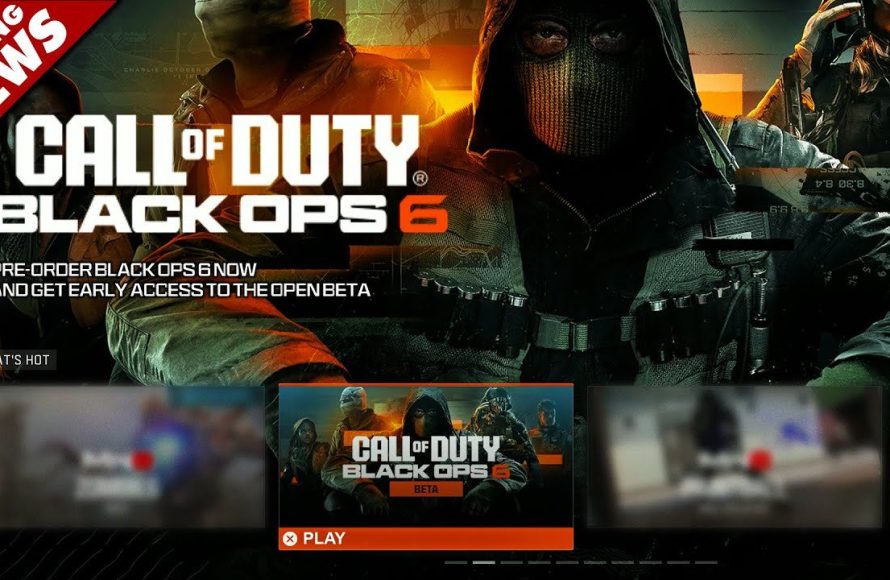
No, you generally cannot game share access to a beta for Black Ops 6. Beta access is typically tied to individual accounts.
Eagerly awaiting the Black Ops 6 beta? You’re probably wondering, can you game share Black Ops 6 beta? It’s a common question as many gamers want to enjoy early access with friends. Unfortunately, beta access codes are often connected to a specific account, making traditional game sharing methods ineffective.
While the full game allows sharing on some platforms, betas are different. This limitation ensures developers can manage server capacity and collect feedback from specific testers. So, each player needs their own code.

Can You Game Share Black Ops 6 Beta?
So, you’re hyped for the Black Ops 6 beta and you’re wondering if you can share the fun with your friends or family using game sharing. It’s a totally valid question, and lots of gamers are asking the same thing. Game sharing is super handy, letting you split the cost of games or play together on different accounts. But, when it comes to beta access, things can get a little tricky. Let’s dig into exactly how game sharing works with betas, specifically for Black Ops 6.
Understanding Game Sharing
First off, let’s talk about what game sharing actually is. Basically, it’s a feature on gaming consoles (like PlayStation and Xbox) that allows you to share your digital library with someone else. You usually designate one console as your “home” console. This lets anyone who uses that console play your downloaded games, even if they are not signed into your account. It’s a great way to share your library with family members or close friends.
Here are a few main points about how game sharing generally works:
- Primary vs. Secondary Consoles: One console is designated as your “home” or “primary” console. Your digital games can be played by anyone on that console, even if they aren’t logged into your account. Other consoles are considered “secondary”, and those will only be able to access your games when you are actively logged in.
- Account Restrictions: Game sharing is linked to your specific account. You can usually only share with one other console at a time. Trying to share with more can cause issues with games, or you will get locked out.
- Digital Licenses: Game sharing works only with digital games, not with physical copies on a disk. Because those are linked directly to your account, they can easily be verified across devices.
However, there are specific things to consider when we talk about beta versions of games.
Beta Access: A Different Ball Game
Now, betas are a little different than full game releases. They’re essentially a test version of the game, used to help developers find bugs and improve things before launch. Because of this, access to betas is often treated differently than the full game. Here are some important differences:
- Limited Access Codes: Often, beta access comes through a code that’s tied to a specific account, making it challenging to share. These are very often unique to the specific account they are assigned to.
- Account-Specific Entitlements: Beta access might be directly linked to the account you used to register or pre-order the game. It’s not like having a game installed that anyone on your console can play. It is sometimes linked directly to your account rather than simply allowing it to install on the system.
- Temporary Nature: Betas are temporary, and they are not designed for long-term use. Game makers can shut down the beta at any time, and sharing would be completely shut down with it.
- Terms of Service: Beta access might have specific terms of service that restrict sharing. It is very common for developers to restrict sharing access to betas, and they can take action if they see this occurring.
Why Betas Are Often Not Shareable
Think of beta access like a VIP pass to an exclusive event. It’s not intended for mass distribution. The developers want to control who plays the beta to manage the feedback and testing processes effectively. Here’s a closer look at why sharing betas can be problematic:
- Testing Specificity: Developers want to get feedback from a variety of players, but they want it from different accounts so they can track the data for each unique player. If people share accounts, the data becomes skewed and harder to analyze.
- Server Load: Beta testing servers are usually set up for a certain number of people. If people start sharing beta access, that can overload servers and cause issues for the beta experience.
- Fair Access: Allowing lots of people to share beta access could create unfair advantages for some players who may not even have been initially selected.
Black Ops 6 Beta: Specifics and Speculations
Now, let’s turn our attention to the Black Ops 6 beta and if you can share it. As of right now, there hasn’t been any official announcement from the creators (like Activision or Treyarch) saying if we can share the beta. However, we can look at previous Call of Duty betas to get an idea of what may happen. Here is what we know, and some things we can guess.
Looking Back at Previous Call of Duty Betas
Often, Call of Duty betas have been handled differently. Sometimes, pre-orders come with a code that’s just for the account used to pre-order the game. If that’s how it happens for Black Ops 6 beta, game sharing may not be an option. Here’s how previous betas have worked:
- Account-Linked Codes: Access codes are often tied to the specific account that pre-ordered or registered, making sharing very difficult to do.
- Early Access Windows: Sometimes, pre-ordering grants players early access to the beta. Early access codes are definitely non-shareable between accounts.
- Official Statements: If there are any updates on game sharing they would come from the company’s official websites or through social media. Keep an eye out for these announcements!
What Might Happen with Black Ops 6 Beta
Based on past Call of Duty beta releases, here’s what is likely to happen for the Black Ops 6 beta in relation to game sharing:
- Game Sharing Likely Limited: It’s very likely that the beta will not be shareable. Each account will need its own access code or entitlement.
- Pre-Order Bonuses: Pre-ordering the game could provide access to the beta, which will be tied to that specific account.
- Closed Beta Scenarios: Closed betas will almost certainly not be shareable since they’re very exclusive.
- Unique Account Entitlement: The safest bet is to assume each account wanting to play the beta will need to earn its own access.
How to Check if Game Sharing is Possible
Okay, so game sharing might be tricky for the Black Ops 6 beta. But how do you know for sure? Here are a few ways to check:
Checking Console Settings
First, look at your console’s settings:
- Xbox: Go to Settings > General > Personalization > My home Xbox, and see if the console is listed as your “Home Xbox”. If it is, it is set up for sharing (But remember, this doesn’t guarantee you can share a beta).
- PlayStation: Go to Settings > Account Management > Activate as Your Primary PS4/PS5. If this system is listed as your primary console, it’s set up for game sharing (But again, betas are different!).
Checking Your Account
Look at your account information, and you will know if the beta is tied to your account or your console.
- Digital Libraries: Look in your digital library, but remember that if the beta is not shareable, it might not show up on the shared console.
- Email Confirmation: Check your email for confirmation of your beta access. Any details about account sharing restrictions would be mentioned.
Checking Official Sources
Always keep an eye on official sources, and never rely on rumors! This is where you will find out for sure if sharing will be possible.
- Official Game Website: Visit the Black Ops 6 official website. Any sharing info will likely be found in their FAQs or news sections.
- Social Media Channels: Follow Call of Duty’s social media channels. Any changes to the sharing rules would come through these.
- Community Forums: Check forums or message boards of communities related to Call of Duty or gaming consoles. Sometimes a fellow gamer may have found a solution that works.
What To Do If Game Sharing Isn’t Allowed
If it turns out that you can’t share the beta, here are some options you have:
- Each Account Gets a Code: The easiest way to play is for each account to have a separate beta access code. Check out any pre-order deals that could help with this.
- Play on One Account: If game sharing doesn’t work, you and your friends can still take turns playing on the account that has beta access.
- Watch Others Play: You can always watch a friend play. That can be fun while waiting for the full game to drop.
Tips For a Smooth Beta Experience
Here are a few extra tips for getting the most out of your Black Ops 6 beta experience, even if you can’t game share:
- Download Early: Download the beta as soon as it’s available so you’re ready to play right when it opens.
- Check for Updates: Make sure the game is fully updated so you don’t miss out on any fixes or new parts of the game.
- Be Patient: Betas can have bugs or server issues. Be patient, and try to report bugs or issues as you find them.
- Have Fun!: Most of all, enjoy the early look at the game! Remember, it’s a test, so try to make the most of it and have fun playing.
To sum up, while game sharing is a great option for full games, it might be tricky for the Black Ops 6 beta. Always check the official sources and be prepared to acquire separate codes for each account. Following the advice we have shared will allow you to make the most of the upcoming beta.
How To Game Share Call Of Duty Black Ops 6 On PS5! (100% Working EASY!) DOWNLOAD FREE
Final Thoughts
Generally, beta access codes are tied to specific accounts. This means sharing through console features might not work. Sharing the beta is not guaranteed and can depend on the game’s specific policies.
Therefore, whether you can game share black ops 6 beta remains unclear. Activision might change its policy before the beta release. Always check the official FAQ for the most accurate information on game sharing possibilities.

