
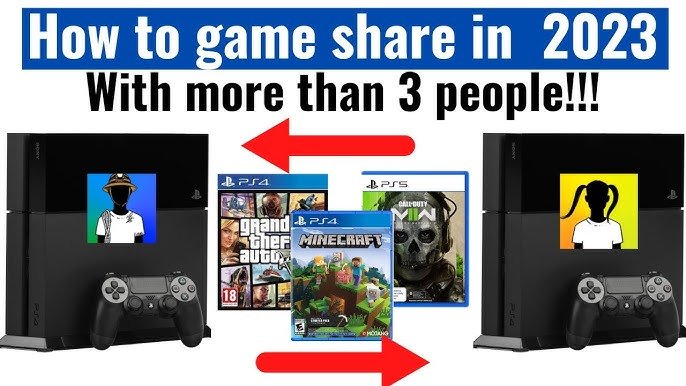
No, generally you cannot game share with more than one person simultaneously on most platforms.
Ever wondered if you could share your vast game library with all your friends instead of just one? The idea of everyone enjoying your purchased games at once is tempting, but it brings up a crucial question: can you game share with more than one person?
Most gaming platforms place restrictions on game sharing. They generally allow sharing between a primary and a secondary account, preventing simultaneous access by multiple users. This is to help protect game publishers and encourage individual game purchases.

Can You Game Share With More Than One Person?
Okay, let’s talk about game sharing. It’s a super cool way to let your friends or family play games without everyone having to buy the same copy. But, can you share your games with more than one person at the same time? That’s the question we’re diving deep into today. It’s not always as straightforward as we might hope, and it totally depends on the gaming platform you’re using.
The Basics of Game Sharing
Before we jump into the nitty-gritty, let’s make sure we all understand the basic idea of game sharing. Game sharing is like lending a physical game disc to a friend, but in the digital world. You’re basically letting another person access your downloaded games. Instead of using a disc, you’re using accounts and console settings to make this happen. The idea is that you purchased the digital license to play the game, and you are authorizing another account, and therefore, person, to also access that license.
Think of it like sharing your Netflix account. You can let your family use your profile to watch shows, even if you all aren’t sitting in the same room. Game sharing works in a similar way, but with video games on gaming consoles or PC platforms. Now, let’s see how each platform handles this!
Game Sharing on PlayStation
Understanding PlayStation’s Console Sharing and Offline Play
Sony’s PlayStation consoles (like the PS4 and PS5) have a system called “Console Sharing and Offline Play” on the PS5, and “Primary PS4” on the PS4. This setting controls who can play your games on a specific console. You can activate a single console as your primary device. Basically, this is where all your digital purchases will be accessible to everyone who uses that console. So, any other profile on that system, can access the games and digital content you have purchased.
Here’s how it generally works:
- You log in with your PlayStation account on a friend’s or family’s console.
- You activate that console as your primary console.
- They can now play your games, even when you’re not logged in, as long as that account is the primary account on that Playstation.
However, and this is important, only one console can be activated as your primary console at a time. If you try to activate a new console, you deactivate the previous one. It’s a one-to-one relationship. So, can you game share with more than one person on a playstation? It is indirectly possible, but not directly to different consoles simultaneously.
The Limits of PlayStation Sharing
While the PlayStation allows your games to be played by other accounts on your designated primary console, the sharing is tied directly to your account. The primary user of the account can access all the games that have been downloaded. Here’s the critical part: you cannot be logged into a separate console while another account is using your game. You can play at same time on a different console, but it is limited to the actual account of which has purchased the game. The other account must be playing on the primary account holder’s primary device. So, one person can play on a different console, but that must be the primary account holder, and the other account that wishes to use game-sharing, needs to play on the primary account’s console.
Let’s break it down with an example: Let’s say you, John, have a PS5 and it is your primary console, and your games can be accessed by your family who use other accounts on the same console. If you travel and take your PS5 to your friend’s house, when you want to play your games on a second console, you can only play as John. No one can use another account on that first PS5 to play your games. To play games together on different consoles, it has to be John, the account holder, playing on one of the devices, and another user on John’s primary console. You can not have two separate accounts other than John’s, playing his games simultaneously.
Game Sharing with More Than One Person on PlayStation
So, can you game share with more than one person at the same time, directly? The short answer is no. You cannot directly have your games playable by more than one individual on multiple consoles simultaneously. Because of the way the primary system works on Playstation, game sharing with multiple people on different consoles at the same time will not work.
You can, however, indirectly share your games with more than one person. Here’s what that looks like:
- Sharing with Multiple Users on One Console: If you have a family console that everyone uses, you can set that as your primary console. All the users of the console will have access to your games.
- Account Sharing – With Caveats: You can log in to a secondary console and access your games. However, only the primary account can play the game on a separate console.
- Switching Primary Consoles: You can change your primary console but it can get complicated. Everytime you switch primary consoles you must deactivate the other and then reactivate the current console you want it to be associated with.
It’s important to note that only one console can have your account as primary. So, you can’t have multiple consoles simultaneously benefiting from your game library. This design is intended to prevent the blatant abuse of account sharing.
Game Sharing on Xbox
Home Xbox and Game Sharing
Microsoft’s Xbox consoles (Xbox One, Xbox Series X, and Xbox Series S) use a system called “Home Xbox”. This works quite similarly to the PlayStation’s primary console. When you set an Xbox as your “Home Xbox,” anyone who uses that console will be able to play your games, regardless of whether you’re logged in or not. Just like PlayStation, this lets the other accounts benefit from your purchased digital library.
Here’s how it generally works:
- Log in to an Xbox console with your account.
- Designate that Xbox console as your “Home Xbox.”
- Other accounts on the Home Xbox console can now use your games.
The Limitations of Xbox Sharing
Like the PlayStation system, Xbox game sharing is limited. You can only have one “Home Xbox” at a time. If you set a new Xbox as your “Home Xbox”, the previous one will no longer have access to your digital games via your account. This limitation is deliberate and it prevents the sharing of game licenses and purchases across many households.
Here’s a breakdown of the key constraints:
- One Home Xbox at a Time: You can only have one Xbox set as your “Home Xbox” at any given time.
- Primary Account Can Play Anywhere: The account holder (the person who purchased the games) can log into their account on a different Xbox console and play games. But, other accounts won’t be able to on a different console other than the designated “Home Xbox”.
- Simultaneous Play Restrictions: While the primary account can play on a different Xbox, the other shared accounts can only play on the “Home Xbox”.
So, can you game share with more than one person on xbox, at the same time and on different consoles? The answer is also no. While you can indirectly share games with multiple people, it cannot occur simultaneously across multiple consoles. Let’s break down the scenarios.
Game Sharing with Multiple People on Xbox
You can game share with multiple people, but it involves indirect methods. Here is what it looks like:
- Sharing on the Home Xbox: You can designate a console as your “Home Xbox,” making all your games accessible to anyone who logs into that console with their account.
- Primary Account Flexibility: The primary account can play their games on any Xbox, regardless of whether it’s their “Home Xbox”. But when the primary account is in use on one console, the “Home Xbox” is still in use by other users.
- Account Hopping Can Cause Issues: If you change your Home Xbox frequently, it may cause issues, and there may be a waiting period if you change it too many times.
The key point is that while you can indirectly share with more than one person via a shared “Home Xbox,” you cannot have multiple accounts simultaneously playing your library of games on different consoles. All shared accounts must be on the ‘Home Xbox’ console, while the primary account user can access games on any console.
Game Sharing on PC Platforms
Steam Family Sharing
Steam, the popular PC gaming platform, offers a feature called “Steam Family Sharing.” It allows you to share your games library with up to five other Steam accounts. This feature is really convenient and can be set up fairly easily.
Here’s how it usually works:
- You authorize specific accounts to access your library on a computer that you have installed steam on.
- They can now download and play games from your library, as long as you’re not playing them at the same time.
Limitations of Steam Family Sharing
Steam Family Sharing also has limitations. These limitations are also in place to prevent blatant game-sharing abuse across multiple users simultaneously, as this undermines developers and the platform by reducing game sales. Let’s dive deeper in to some common limitations:
- One user at a time for each game: Only one person can play a game from your shared library at a time. If you want to play a game, while another user is playing from your library, you will be required to “kick” the other user off.
- Not all games are eligible for Family Sharing: Some games may not be available for sharing due to publisher restrictions, or for other reasons related to the game itself.
- Region Restrictions: Sharing is only available in the same region.
Can You Game Share With More Than One Person on Steam?
Yes, and no. You can authorize multiple Steam accounts to access your library, but each person cannot simultaneously play your games. The key word is simultaneously. If your friend is playing one of your games, no one else, including you, can play the same game. If you wish to play a game, you must have your friend stop playing the game. So, you can definitely game share with multiple users, but you can only have one user at a time per game.
In summary, Steam Family Sharing lets you indirectly share your library with more than one person. But, it is not designed to allow multiple users to play your games at the same time, with the exception of games that are designed for multiplayer functionality. Even then, it is limited to only one user playing per game license.
Nintendo Switch Game Sharing
Nintendo’s Approach to Game Sharing
Nintendo Switch game sharing is a bit different. There isn’t a direct “family sharing” program like PlayStation, Xbox, or Steam. You can think of game sharing on the Nintendo Switch as being more like the traditional, physical game borrowing model, but with digital downloads. The primary system is associated with the account holder, and other users who wish to play on a different system need to make a purchase. It is designed this way to protect the Nintendo game marketplace.
Limits of Nintendo Switch Game Sharing
On the Nintendo Switch, the digital game licenses are tied to your account. You can play your digital games on any Nintendo Switch where your account is logged in. However, this system does not come without its caveats. If you play on a different system, while your account is in use on another system, it will halt the first systems game progress, and the other user will not be able to proceed until you stop using the account on the second system.
Here is a breakdown:
- Account Specific: Games are tied to your Nintendo account, and you can not have separate accounts accessing those same games unless they also have a license to the game.
- Primary vs. Secondary Consoles: The primary system is the system that was first associated with the primary Nintendo account. Any other console is considered secondary.
- Game Play Interruptions: When playing on a secondary console, if the primary account is also playing on another device, the secondary user will have the game halted and will not be able to continue unless the primary user stops using the game.
Can You Share Games with More Than One Person on Nintendo Switch?
Similar to PlayStation and Xbox, you can share games indirectly, but it doesn’t enable multiple users to play on separate consoles simultaneously. For example, let’s say you have a Nintendo Switch in your home. You can let anyone play your downloaded games, but you cannot have other users playing on a separate console on your Nintendo account, unless the original account holder is not playing on another system.
The main takeaways are:
- Sharing on the Primary Console: On your primary system, any user profile can play any of your digital game purchases. This is very similar to the console sharing features of Xbox and Playstation.
- Limitations on other consoles: You can play the same games on any other console, however any other user on a different console is not able to play your games, if your account is also in use.
- Purchased Needed for Other Consoles: If you wish for another user on a secondary console to access a game, they must make a digital purchase of that game.
Essentially, Nintendo’s system is designed to encourage the purchase of individual digital game licenses. Therefore, it does not lend itself well to simultaneously game sharing among multiple people.
Other Considerations
Digital Game Ownership and Its Limitations
It is important to remember that when you purchase a digital game, you are not purchasing the physical object. Instead, you are purchasing a license to use the software in accordance with the terms of use. This has significant impacts on how we game share. Platform providers like Sony, Microsoft, Steam and Nintendo, set their own rules regarding game sharing, and they are frequently updated. It is best to check the terms of service for any changes before you decide to share games.
The Impact of Internet Connection
Internet connection is important when engaging in game sharing. For example, if you want to check to see if your primary account is currently in use, it will require a data connection. Without the internet, the secondary user may be unable to play games, even if the primary account holder is not currently using the games. Furthermore, downloaded game files for all consoles and PC platforms will need to be downloaded using an internet connection.
Potential Risks of Account Sharing
Sharing account credentials carries some risks, and those risks should be understood. Firstly, the other user can potentially access your payment information, personal information and other sensitive data. Furthermore, it also poses the risk of potentially having your account banned if it is being abused. It is best to only share your account information with trusted friends and family.
In conclusion, while you can often indirectly game share with multiple people, doing so simultaneously across different consoles and accounts isn’t usually possible. This prevents widespread abuse of account sharing and keeps the game industry working.
PS5 Tutorial: How To Game Share On PS5 & Game Share With 2 Other Friends!
Final Thoughts
Unfortunately, you cannot game share with more than one person simultaneously on a single console account. Each console only allows sharing with one designated account at a time. You might need to explore other options if you intend to share across multiple devices.
This limitation is built into the systems, preventing widespread access to games through a single purchase. Therefore, if you are wondering, can you game share with more than one person? the direct answer is no, not at the same time.

