
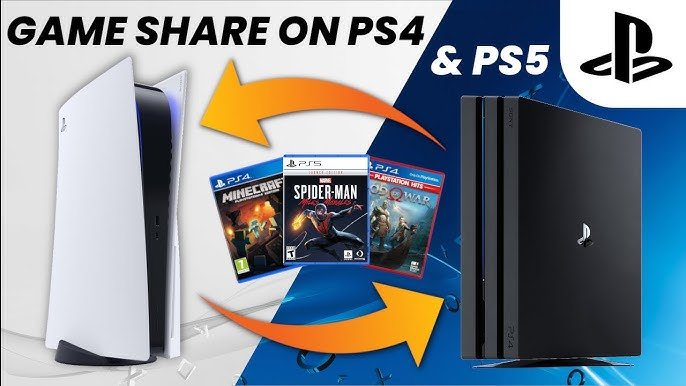
No, you cannot gameshare a disc game on PS5.
Sharing games is a popular topic among gamers, especially those with friends who also own the same console. Can you gameshare a disc game on PS5? It’s a question that pops up often.
Unfortunately, unlike digital titles, physical disc games cannot be shared in the same way on the PS5 system. The console verifies the disc is present for gameplay, preventing this type of sharing.

Can You Gameshare a Disc Game on PS5?
So, you’ve got a cool new PlayStation 5, and you’ve got some awesome disc-based games. Maybe your friend wants to play that exciting adventure game, or your sibling is itching to try that super fun racing game. The question pops up: can you gameshare a disc game on your PS5? It’s a great question, and the answer isn’t quite as straightforward as you might hope. Let’s dive deep into this and figure out all the ins and outs of sharing your physical games on the PS5.
Understanding Game Sharing Basics
Before we get into the specifics of disc sharing on the PS5, it’s a good idea to understand the general idea of game sharing. Game sharing, in its simplest form, means letting someone else play a game that you own. In the digital world, this is pretty easy – you can often share your downloaded games with a friend on a console. However, things get a bit trickier with physical disc games because you can’t just make a copy of a disc like you can with digital files. The key is that a disc game has to be in the disc drive of the console it is being played on. So how does that affect gamesharing?
The Limitations of Disc-Based Game Sharing
Unlike digital game sharing, disc-based game sharing isn’t a matter of activating a setting. You cannot share the physical games the same way you can share digital games, where you let another console to access games tied to your account. Disc games are physically bound to the disc itself, so only one PlayStation 5 console can play the game at a time with that specific disc inside the console. Consider the disc like a key—only one door opens at a time with one key. So, the straightforward answer is, you can’t share a physical disc game on PS5 with someone who is not physically with you.
How Physical Game Sharing Works
So, if you can’t share the disc game digitally with a friend in another city, how can you gameshare it at all? Well, the sharing relies on the old-fashioned way – you have to physically pass the disc to the other person. Let’s say you have a friend, Jamie, who also has a PS5. Here’s a basic look at how this could work:
- Borrowing the Disc: You give Jamie the disc of the game.
- Playing the Game: Jamie puts the disc into their PS5 and starts playing.
- Return of the Disc: Once Jamie is done playing (or you need the disc back), Jamie returns the disc to you.
That’s it! The process is as basic as it could be. The person who wants to play has to be able to insert the physical game disc in their console. This has implications for who you can share your games with.
The Need for a Physical Disc Copy
Because of the physical nature of discs, there needs to be an actual physical copy to play the game. This means that while you can loan your disc to someone else, you can’t both play the game at the same time, on different consoles. For example, If you and your friend want to play the same game, but you both want to play at the same time, then you both need a copy of the disc (or a digital version of the game). This is the key difference between sharing digital games and physical disc games on the PS5.
Benefits and Drawbacks of Physical Gamesharing
Like all things, there are plus points and some downsides to sharing physical games. Here’s a breakdown:
The Good Stuff
- Cost Saving: You can save money by letting your friends try out games before buying them themselves.
- Try Before Buying: Someone borrowing your game can decide if they like the game before purchasing a copy.
- Community Fun: It allows friends to experience games together, even if they don’t have their own copy.
- Simplicity: It is incredibly easy to understand: lend a disc, play the game.
Things to Consider
- Physical limitations: You can only share within physical proximity.
- Not simultaneous playing: Only one person can play the disc at a time.
- Disc care: Discs can be damaged if not handled carefully, which is a risk when lending to someone else.
- Logistics: You have to physically coordinate the handing off and return of the disc.
- Time Constraints: You need to get the disc back if you want to play yourself.
Alternative: Digital Game Sharing on PS5
While sharing disc games on PS5 has limitations, there’s also the option to share digital games, which works differently. Digital sharing is a way of letting someone else play the digital games linked to your PlayStation account. This method allows for remote gamesharing over the internet and multiple users to access your games, but with specific limitations.
How Digital Game Sharing Works
Here’s a basic breakdown of how to gameshare digital games:
- Account setup: You log into your PlayStation account on another PS5 console.
- Primary console designation: You set the other console as your account’s primary console. This allows other users on that console to access your digital games.
- Game download: The games linked to your account can be downloaded to the other user’s console.
- Play time: The other user can play your digital games.
Advantages of Digital Game Sharing
- Remote Sharing: You can share with someone far away.
- Multiple Access: More than one person can access your library of games, while not necessarily playing the same game simultaneously.
- No physical disc needed: There is nothing to lose, scratch or break.
Disadvantages of Digital Game Sharing
- Account sharing risk: Sharing your account requires sharing your login information.
- Potential for conflicts: Some features may not work while both users are accessing the same account.
- Console limitations: Digital game sharing is linked to the ‘primary’ console setup and has limitations as to who else can access your digital games.
Important Considerations When Gamesharing
Whether you’re thinking about lending a physical disc or trying out digital game sharing, here are some important things to keep in mind:
Trust and Responsibility
When it comes to sharing, trust is very important. If you are lending out your disc, make sure you are lending it to someone you believe will look after the disc. If you’re sharing your digital account, you have to trust that the other person will not make unwanted purchases with your account. Always handle physical games carefully and treat another user’s account with respect.
PlayStation Network Policies
Sony has certain policies regarding gamesharing. While they encourage you to play games with friends, they also have measures in place to stop people from abusing the system, such as selling access to games, or excessively sharing games. Always be sure to play by the rules to avoid any potential problems with your account.
Backup and Safety
When lending out your disc, make sure you keep your receipt and if possible, take a photo of the disc before lending it. With digital game sharing, make sure you have a secure password, and make sure to keep track of which console you have designated as your primary console.
Troubleshooting Common Issues
Sometimes, things don’t work quite as planned. Here are some solutions to common issues that can occur when trying to gameshare:
Disc Not Reading
- Clean the Disc: Try gently cleaning the disc with a soft cloth, and wiping from the inside out.
- Check the Drive: Ensure your PS5’s disc drive is working correctly.
- Test Another Game: See if other discs work to identify if it is a disc or PS5 issue.
Digital Game Lock Issues
- Check Primary Console: Make sure the other console is your primary console.
- Log Out and Back In: Try logging out of the PlayStation Network and back in on both consoles.
- Restore Licenses: On your PS5, go to Settings > Users and Accounts > Other > Restore Licenses.
Game Update Issues
- Check Internet: Ensure a stable internet connection for game updates.
- Update the System: Make sure both consoles have the latest system software.
Making the Best Choice for Your Situation
The right method for sharing games—whether physical or digital—depends on your specific needs. If you and a friend live in the same house, then lending a disc is the most simple and easy method. If you want to share games with a friend who lives in another city, digital game sharing is likely a better choice. Think about the location of the people you want to share with, how often you want to play the game, and if you want to play simultaneously. The answer will guide you to the best way to share your games.
Sharing physical games on your PS5 is simple, but it’s limited to physically being with the other person who wants to play. You can’t send a disc game over the internet. You have to hand it to them. This method works well within a household, where siblings can borrow from each other, or if you have a neighbor or close friend whom you see often. Digital game sharing on the other hand allows for remote access, but you have to share account information. It all depends on your particular situation. Remember always to be responsible, respectful, and to keep within the PlayStation Network guidelines when sharing any games.
How to GameShare on PS5 – OverSimplified (2024)
Final Thoughts
Ultimately, you cannot directly gameshare a disc game on PS5 the same way you can with digital titles. Disc games are tied to the physical medium, requiring it to be present in the console to play. This physical constraint is the core reason why disc based game sharing is not possible.
The license to play the game is linked to that specific physical disc. Consequently, you can only play the disc game on the console where the disc is inserted. Therefore, the answer is a firm no, can you gameshare a disc game on ps5.

