
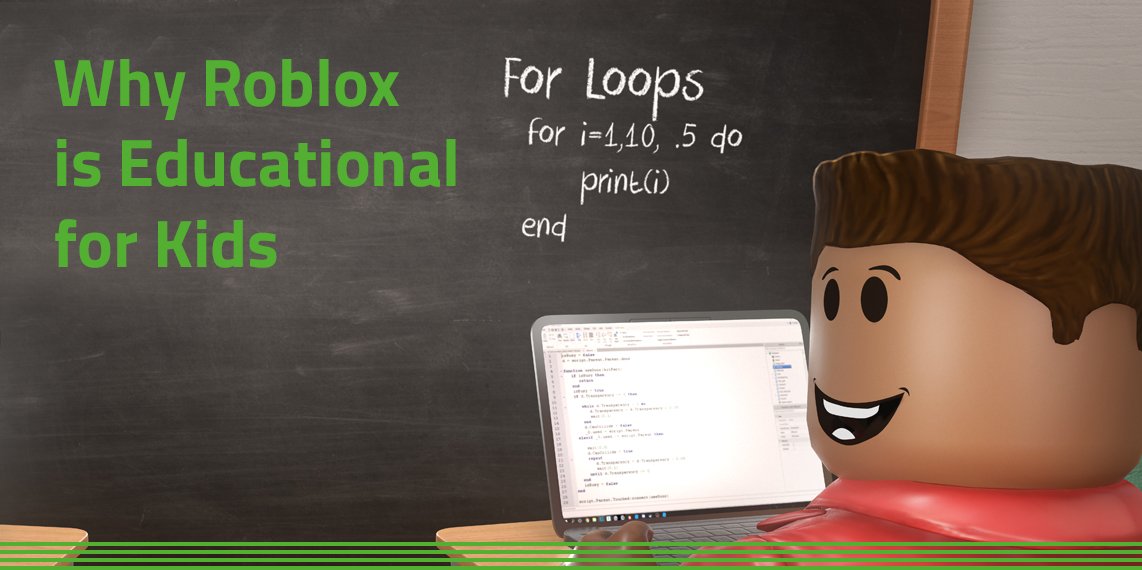
Creating educational content on Roblox involves designing interactive experiences that teach specific subjects through gameplay and engaging visuals.
Imagine turning virtual worlds into classrooms where learning feels like an adventure. That’s the power of Roblox educational content creation. We’re exploring how creators can leverage this platform to build engaging learning experiences. This approach changes the way kids interact with information. It offers new pathways to explore complex topics.

Roblox Educational Content Creation: Building Worlds of Learning
Roblox isn’t just a game; it’s a powerful platform where kids and teens can learn while having fun. Creating educational content on Roblox means building experiences that teach real-world skills and concepts. Think of it as making your own interactive lesson plan that’s actually a blast to play. This article explores how you can start making awesome educational games on Roblox, from figuring out what to teach to getting others to play and learn.
Why Choose Roblox for Educational Content?
Roblox offers unique advantages for educators and aspiring game developers. It’s a place where learning feels less like work and more like play. Let’s dive into some of these key reasons:
Engaging and Immersive Learning
Kids are naturally drawn to games, and Roblox is no exception. It allows learners to actively participate in the learning process instead of passively listening or reading. Imagine learning about ancient Rome by actually walking through a virtual Colosseum or exploring the solar system by flying your spaceship. These immersive experiences help concepts stick in a more powerful way compared to textbook learning.
Roblox also allows educators to create interactive simulations, allowing students to experiment and observe the results of their choices in real-time, further deepening understanding. This hands-on approach boosts engagement and motivation, making learning more fun.
Developing Important Skills
Beyond just teaching specific academic subjects, creating and playing educational games on Roblox builds several important skills, including:
- Problem-solving: Players need to think strategically to navigate games and overcome challenges.
- Creativity and Design Thinking: Designing games requires brainstorming, planning, and creative solutions to make engaging experiences.
- Coding Basics: Using Lua (Roblox’s programming language) to create custom game elements is a great way to get introduced to coding concepts.
- Collaboration: Working with other builders or playing multi-player games teaches teamwork and communication skills.
- Critical thinking: Players have to make choices and figure out how different elements of the game work together.
Accessibility and Reach
Roblox is available on multiple platforms like computers, tablets, and phones, making it accessible to a wide audience. The platform’s large and active community also helps you reach a broad audience for your creations.
You do not need extensive coding experience to make a simple game on Roblox. It’s a great platform for anyone wanting to experiment with game creation, regardless of coding experience. There’s a lot of free online tutorials and community resources available. This helps keep the barrier to entry low.
What Kind of Educational Content Can You Create?
The possibilities are pretty much limitless when it comes to educational content on Roblox. Here are some ideas to get you started:
Subject-Based Learning Games
Create games that focus on specific academic subjects. Some ideas include:
- Math Games: Build a world where players solve math problems to progress, such as a treasure hunt that involves geometry or a building game that relies on calculating area.
- Science Games: Design experiments in a virtual lab, create simulations of ecosystems, or build a model of the solar system.
- History Games: Let players explore historical locations, complete quests based on real-life events, or even create interactive timelines.
- Language Arts Games: Create games focused on vocabulary building, creative writing prompts, or even a virtual library where players explore stories.
Skill-Building Simulations
Design experiences that allow players to practice specific skills, such as:
- Problem-Solving Games: Create puzzles, escape rooms, or mystery games that encourage critical thinking.
- Coding and Logic Games: Make games where players use logic to solve puzzles or experiment with basic coding concepts.
- Financial Literacy Games: Simulate managing a budget, investing, or creating and running a virtual business.
- Typing Practice: Create fun games that help players improve their typing speed and accuracy.
Social-Emotional Learning (SEL) Games
Build games that help players develop crucial social-emotional skills:
- Empathy and Perspective Taking: Create games that allow players to experience different perspectives.
- Conflict Resolution: Design simulations where players have to work together to overcome conflicts.
- Communication Skills: Create games that require players to collaborate and communicate effectively.
Getting Started: Planning Your Roblox Educational Experience
Creating great educational content on Roblox takes some planning. Here’s how to get started:
Define Your Learning Objectives
Before you start building, decide what you want your players to learn. Ask yourself:
- What specific skills or knowledge will players gain?
- What age group are you targeting?
- How will you know if players have achieved the learning objectives?
Clearly defined learning objectives will make it easier to design an effective game.
Choose a Game Genre and Concept
Decide on the type of game you want to create. Will it be an adventure game, a puzzle game, a simulation, or something else? Consider what kind of game would best fit your learning objectives.
It’s helpful to start with a simple concept and build on it. You can create a small part of your game first to test if your idea works.
Brainstorm the Game Mechanics
Figure out how the game will actually work. Think about:
- How will players interact with the environment?
- What challenges will they face?
- How will they earn points or rewards?
- How will they progress through the game?
Create a Story or Theme (Optional)
A compelling story or theme can make your game more engaging and memorable. It doesn’t have to be complicated. You can create a simple setting, a goal, or an interesting character.
Building Your Educational Game in Roblox Studio
Now comes the exciting part – building your game using Roblox Studio. This is where you bring your ideas to life.
Understanding Roblox Studio
Roblox Studio is a free program that lets you create and edit games. It might seem a little complicated at first, but don’t worry. There are tons of tutorials available online to help you get comfortable with it.
Roblox Studio uses a visual interface. You don’t need to be a coding expert to begin making things. You will see a set of tools that will help you move, resize, and rotate parts. You will use different colored “bricks” to build everything from a simple wall to a whole village.
Basic Building Techniques
Here are some basic things you’ll need to know:
- Adding and Moving Parts: Learn how to add basic shapes to your game and move them around to build your world.
- Resizing and Rotating Parts: Use the tools to change the size and orientation of the parts.
- Using Materials and Colors: Give your parts different looks using various materials and colors.
- Grouping and Organizing: Keep your game organized by grouping related parts together.
Introduction to Lua Scripting
Lua is the programming language that Roblox uses. Don’t be scared! You don’t have to be a professional coder to add basic functionality to your game. You can use pre-made scripts or adapt examples to add movement, interaction, scoring, and much more. You will create the rules and behaviors of the game with scripting.
Here are some scripting concepts:
- Variables: Store information like player scores or object locations.
- Functions: Define sets of actions that are performed when events happen.
- Events: Trigger actions based on player interactions, such as touching an object.
- Conditional Statements (if/else): Execute code only when a condition is true.
Adding Interactivity
Make your game interactive by adding triggers, buttons, and events:
- Touch Events: Make things happen when a player touches an object.
- Click Events: Have players click on buttons to trigger actions.
- Proximity Prompts: Create interactive pop-ups that appear when players get near something.
Designing User Interface (UI)
Your game should have an easy-to-use interface for things like displaying scores or giving instructions. You will need to add elements like buttons, text labels, and images to communicate with the player:
- Text Labels: Use these to display information and instructions.
- Buttons: Allow players to interact with the game through buttons.
- Images and Icons: Use these to enhance the look and feel of your game.
Testing and Iteration
It’s important to test your game regularly as you build it. Play through it yourself and ask others to play it to get feedback. Use this feedback to improve your game.
Best Practices for Effective Educational Content
Making your Roblox educational game not only fun but also effective involves keeping some important points in mind. Here are some best practices:
Clarity and Simplicity
Keep your game design clear and easy to understand. Don’t overload players with too much information or complex mechanics at once. Focus on one core concept at a time.
- Clear Instructions: Make sure players know what they need to do.
- Simple Interface: Avoid clutter and keep the game screen easy to navigate.
- Progressive Difficulty: Gradually increase the difficulty so players can learn at their own pace.
Engaging and Fun Gameplay
Learning should be enjoyable. Make sure the game mechanics are engaging and rewarding. Incorporate fun elements like rewards, challenges, and a compelling storyline.
- Rewards and Feedback: Give players immediate feedback and rewards for their progress.
- Challenges and Puzzles: Include challenges that require players to think creatively.
- Variety: Keep the gameplay varied to maintain player interest.
Relevance to Real-World Learning
Connect the game content to real-world concepts. Show how the skills or knowledge they gain in the game can be applied in their everyday lives. This helps make learning more relevant and meaningful.
Accessibility
Make your game accessible to as many players as possible. This includes players with different learning styles and needs. Consider things like:
- Visual Clarity: Use clear fonts, colors, and visuals that are easy to see.
- Audio Options: Offer sound effects and music, but ensure they are not overwhelming.
- Alternative Controls: Provide alternative control methods if possible.
Collaboration and Community
Encourage collaboration among players, if possible. Create multi-player modes or challenges that require teamwork. This not only promotes social skills but makes learning more fun.
Promoting and Sharing Your Educational Game
Once your game is ready, you’ll want to share it with the world. Here’s how you can do that:
Publishing Your Game
In Roblox Studio, you can easily publish your game. Simply click the “Publish to Roblox” option. Once published, your game will be available to anyone on the platform.
Using Roblox’s Game Page Features
Make sure your game has an attractive icon, description, and screenshots. This will attract more players to your game.
Engaging with the Roblox Community
Engage with your players through the comments section. Ask for feedback and use that to improve your game further. Participate in Roblox forums and groups to share your game and connect with other creators.
Sharing on Social Media
Promote your game through social media platforms like Twitter, Facebook, and Instagram. Create eye-catching videos or images to get people interested.
Monetizing Your Educational Content (Optional)
While your primary goal is likely to educate, you can also monetize your game if you wish. You can do this through:
Robux Sales
Robux is Roblox’s virtual currency. You can earn Robux by selling in-game items, character skins, or game passes. You can use these earnings to improve your games or to support your development efforts.
Game Passes
You can sell game passes that give players access to extra features, like exclusive levels or powers.
Developer Products
Developer products let players buy virtual goods, like extra points or special game features.
Creating educational content on Roblox is a fantastic way to blend learning and fun. By understanding the platform, planning well, and applying these best practices, you can create really wonderful games that inspire kids to learn. With creativity and dedication, you can build educational experiences that leave a lasting impact on your players.
When you publish your first Roblox game…
Final Thoughts
Creating engaging educational experiences within Roblox requires careful planning and execution. Focus on clear learning objectives and build interactive, fun lessons that captivate young minds. You must also consider accessibility and age-appropriateness.
Effective Roblox educational content creation involves testing and iterating on your designs. Seek feedback from your target audience and continuously improve your experiences. By following these steps you will improve your content reach and effectiveness.
In summary, thoughtful design, clear goals, and consistent refinement drive successful Roblox educational content creation.

